

![Opacity [Transparency and mount] logo](https://media.forgecdn.net/avatars/thumbnails/2030/997/64/64/639243041000050392.jpg)
Opacity [Transparency and mount]
- By
Opacity Mod smoothly makes players, mobs, and mounts transparent when they obstruct your camera. Control opacity manually or let the mod adjust it automatically for a clearer first- and third-person view.
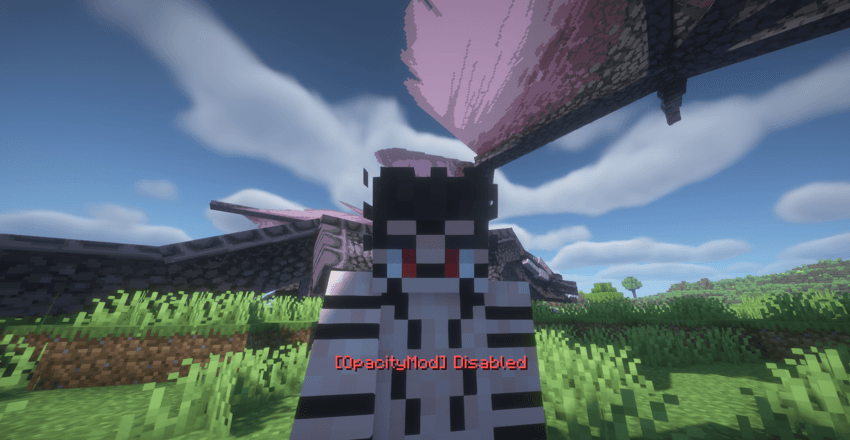
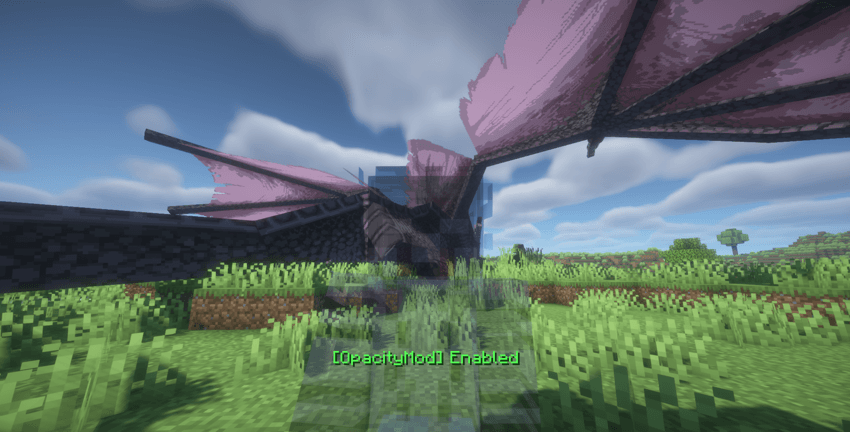
LL4I | Opacity Mod
Create your game server with 

Description
https://www.patreon.com/c/ll4i1/membership
Enjoying this mod? If you'd like to support my work and help me create future updates, you can support me on Patreon. Every bit of support is greatly appreciated.
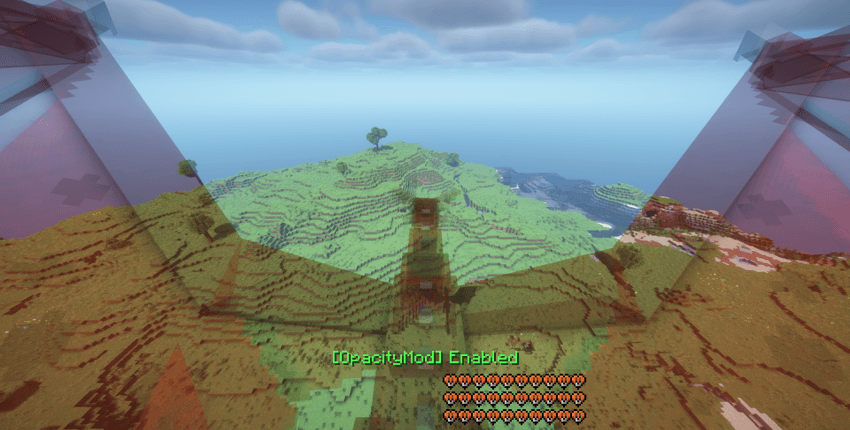
Better Visibility While Riding
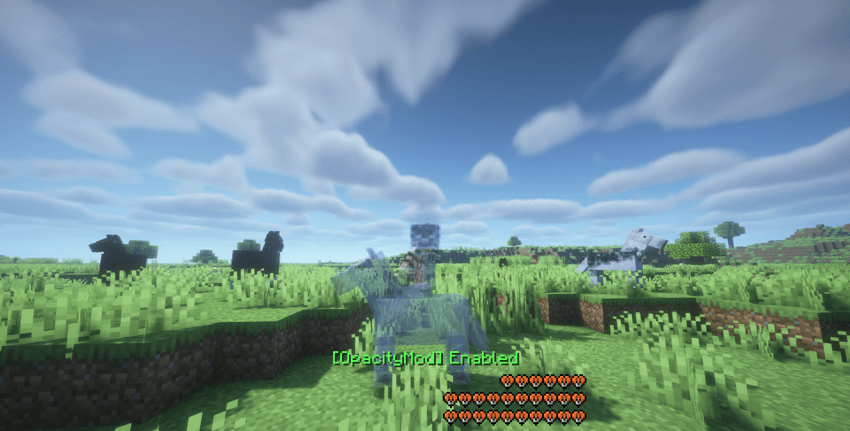
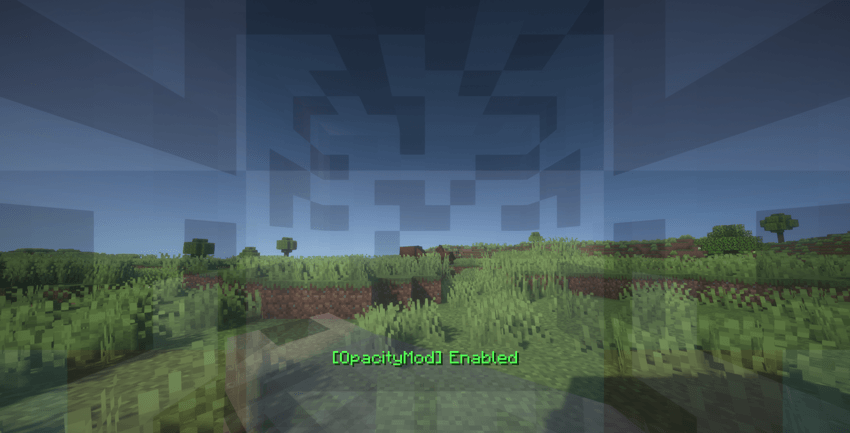
With Opacity Mod enabled, the mount's opacity can be reduced while riding, making it easier to see and fight large creatures such as dragons. This provides a clearer view during combat without completely hiding the mount.
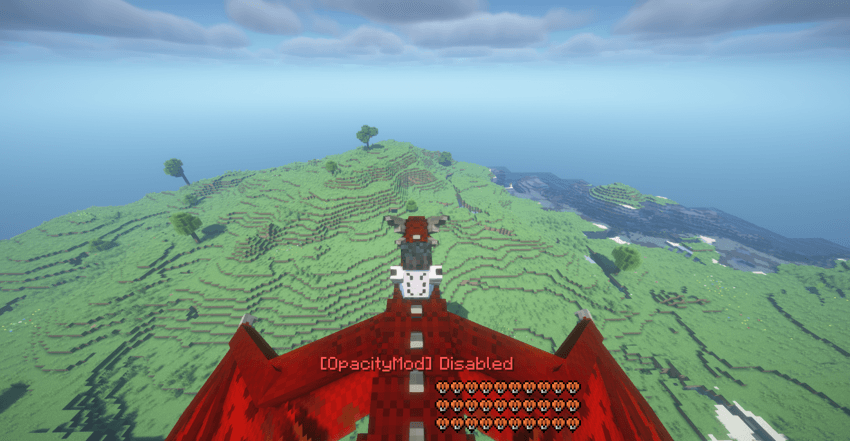
Limited Visibility Without Opacity Mod
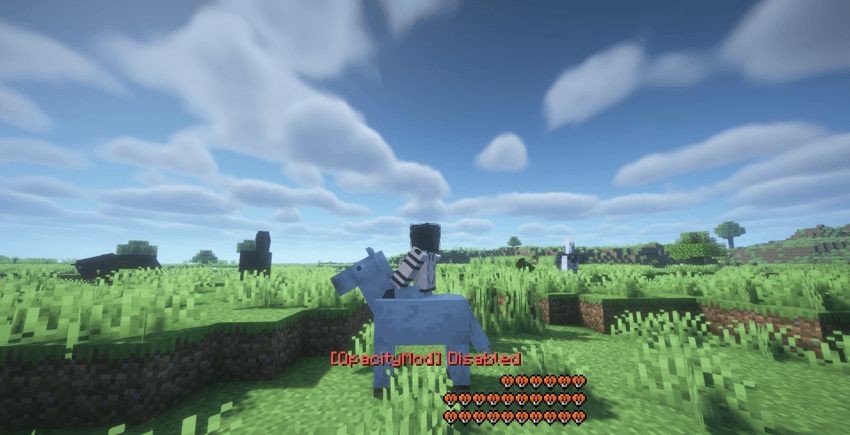
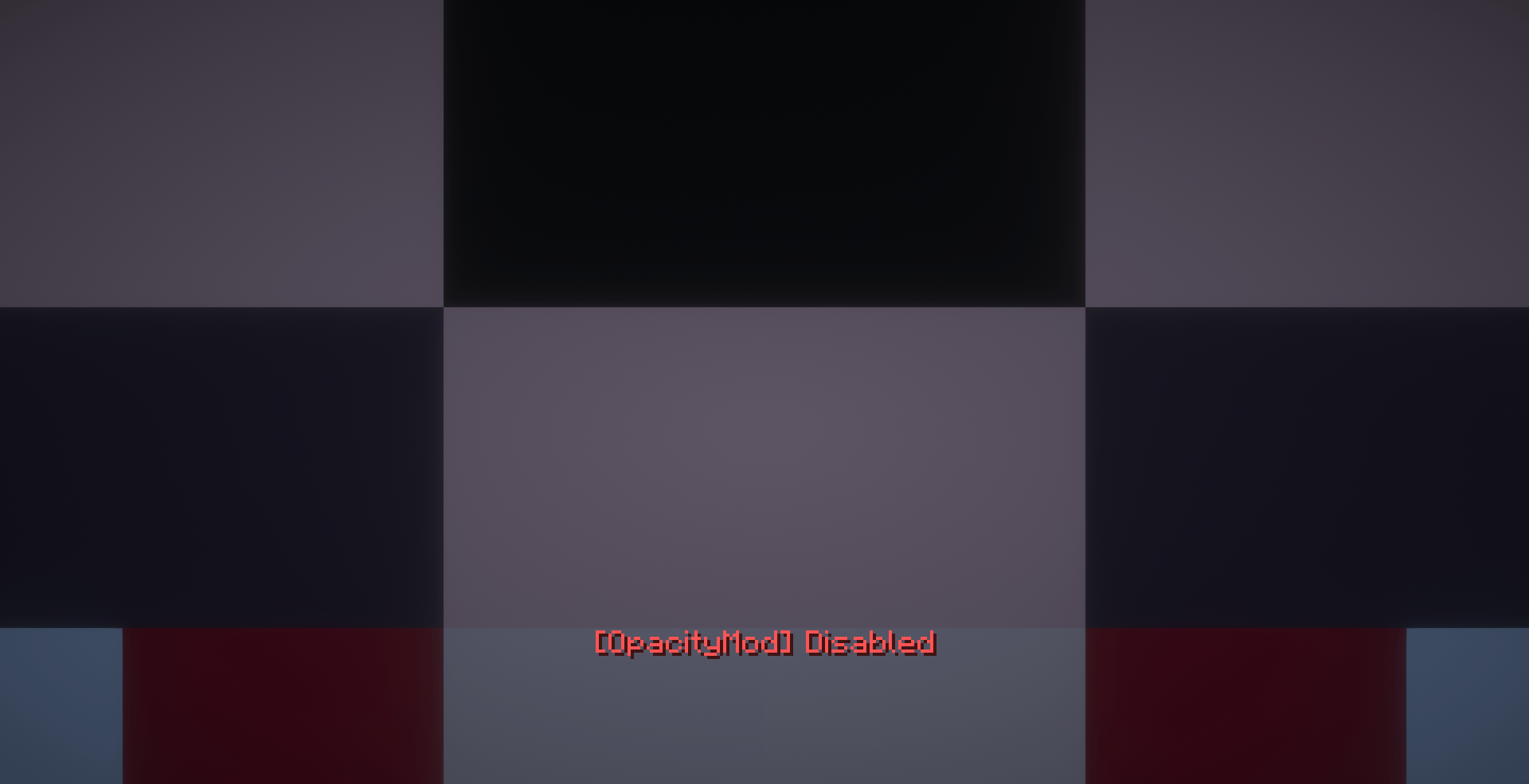
With Opacity Mod disabled, the mount remains fully opaque and can significantly obstruct the camera view. This makes it harder to see and react to large enemies during combat, especially when fighting from a mount.
Opacity Mod
Opacity Mod is a lightweight Minecraft client-side mod designed to give you precise control over entity transparency and keep your camera view clear.
Whether you are riding a mount, playing in third person, or simply want more control over how your character appears, Opacity Mod lets you smoothly adjust the opacity of players, mobs, and mounts without completely hiding them.
The goal is simple:
If something is blocking your camera, make it transparent instead of letting it ruin your view.
Features
Dynamic Entity Transparency
Opacity Mod can automatically reduce the opacity of nearby entities when they get too close to the camera.
Instead of an entity suddenly disappearing, the transparency changes smoothly, creating a natural transition between fully visible and transparent.
This is especially useful in situations where:
-
Your character is blocking the camera
-
A mount takes up too much of your screen
-
A nearby mob is directly in front of your view
-
You are playing in a tight space
-
You want to maintain visibility without completely hiding entities
The transparency system is designed to make the transition feel smooth and unobtrusive.
Manual Opacity Control
Want to decide exactly how transparent your character or mount should be?
Hold Left Alt and use your mouse wheel to adjust the opacity manually.
You can smoothly control the opacity from:
100% → 25%
This allows you to find the exact level of transparency you prefer.
The selected opacity is saved automatically, so your preferred setting can persist between sessions.
Automatic Opacity
Opacity Mod also includes an automatic opacity system.
When enabled, the mod dynamically determines when transparency is necessary based on the camera's position and the entity's proximity.
This means you do not always have to adjust transparency yourself.
The mod can automatically reduce opacity when your player or mount gets close enough to the camera, then smoothly return to full opacity when the obstruction is no longer relevant.
Smooth Transitions
Opacity changes are interpolated instead of switching instantly.
This prevents distracting visual popping and makes the transition between opaque and transparent feel much more natural.
Player & Mount Support
Opacity Mod is designed to work with both the player and their mount.
When riding an entity, the mod can automatically reduce the mount's opacity when it interferes with the camera.
This is particularly useful in first-person situations where a mount can occupy a large portion of the screen.
The same opacity system can also affect your own player model when viewed from third person.
First-Person & Third-Person
Opacity Mod supports both major camera perspectives.
First Person
When riding a mount or when the player's own model interferes with the camera, automatic transparency can help keep your view clear.
Third Person
Your character can smoothly become transparent when necessary, allowing you to see what would otherwise be hidden behind your own model.
This makes third-person gameplay much more comfortable without simply removing the player model from the screen.
Mob Transparency
Opacity Mod can also apply transparency to nearby living entities.
When an entity gets close enough to the camera, its opacity can be reduced so that it no longer completely obstructs your view.
This can be especially useful around:
-
Mobs
-
Animals
-
Hostile creatures
-
Large entities
-
Modded creatures
-
Other living entities with unusual model dimensions
The system also includes a small amount of tolerance around entity boundaries to better handle models that extend beyond their normal bounding box.
Toggle the Mod
You can assign a key to completely enable or disable Opacity Mod at any time.
When the mod is disabled, entities return to their normal 100% opacity.
The enabled/disabled state is also saved to the configuration, so your preferred state can persist after restarting Minecraft.
Designed to Stay Out of Your Way
Opacity Mod is not intended to completely change the appearance of Minecraft.
There are no forced visual filters, unnecessary overlays, or complicated interfaces.
The mod focuses on one thing:
Giving you control over entity opacity while keeping your camera view clear.
The result is a subtle visual improvement that becomes especially useful when playing in third person or riding entities.
Configuration
Opacity Mod automatically saves important settings, including:
-
Manual opacity level
-
Mod enabled/disabled state
-
Automatic opacity state
Your settings remain available after restarting the game.
Why Opacity Mod?
Minecraft's third-person camera can sometimes place your own character, a mount, or another entity directly between the camera and what you want to see.
Normally, your options are limited to moving the camera, changing your perspective, or simply accepting the obstruction.
Opacity Mod provides another solution:
Instead of removing the entity completely, gradually make it transparent.
You can choose how transparent your character is, let the automatic system handle it for you, or disable the system whenever you want.
Simple by Design
Opacity Mod was built around a straightforward idea:
Visibility should not require hiding the world around you.
Whether you want a cleaner third-person camera, better visibility while riding, manual control over your character's appearance, or a more comfortable way to deal with nearby entities, Opacity Mod gives you the tools to control transparency exactly when you need it.
Opaque when you want it.
Transparent when you need it.
Controls
Left Alt + Mouse Wheel
Adjust manual opacity.
Custom Toggle Key
Enable or disable the mod.
The opacity adjustment key and toggle key can be configured through Minecraft's controls menu.
Client-Side
Opacity Mod is designed as a client-side visual modification.
Its purpose is to change how entities are rendered on your screen without changing the actual gameplay behavior of those entities.
Opacity Mod
Dynamic Transparency • Entity Opacity • Camera Visibility • Player Opacity • Mob Transparency • Mount Transparency • First Person • Third Person • Smooth Opacity Control
Take control of what your camera sees.
# 💬 Community & Support
Need help, want to report a bug, or have suggestions? Join our community!
Opacity [Transparency and mount] Team
![Shield Status [Fabric / PvP / Shield Cooldown Tracker] project image](https://media.forgecdn.net/avatars/thumbnails/2068/15/256/256/639258724293546836.png)
![Better F5 Cam [Third Person Camera , Camera Zoom , F5 Zoom , Cinematic Camera , Free Look , Better F5] project image](https://media.forgecdn.net/avatars/thumbnails/1971/678/256/256/639217953802104290.png)
![PVP Pack [PvP , FPS Boost , Performance , Optimization , Low Latency , Competitive , 26.2 , Modern PVP , pvppack , pvp] project image](https://media.forgecdn.net/avatars/thumbnails/1983/614/256/256/639223112912906076.png)
![Exact Volume [Exact Values, Slider Input, FOV, Render Distance, Settings] project image](https://media.forgecdn.net/avatars/thumbnails/2002/408/256/256/639230943614420809.png)