Elytra Buff
- By
Take off with one mighty wing beat, flap for speed and glide forever – no fireworks needed. Crouch to launch into the sky, flap your wings in flight, and turn every dive into new speed, with animated wings for Fabric and NeoForge.
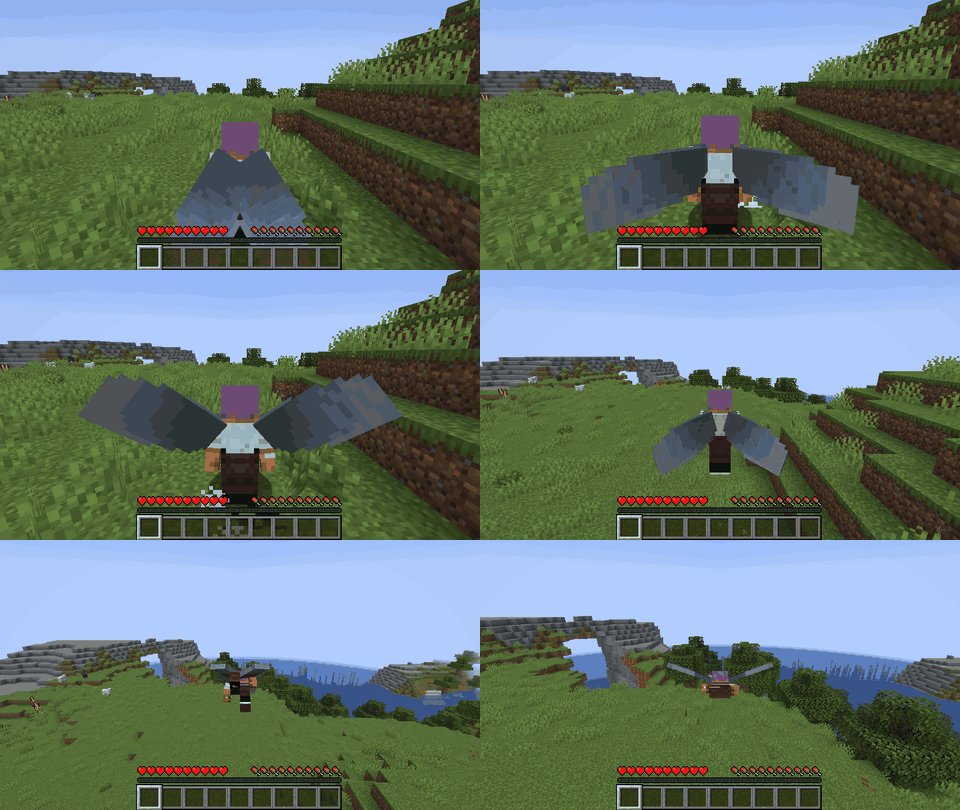
Launch yourself by crouching and charging up.
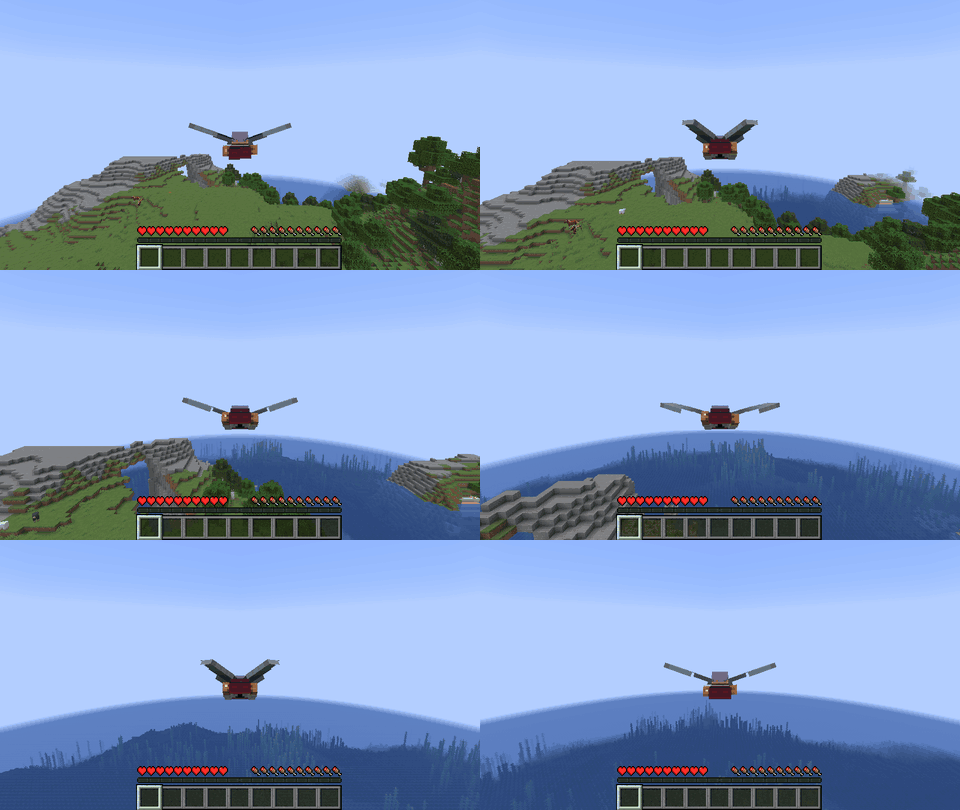
Flap your wings by crouching to pick up speed mid flight.
Description
⚠️ Disclaimer: This project is AI-generated. The code, this description and the icon of this mod were created with generative AI (Claude by Anthropic), directed by me. While I am a professional software developer, I am not a Java developer, so I use generative AI to build mods that my friends and I want to play with, and I like to share the ones that work well with everyone. I understand if you do not want to support the use of generative AI, which is why I put this disclaimer here. If you run into any problems, please report them on GitHub.
Elytra Buff
Take off with an elytra without fireworks or a cliff, flap your wings for extra speed, and keep a flight going forever.
Features
Cold start
With an elytra on, crouch while standing on the ground to gather strength for one mighty wing beat:
- your wings slowly rise,
- after 1 second the air starts to stir around your feet,
- after 3 seconds feathers drift off the wings and they rustle: the cold start is charged.
Release crouch to beat the wings down and be thrown 16 blocks into the air in a gust of wind and feathers, then press jump to open the elytra. Releasing early, leaving the ground, taking off the elytra or getting into water cancels the charge.
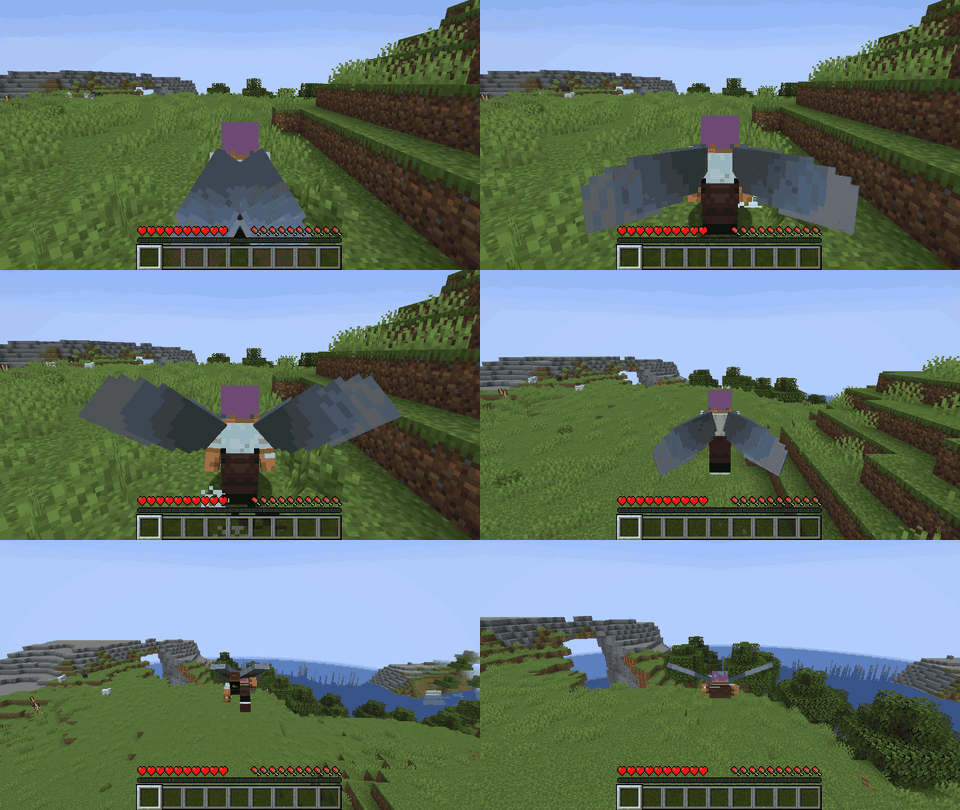
Wing flaps
Crouch while flying to flap the wings: like a weak firework rocket, flapping pushes you along the direction you look, with a flapping sound at every wing beat. The wings tire out after 3 seconds and need 5 seconds to recover; releasing crouch earlier lets them recover from the time flapped so far. Flapping never gets you as fast as a firework.
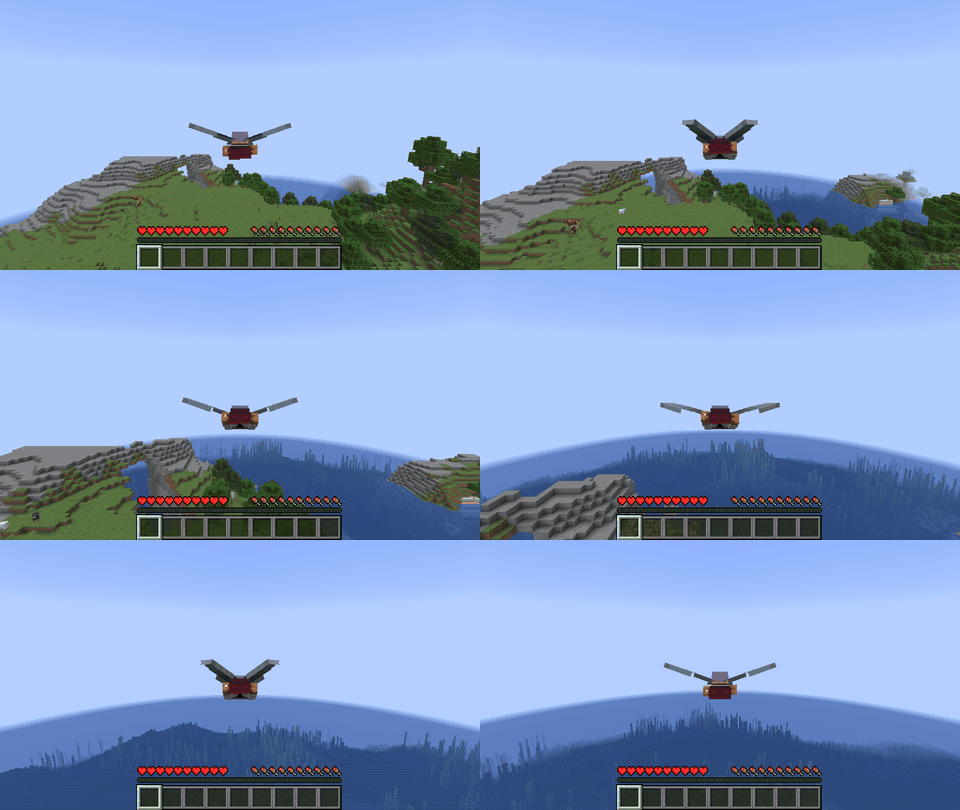
Endless flight
In vanilla, every flight slowly runs out of energy. The mod adds a bonus to the speed gained while diving (50 % by default), so diving and pulling up again recovers all the speed and height of the flight. With a good rhythm (dive at about 20–40°, climb at about 30–50°) you climb higher. Very steep dives still lose more than they gain.
Animated wings
The wings rise while charging, strike down for the cold start and beat while flapping, for yourself in third person and for other players.
Installation
Install the mod on the server (or in singleplayer, which runs both). The cold start works for every player, even without the mod on their client. Wing flaps, endless flight and the wing animations need the mod on the client as well; players without it fly like in vanilla. On Fabric, Fabric API is required.
Configuration
config/elytrabuff.properties is created on first start and reloaded automatically when it changes. It can also be edited in game: on NeoForge in Mods → Elytra Buff → Config, on Fabric through Mod Menu. Invalid values are marked red and cannot be saved, and every value can be reset to its default.
Every part can be switched off or tuned: the charge time, the launch height, the speed bonus from diving, and the strength, duration and cooldown of wing flaps. In multiplayer the server's settings apply.
Versions
Available for Fabric and NeoForge on Minecraft 1.21 – 26.3. Download the file that matches your loader and Minecraft version.
Links
Elytra Buff Team