
Dungeon Minimap is a minimap in a notched frame, with the biome or the quest you're tracking written under it. It runs on the client; a server with it installed can decide what players are allowed to see.
It needs Dungeon Config, which provides the settings screen.
Documentation · Dungeon Map · Dungeon Party · Dungeon Claims
Looks
The default is a parchment look that matches Dungeon Map. There's also an outline look, light lines on dark glass, and a true-colour look. The frame can be square or round.
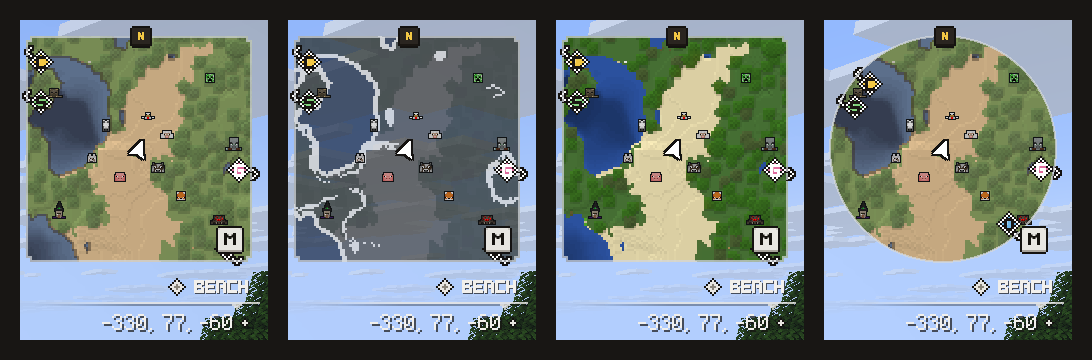
Layout
The layout editor moves the minimap to any spot on the screen and resizes it with the scroll wheel. Shape, rotation and style are one click each, and Reset puts it back in the corner.
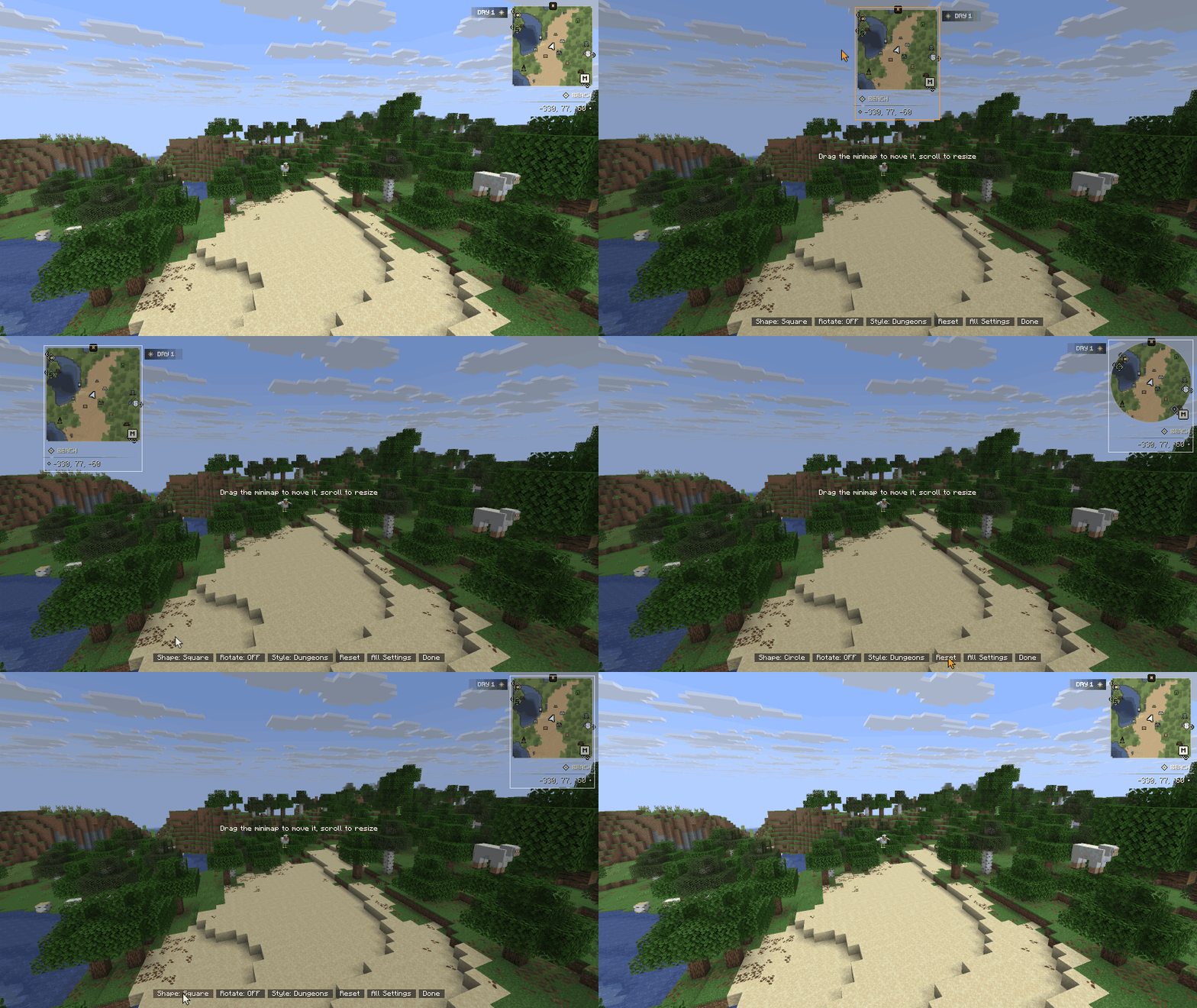
It stays out of the way: it hides while inventories and other screens are open (chat excepted), moves status effect icons below itself, and sits under boss bars.
What it shows
- Nearby mobs as their faces, darker when they're below you and fainter when they're above, so a cave spider doesn't look like one on the surface.
- Other players, as heads or dots.
- Waypoints: Dungeon Map's when it's installed, its own otherwise. Far ones slide to the edge and point the way.
- Party members and the party home from Dungeon Party, quest objectives from Trailmark, and claimed land from Dungeon Claims and Open Parties and Claims.
- Light levels and slime chunks, the same way Dungeon Map marks them.
- Under the frame: biome or quest title, coordinates, and optionally facing, time, light, chunk and frame rate.
The map is drawn into one wrap-around texture, and only chunks that change are uploaded, so walking around costs very little. Zoom is smooth (<kbd>=</kbd> and <kbd>-</kbd>), and the map can keep north up or turn with you. Cave mode switches on underground and always in the Nether.
Server rules
A server with Dungeon Minimap decides whether players may see caves, players, mobs, dropped items and coordinates. Coordinates can also hide when the server reduces debug info.
Getting started
- Install Dungeon Minimap and Dungeon Config.
- The minimap shows in the top right. Use
/dminimap layout(or bind the layout key in Controls) to move it. - The documentation lists every key, command and setting.
Dungeon Minimap Team
Owner