
Dungeon Map is a full-screen world map. By default it paints the world on parchment, with inked water, contour lines and biome names written across the land. It works on the client alone; installed on the server as well, it shares player positions, sets teleport rules and can hand out a style sheet.
It needs Dungeon Config, which provides the settings screen.
Documentation · Dungeon Minimap · Dungeon Party · Dungeon Claims
Two looks
The Dungeons style is the default. The Color style draws blocks in their real colours, like most map mods. Switch between them in the settings or with /dmap style.
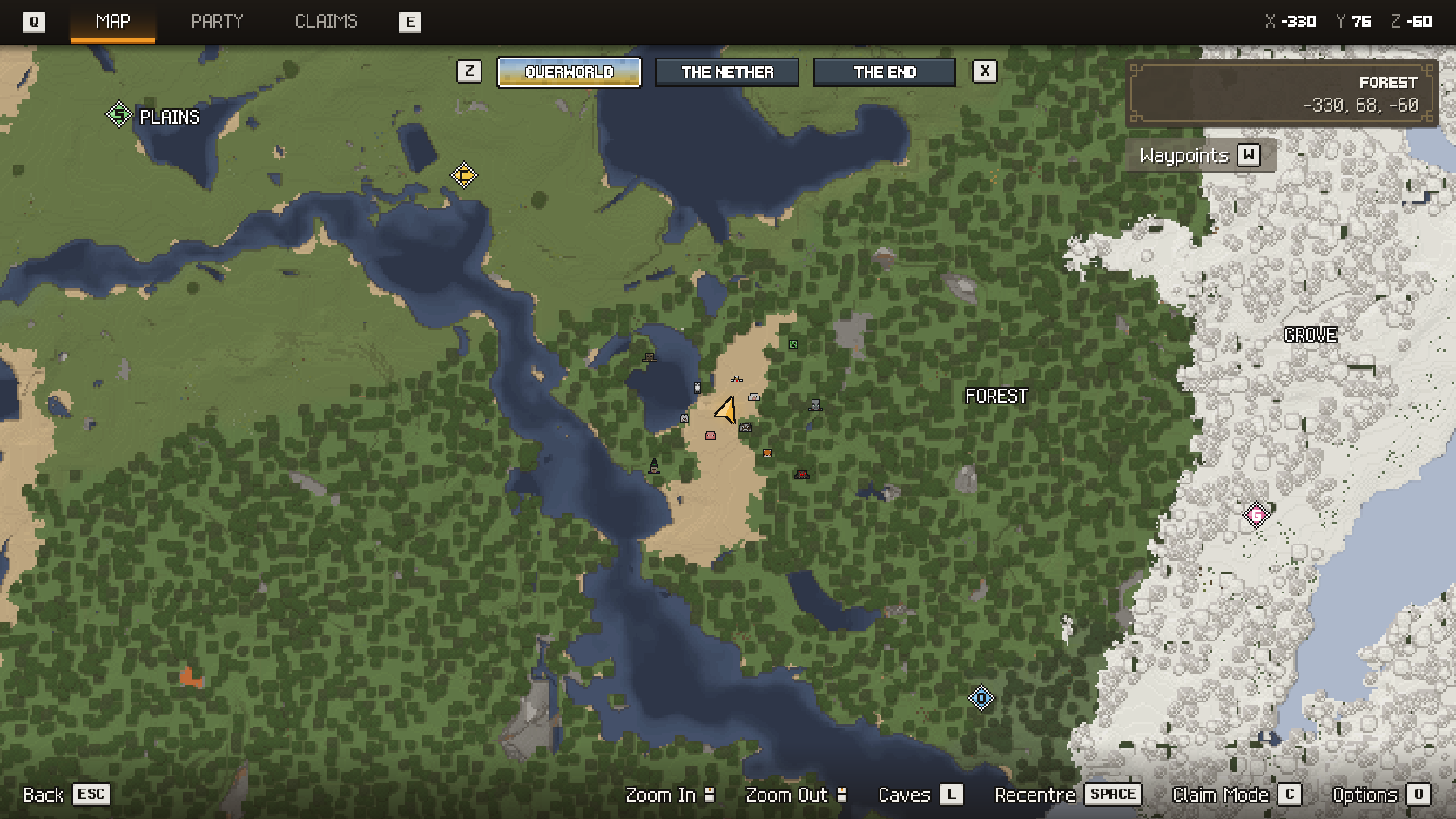
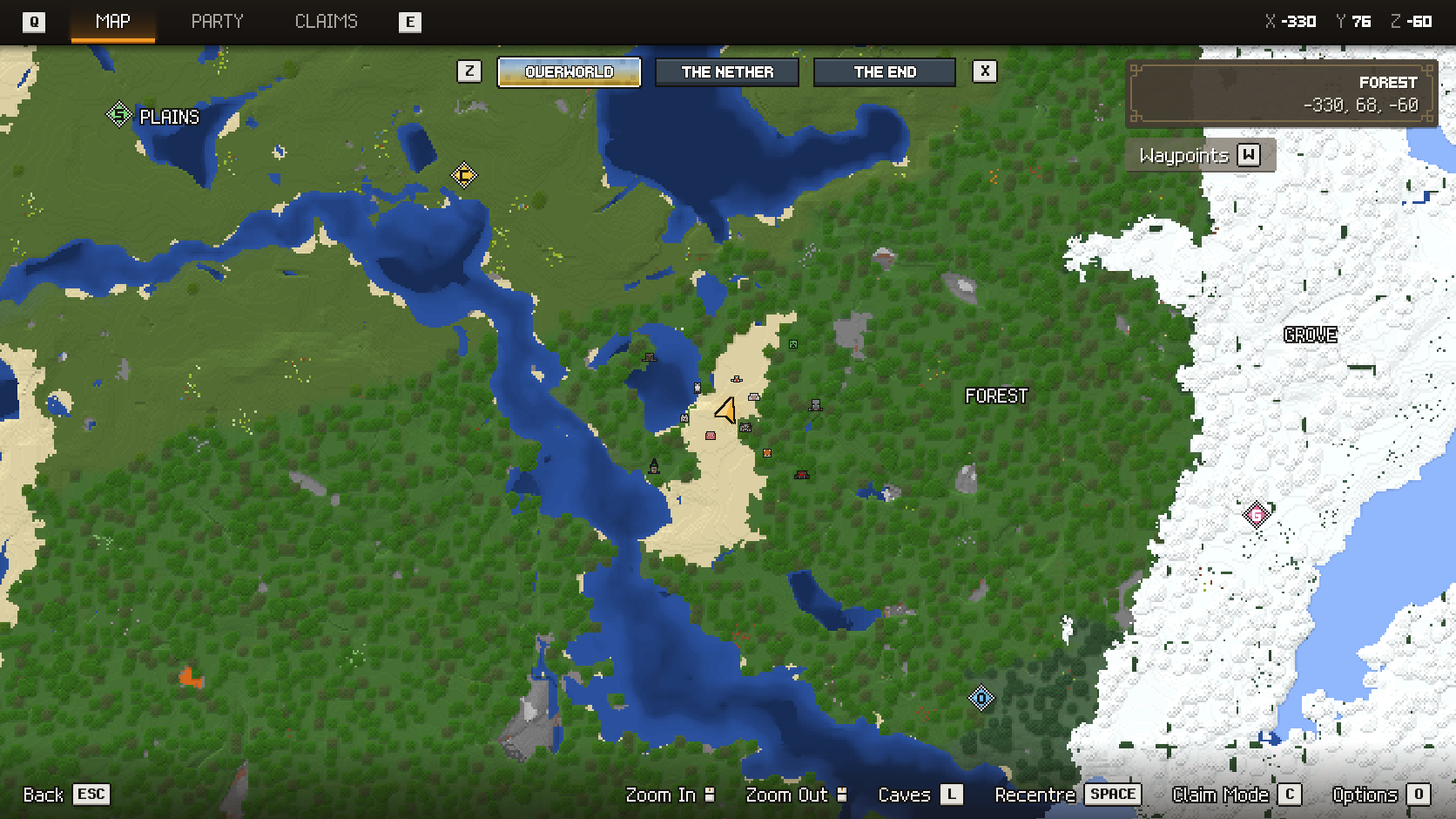
Block colours come from each block's own model and biome tint, so modded blocks, modded fluids and resource packs come out right. The map reads loaded chunks a little each tick and paints regions off the main thread, so dragging and zooming stay smooth. Caves get their own layer when you're underground, and in the Nether.
Waypoints
Right-click the map to add a waypoint, teleport, share the spot in chat, copy its coordinates or claim the chunk. Waypoints have a name, symbol, colour, group and dimension, and can be temporary, clearing once you arrive.
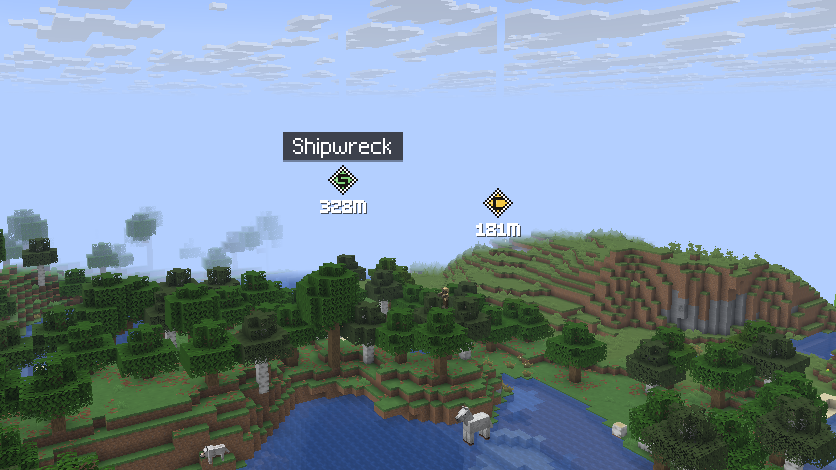
In the world, waypoints show as icons with their distance, and with their name while you look towards them. Death points are added for you. Nether waypoints can show in the Overworld at eight times the distance, and the other way round. A waypoint shared in chat is a link other players can click; players without the mod still see the coordinates.
Mobs, light levels and slime chunks
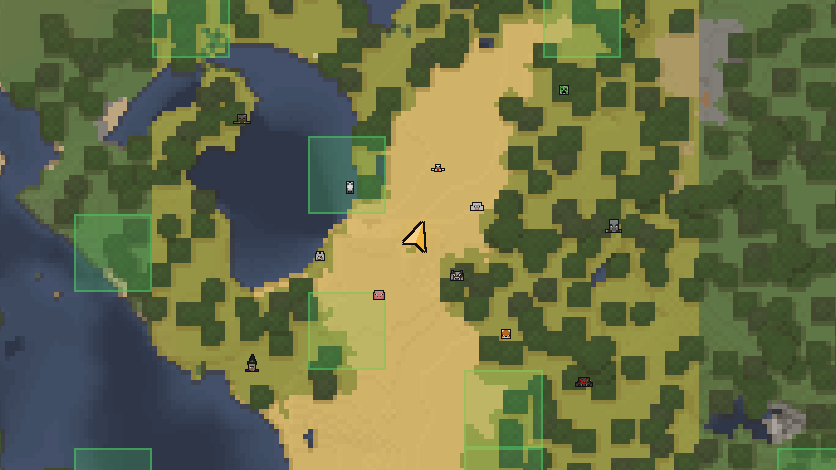
Nearby mobs show as their faces, modded and GeckoLib mobs included. Mobs below you are drawn darker and mobs above you fainter. <kbd>F7</kbd> marks where monsters can spawn around you: red at any time, yellow only at night. /dmap slime tints slime chunks green. On a server, Dungeon Map says which chunks are slime chunks if its shareSlimeChunks rule allows it; the seed is never sent.
One screen for the suite
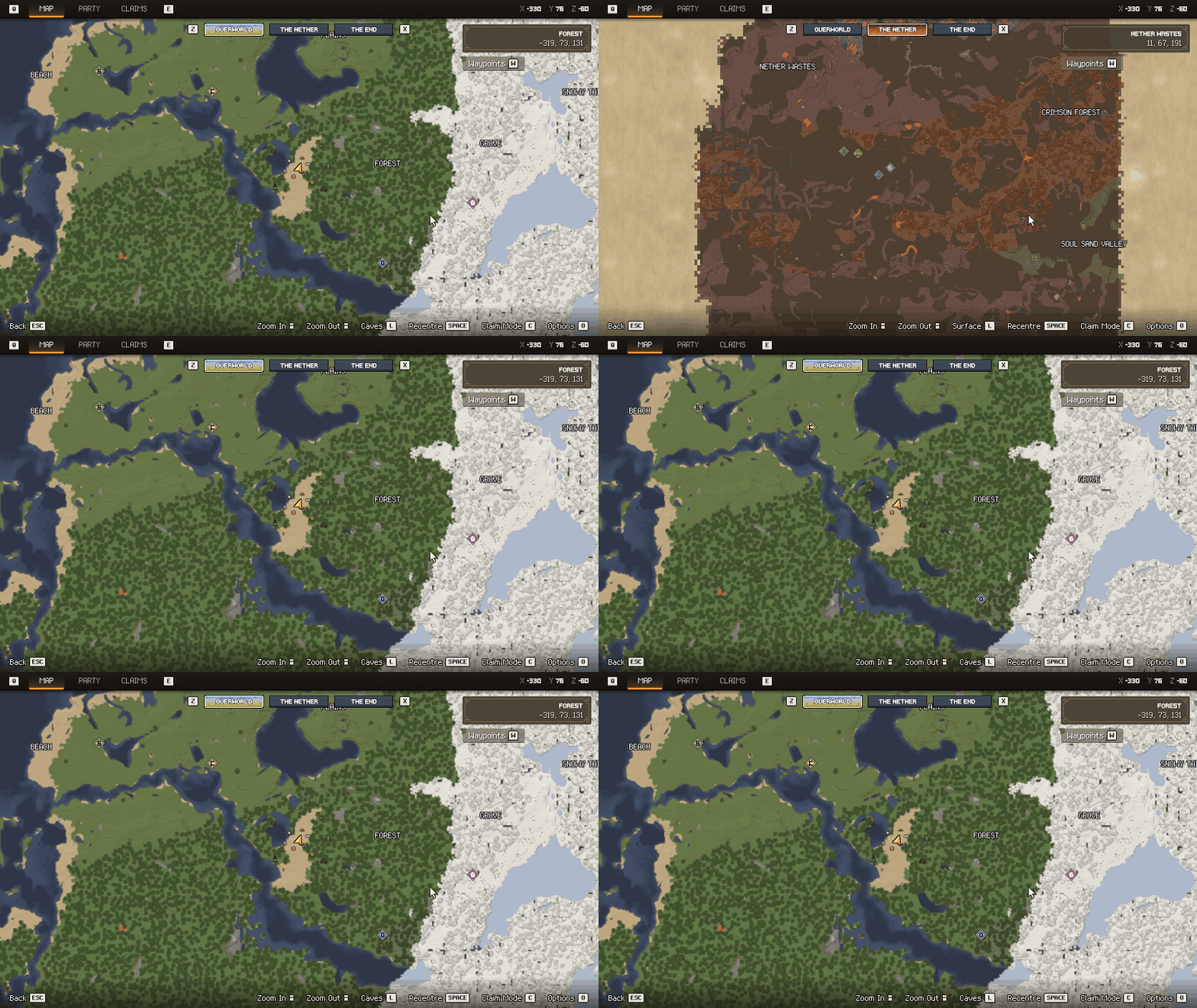
The map has a menu bar along the top. With Dungeon Party and Dungeon Claims installed, <kbd>Q</kbd> and <kbd>E</kbd> move between the Map, Party and Claims pages. <kbd>Z</kbd> and <kbd>X</kbd> switch dimensions.
Coming from another map mod
/dmap import ftbchunks reads FTB Chunks' waypoints and /dmap import xaero reads Xaero's Minimap waypoints. Waypoints you already have are skipped, death points are left out, and the rest land in a group named after the mod they came from. The other mod's files aren't changed.
Feature list
| Part | Details |
|---|---|
| Map | Dungeons or Color style, height shading, contour lines, water depth, biome labels, optional grid, cave layers |
| Waypoints | Names, symbols, colours, groups, temporary waypoints, death points, icons in the world, chat links |
| Radar | Mob faces shaded by height, other players, optional names, names on hover |
| Overlays | Light levels and slime chunks, on the map and on Dungeon Minimap |
| Teleporting | To waypoints or any spot, checked against the server's rules, with a search for a safe place to stand |
| Servers | Shared positions for allies or everyone, teleport rules, a shared style sheet, permission nodes |
| Styling | Every colour, size, font and shape in config/dungeonmap/style.css, reloaded while the game runs |
| Other mods | Dungeon Minimap, Dungeon Party, Dungeon Claims, Open Parties and Claims, Trailmark |
Getting started
- Install Dungeon Map and Dungeon Config. Add both to the server too if you want shared positions and server rules.
- Press <kbd>M</kbd> to open the map (or <kbd>N</kbd> when the game or another mod already uses M; the Controls screen shows which).
- The documentation lists every key, command, setting and permission.
Dungeon Map Team
Owner