Drawing board
- By
Drawing Board is a mod for creating and sharing pixel art in-game. Draw on custom drawing paper, display finished artwork above your character, store it in an art album, or place it on any side of a block, including the top and bottom.
# Drawing Board
Drawing Board is a mod for creating and sharing pixel art in-game. Draw on custom drawing paper, display finished artwork above your character, store it in an art album, or place it on any side of a block, including the top and bottom.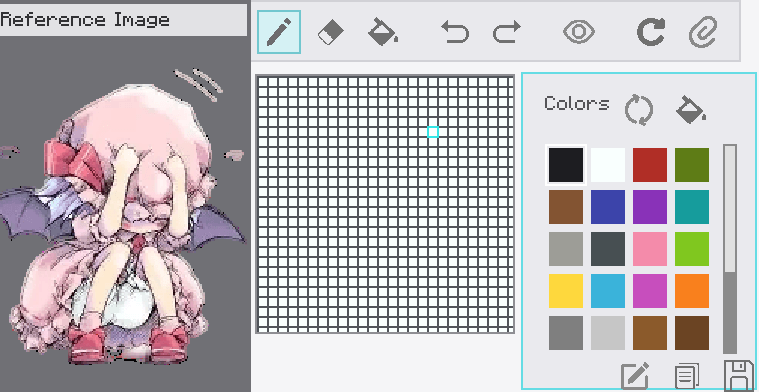
## Crafting
- **Drawing Paper:** place two paper items horizontally in a crafting grid.
- **Art Album:** place one paper in the center and leather in all eight surrounding slots.
## Drawing Paper
1. Hold drawing paper in your main hand.
2. Press **Shift + Right-click** to open the editor.
3. Draw with the pencil, fill tool, or eraser.
4. Use the color palette to select, add, reorder, or remove colors.
5. Click **Save**. The first save asks for a name and turns the paper into a finished artwork.
Finished artwork keeps its name and can stack with identical artwork up to 16 items.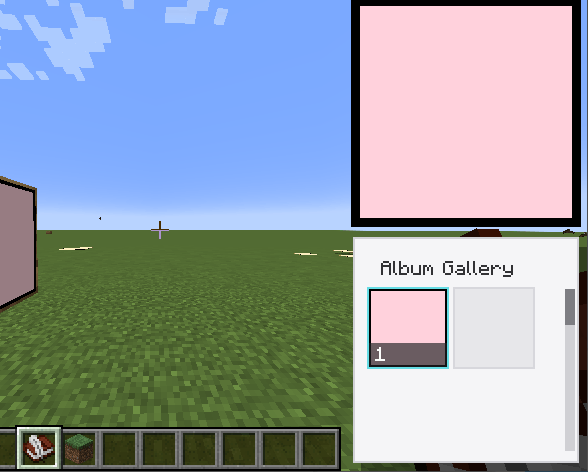
## Displaying And Placing Artwork
- Hold finished artwork and **left-click** to display it.
- In first person, it appears in the lower-right HUD with an entrance and exit animation.
- In third person, it appears above the player's head.
- **Right-click a block face** to place the artwork on that surface.
- Artwork can be placed on the north, south, east, west, top, or bottom face of a block.
- A placed artwork can be broken and collected again.
- **Shift + Right-click** finished artwork in the world to edit it. Editing cancels its active display.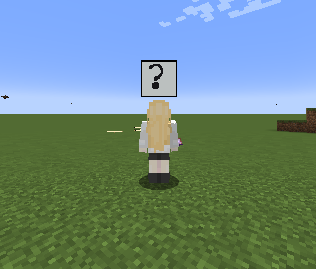
## Art Album
- Hold the album and **Shift + Right-click** to open its chest-style storage screen.
- Hold the album and **Right-click** to open the gallery.
- Left-click an artwork in the gallery to display it above the album for three seconds.
- The gallery has a scrollbar for browsing stored artwork.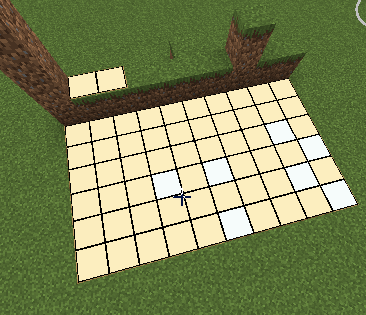
##Controls
- **Left-click a tool icon:** select the pencil, eraser, fill tool, undo, redo, grid visibility, clear, or reference image tool.
- **Right-click the pencil or eraser icon:** open its size slider.
- **Left-click a color:** select it.
- **Right-click a color:** open its delete menu.
- **Hold and drag a color:** change its palette order.
- **Ctrl + Mouse wheel:** zoom the canvas.
- **Shift + Mouse wheel:** move the canvas horizontally.
- **Mouse wheel:** move the canvas vertically.
- **Right-drag on the canvas:** move the canvas freely.
- **Reference image:** import a PNG or JPG, then drag it with the left mouse button and zoom it with the mouse wheel.
- **Save:** save the artwork and close the editor.
- **Rename:** change the name of an existing artwork.
- **Copy:** create a copy without opening the naming dialog.
- **Esc:** close the editor. If there are unsaved changes, confirmation is required.
Drawing board Team
Owner