Create: Copycat Replace!
- By
Replace a Copycat's material in a single click - Work with connected blocks and supports Copycats+
A quality-of-life addon for Create

Replacing a Copycat's material usually means removing it first. Create: Copycat Replace! lets you swap the material directly with a Create Wrench and a block in your hands.
It works with Create's Copycats and supports compatible shapes from Create: Copycats+, including multi-part blocks. It adds no new blocks or items.

Replace one Copycat at a time
Change a Copycat's material in one click. Hold a Create Wrench and the material you want, then right-click the Copycat.
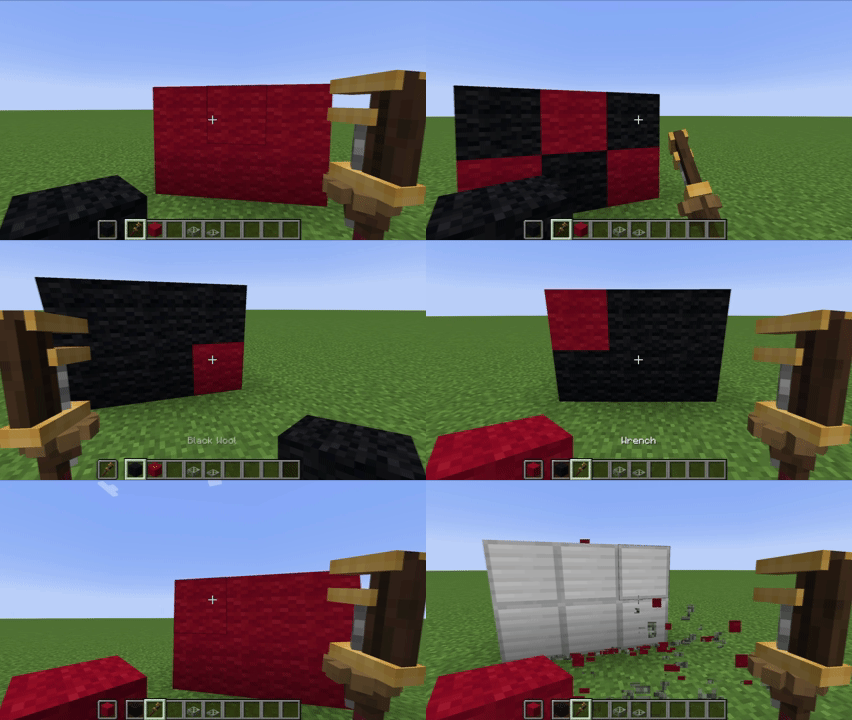
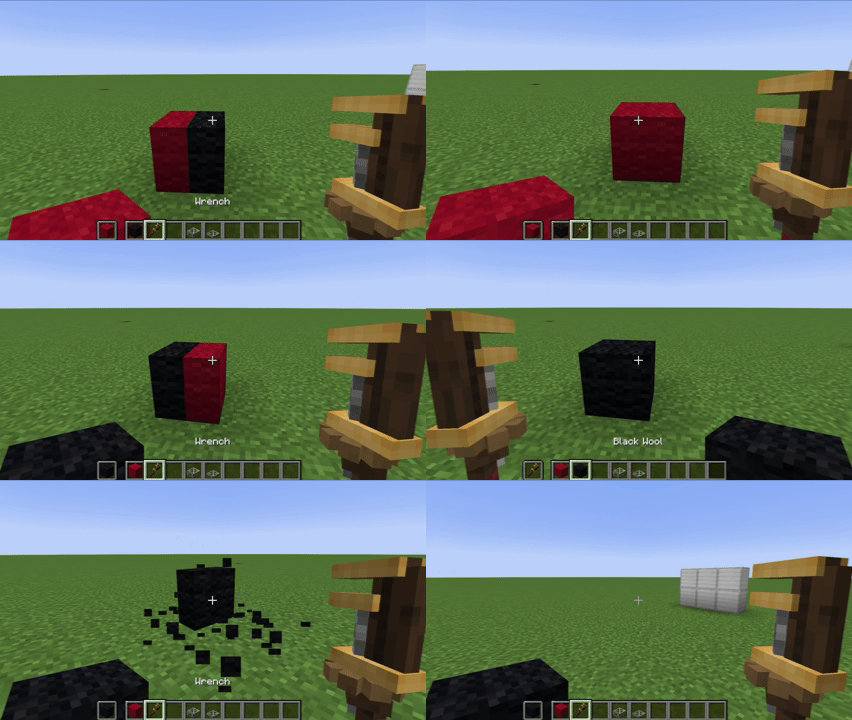
- Either hand can hold the Wrench or the material.
- Works on empty Copycats as well as decorated ones.
- Hold Sneak while right-clicking to use the Wrench's normal Create interaction.
Apply, replace, or remove connected materials
Update a group of face-connected Copycats together. Hold the connected-action key while right-clicking a Copycat to preview and perform a bulk action.
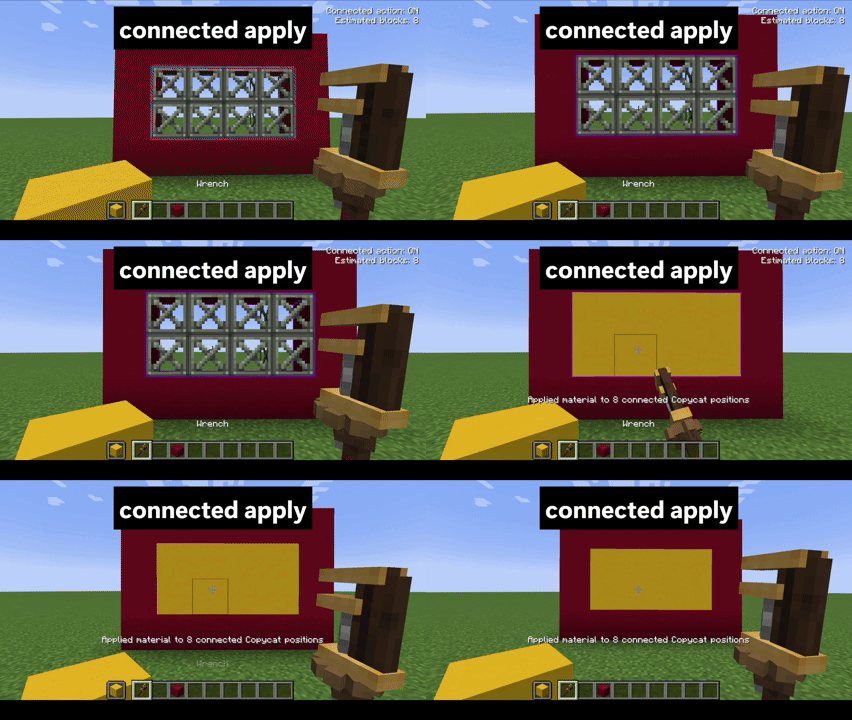
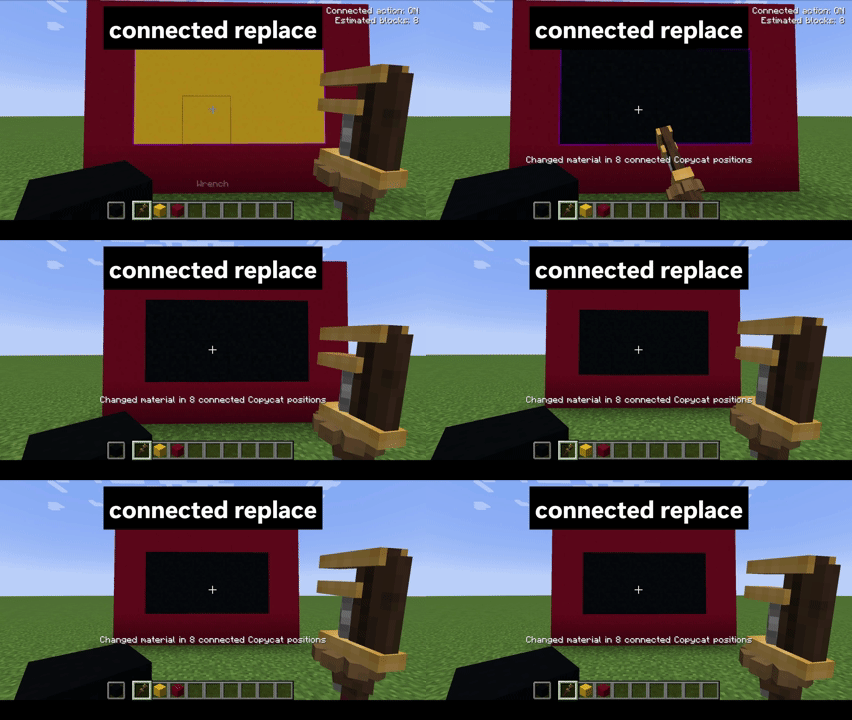
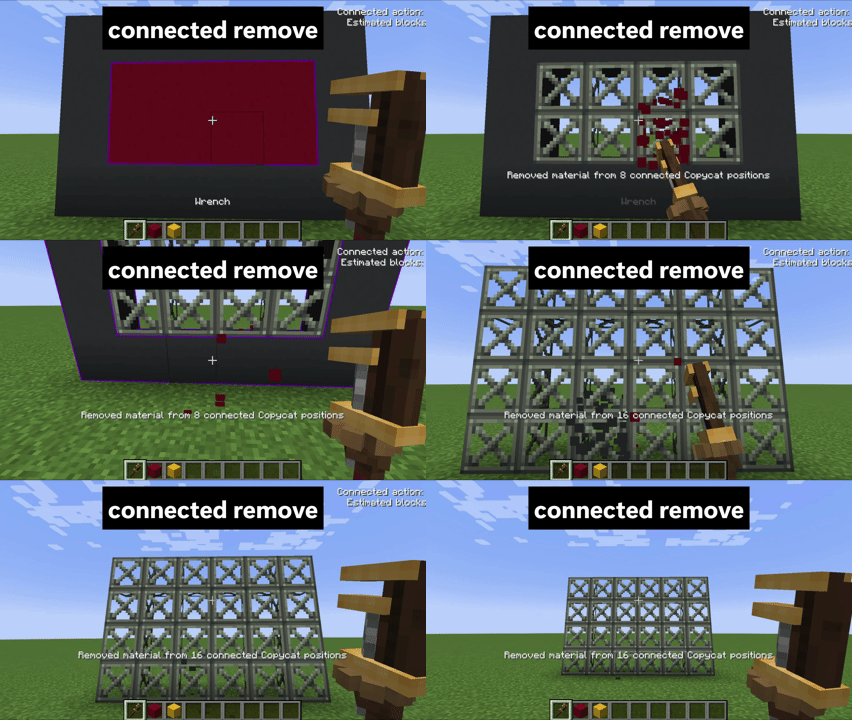
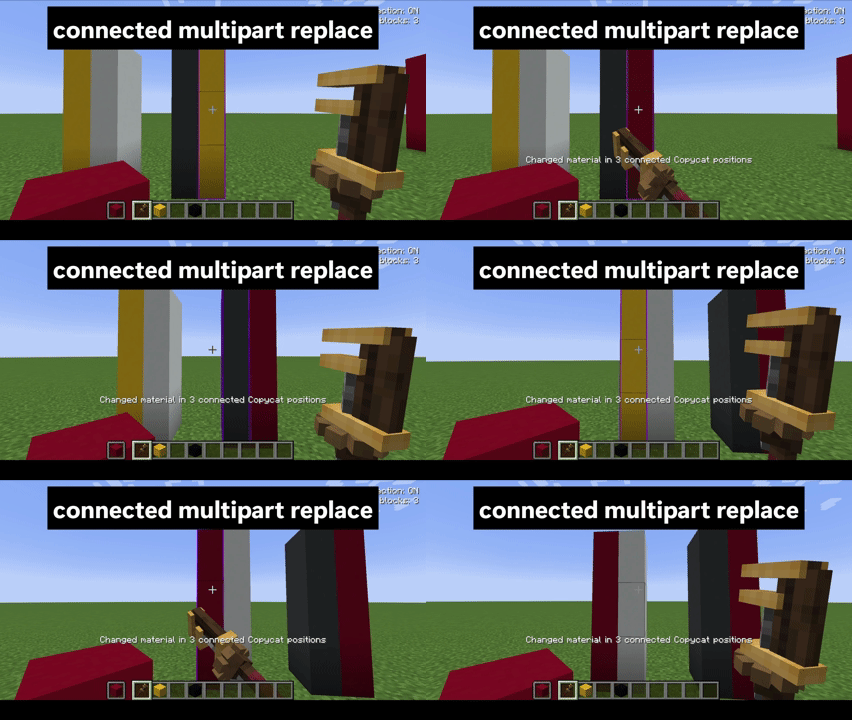
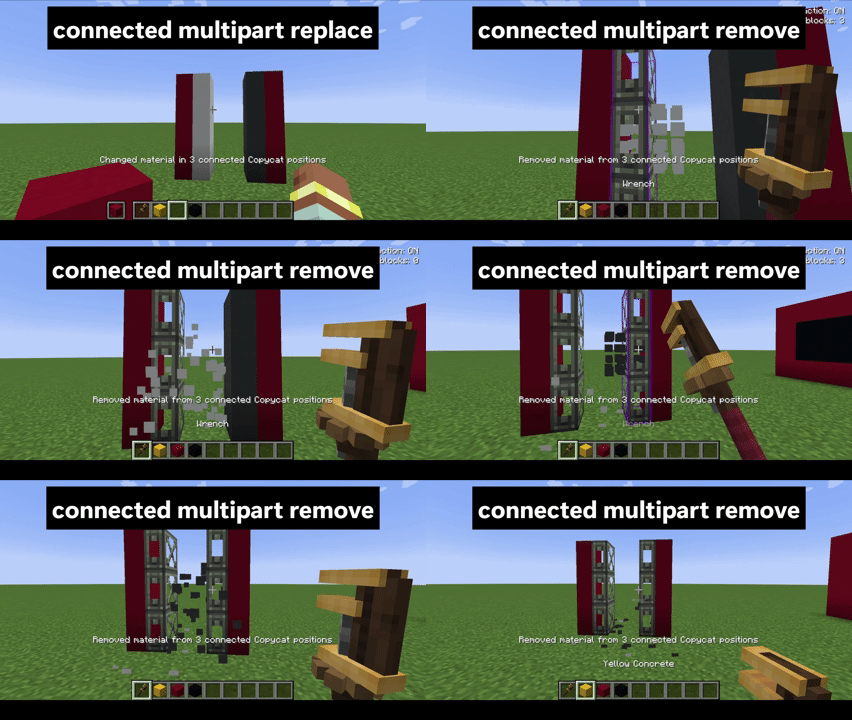
- Apply a material to connected empty Copycats, replace the clicked material on matching Copycats, or remove that material from the group.
- Only face-connected blocks of the same Copycat type are included.
- Works with multi-part Copycats+ shapes too.
- The default key is Left Alt. Change Bulk Action on Connected Copycats in Controls.
- The preview shows the estimated number of blocks before the action.

- Hold a Create Wrench in one hand.
- Hold the block material you want to use in the other hand.
- Right-click a Copycat to replace its material, or hold Left Alt as you right-click to act on connected Copycats.
- For a bulk removal, hold only the Wrench and Left Alt, then right-click the material you want to remove.
Heads up: Hold Sneak to pass the click through to Create's normal Wrench interaction. The connected action only includes face-connected blocks of the same Copycat type.

| Option | Default | What it does |
|---|---|---|
max_connected_blocks |
64 | Maximum number of connected Copycat blocks affected by one bulk action. Set it from 1 to 256 in config/copycat_replace-common.toml. |

- Minecraft 1.20.1 with Forge 47.4.0+ and Create 6.0.8
- Minecraft 1.21.1 with NeoForge 21.1.236+ and Create 6.0.10
- Create: Copycats+ 3.0.4 is optional and adds compatibility with its Copycat shapes.
- Install the matching Copycat Replace version on both the client and server. Install Copycats+ on both sides when you want its additional shapes supported.

Open a GitHub issue and include your Minecraft, loader, Create, and Copycat Replace versions, plus the steps to reproduce the problem. (The title image currently spells “FOUND” incorrectly.)

Yes. Create: Copycat Replace! is available under the MIT License.
For development notes, see the technical documentation. See the changelog for release history.
Create: Copycat Replace! Team