CraftBrowser
- By
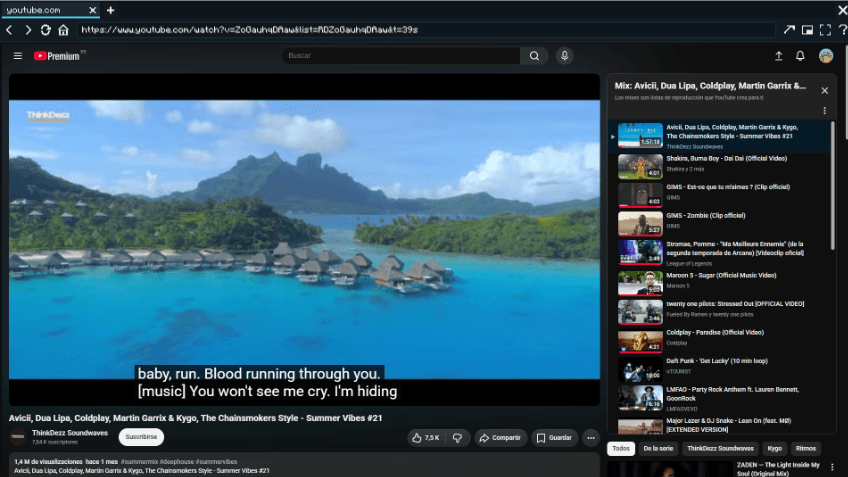
A full Chromium web browser inside Minecraft: tabs, incognito, Picture-in-Picture and fullscreen. Build shared Web Screen multiblocks in the world to watch videos together. Powered by MCEF.
CraftBrowser
The internet, inside your world.
Forge • Minecraft 1.20.1 • Requires MCEF
CraftBrowser puts a full Chromium web browser inside Minecraft. Look up a crafting recipe, follow a tutorial, keep a video in a floating window — or build a giant screen in the world and watch it together with your friends. It runs on MCEF (Minecraft Chromium Embedded Framework), so pages, videos and web apps behave exactly like in a desktop browser.
✨ The Browser
- Multi-tab browsing with a smart URL bar (type an address, or anything else to search Google). Your tabs are restored next session.
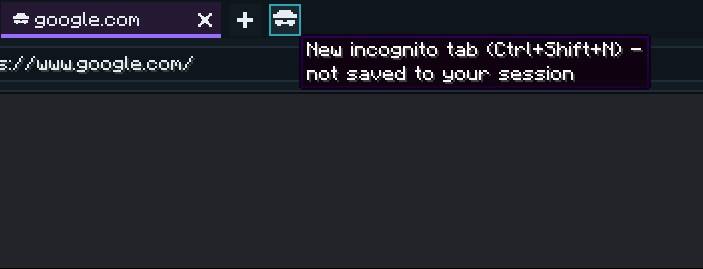
- Incognito tabs (Ctrl+Shift+N) — marked in purple, never saved to your session.
- Picture-in-Picture — a floating, draggable and resizable window you can keep open while playing; click it to interact from any screen.
- Fullscreen (F12) with real video fullscreen (YouTube & co. expand to the whole view).
- Chat link interceptor — URLs in chat become clickable and open in a CraftBrowser tab.
- Open in system browser, a "Web" button in the title/pause menus, and a translated welcome page on first launch.
🕶️ Incognito mode
Open a private tab with Ctrl+Shift+N. Incognito tabs are marked in purple and are never saved to your session.
📺 Web Screens — build them in the world
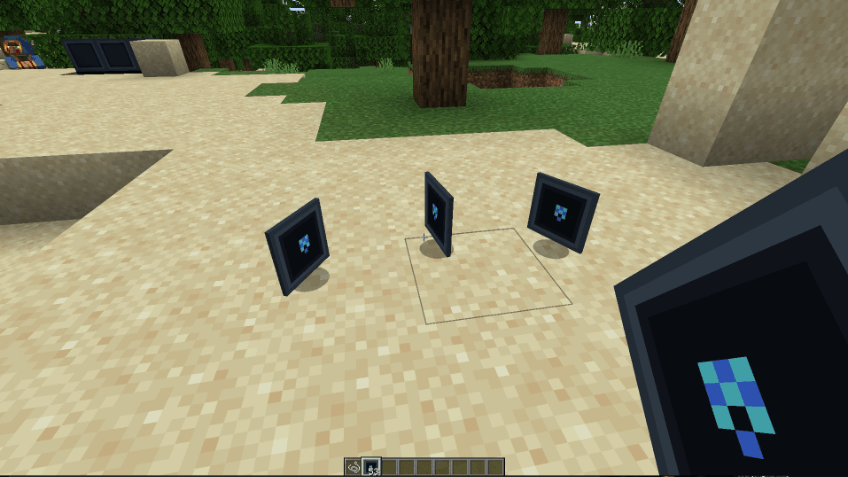
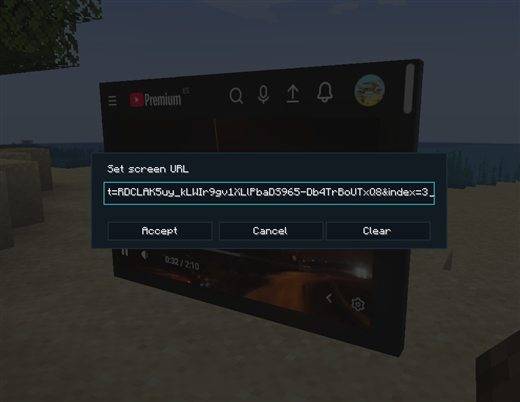
Craft Web Screen panels and stack them into a rectangle on a wall. When the rectangle is complete it lights up as a single shared screen that everyone on the server sees — right-click to set any URL and play videos, dashboards or live pages, together.
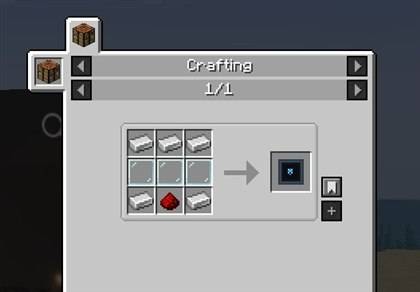
Crafting
| Iron | Iron | Iron |
| Glass Pane | Glass Pane | Glass Pane |
| Iron | Redstone | Iron |
Makes 1 Web Screen (5 iron + 3 glass panes + 1 redstone). Break a screen block and you get the item back.
Build & use
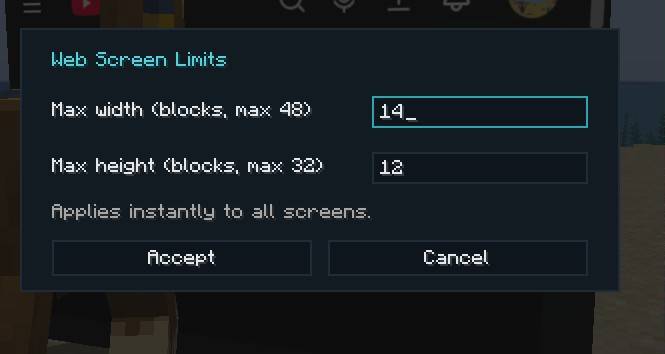
- Build: place Web Screen panels in a filled rectangle on a wall — it lights up when the shape is complete (up to 12×8 blocks by default).
- Set the URL: right-click the screen and type an address (or sneak + right-click to change it later).
- Interact: right-click plays/clicks the page with an empty hand; look at the screen and scroll to scroll the page.
- Lock: press H to make screens view-only (no accidental clicks).
- Audio fades with distance, and each screen loads only when you are nearby.
Each panel is a thin LED-style tile that mounts on any block face. Place a single one, or many, to build a screen of any size.
Admin controls
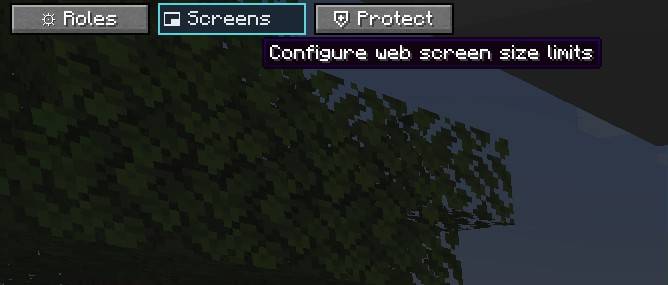
Server operators can set the maximum screen size live from a Screens button in the pause menu — no restart needed, all screens re-evaluate instantly. Placement can optionally require the craftbrowser.panel.place permission (LuckPerms-compatible).
🎮 Controls
| Key | Action |
|---|---|
| B | Open / close the browser |
| P | Toggle Picture-in-Picture |
| ↑ / ↓ | Scroll the page in PiP mode |
| = / - | Grow / shrink the PiP window |
| F12 | Browser fullscreen |
| H | Lock / unlock world screen interaction |
| Ctrl+T / Ctrl+W | New tab / close tab |
| Ctrl+Shift+N | New incognito tab |
| Ctrl+L / Ctrl+Tab | Focus URL bar / cycle tabs |
All keys are rebindable in Options › Controls › CraftBrowser. Localized in 10 languages (EN, ES, ES-MX, DE, FR, IT, PT-BR, RU, ZH-CN, JA).
📋 Requirements
- Minecraft 1.20.1 with Forge 47.x
- MCEF (Minecraft Chromium Embedded Framework) 2.1.6-1.20.1 — required on the client. On first launch it downloads the Chromium binaries (~100 MB; Windows / Linux / macOS x64, no ARM).
- Install on the server too for the shared Web Screens. Players without the mod can still join — they simply won't see the screens.
 |
vicxelcode Developed & published by VICXELCODE, S.L. 🌐 vicxelcode.com • More mods on CurseForge © 2026 VICXELCODE, S.L. — Released under the MIT License. |
CraftBrowser Team