CoolPackHelper
Build better modpacks. Give players a better way to use them.
CoolPackHelper is a modpack companion built for modpack authors and their players.
It helps authors manage mod requirements, downloads, metadata and localization through a complete in-game workspace - while giving players a polished way to understand and install missing or incompatible mods.
CoolPackHelper isn't another content mod. It's infrastructure for modpacks.
A better way to handle missing mods
Sometimes a modpack depends on files that cannot or should not simply be bundled with it.
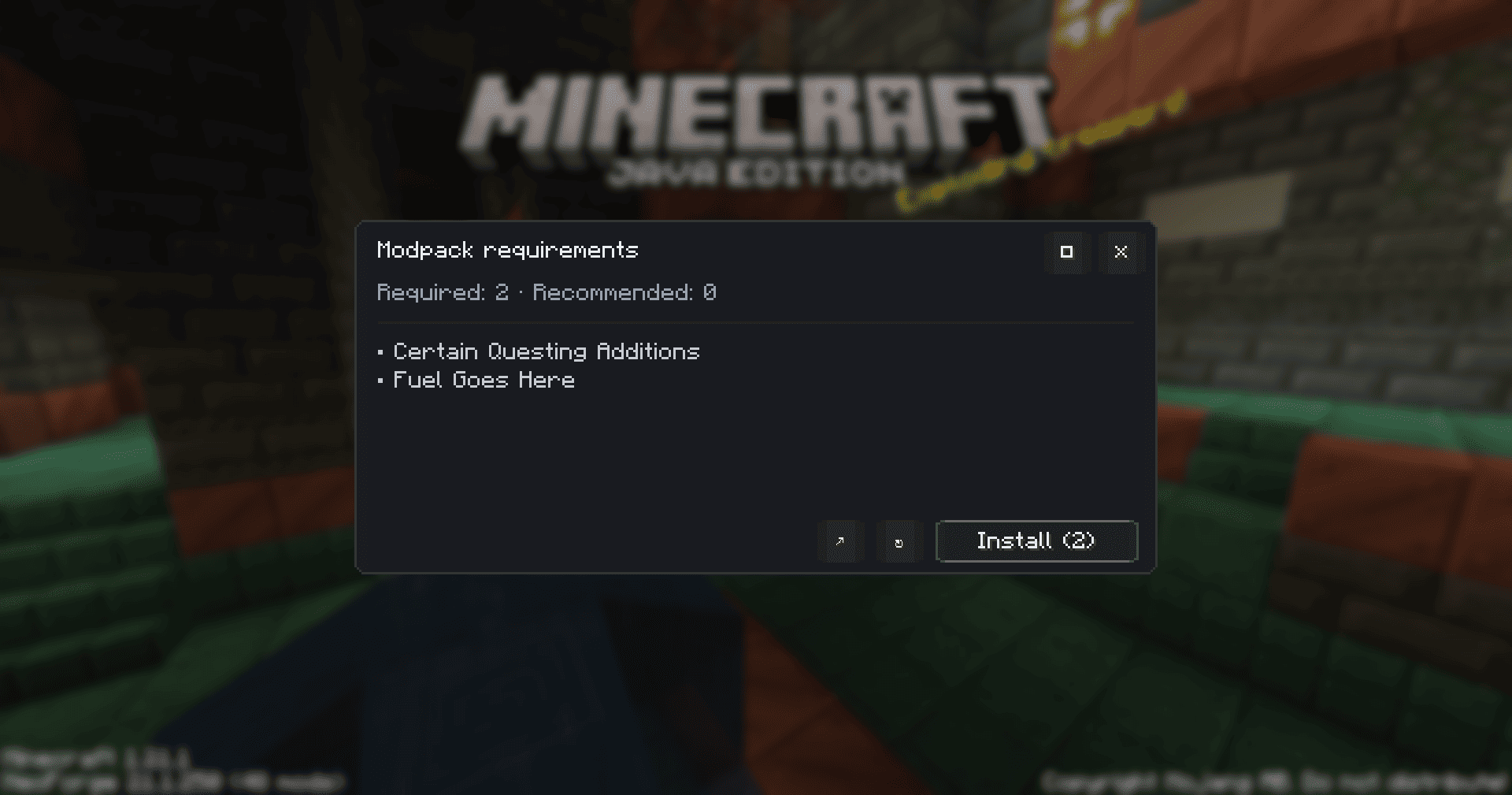
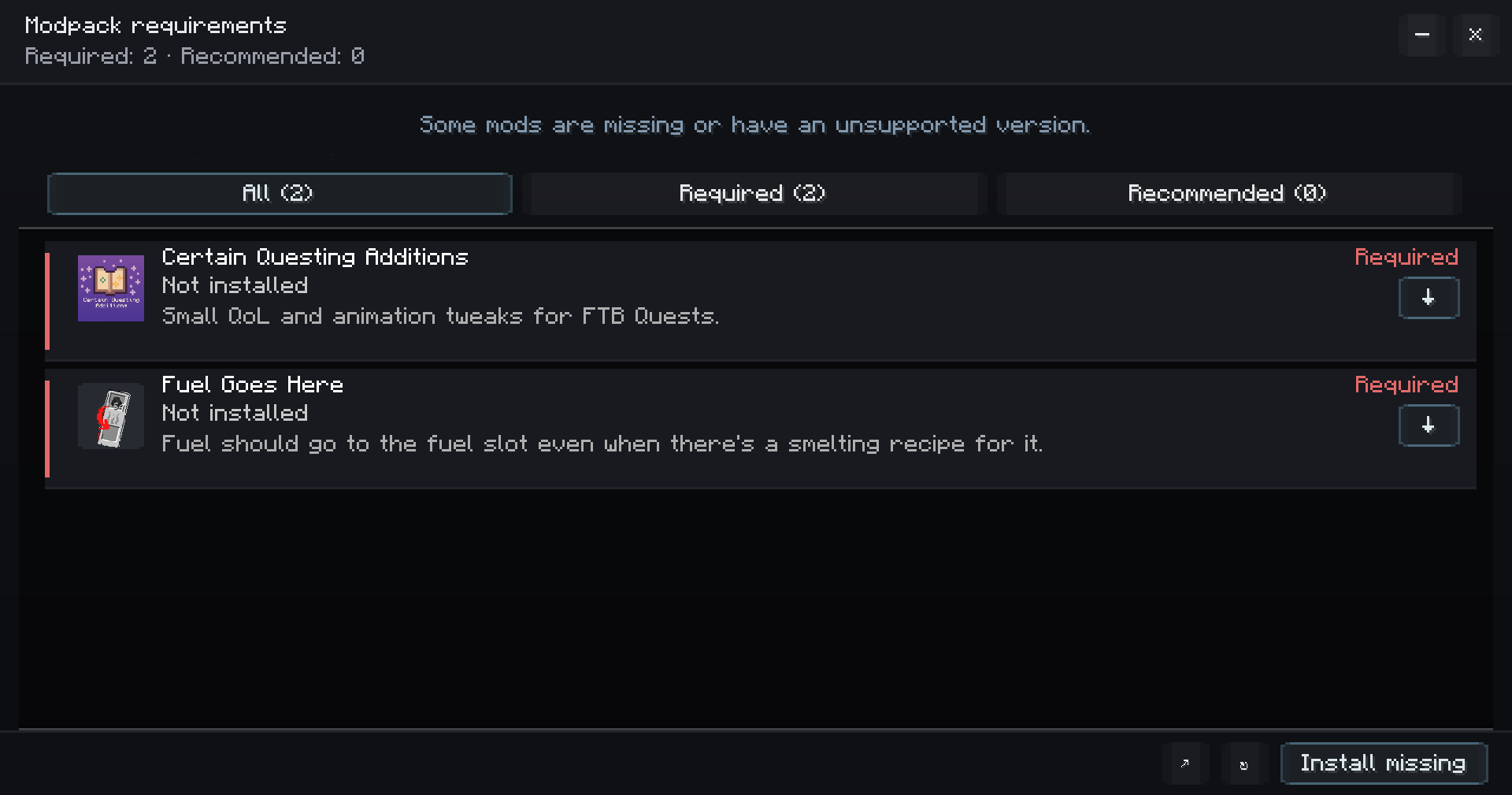
Instead of sending players to an installation guide or leaving them wondering what went wrong, CoolPackHelper can automatically detect missing or incompatible mods and explain exactly what they need.
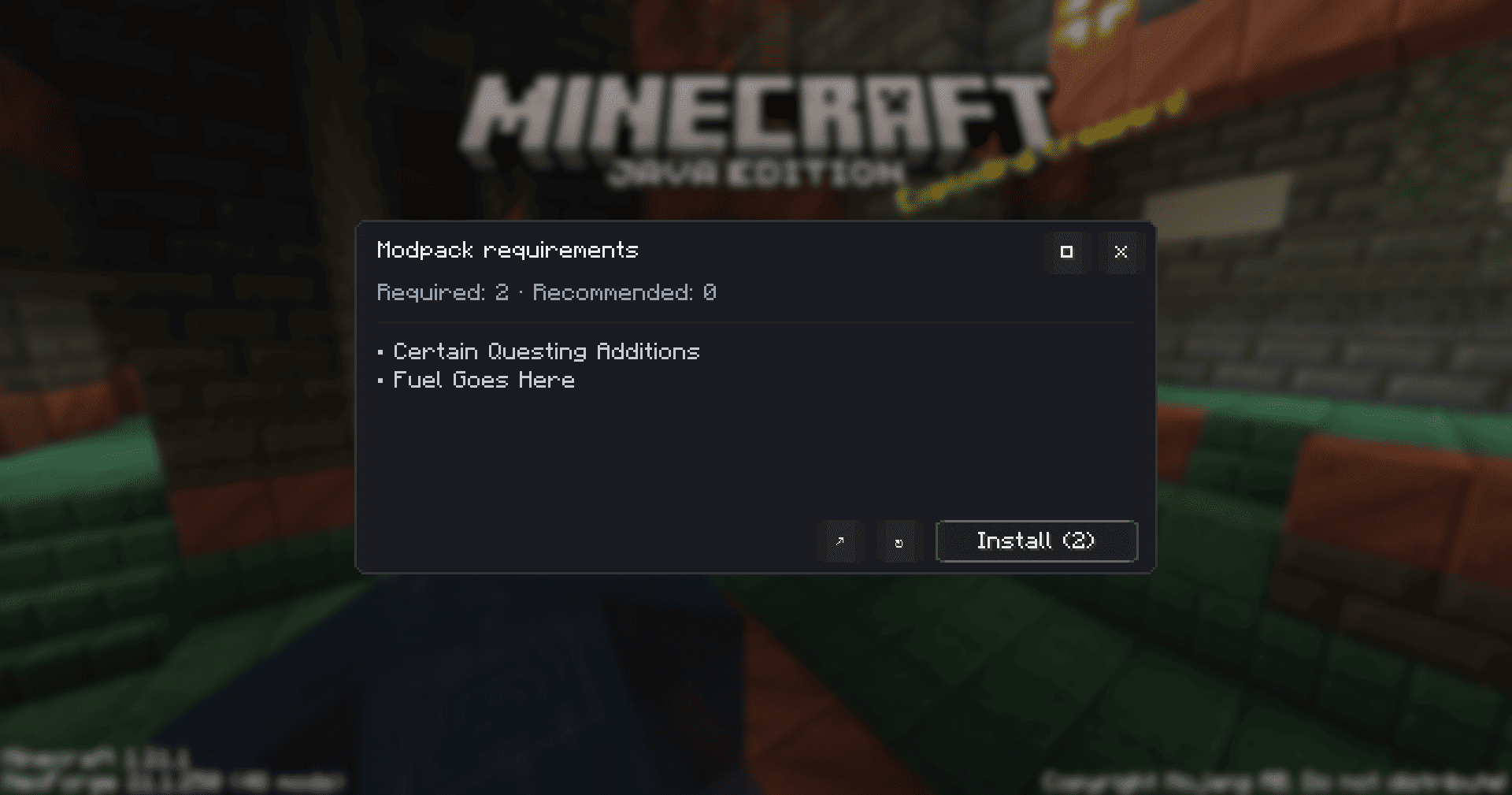
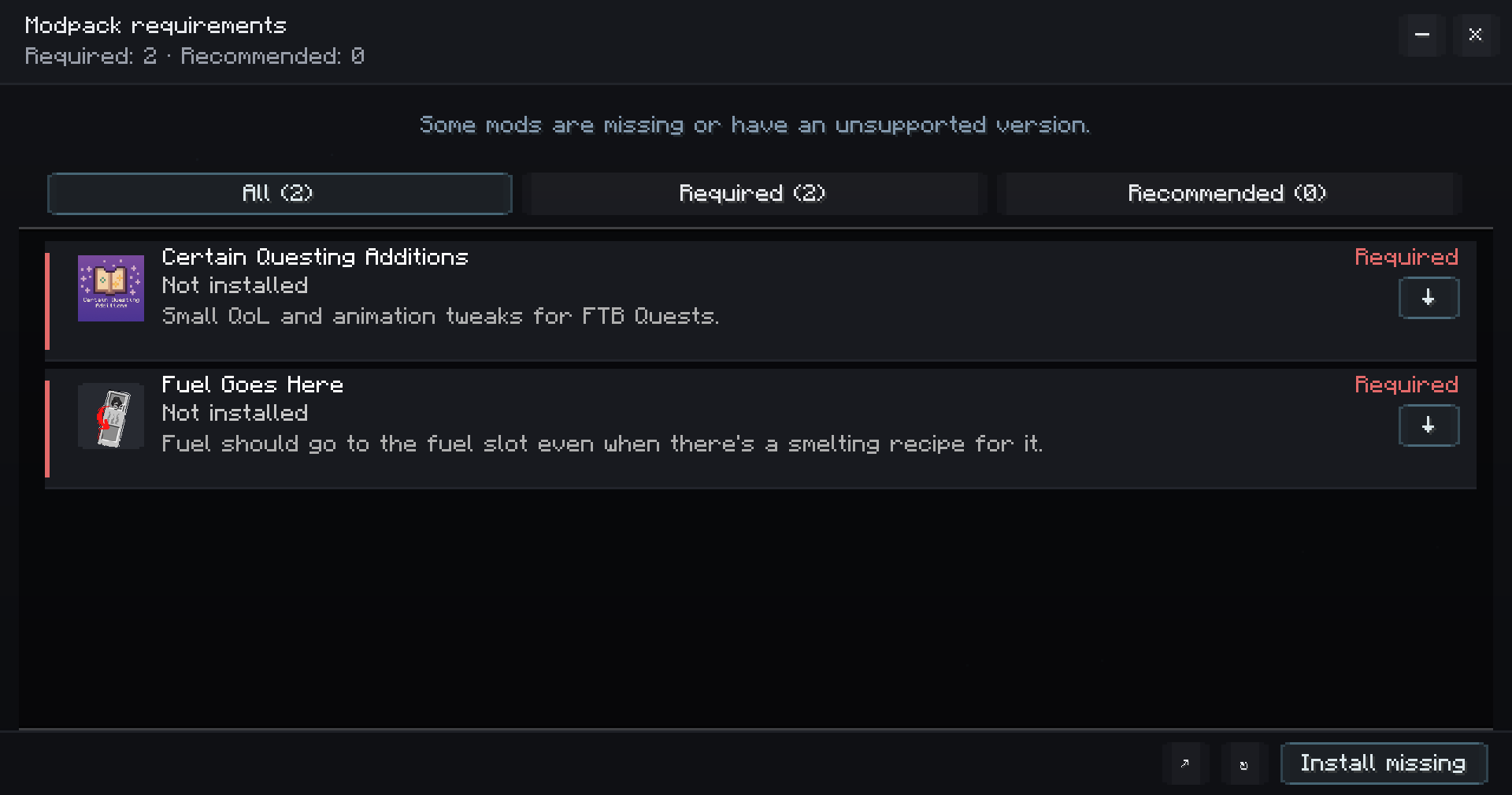
Players can immediately see:
- what is required and what is recommended;
- which mods are missing or incompatible;
- why the pack needs them;
- which version is expected;
- where the project comes from;
- and how they can install it.
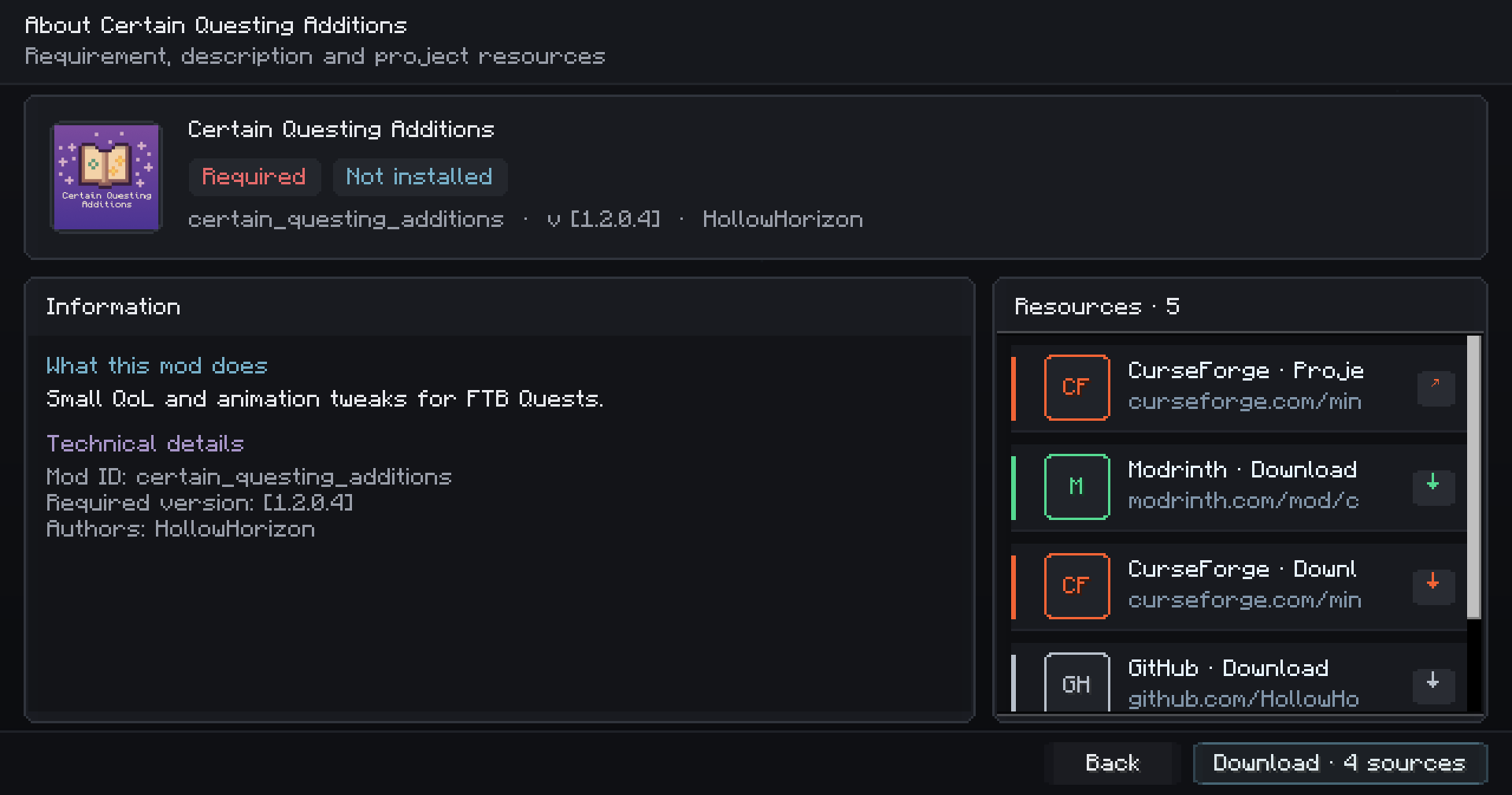
Each mod can have its own icon, description, authors, license and project resources.
Give every requirement context
Clicking a mod opens a detailed view containing everything the player may need to understand it.
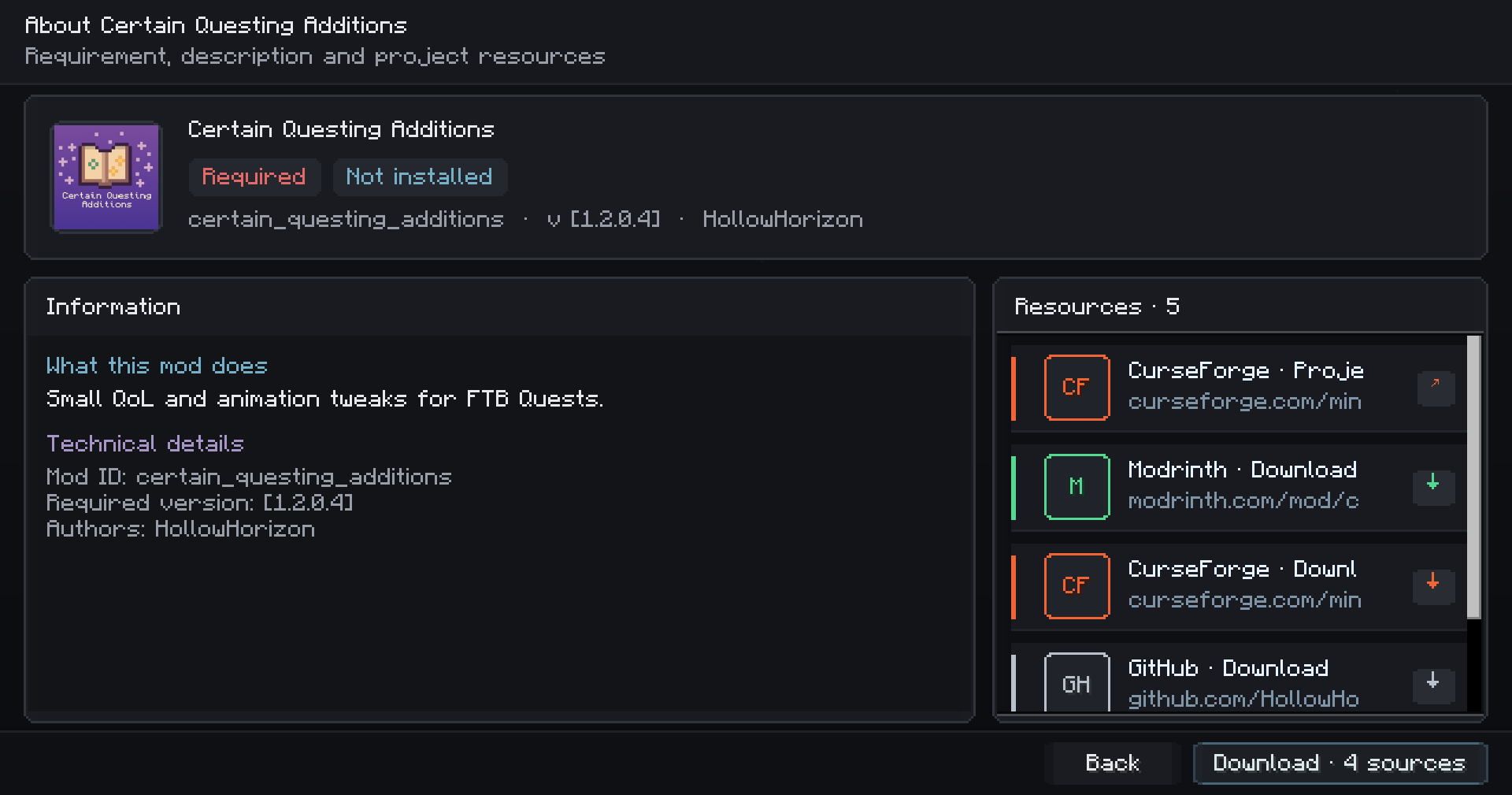
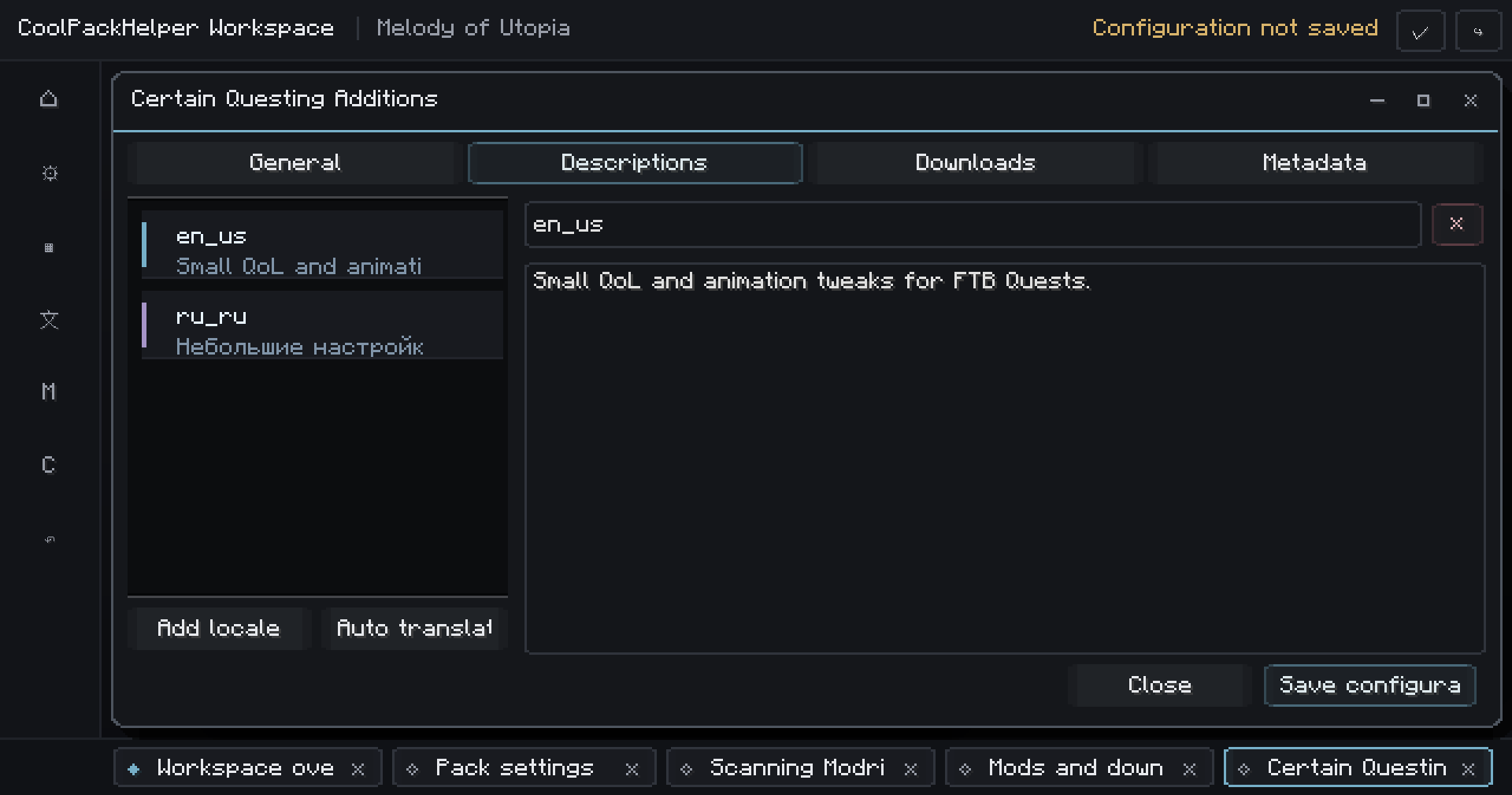
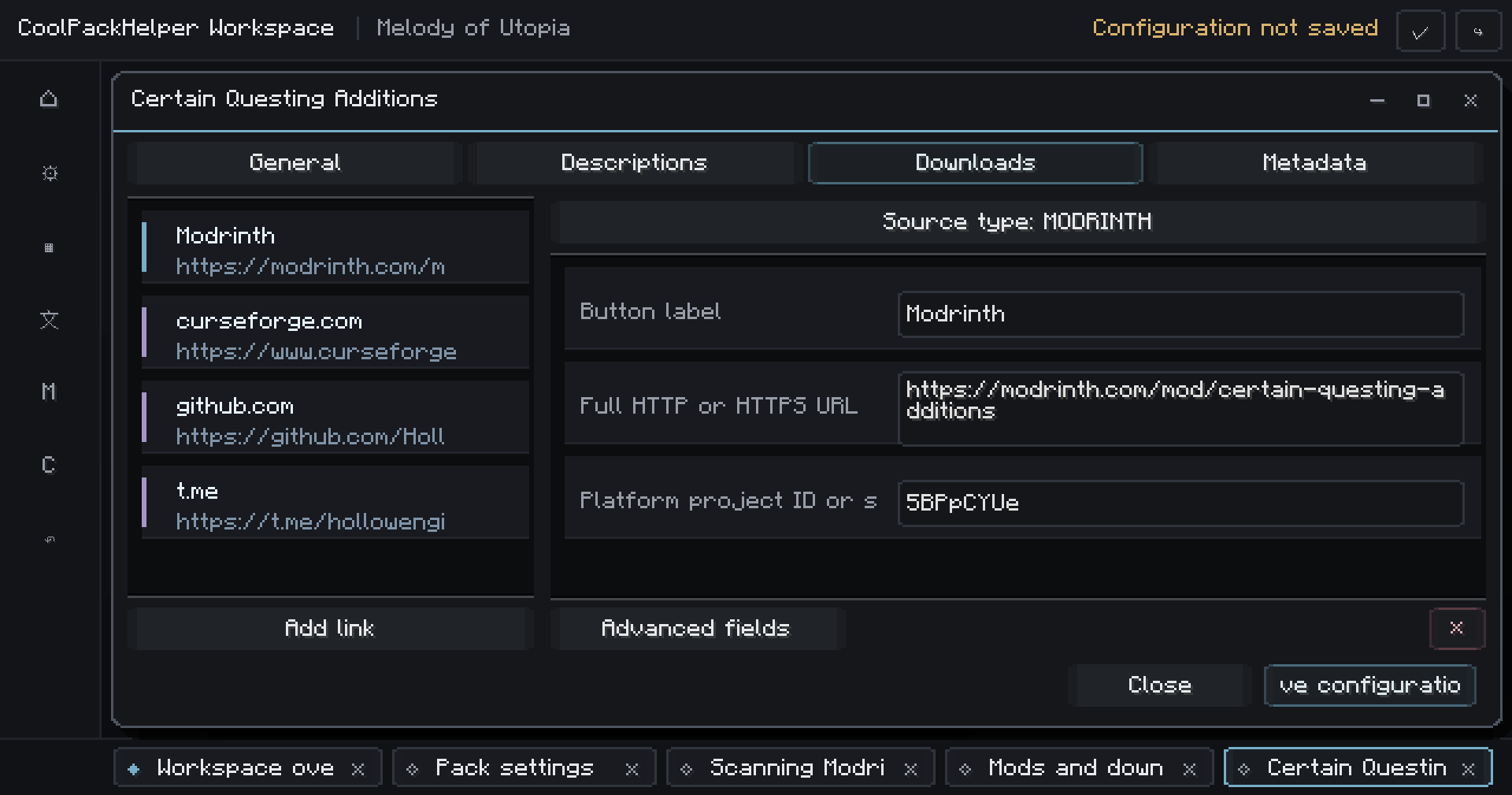
Add localized descriptions explaining why your pack needs the mod, alongside links to Modrinth, CurseForge, GitHub, Discord, documentation, issue trackers and other resources.
Your players shouldn't have to search through a README or Discord channel just to understand their installation.
Install missing mods directly
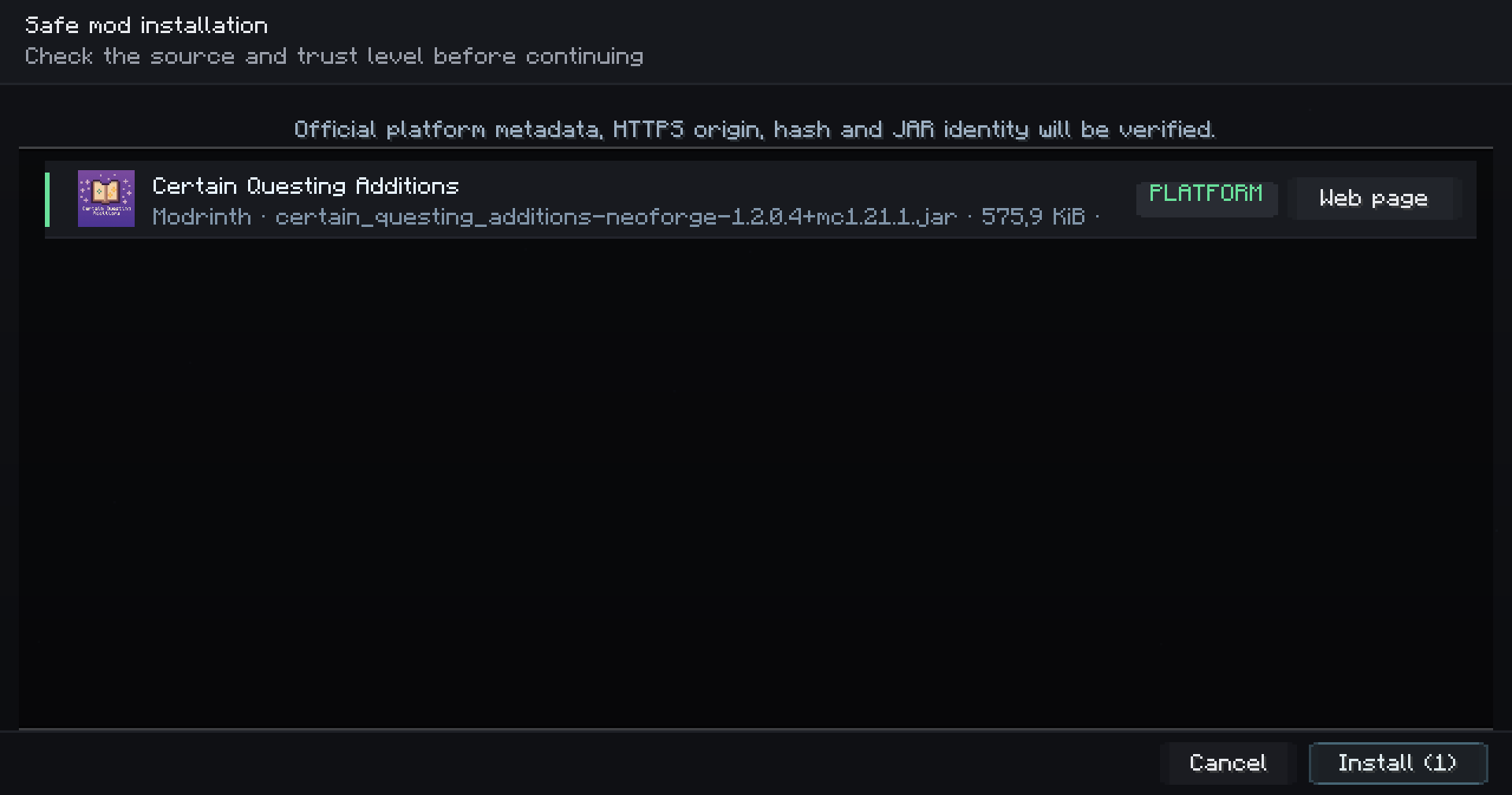
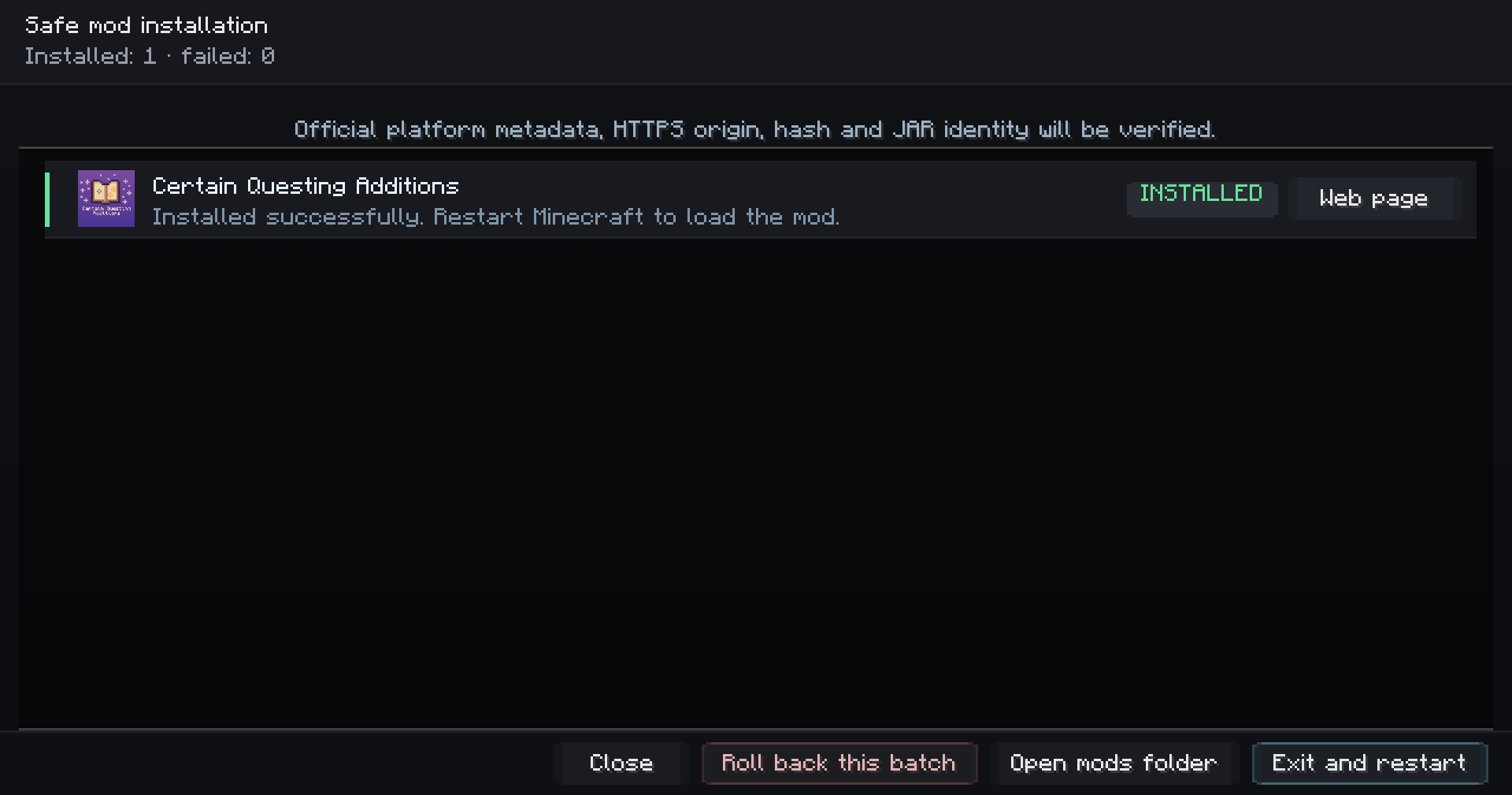
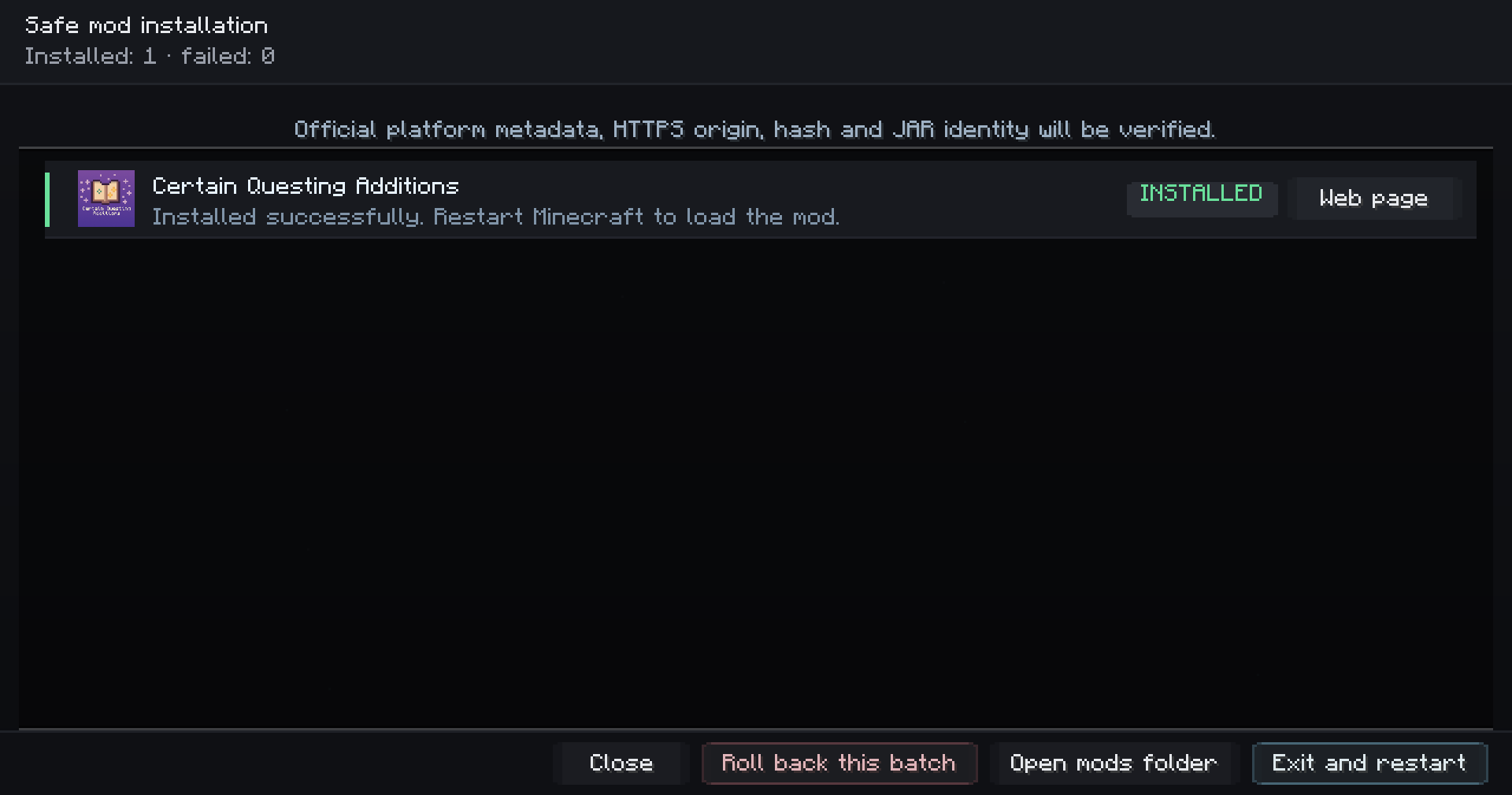
Supported files can be installed without leaving Minecraft.
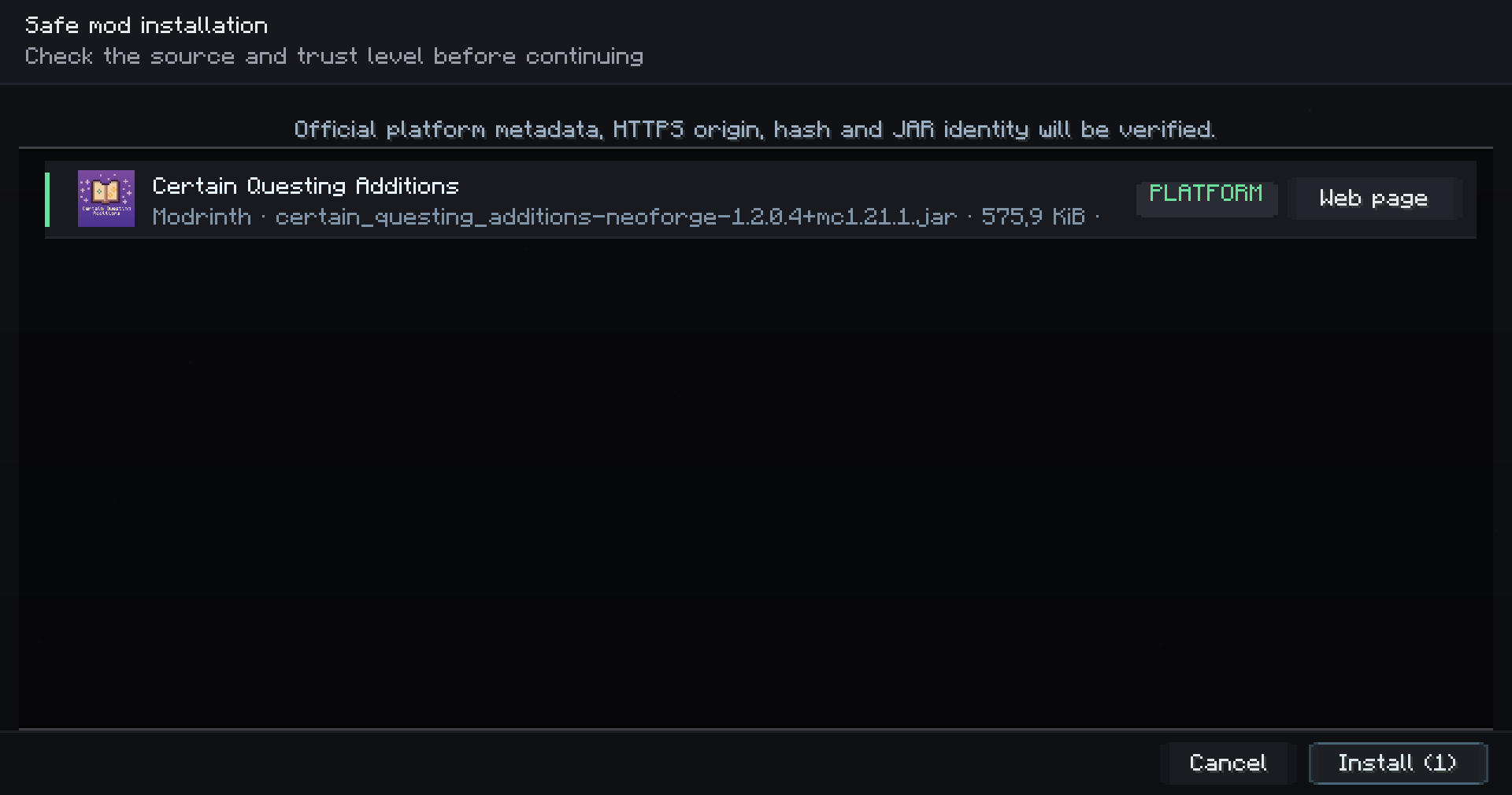
CoolPackHelper supports:
Modrinth · CurseForge · GitHub Releases · Direct HTTPS · Browser Pages
Platform-supported files can also be installed together through bulk installation.
Automatic downloads go through a guarded installation pipeline that can verify the destination, redirects, hashes, file size, JAR structure, mod ID and version before the file reaches the mods folder.
Replaced files are backed up and completed installation batches can be rolled back.
Made for modpack authors
CoolPackHelper isn't only a player-facing requirements screen.
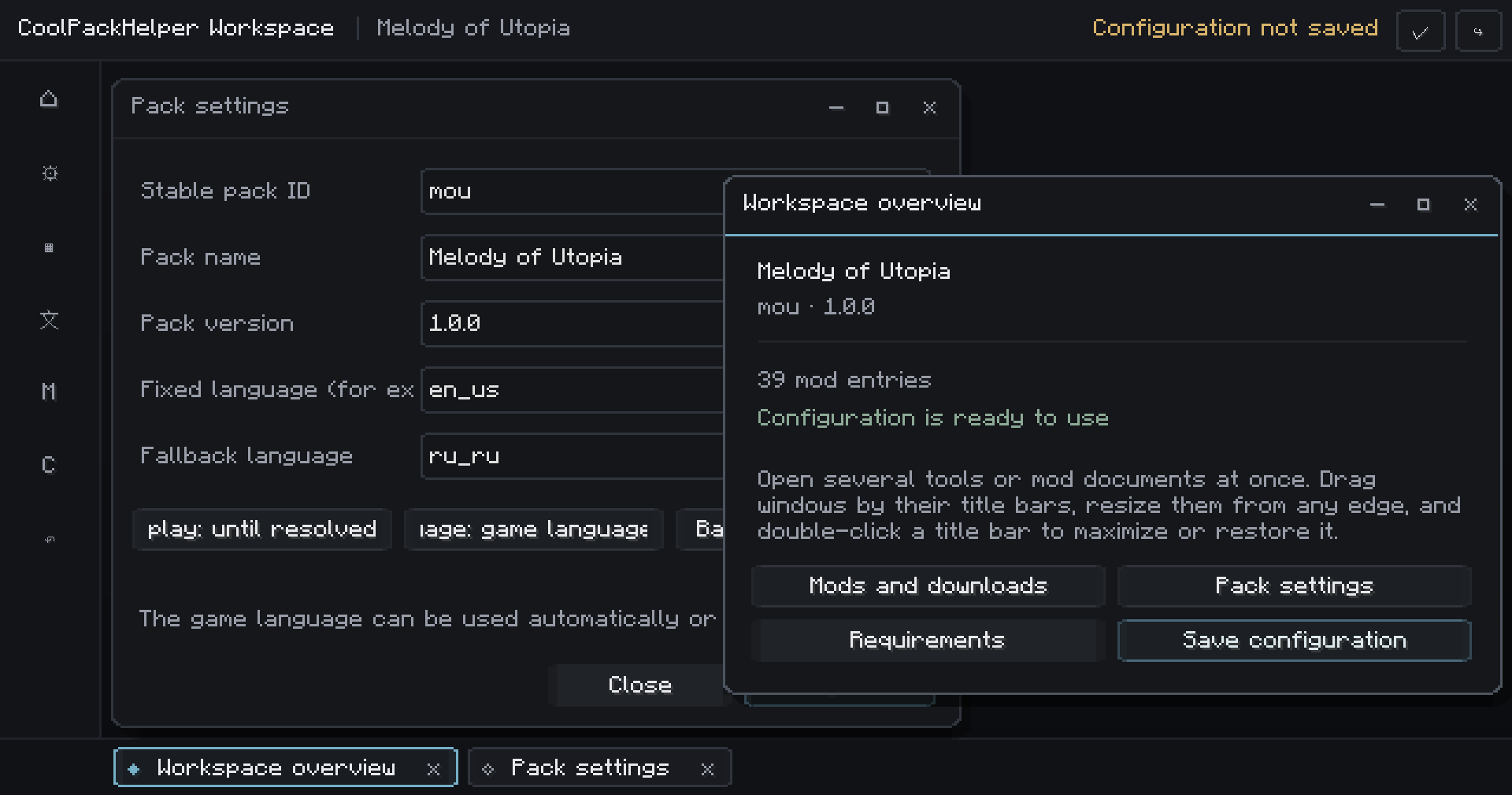
It includes a complete in-game workspace for modpack authors.
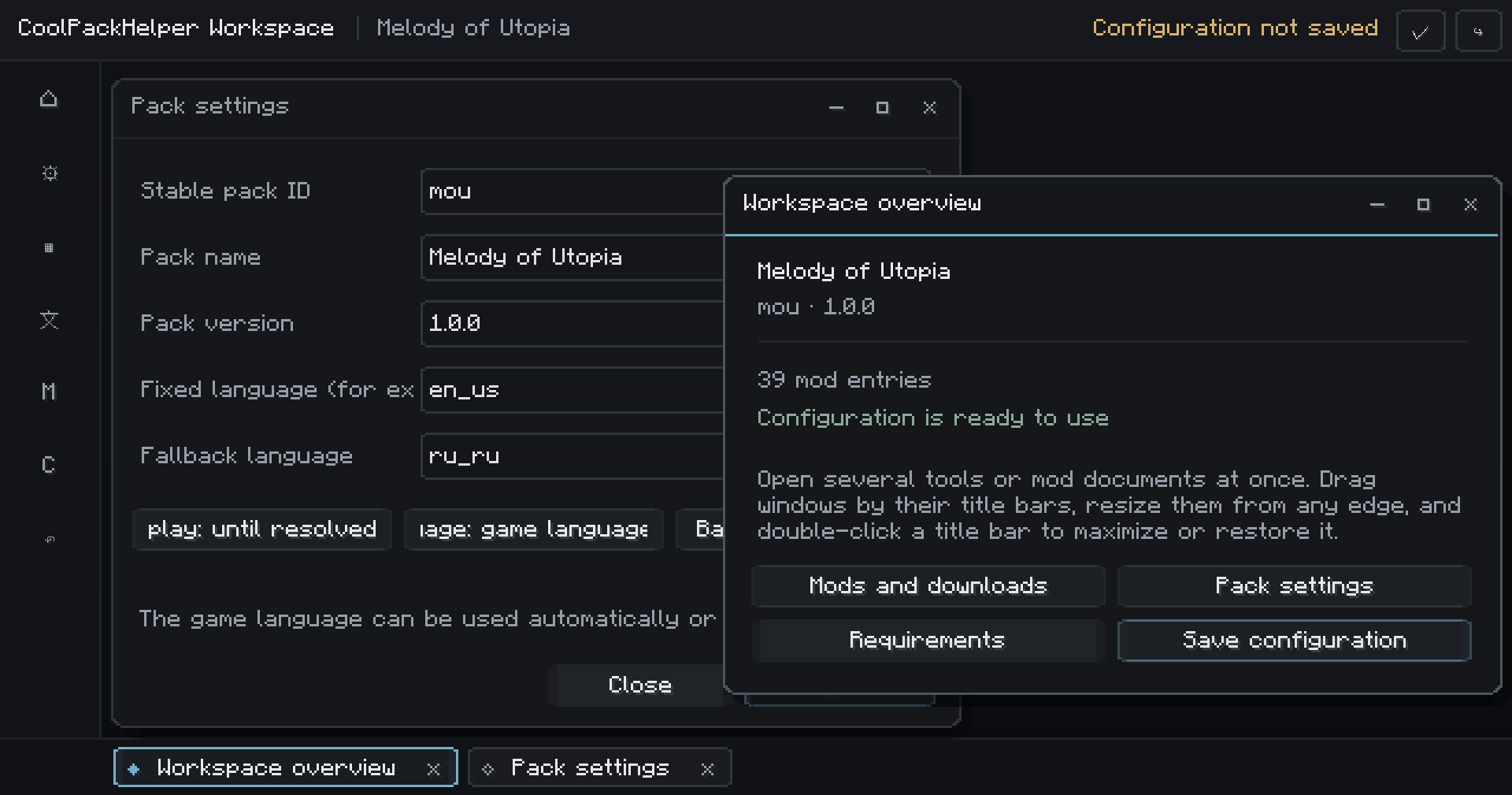
Think of it as a small modpack IDE inside Minecraft.
Windows can be opened independently, moved, resized, minimized and used side-by-side.
From one place you can manage your pack identity, requirements, downloads, metadata, localization, validation and player-facing UI.
Don't configure everything manually
Already have a modpack?
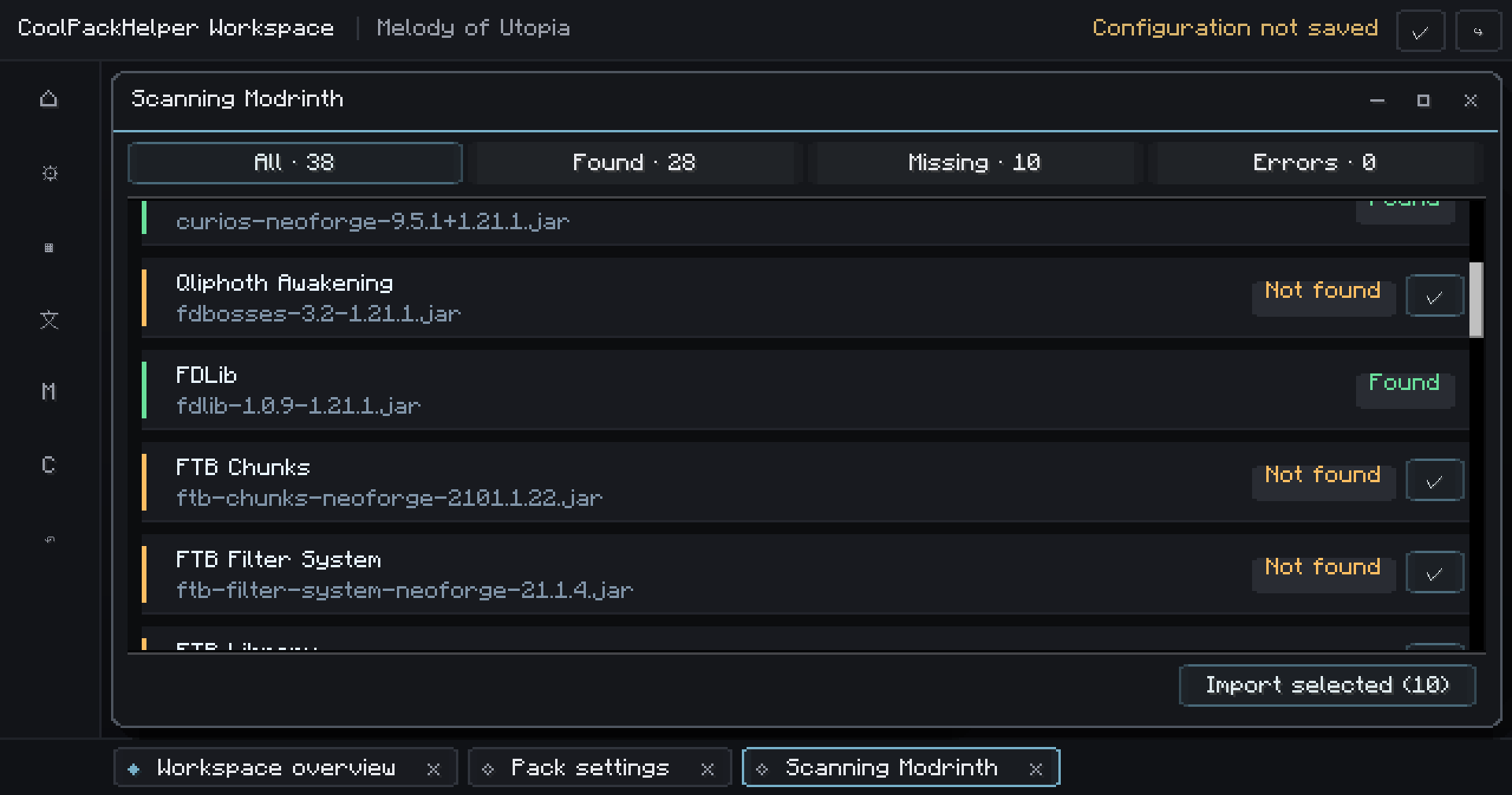
CoolPackHelper can inspect your existing mods directory and help turn it into a configured project.
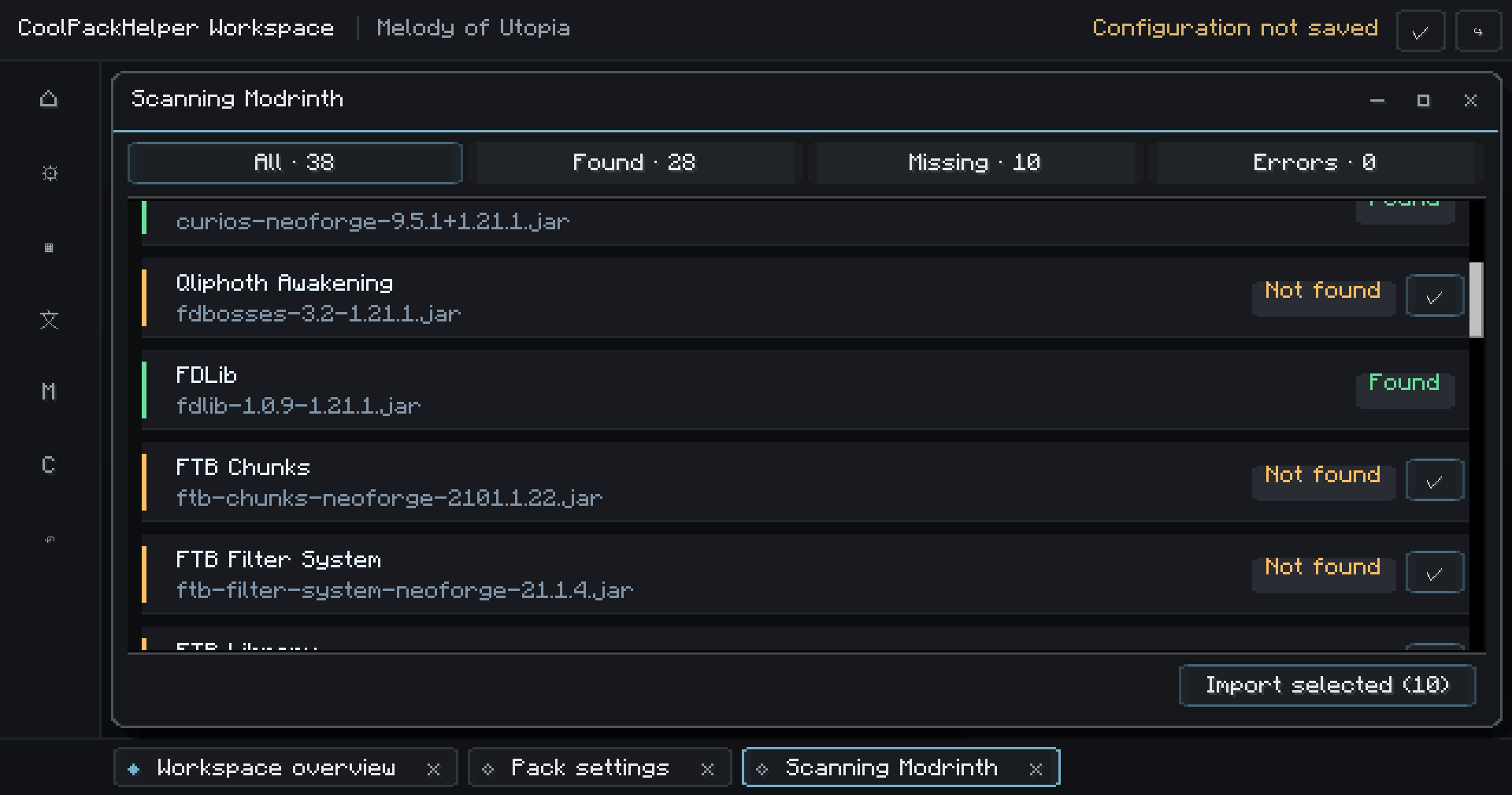
You can:
- import metadata from installed JARs;
- scan files against Modrinth;
- scan files against CurseForge;
- create requirement entries;
- import available platform metadata;
- review everything before enabling it.
This makes CoolPackHelper practical for existing projects - not only modpacks built around it from day one.
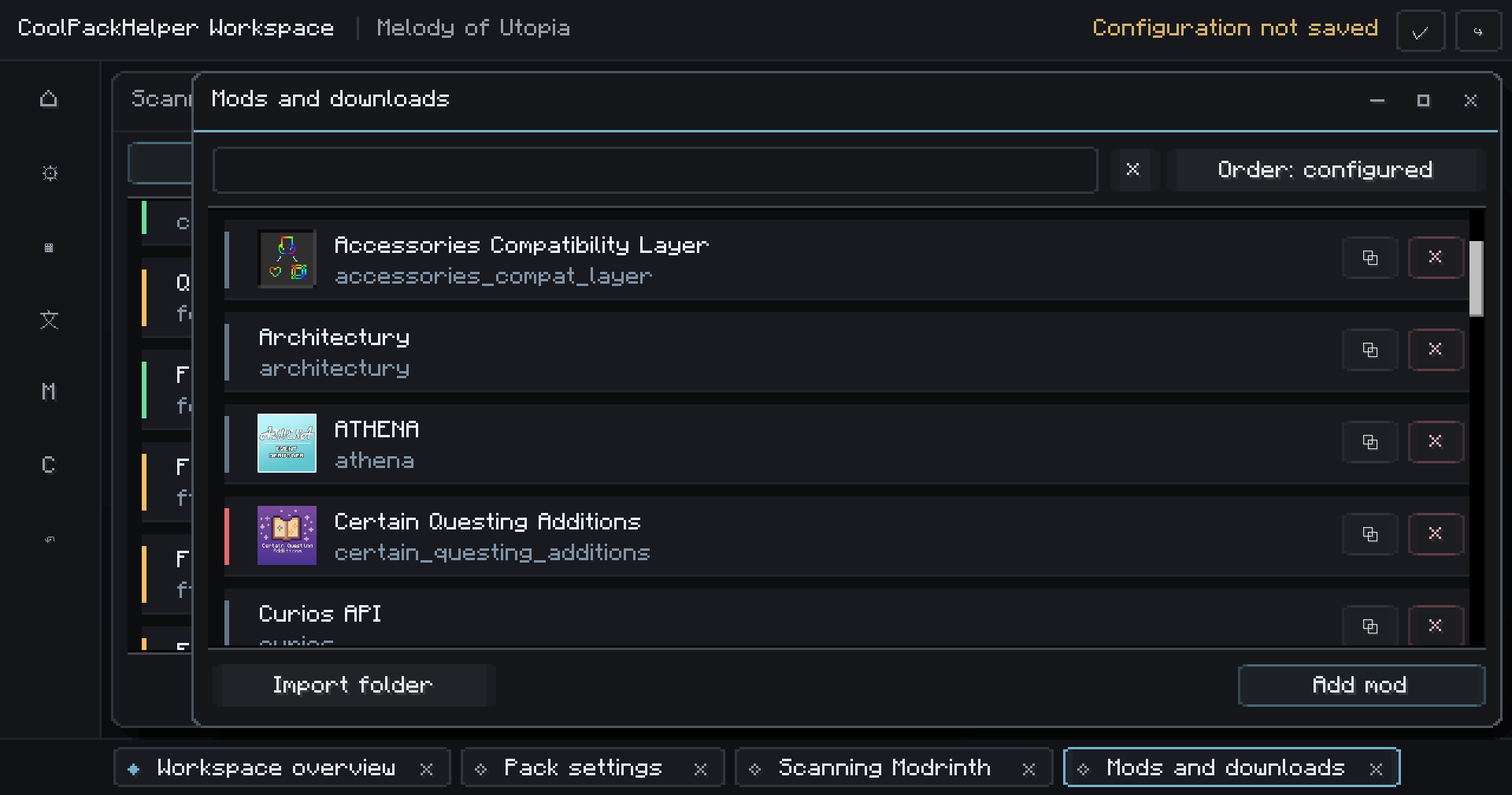
Configure each mod visually
No giant JSON file required.
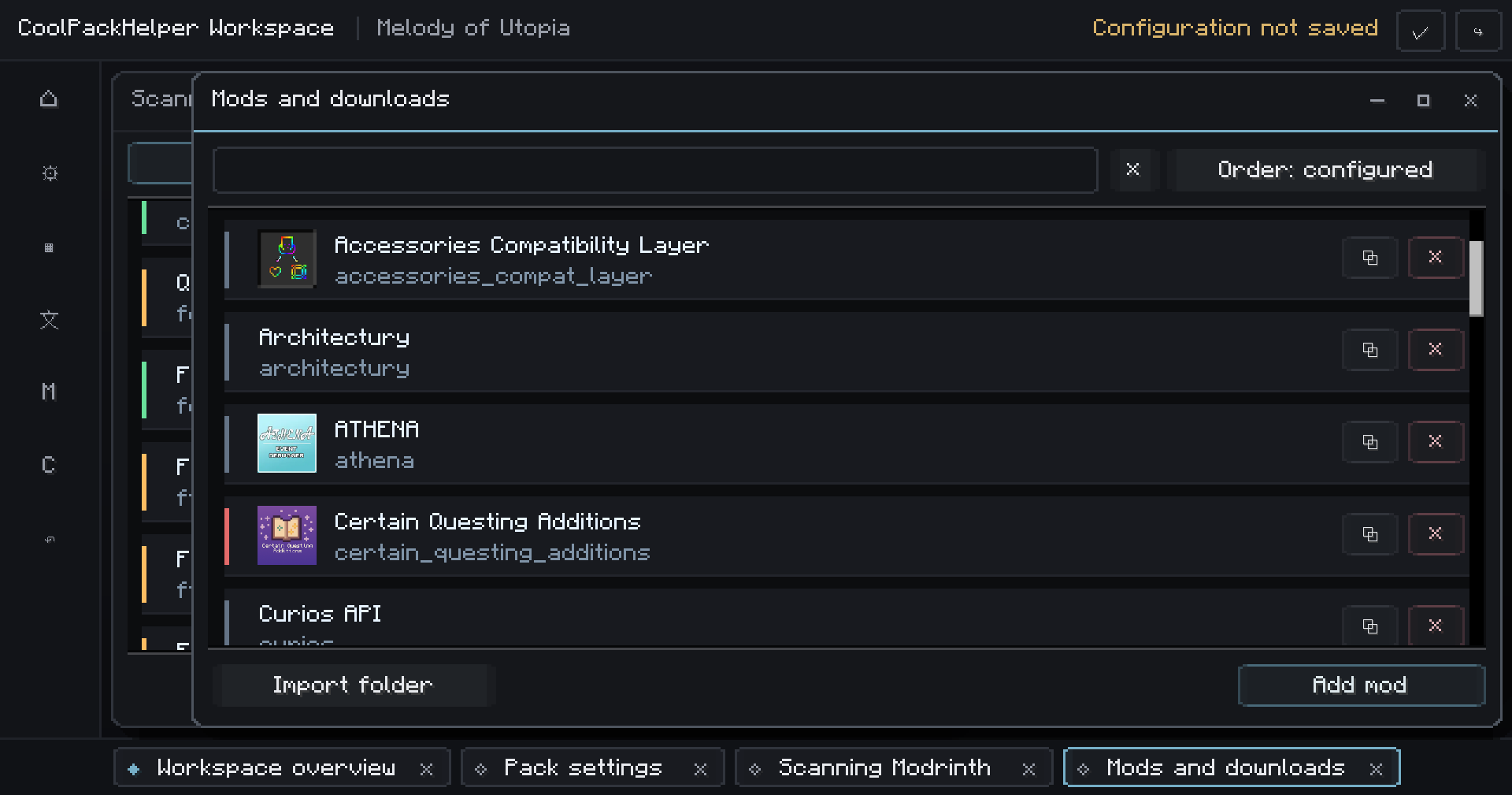
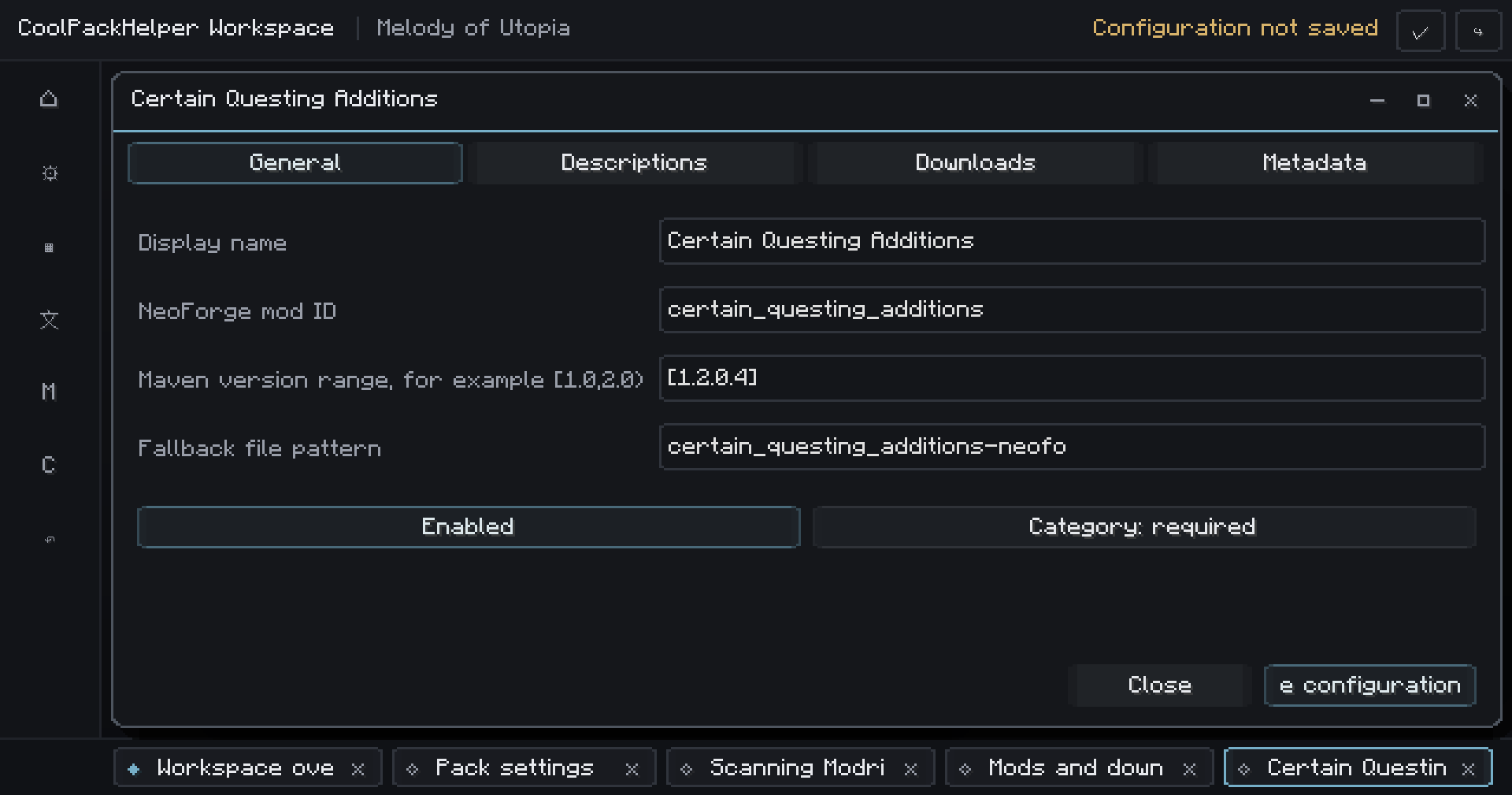
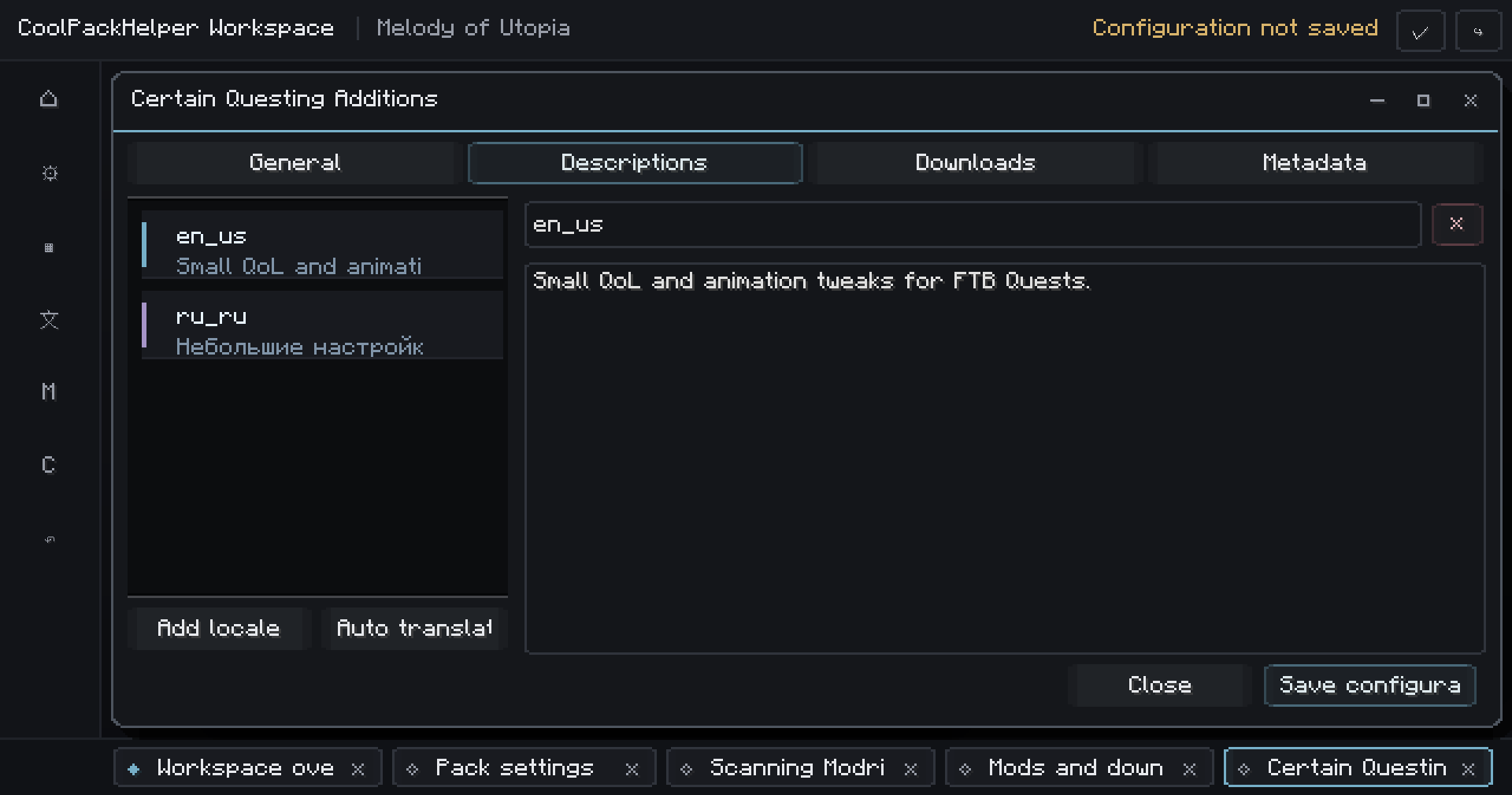
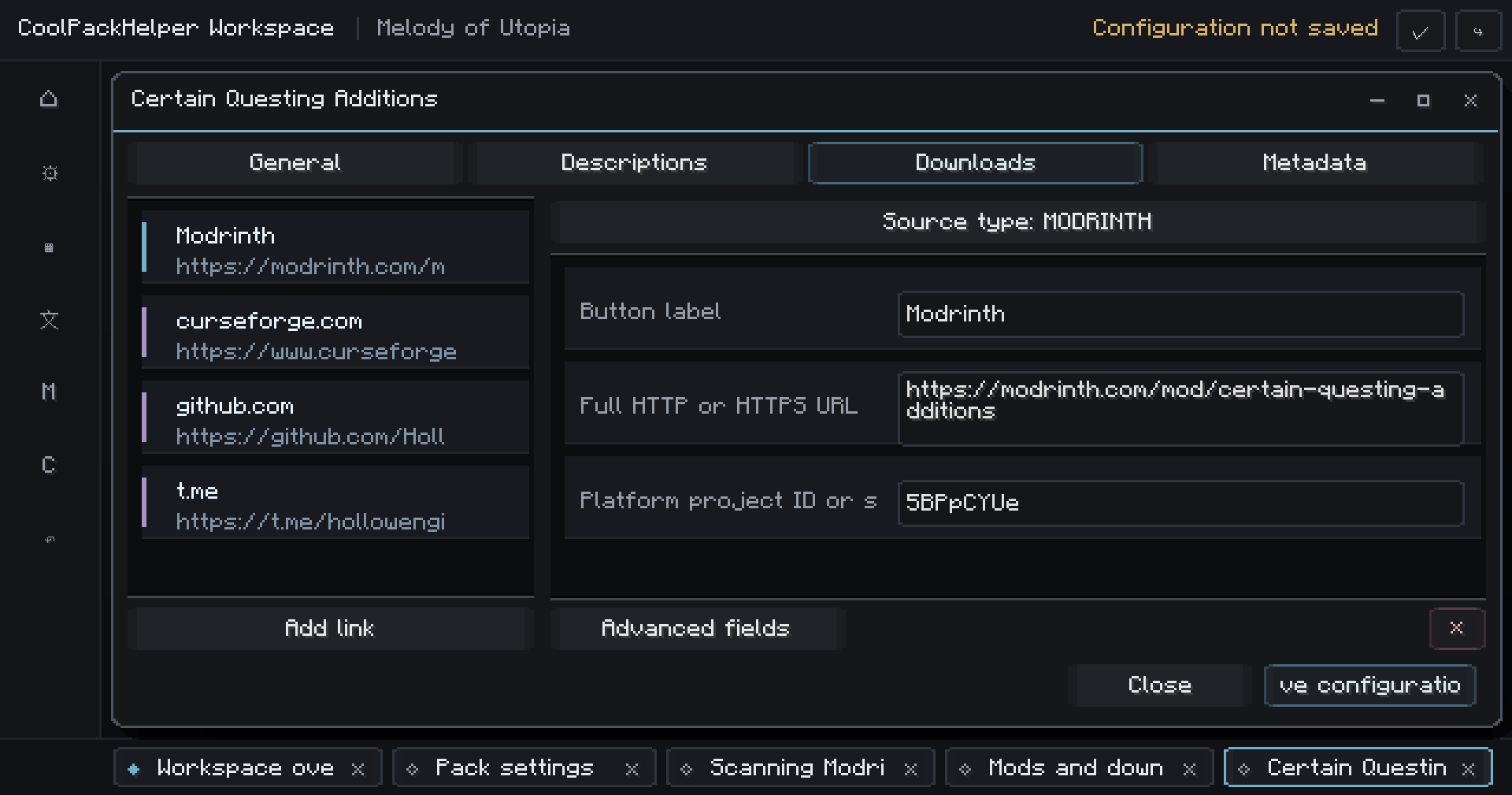
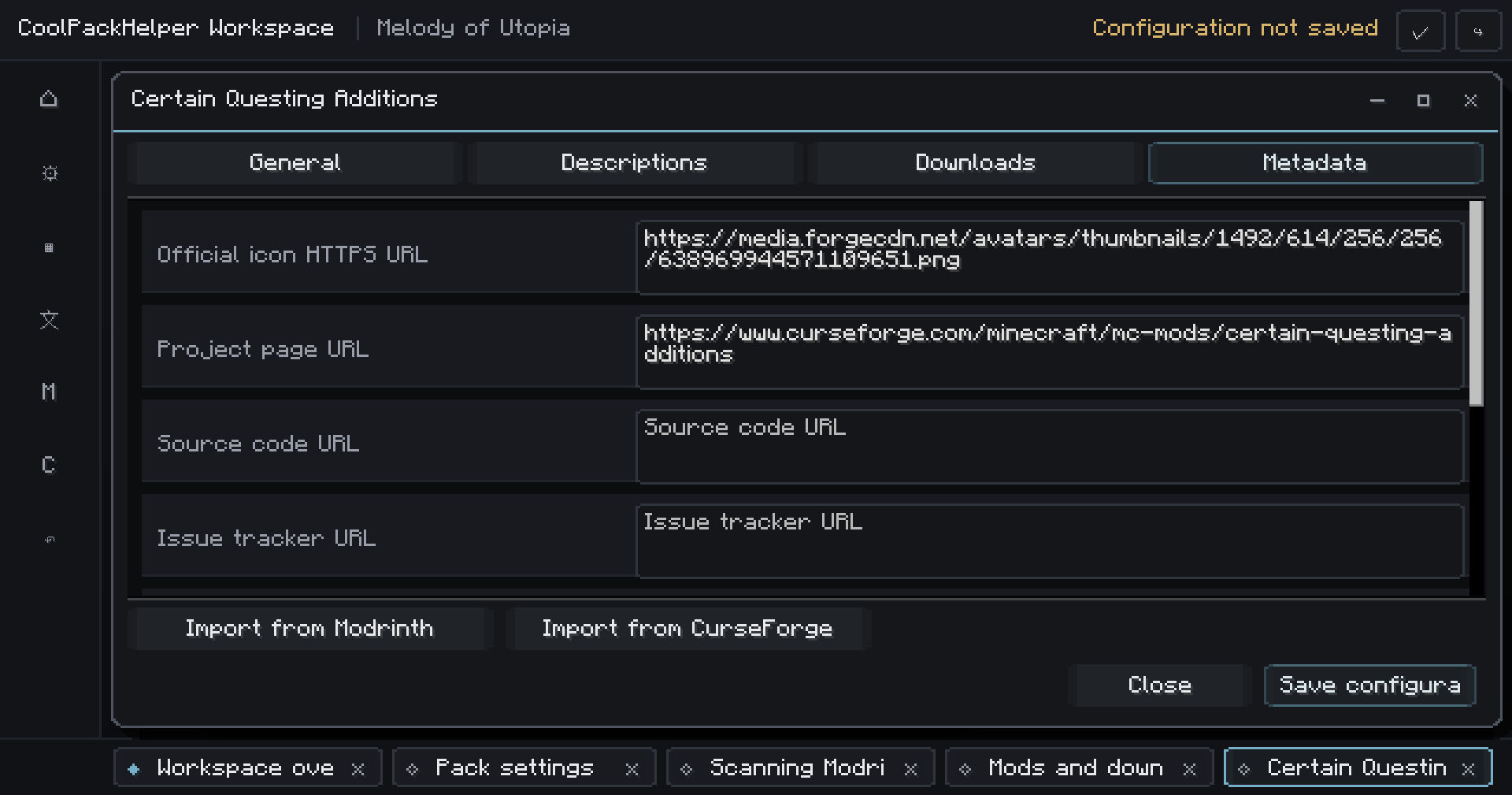
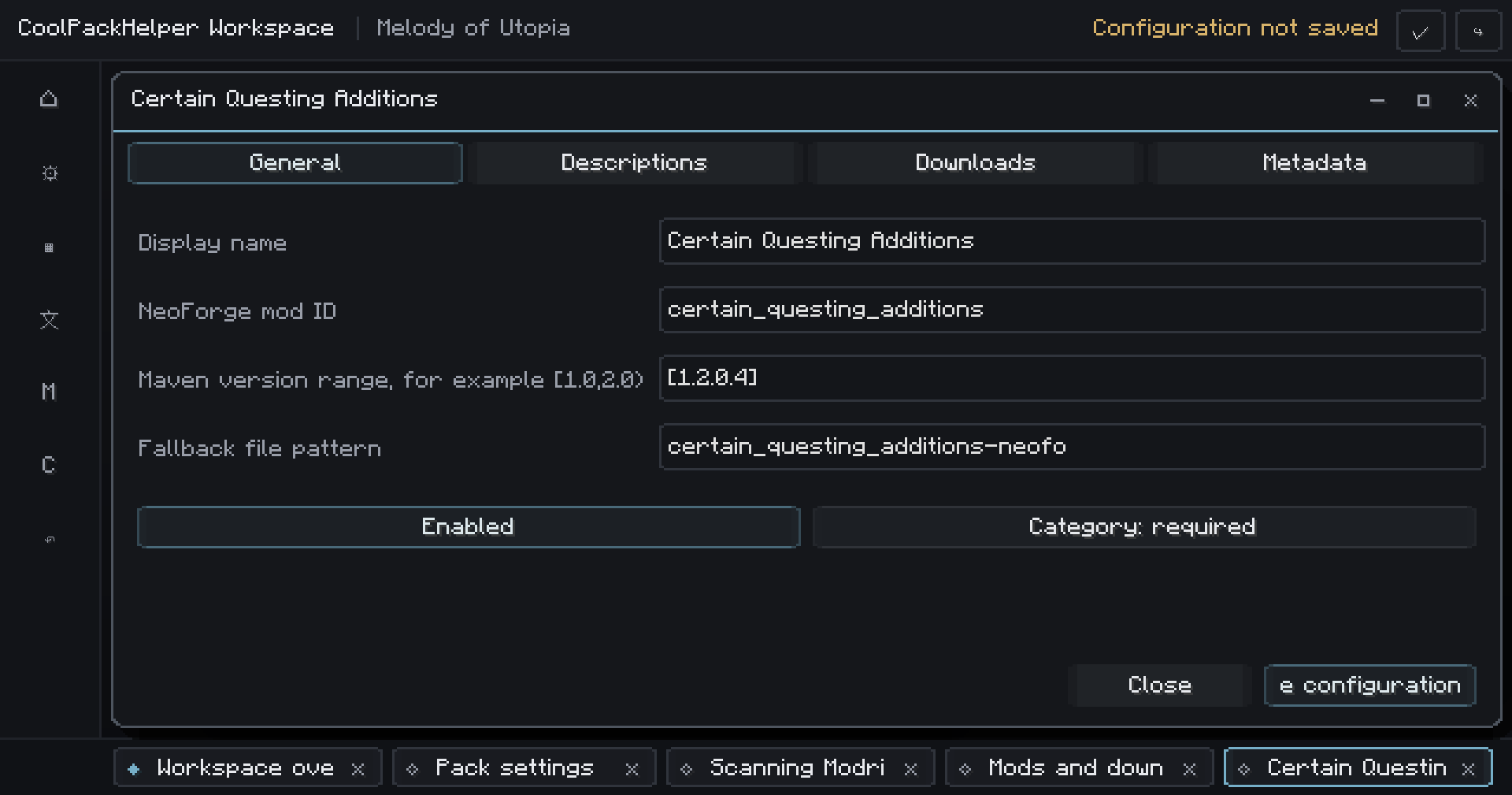
Configure detection, versions, category, descriptions, downloads and metadata directly inside Minecraft.
For each requirement you can define:
- NeoForge mod ID;
- accepted version range;
- required or recommended status;
- localized descriptions;
- multiple download sources;
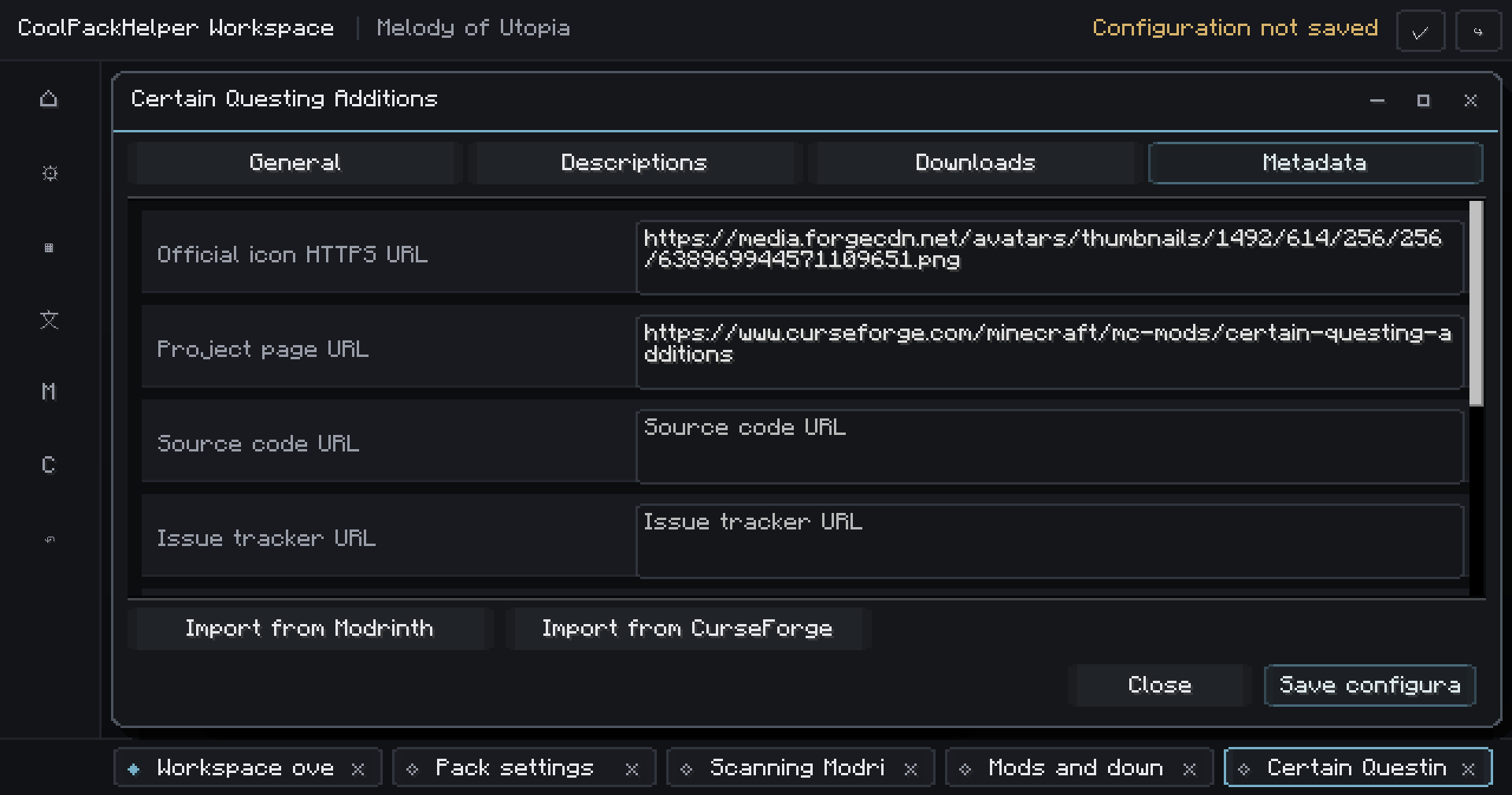
- icon and project metadata;
- authors and license;
- project and community links.
The JSON configuration remains readable and portable, but you don't need to write it manually.
Build for more than one language
CoolPackHelper supports localized requirement screens and descriptions.
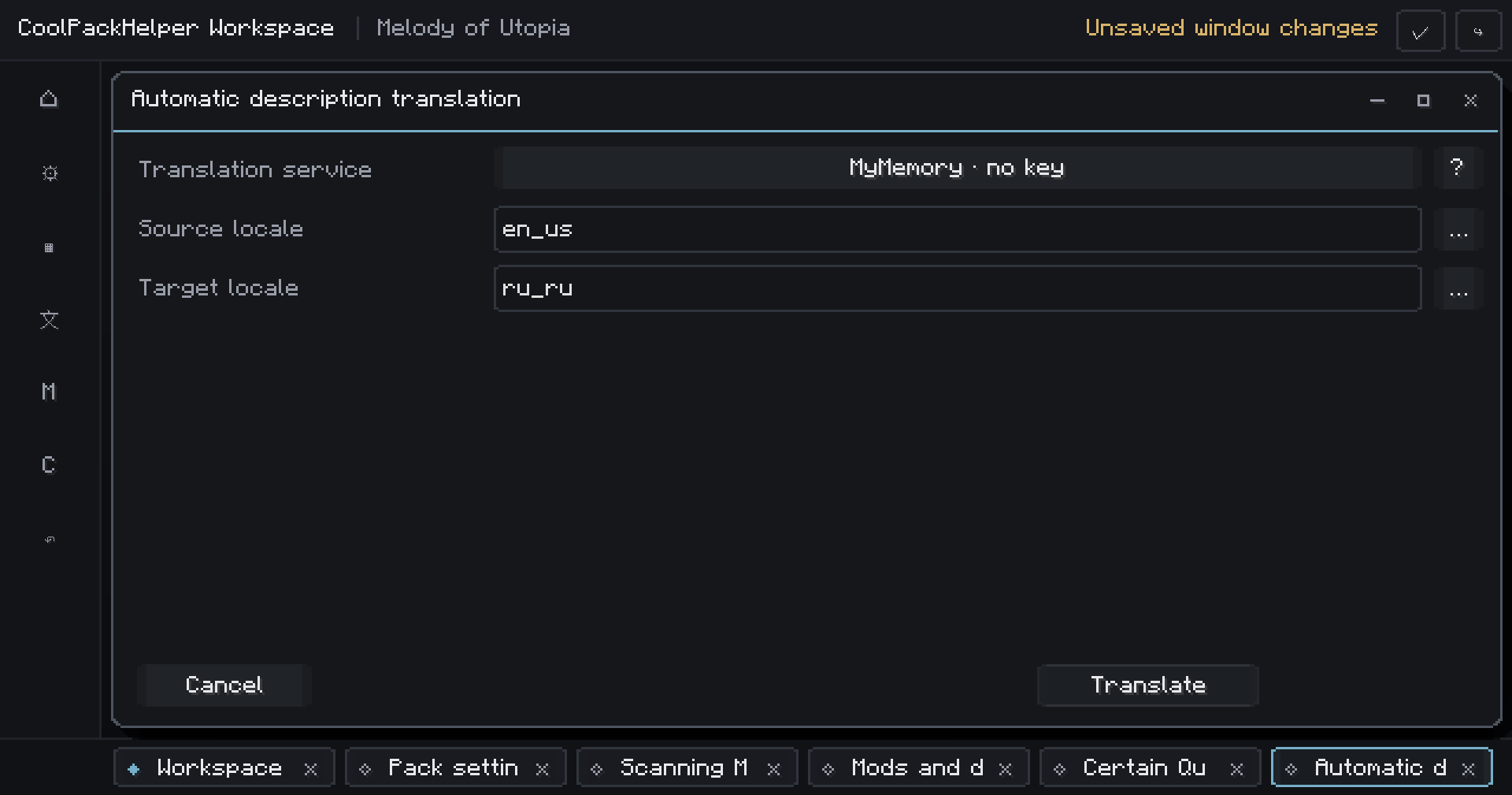
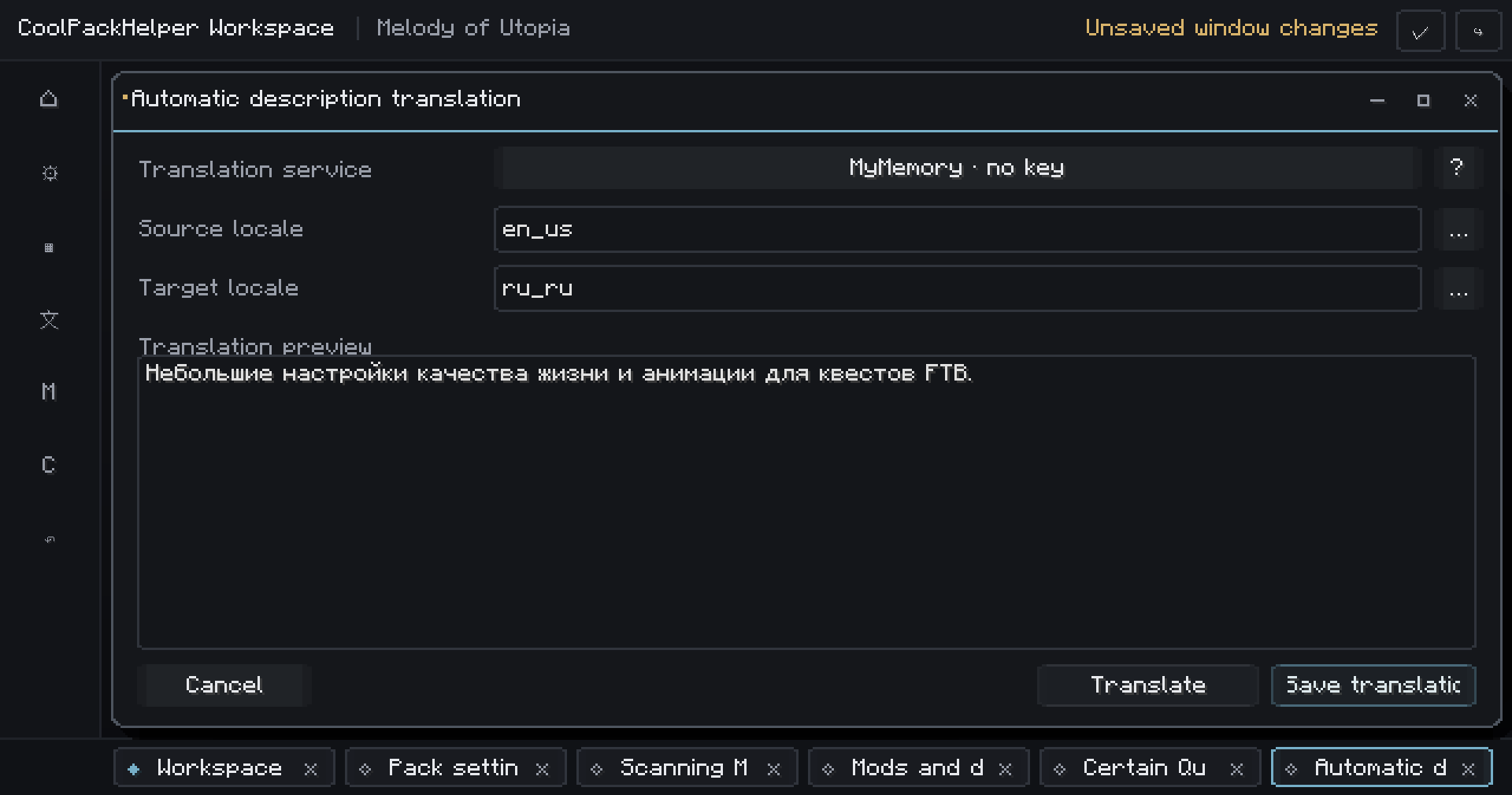
The interface can follow the player's Minecraft language and fall back to another language when a translation isn't available.
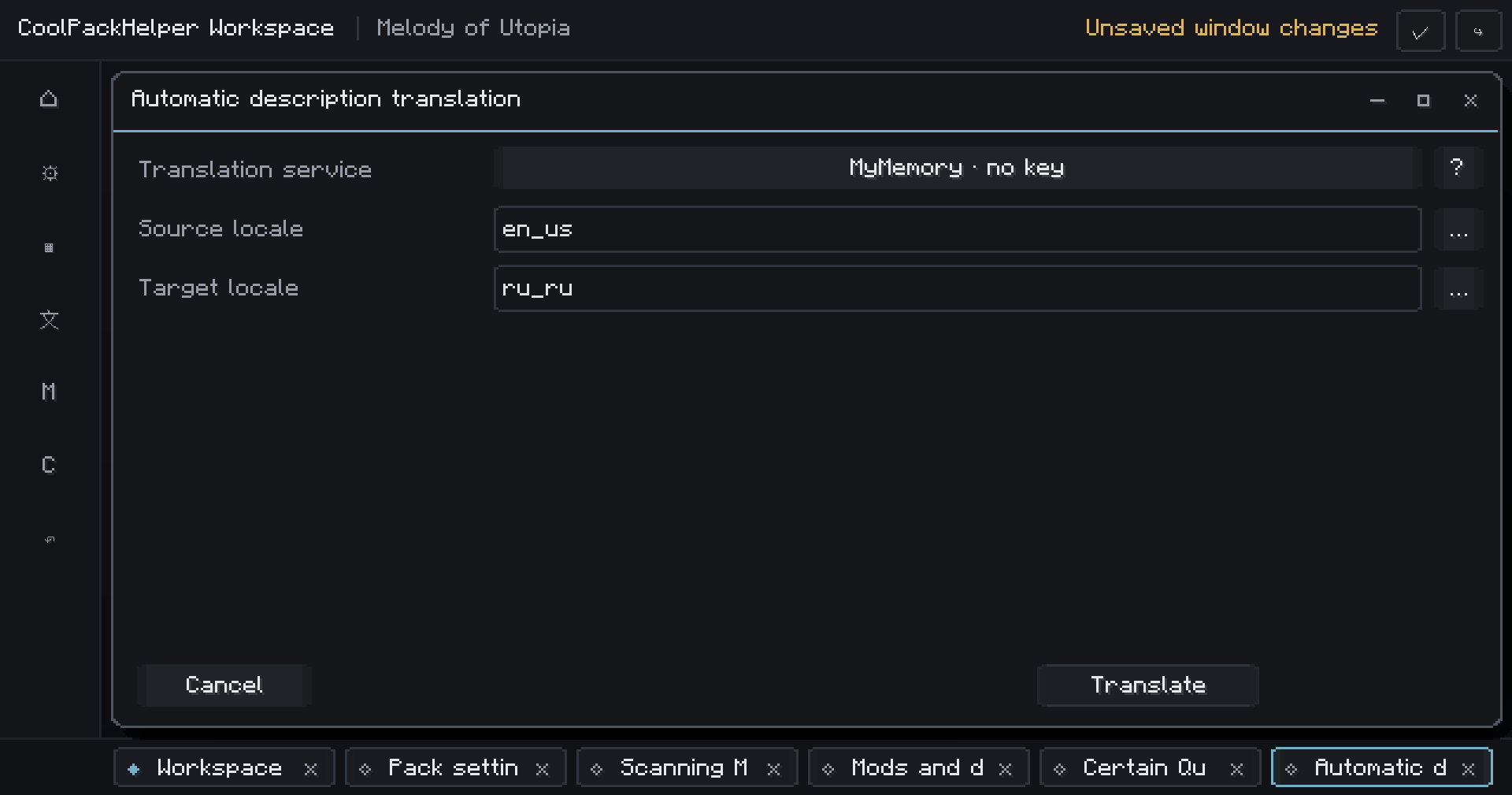
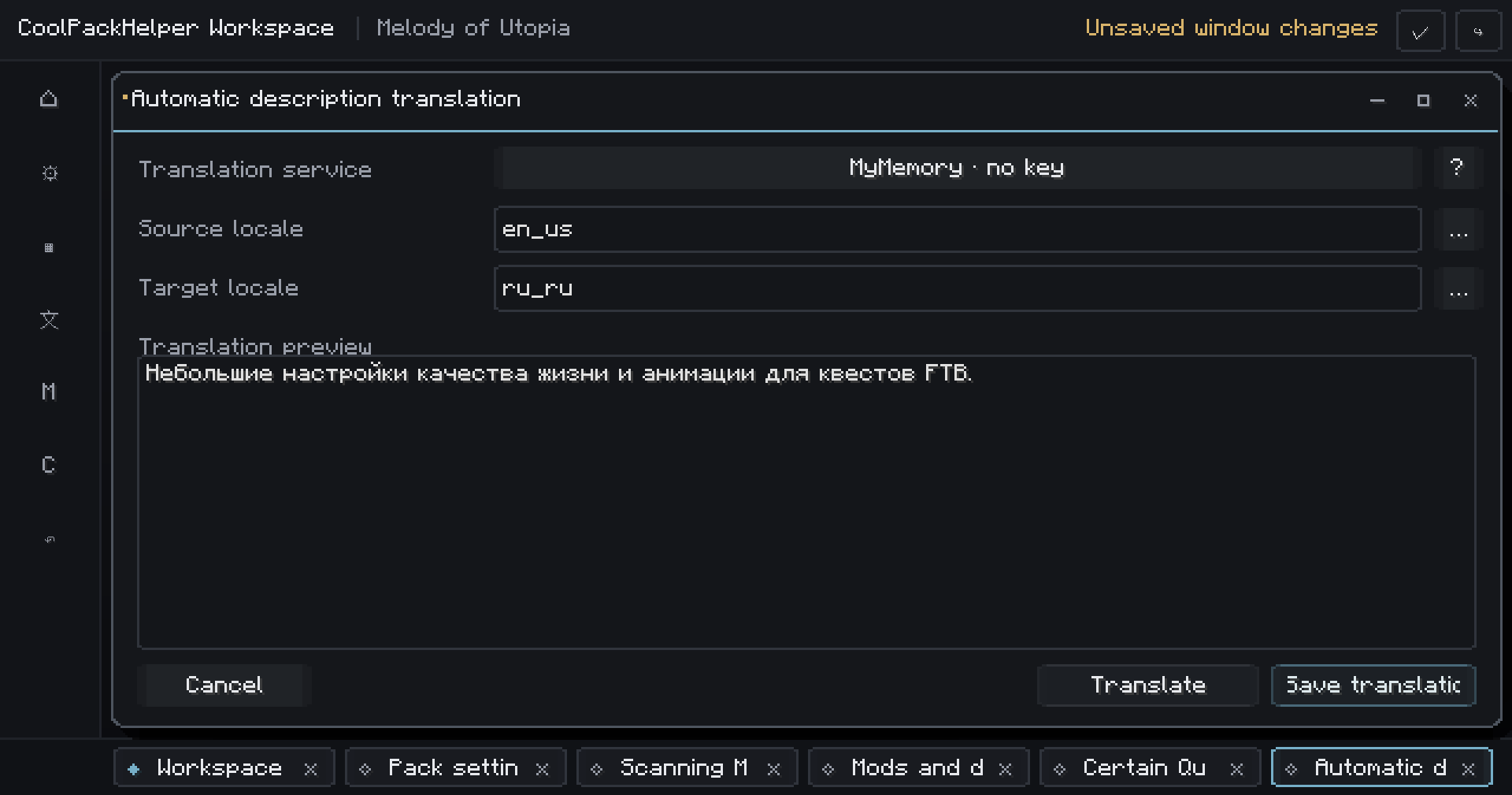
CoolPackHelper can also create editable machine-translation drafts using supported translation providers.
Machine translation never silently replaces your text: review and edit the result before saving it.
See what your players will see
Don't build the configuration blind.
Open the player requirements interface directly from the author workspace and test your configuration before releasing the pack.
CoolPackHelper also includes validation tools that report configuration problems and can take you directly to the relevant editor.
Convenience without becoming a blind downloader
CoolPackHelper deliberately treats “this is a useful link” and “this file can be installed automatically” as different things.
Platform files, repository releases and third-party files have different trust levels.
Unverified files require individual player approval and are excluded from bulk installation.
CoolPackHelper can verify downloads, maintain installation history, back up replaced JARs and roll back completed installation batches.
The player remains in control.
And this is only 1.0
CoolPackHelper started with one problem:
How can a modpack handle external requirements without giving players a terrible installation experience?
The long-term goal is broader:
Create a local-first workspace for building, distributing, explaining and maintaining Minecraft modpacks.
Future development is being explored around:
- resource pack and shader requirements;
- resource pack order profiles;
- controls and selected options presets;
- modpack diagnostics and dependency graphs;
- Discord Rich Presence and pack branding;
- reusable author presets;
- server-pack generation;
- release snapshots and automatic modpack changelogs.
These are development directions, not promises for specific releases or dates.
Who is CoolPackHelper for?
CoolPackHelper may be useful if your modpack:
- has required or recommended external mods;
- needs a cleaner installation experience;
- uses custom or private components;
- is distributed across multiple platforms;
- supports multiple languages;
- needs better tooling for maintaining requirements;
- or simply aims to feel like a more polished standalone product.
Current support
Minecraft: 1.21.1
Loader: NeoForge 21.1.x
Java: 21
Designed to be distributed directly with client modpacks.
Build the pack. CoolPackHelper handles the boring parts around it.