Controller Play
- By
A polished controller-first experience for Minecraft Java with precise gameplay input, menu navigation, an on-screen keyboard, profiles, hints, and vibration.

Controller Play brings a complete controller-first experience to Minecraft Java Edition. It connects gameplay, inventories, menus, chat, and settings into one consistent flow so you can play comfortably from the moment the game opens.
The mod is built for precise input and a familiar Minecraft feel. Keyboard and mouse remain available whenever you want them, while controller navigation stays predictable across vanilla screens and compatible modded screens.

- Precise analog control with radial deadzones, response tuning, camera smoothing, and invert options.
- Controller-ready interfaces for menus, inventories, creative tabs, containers, world lists, and settings.
- On-screen keyboard for chat, search boxes, world names, and other text fields.
- Per-controller profiles with automatic device detection, custom bindings, calibration, and saved preferences.
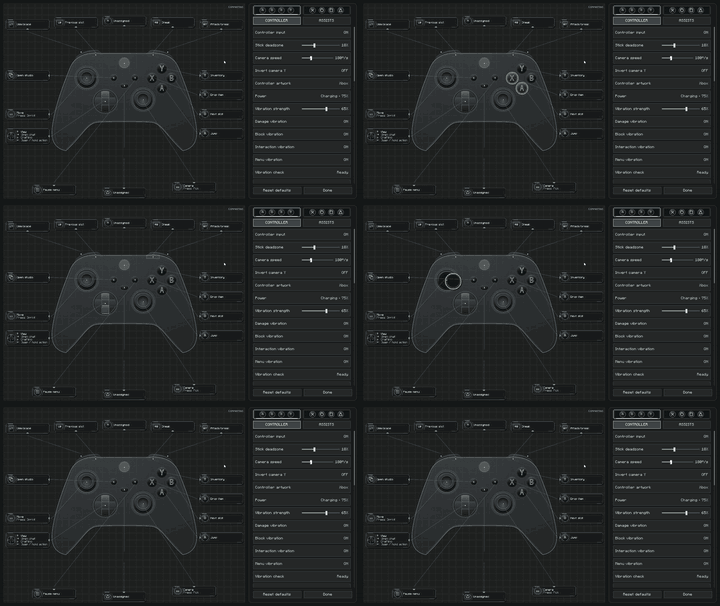
- Xbox, PlayStation, Nintendo, and generic layouts with contextual on-screen button hints.
- Contextual vibration for supported SDL devices, with separate controls for damage, interaction, block breaking, inventory, and menus.
- Quick Actions wheel for useful actions without pausing gameplay.
- Immediate saving to
config/controllerplay.json, including bindings and individual device profiles.


- Download the file that exactly matches your Minecraft version and mod loader.
- Fabric users must also install Fabric API. Forge and NeoForge builds do not require Fabric API.
- Place the downloaded JAR in your Minecraft instance's
modsfolder. - Connect your controller, launch the game, and press a controller button.
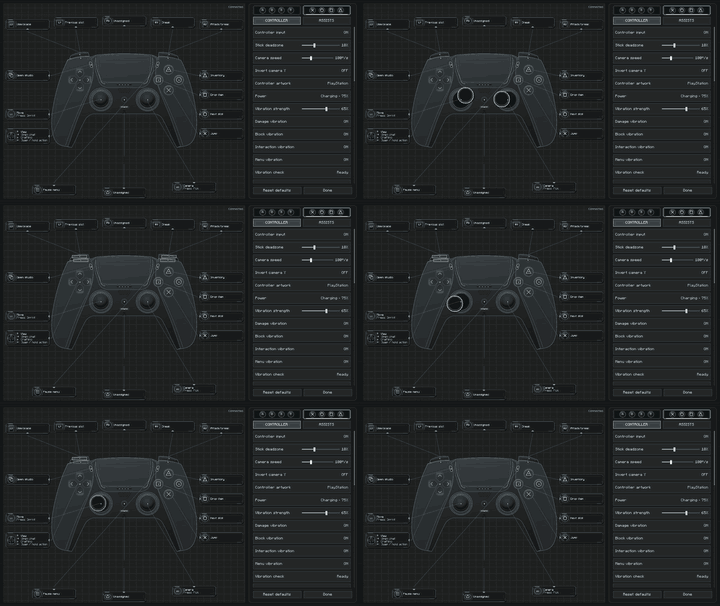
- Open Controller Play settings with F8, Back / Share, or the Controller Play button in Minecraft's title or options screen.
Settings are saved as soon as they change and restored the next time Minecraft starts.

| Input | Gameplay |
|---|---|
| Left Stick | Move |
| Right Stick | Look |
| A / Cross | Jump / Select |
| B / Circle | Sneak / Back |
| X / Square | Crafting and inventory / Menu action |
| Y / Triangle | Inventory / Quick-move item |
| RT / R2 | Attack |
| LT / L2 | Use item |
| LB / L1 and RB / R1 | Hotbar or tabs |
| D-pad | Hotbar and interface navigation |
| D-pad Left (hold) | Quick Actions |
| Start / Options | Pause |
| Guide / Home | Screenshot |
Every gameplay binding can be changed from the Controller Play settings screen. Fixed navigation inputs remain available so menus cannot become unusable after rebinding.

| Minecraft | Fabric | Forge | NeoForge |
|---|---|---|---|
| 1.20.1 | Supported | 47.4.23+ | 47.1.106+ |
| 1.21.1 | Loader 0.15.11+ and Fabric API | 52.1.16+ | 21.1.250+ |
| 26.2 | Loader 0.19.5+ and Fabric API | 65.1.3+ | 26.2.0.82+ |
Controller Play is a client-side mod. Only one controller is active at a time. Full SDL3 support, including vibration, is bundled for Windows x64; other systems use the GLFW gamepad fallback where available. Hardware behavior can vary with the operating system and controller driver.
Controller Play Team

Owner