Compact Trim Tooltip
- By
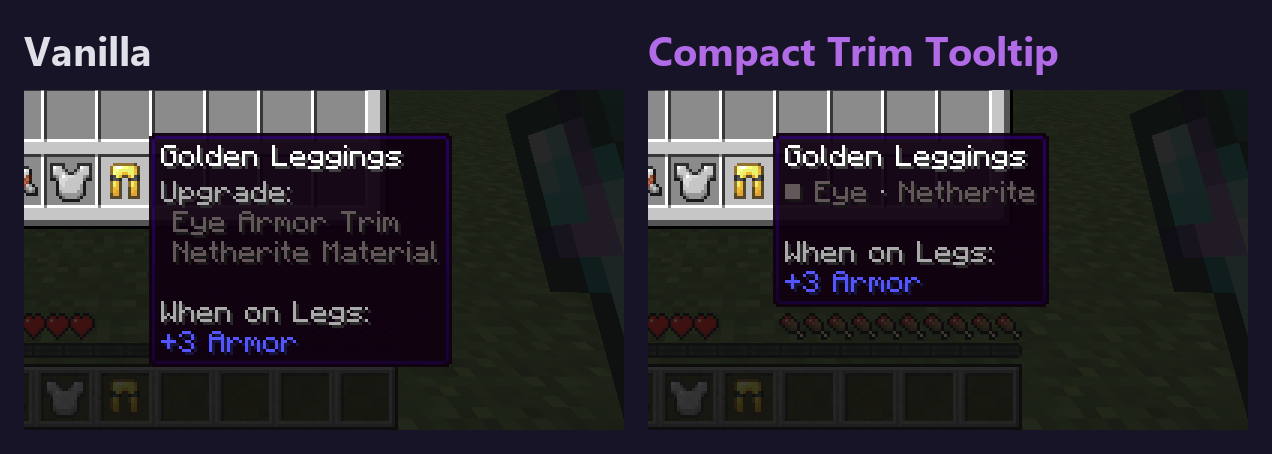
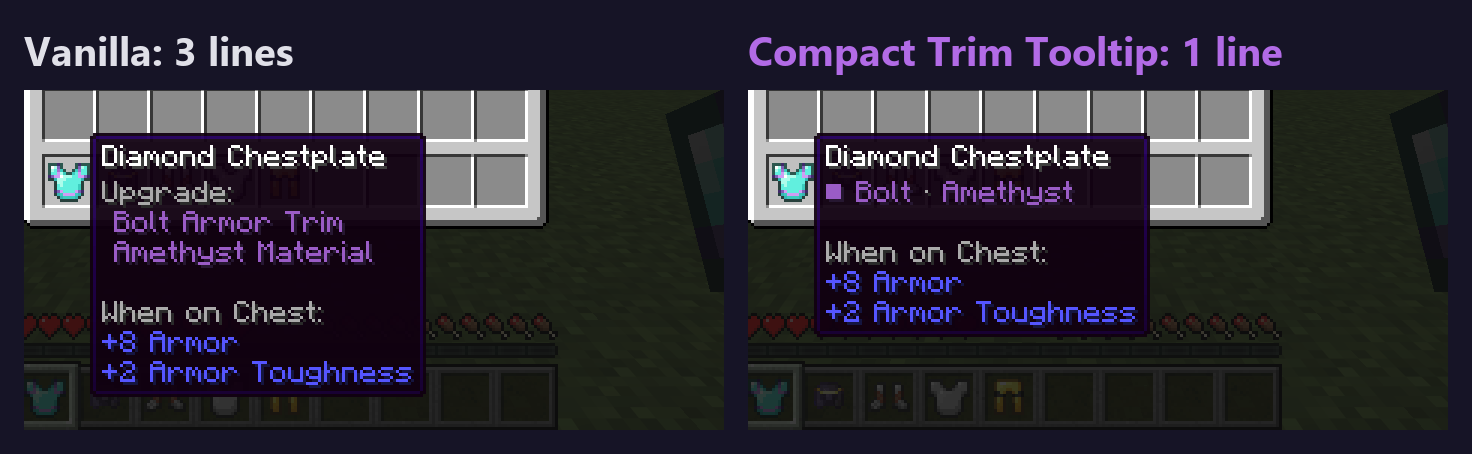
Armor trims take one short tooltip line instead of three: '■ Bolt · Amethyst' in the material's colour. Hold Shift for vanilla's three lines. Client-side only.
listing-image-3-netherite.png
listing-image-4-japanese.png
listing-image-1-three-lines-to-one.png
listing-image-2-enchanted-helmet.png
Description
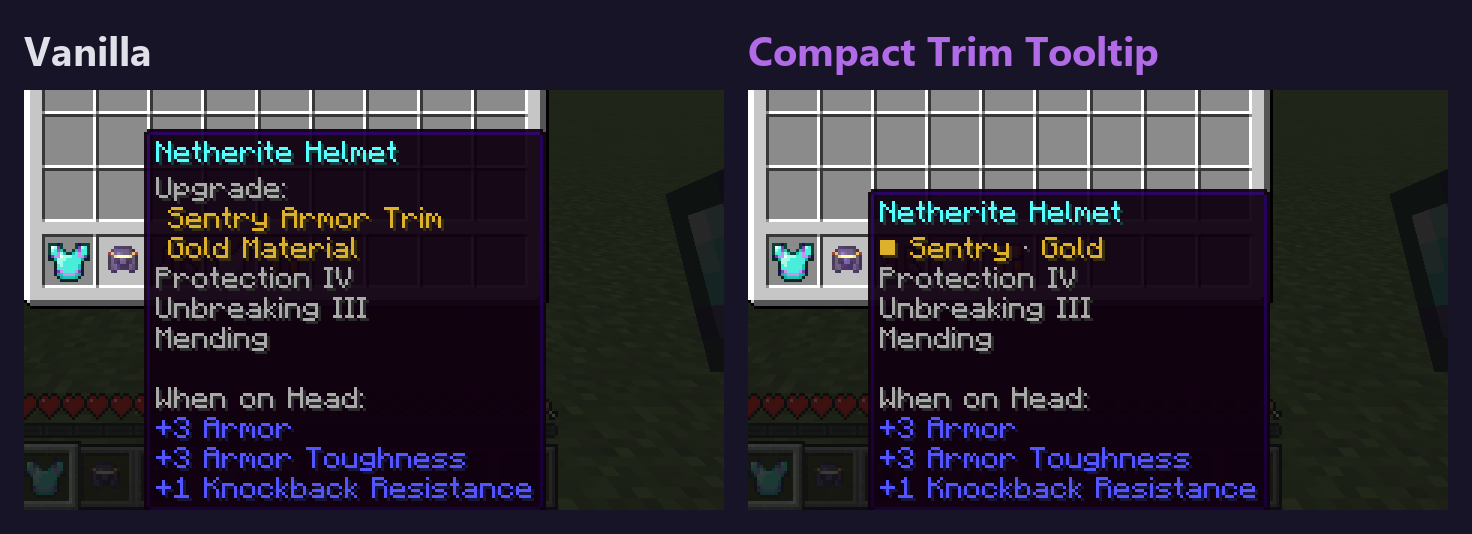
Hover an armor piece with a trim and vanilla Minecraft spends three lines on it: "Upgrade:", "Bolt Armor Trim", "Amethyst Material". On a piece that also has enchantments and attribute lines, the tooltip gets long. Compact Trim Tooltip puts the trim on one short line, right where vanilla puts it:
■ Bolt · Amethyst
The square, the pattern and the material are in the material's own colour, the dot is gray. Everything else in the tooltip (name, enchantments, attributes, lore) is exactly what vanilla shows. Want vanilla's three lines for a moment? Hold Shift.
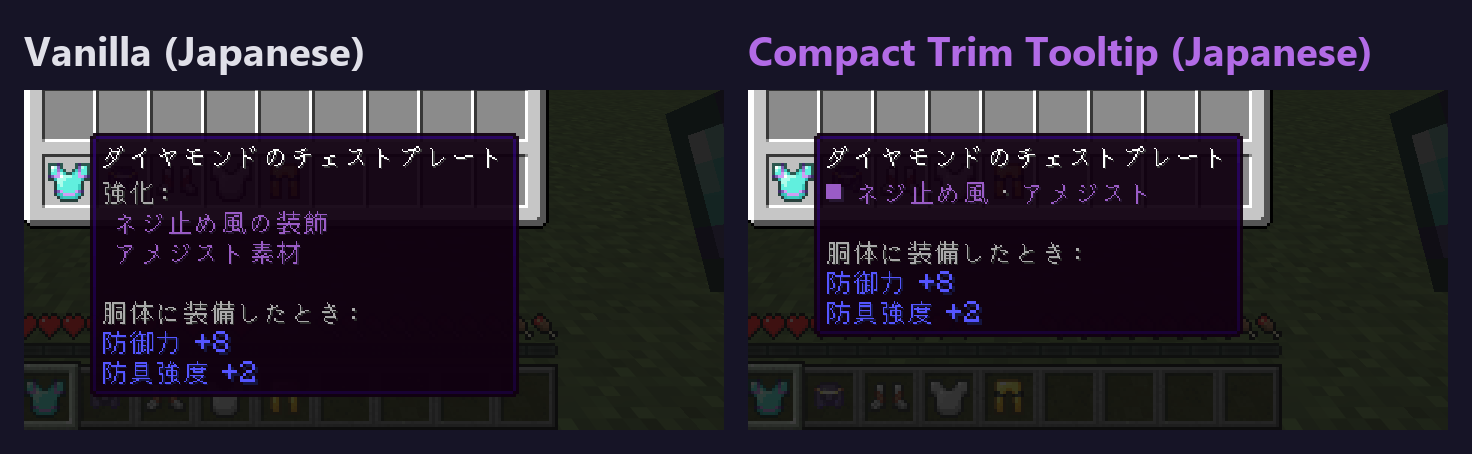
- Short names for all 18 patterns and 11 materials of 26.3, in English and Japanese ("■ ネジ止め風 · アメジスト"). Trims and materials from other mods, and other languages, keep the game's own wording on the same single line
- A trim that an item hides with its tooltip display setting stays hidden, and items without a trim are untouched
- Nothing to configure: it works as soon as it is installed
- Client-side only: only the text of the tooltip is changed. Nothing is sent to the server, nothing is saved, no network calls
- Requires Fabric Loader 0.19.5+ and Java 25, for Minecraft 26.3. Fabric API is not needed
- Checked by an automated client test on 26.3 (screenshots in the gallery): exactly one line, written as swatch, short pattern, short material; the colours are the registry's colours for amethyst, gold and netherite; the line sits where vanilla's "Upgrade:" line sits and every other line is identical to the same item without the trim; a hidden trim stays hidden; the F3+H tooltip still has one trim line; Shift gives vanilla's three lines word for word; a made-up trim and material keep their own wording; Japanese shows the short Japanese names; German (no short names shipped) shows the game's own German words; and in the drawn tooltip the material colour appears in one line of text, not two
Known limitations:
- Other tooltip mods: this mod replaces the game's three trim lines with one. It wraps the game's method instead of cancelling it, so a mod that adds a line at the end of the trim lines still works (tested with a stand-in mixin that adds a line: it shows after our line), and a mod that recolours or rewords the lines is read as is by design (we only shorten the game's own names; only the added-line case was tested). But a mod that changes the shape of those lines (anything other than the game's "Upgrade:", pattern, material) is passed through untouched, and a mod that cancels or replaces the whole method fights with this one (the load order decides). Not tested together with real tooltip mods.
- Short names ship for English (en_us) and Japanese (ja_jp) only. Other languages, including other English variants, show the game's own words ("Bolt Armor Trim · Amethyst Material" in their language) on the same single line, which is wider.
- The darkest material, netherite, is dark gray on the tooltip background. That is the game's own colour and vanilla is just as hard to read.
- Shift is the only switch: there is no setting to turn the mod off other than removing it.
- On small windows with a large GUI scale a tooltip has less room; the game places it as it does for any tooltip and this was not checked at large scales.
- The line is not changed on smithing template items; they are a different tooltip.
- Not tested with trims or materials from real mods, on a dedicated server, or on Linux or macOS.
Disclosure: this mod was developed with AI assistance (Claude). It does not reuse code or assets from other mods. It does not collect or transmit any data.
Compact Trim Tooltip Team