Chroma Studio
- By
Find blocks by colour, build palettes and gradients, and export them as schematics.




Chroma Studio finds the blocks closest to a colour. Pick a colour, or point at a block, and it lists every block in the game by how close its texture comes, modded blocks and resource packs included. From there it builds palettes and gradients, and exports them as schematics.
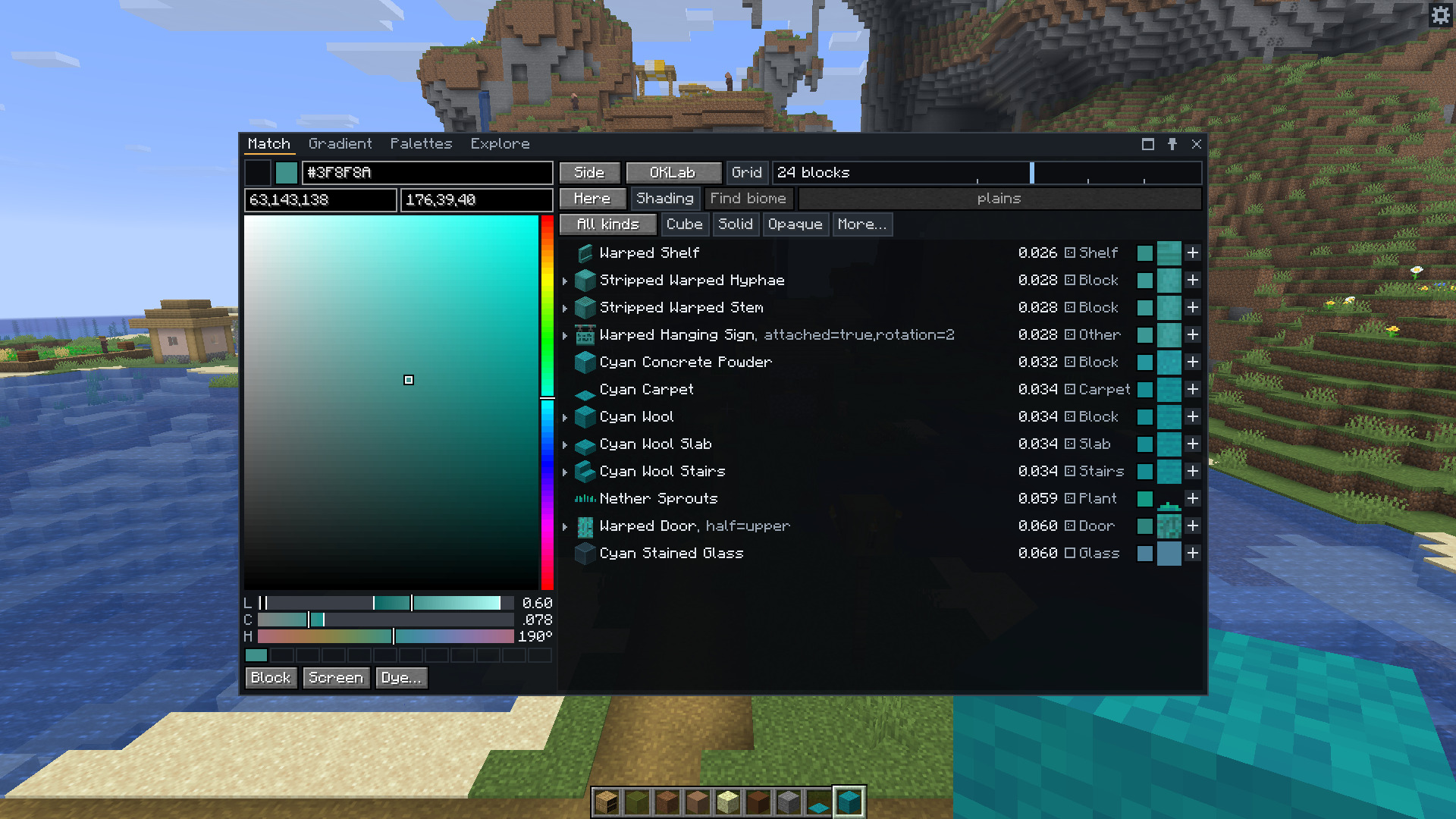
The Match tab. Each row has the block's distance from the colour, a badge for how busy its texture is, and the texture as it looks from the viewing distance you set.
It compares whole textures, not only average colours, so a speckled block and a flat block of the same average don't count as the same. It matches in OKLab by default, which follows what the eye sees more closely than RGB does. Grass, leaves and water are matched with the tint of the biome you stand in, or of any biome you choose.
The mod runs on your client only. It never places or changes a block. A server doesn't need it.
How to use it
Press C for the window. It has four tabs. You can drag it, resize it, make it fullscreen, or pin a tab so it stays on screen while you build.
Match
- Pick a colour with the square, the sliders or a hex code. Or press Block to pick a block in the world, or Screen to click any pixel of the game. The slot at the top left takes the block in your hand.
- Read the list. Click a row to get the block, in creative mode or as an operator. Shift-click copies its id. The + button adds it to your palette.
- Narrow the list with the row of filters: one kind of block, full cubes only, one mod, a tone, a lightness range and more.
- Click the arrow beside a row to see the other blocks of its material, such as the slab, stairs and wall. One more click makes a palette of them.
Out in the world, press X on a block to read its colour. The hex code goes to your clipboard. Shift and X opens the window on that block.
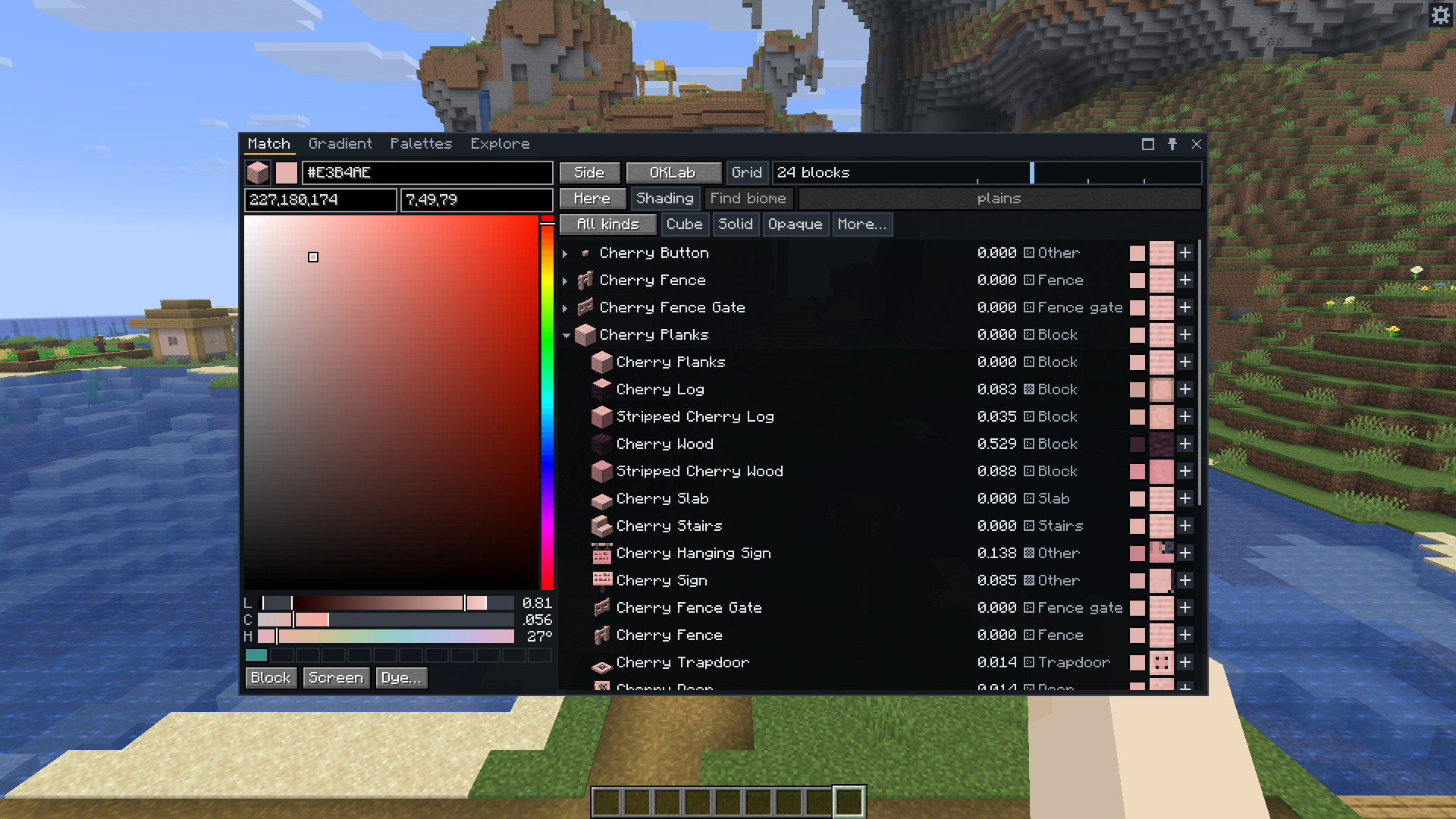
Matching a block instead of a colour, with its material set open.
Gradient
Give it two or more colours or blocks and a number of steps, from 2 to 32. It finds a different block for every step so that the whole run is as close as it can be. Click a step to swap in one of its next-best blocks. Then fill your hotbar with it, copy the list, save it as a palette or export it.
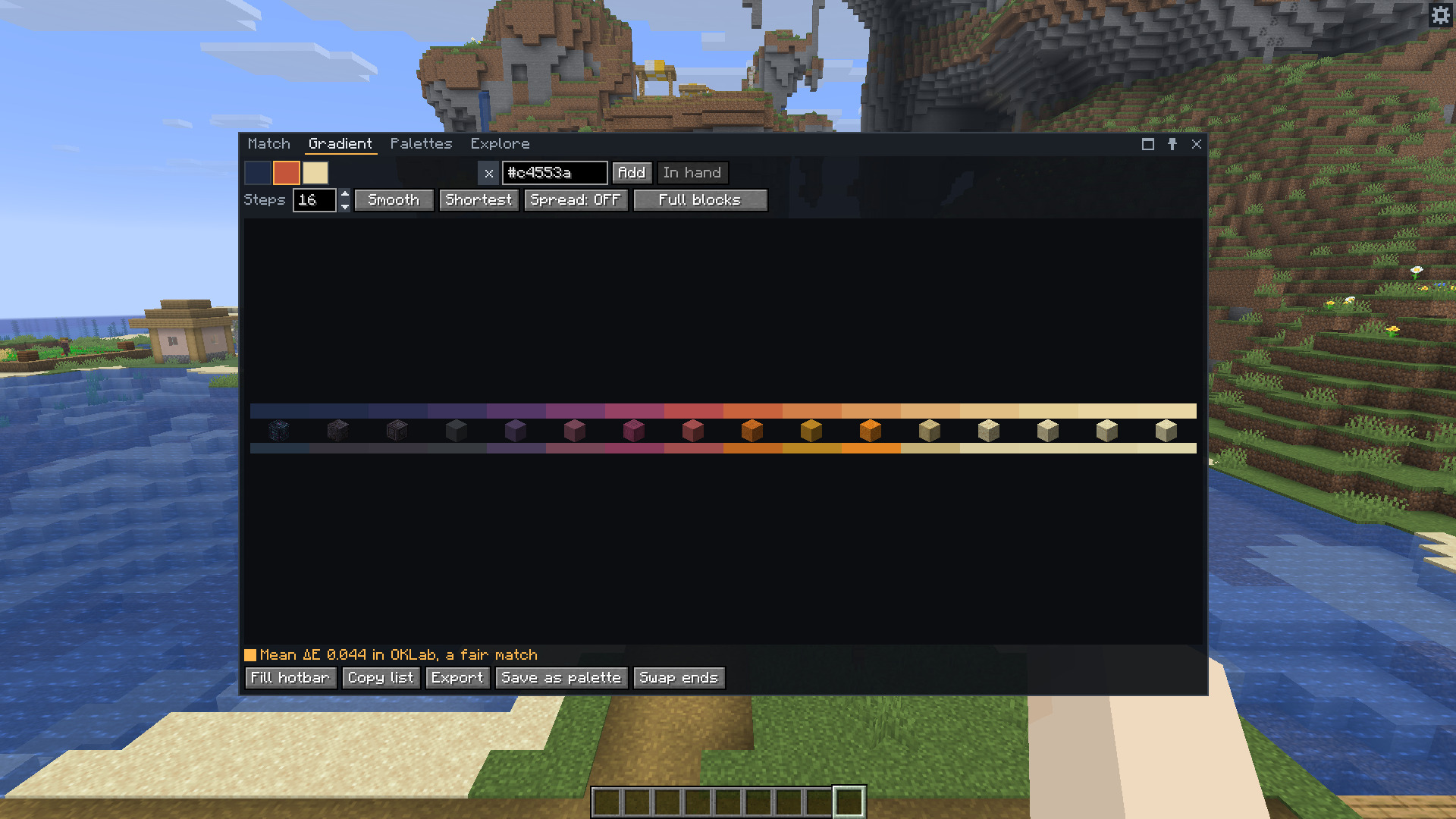
Sixteen steps between three colours. The strip on top is the colour each step wants, and the one below is what its block gives.
Palettes
A palette is a list of blocks, each with a weight. Ten come with the mod, and you can make your own in several ways.
- Generate makes one from a colour and a harmony, such as analogous or triadic.
- Capture counts the blocks in a box you mark in the world with two presses of X.
- Image takes the main colours of a picture.
- Analyse says what a palette lacks, such as a dark shade or an accent, and Fix opens Match on a colour that would fill the gap.
- Diorama shows the palette as a wall of blocks, flat or in 3D, mixed by its weights.
- Export writes a
.litematicor vanilla.nbtfile, as a strip, a wall, a grid of patches or one of the diorama's walls. - WorldEdit writes a pattern such as
70%stone,30%andesiteand the//setor//replacecommand to go with it. - Hotbar puts the palette in your hotbar, with the rest in free inventory slots or, if you choose, in shulker boxes. Undo puts back what was there.
Share copies a palette as one line of text, like chroma1:stone,andesite*3,oak_log[axis=y]/Castle, and Import reads one.
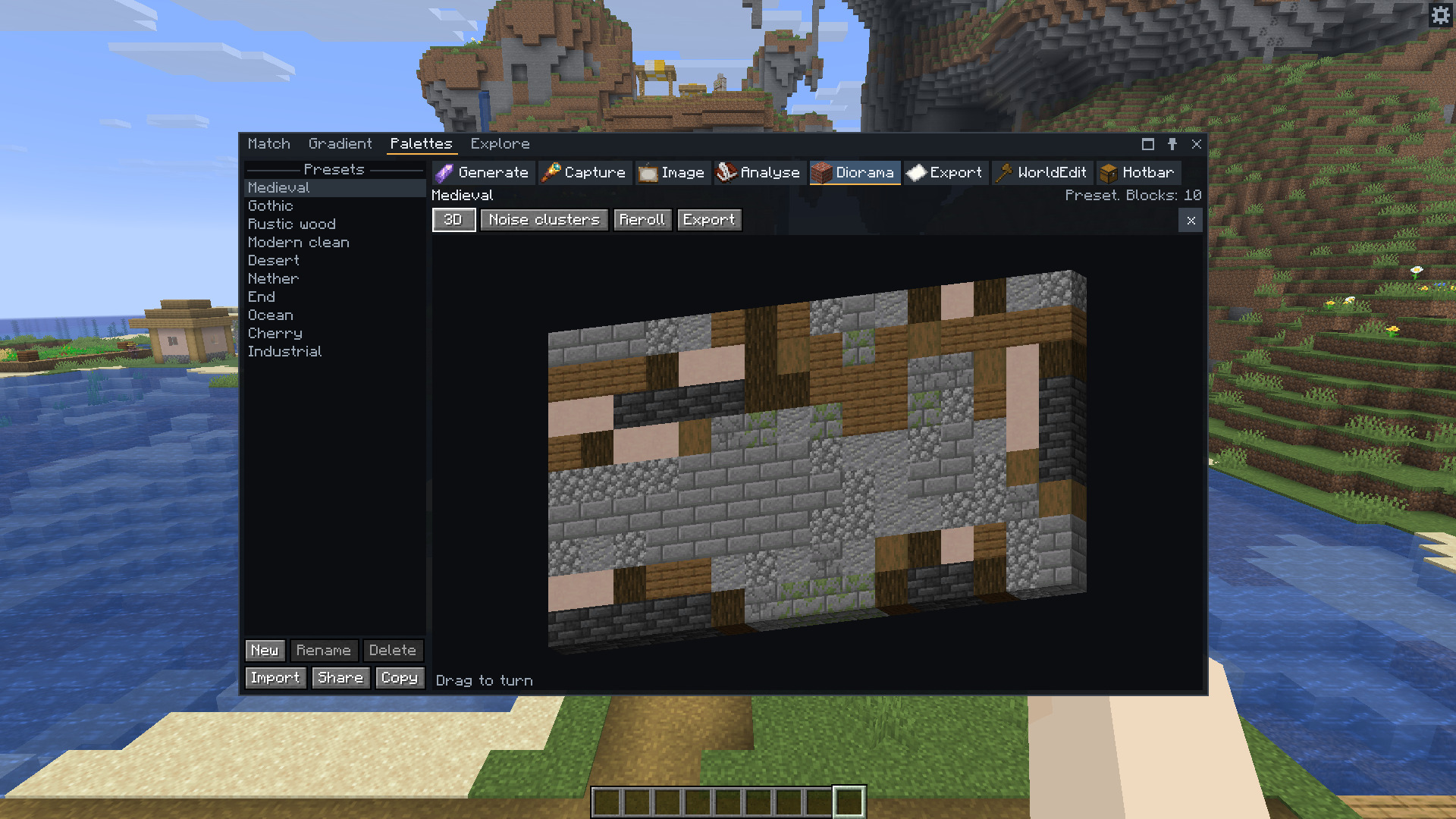
The Medieval preset as a 3D diorama. Drag to turn it.
Explore
Every block is a dot, with hue across and lightness up. Scroll to zoom, drag to move, and click a dot to match it. The filters you set in Match apply here too.
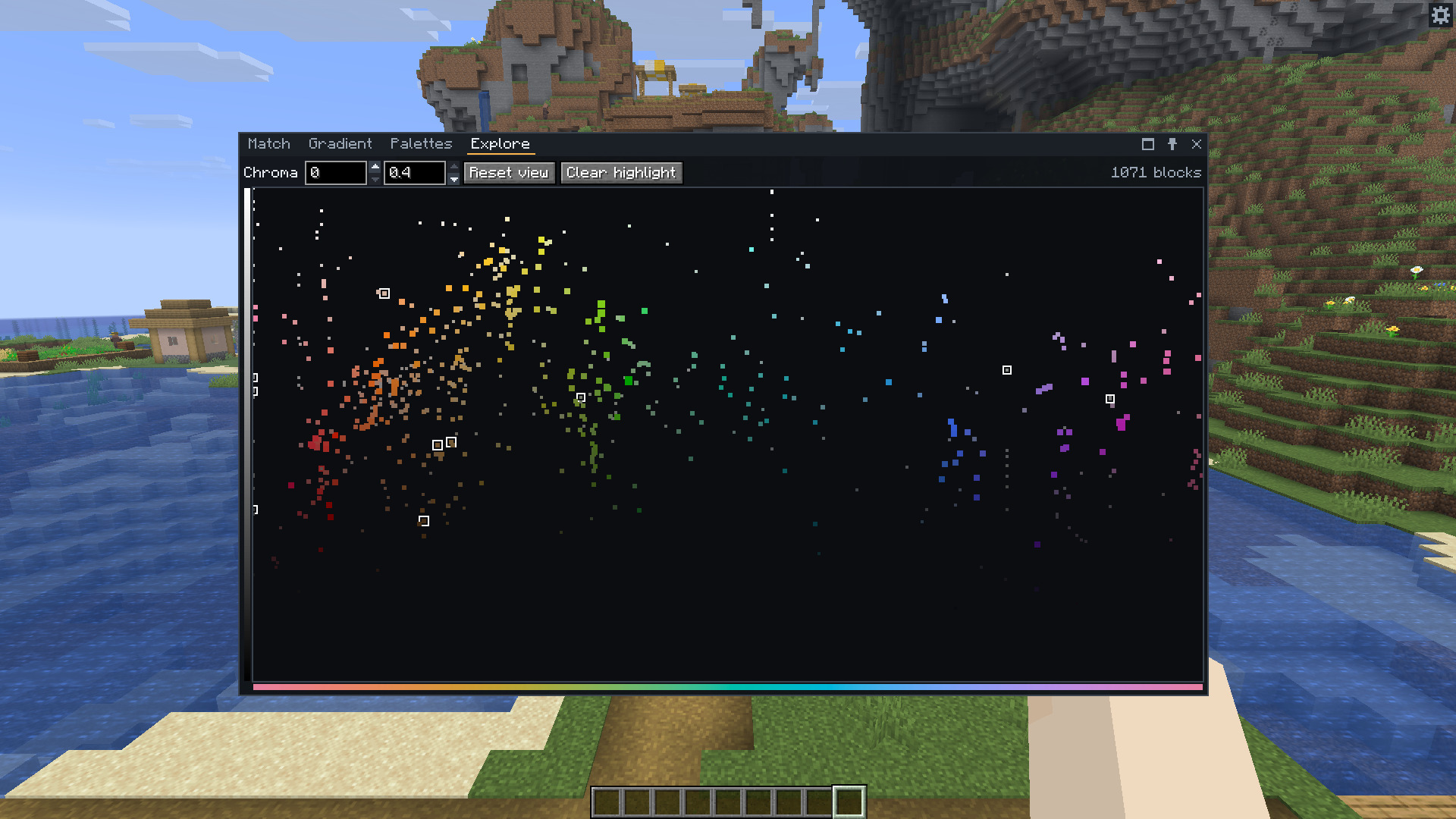
Every block by hue and lightness. The outlined dots are the blocks of one palette.
Commands
/chroma #ff8800and/chroma oak_planksopen Match on a colour or a block./chroma capture x1 y1 z1 x2 y2 z2makes a palette from a box./chroma export <share string> [layout] [format] [place]writes a schematic, and/chroma place <file name>places one with Litematica.
Good to know
- Getting blocks, filling the hotbar and dyeing need creative mode or operator rights. Everything else works anywhere, including on servers without the mod.
- Schematics go to Litematica's schematics folder when you have it, and to
schematicsin the game folder otherwise. The mod never overwrites a file. - With Litematica installed, Export and place loads the schematic as a placement where you look, ready to move.
- Item tooltips show a block's colour, kind and distance from your current colour while you hold Shift.
- Chests, banners, shulker boxes and heads have no block model to read, so the list leaves them out unless you turn them on under More…
- Dye… gives leather armour, leather horse armour or wolf armour in exactly your colour.
- The cog at the top right of the screen opens the settings. On Fabric they are also in Mod Menu, and on NeoForge behind the Config button in the mod list.
- The mod is translated into Chinese, Russian, Portuguese, German, Spanish, French, Japanese, Korean and Polish. A program wrote those translations, so corrections are welcome.
Works with
| Mod | |
|---|---|
| Fabric API | Required on Fabric |
| Mod Menu | Optional. Opens the settings from the mod list |
| Litematica, or Forgematica on NeoForge | Optional. Places exported schematics |
| JEI, REI or EMI | Optional. R over a block looks up its recipe |
Chroma Studio 1.0 is for Minecraft 26.3.
The wiki covers matching, palettes, gradients, exports, settings, and how resource packs and modded blocks work.
Chroma Studio Team