
Chroma Studio
- By

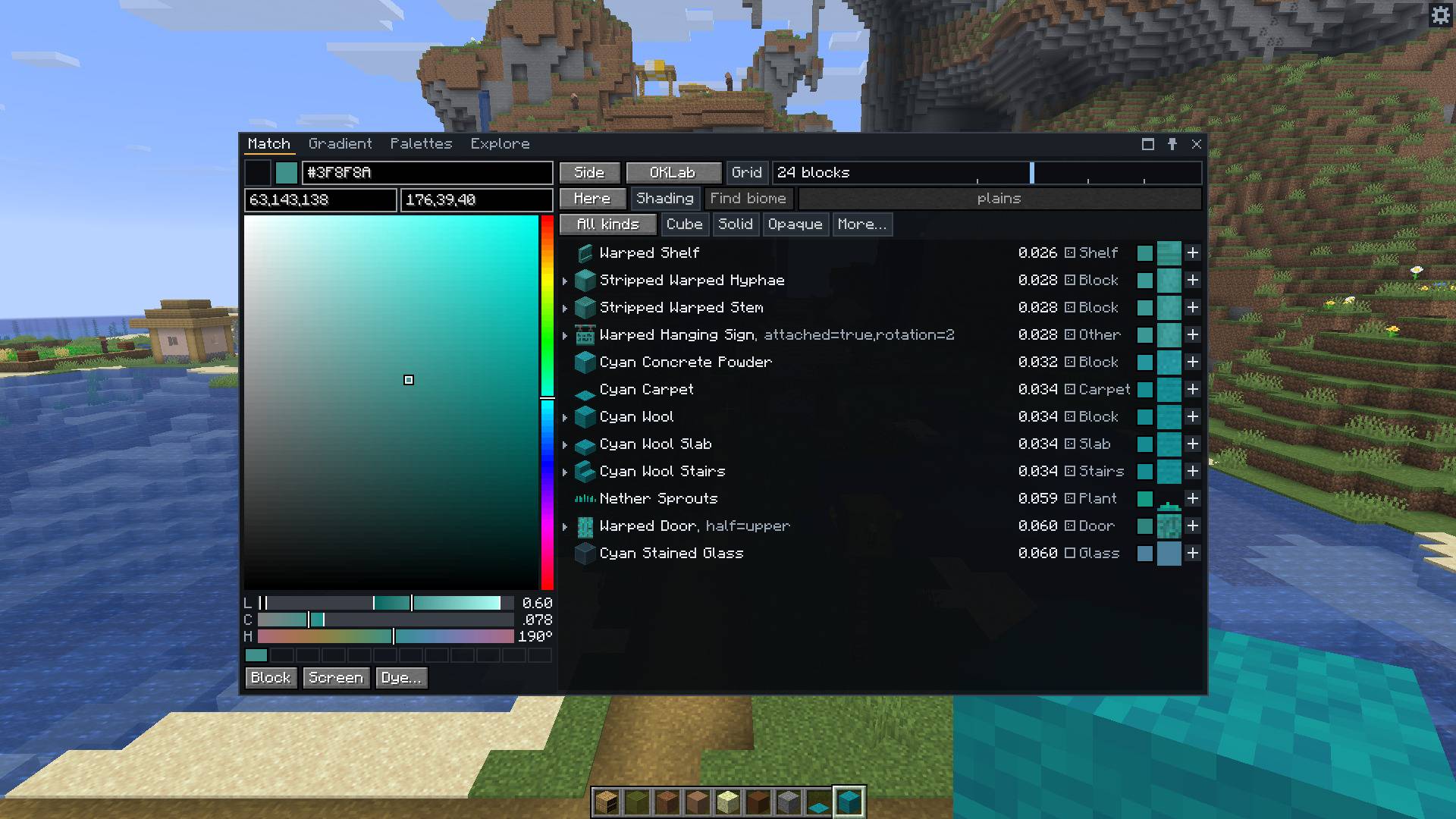
Pick a colour and get the closest blocks, nearest first. Each row has its distance, kind, a badge for how busy the texture is, and the texture as it looks from a distance.
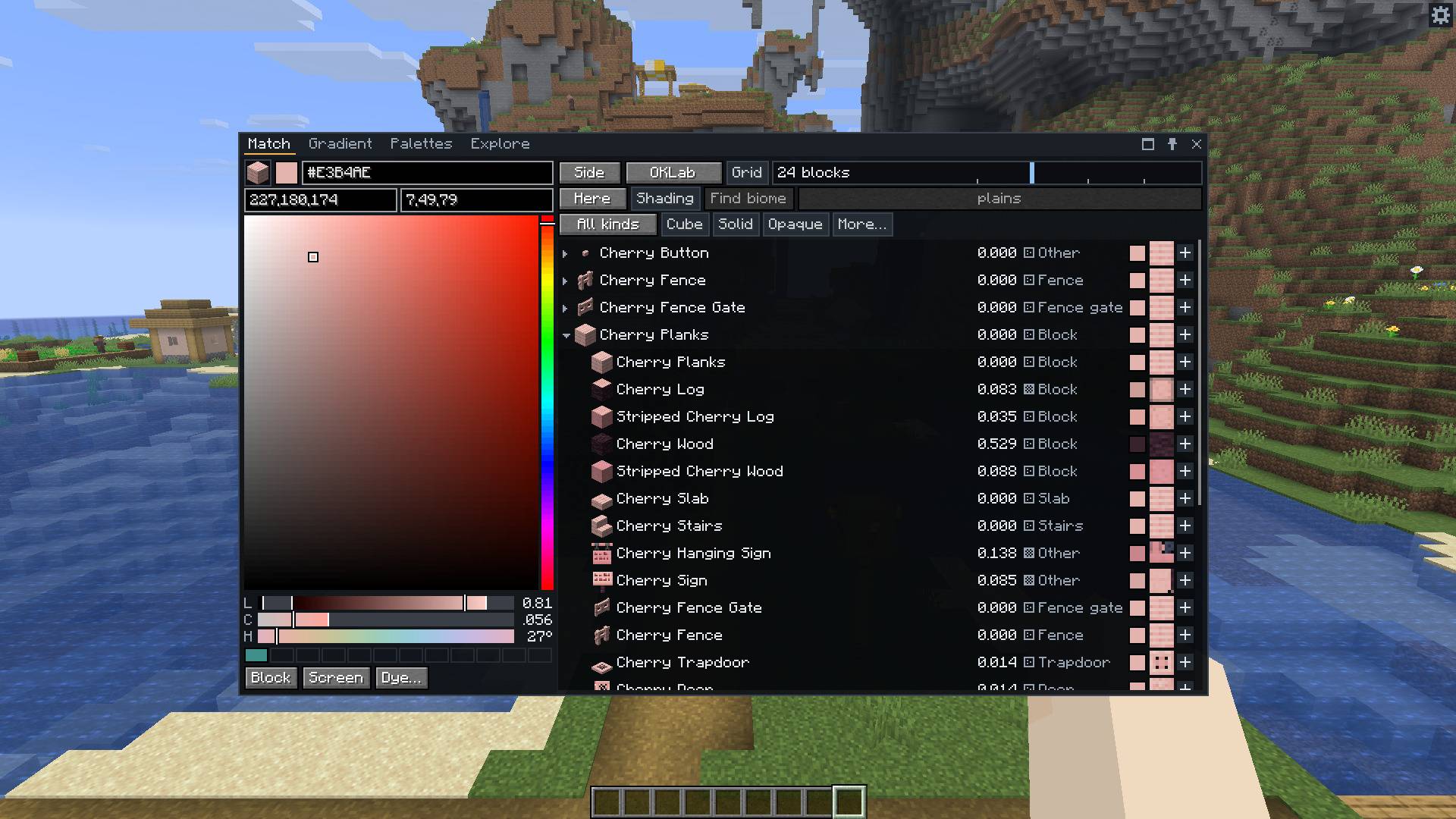
Cherry planks as the target. A row opens to the other blocks of its material, here the log, slab, stairs, signs, fence and trapdoor, and one click makes them a palette.
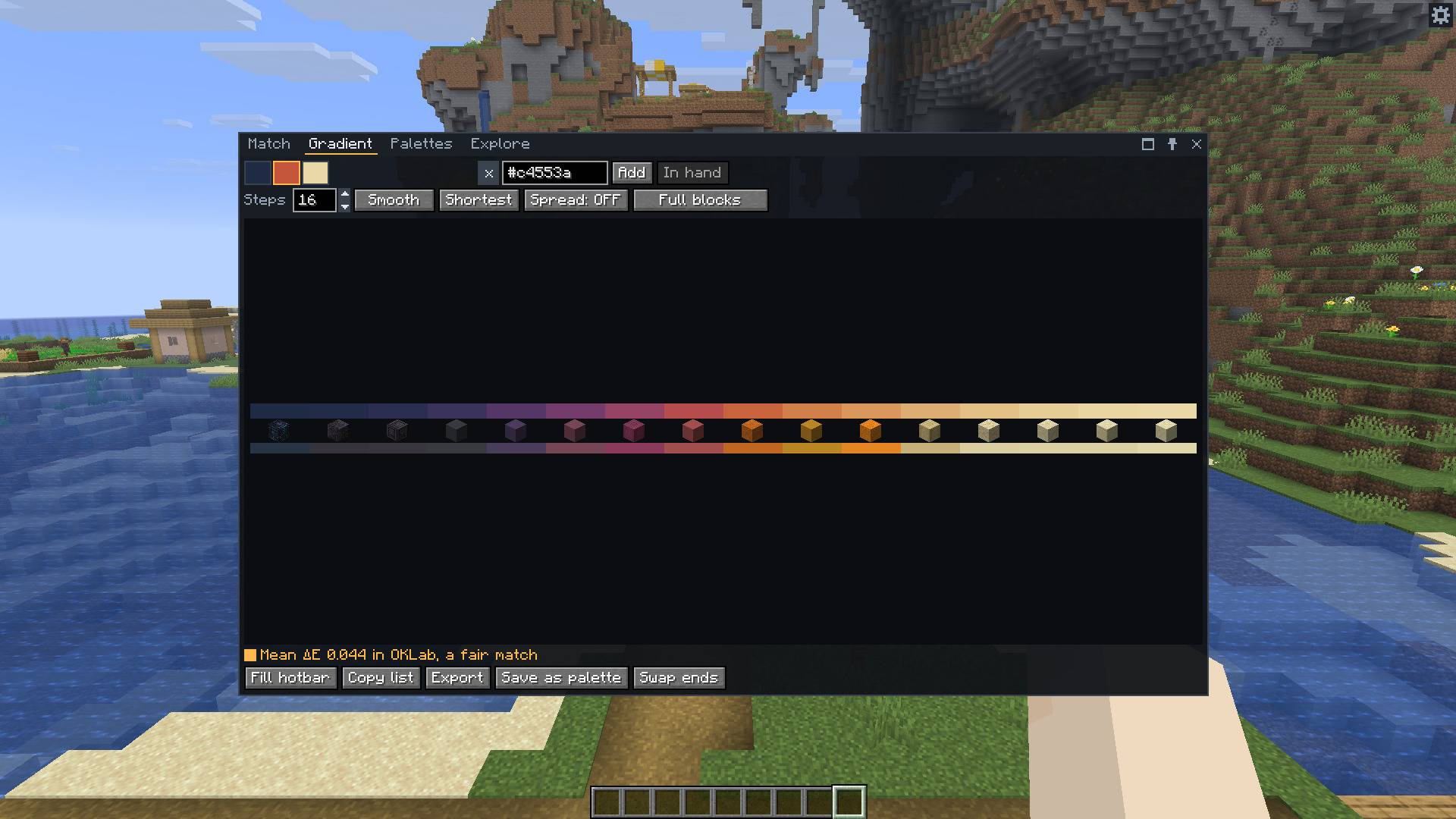
Sixteen steps from dark blue through red to sandstone. The mod picks a different block for every step so the whole run stays as close to the colours as it can.
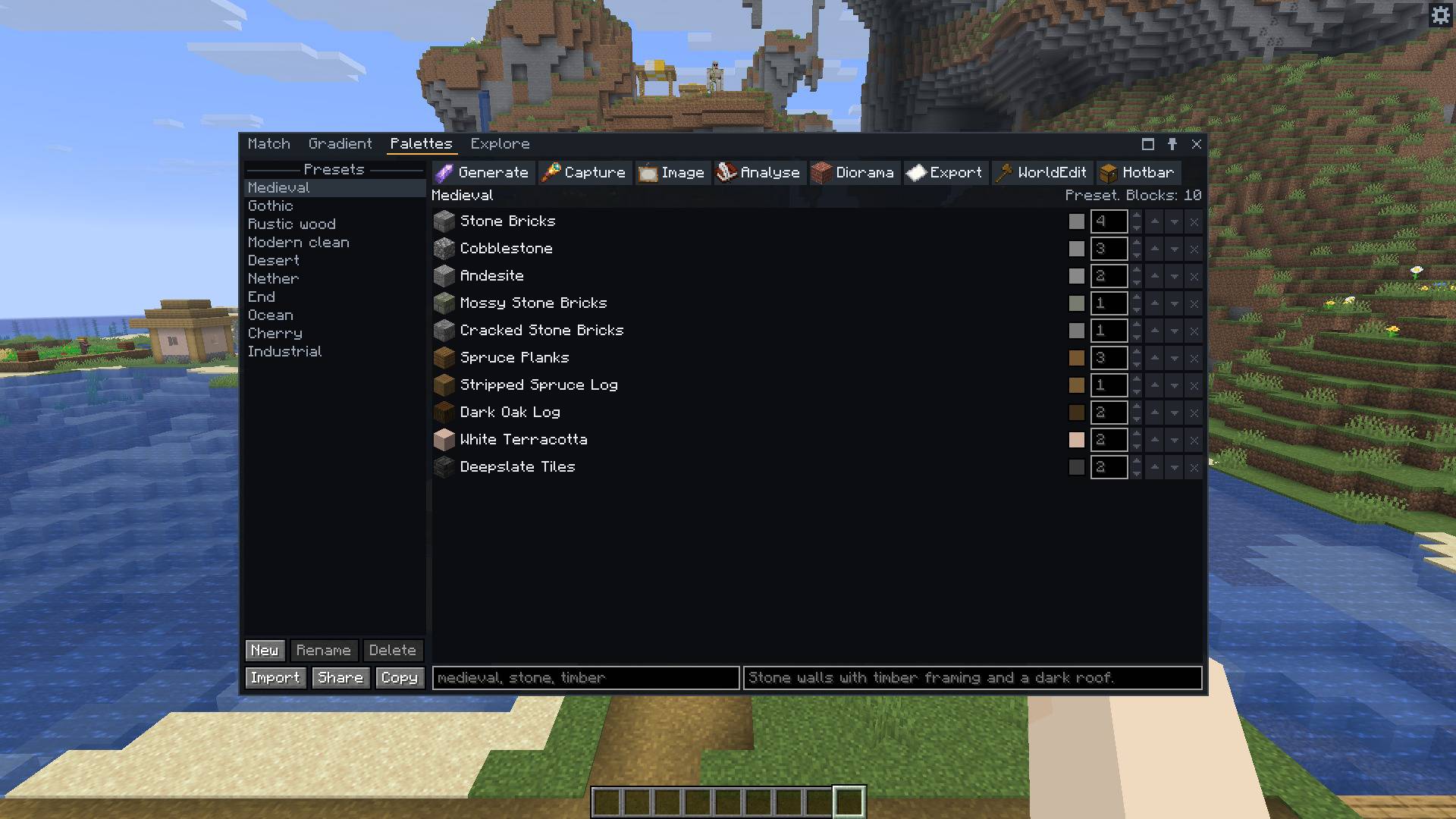
The Medieval preset, one of ten that come with the mod. Every block has a weight. The toolbar generates, captures, analyses, exports and fills your hotbar.
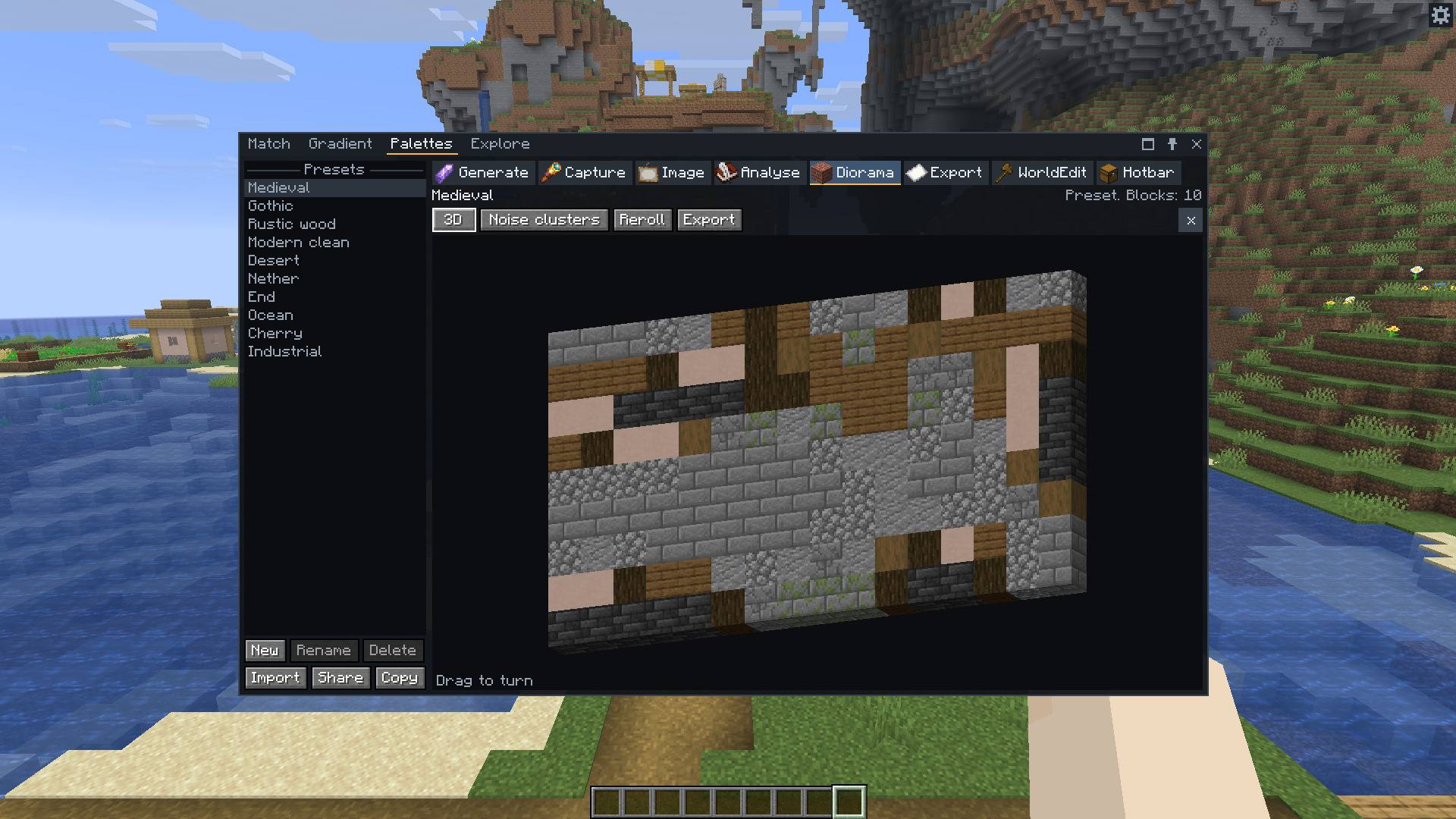
A palette as a wall of blocks in 3D, mixed by its weights. Drag to turn it, reroll the pattern, and export the wall you see as a schematic.
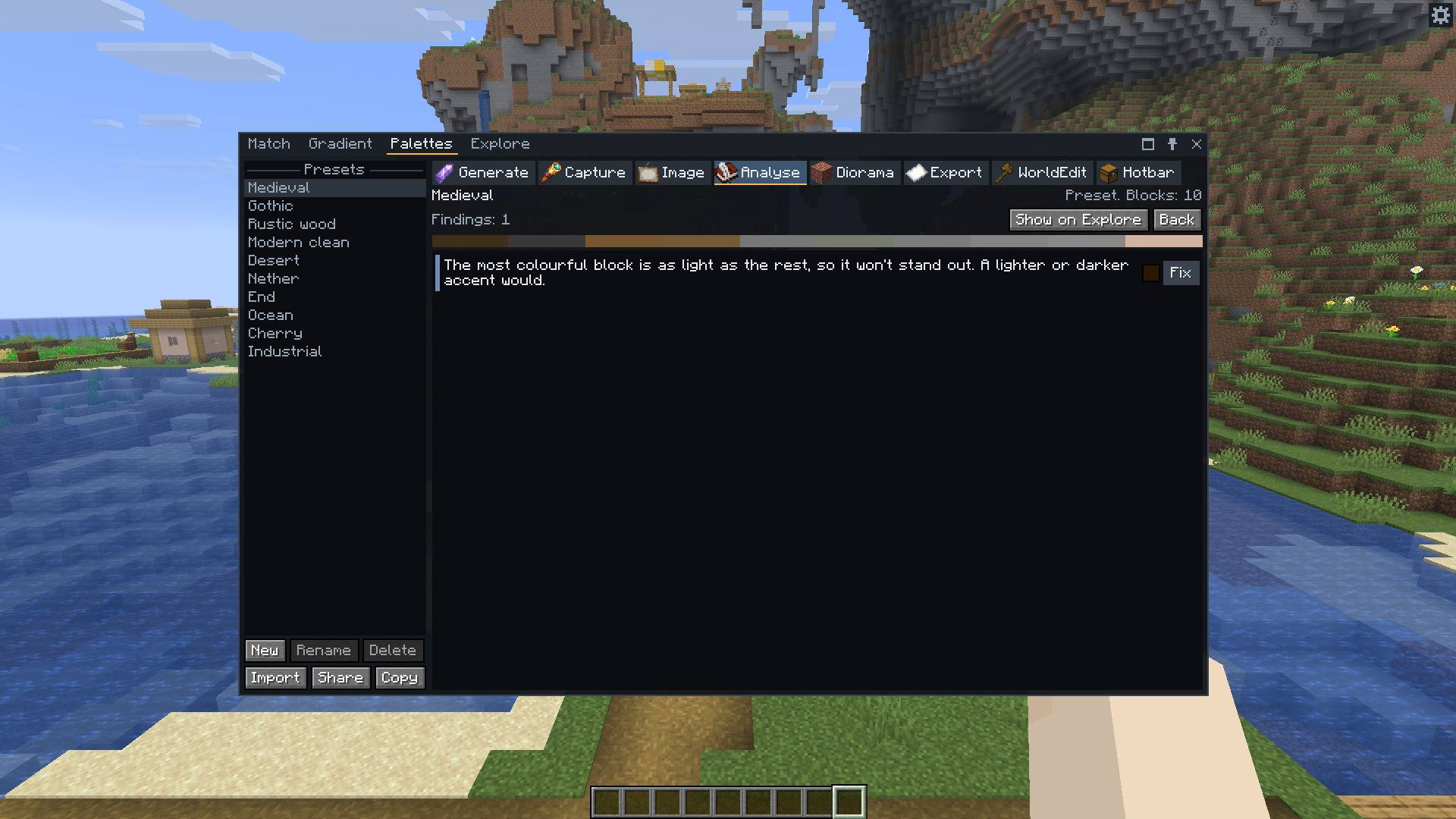
Analyse says what a palette lacks, such as a dark shade or an accent. Fix opens Match on a colour that would fill the gap.
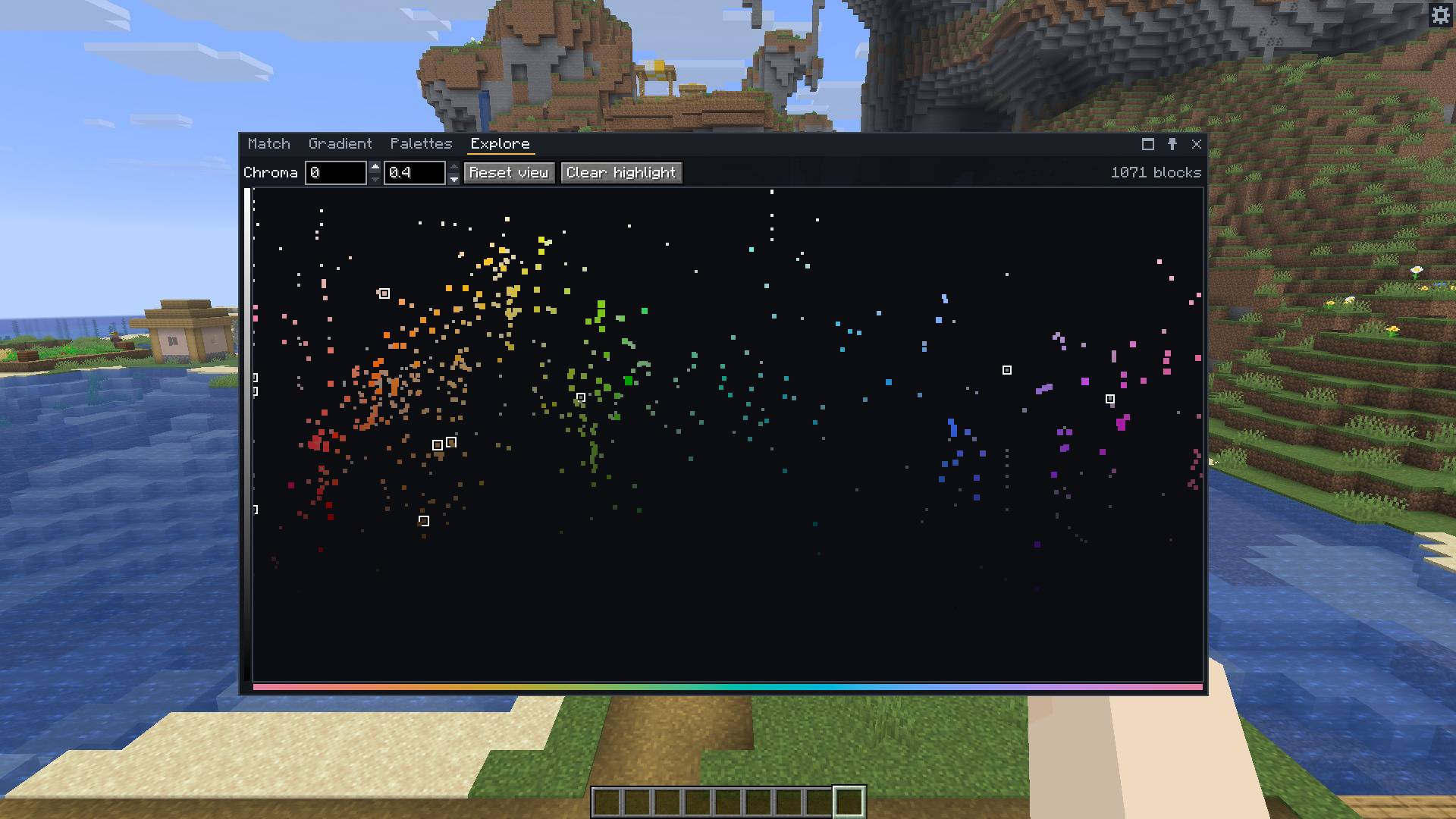
Every block as a dot, by hue and lightness. Scroll to zoom and click a dot to match it. The outlined dots are the blocks of the Medieval palette.
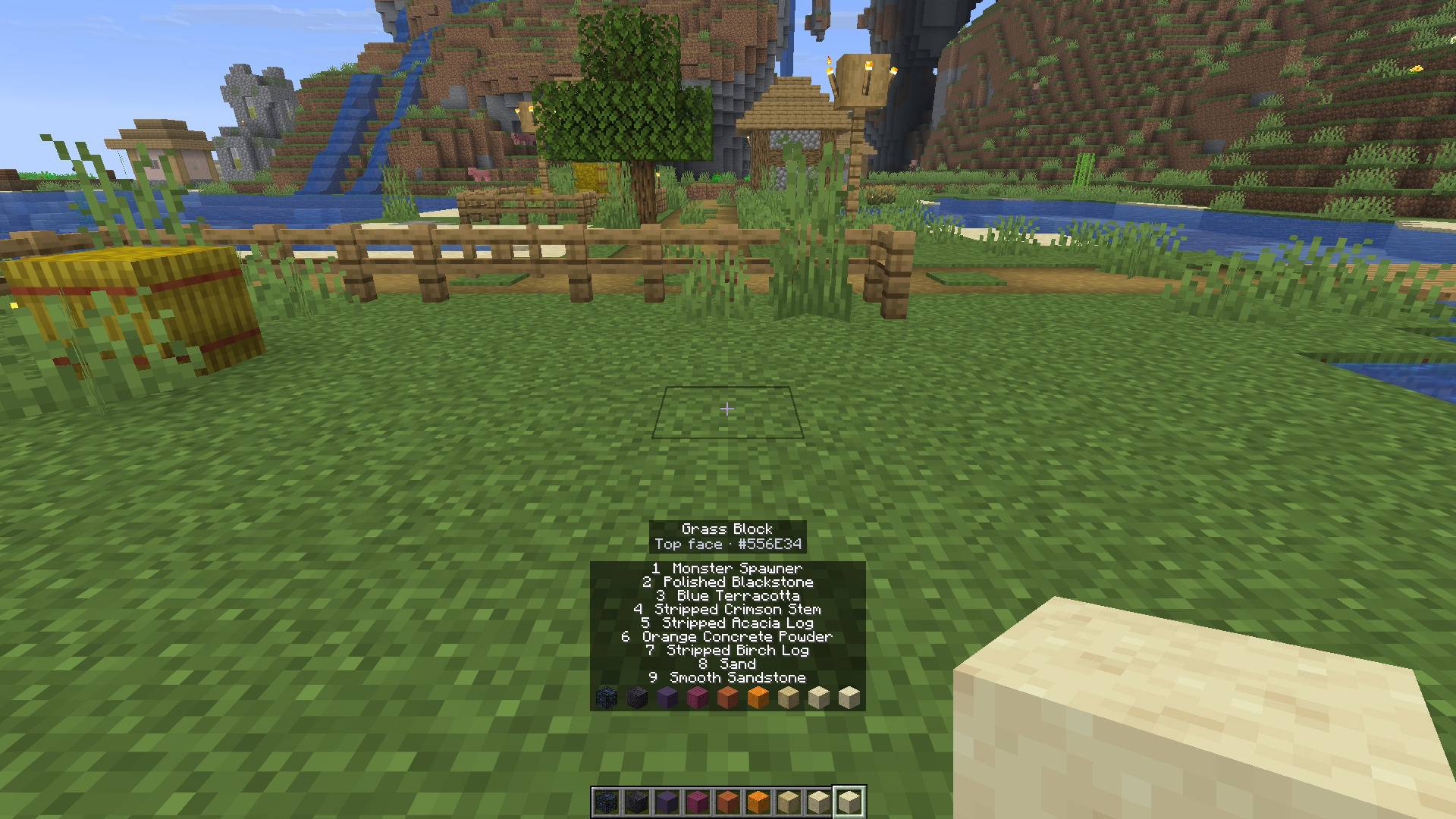
Press X on a block to read its colour, here a grass block's top with the plains tint. Above the hotbar, the names of the nine gradient blocks just put there.