ChooChoo
- By
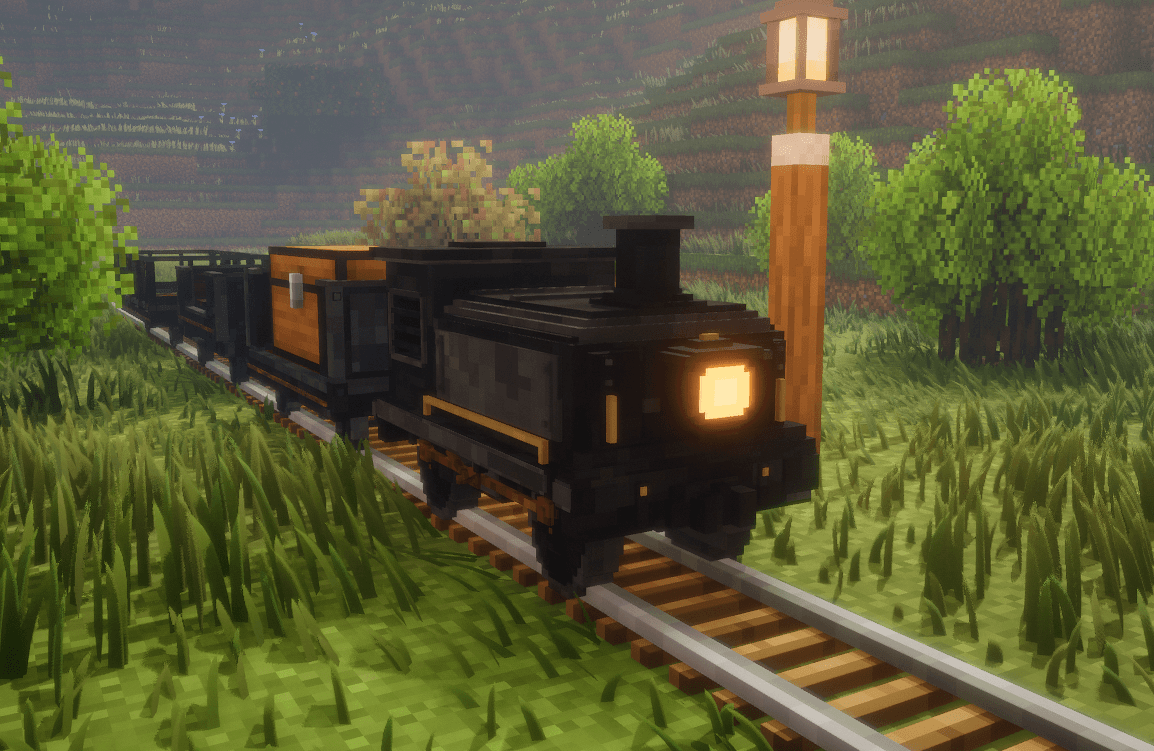
ChooChoo adds a locomotive and connectable train carts to Minecraft, with passenger seating, animal and cargo transport, working horns and bells, and custom rail mechanics.
Screenshot 2026-10-13 140152.png
Screenshot 2026-10-16 014116.png
Screenshot 2026-10-16 014052.png
Screenshot 2026-10-16 014026.png
Screenshot 2026-10-16 014127.png
Screenshot 2026-10-16 014158.png
Description
GETTING STARTED
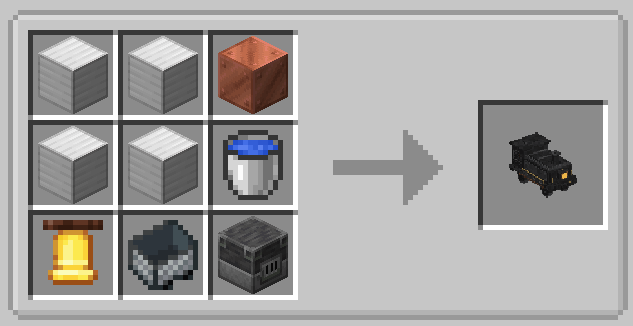
Craft a Locomotive Cart and add coal to its firebox, then ignite it with a flint and steel, finally close the firebox latch to get your train running.
Holds up to 15 coal.
Each coal provides 25 seconds of fuel.
Use a Water Bucket on the firebox to put out the fire.
Features a working redstone front light, a horn, bell, and train sounds.
The redstone front light requires empty hands right click to remove the starter button It stores up to 5 redstone dust, for a maximum of about 4 minutes. left-click to punch the button and turn it on.
The train must be stopped to refill the lamp, and the beacon projection is disabled by default in config, but its a nice feature if your shaders accept it.
RAIL BEHAVIOR
Powered Rails: Brake the train.
Unpowered Rails: Slow the train down.
Detector Rails: Ring the locomotive's bell when passed over.
Trains can reverse, follow curves and slopes, and pull connected carts along the tracks.
TRAIN HORN & BELL
The Locomotive has a working horn and bell that can be used while moving, as long as you're seated close enough.
Train Horn: Right-click to sound the horn.
Train Bell: Left-click to ring the bell.
Detector Rails: Automatically ring the bell when the locomotive passes over them.
COUPLING CHAINS
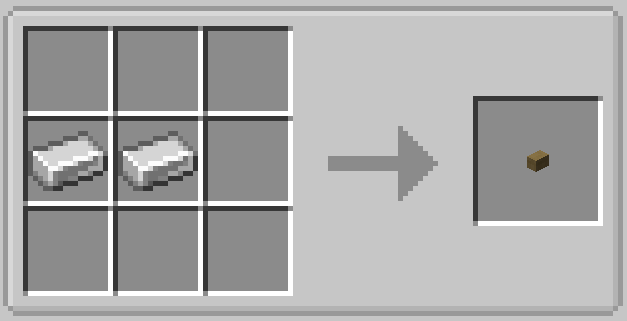
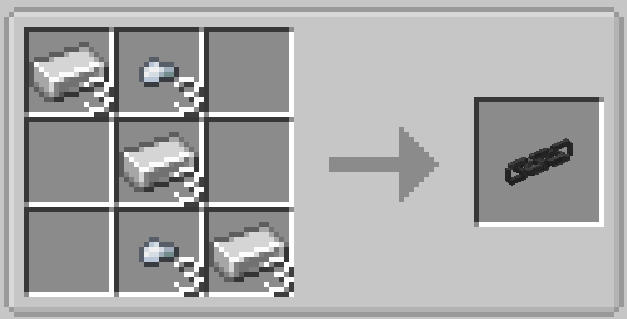
Right-click a cart's hitch with a Coupling Chain.
Right-click another cart's hitch to connect them.
Carts must be stopped before coupling.
Use the chain to manually pull carts closer together along the rails.
Carts can be connected from either end.
AVAILABLE CARTS
Locomotive Cart: Powers your train.
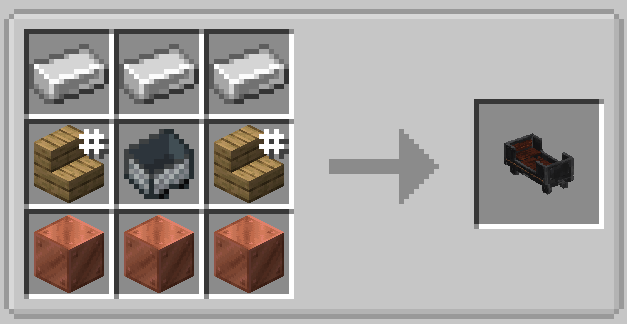
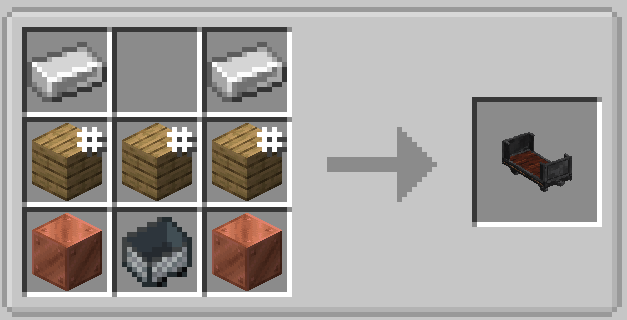
Single Cart: Seats one passenger.
Passenger Cart: Seats two passengers.
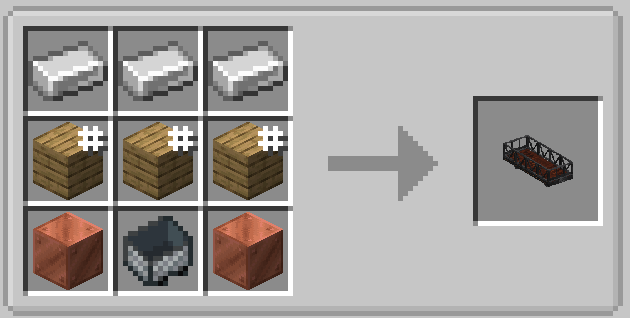
Flatbed Cart: Transports animals.
Storage Cart: Carries functional and useful blocks and cargo. (Chest, Furnace, Bed, Ore blocks)
STORAGE CART
Right-click with a Chest, Furnace, Crafting Table, Bed, Ore Block, or other supported cargo to install it.
Right-click installed cargo to use it.
Ctrl + Right-click: Remove installed cargo.
Two Chests create a functional Double Chest.
Furnaces keep cooking while the train is moving.
Stop the cart before installing, removing, or using cargo.
FLATBED CART
Use a Lead to load an animal onto a stopped Flatbed Cart.
Right-click a loaded animal with a Lead to unload it.
Animals stay secured during travel.
Stop the cart before loading or unloading animals.
Hello! Hope you're enjoying ChooChoo!
The sharp rotation glitches when taking corners have finally been fixed across all supported versions, so trains should now handle turns much more smoothly.
I've also been thinking about a possible damage and maintenance system for a future update. This could include checking the condition of your train, replacing worn-out wheels, and replacing damaged coupling chains.
Nothing is confirmed yet, but I think it could be an interesting addition to ChooChoo. I'd like to hear what you guys think.
Thanks for downloading ChooChoo! Be sure to check out my other projects!
Mod ID: choochoo
License: All Rights Reserved
ChooChoo Team