BlockDraft
- By
Preview and position schematics, capture builds, and paste or undo in Creative.
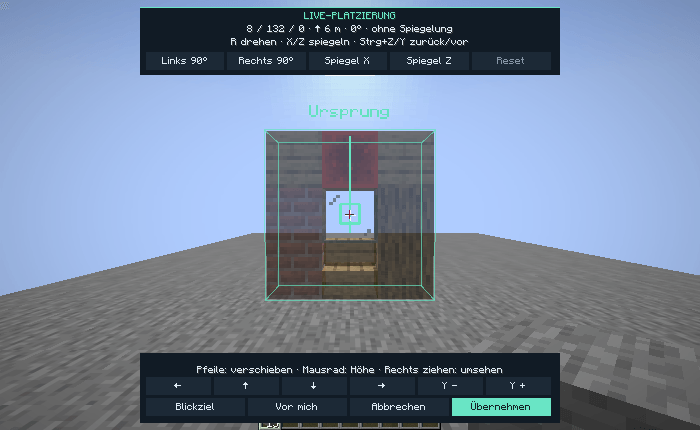
Move, rotate or mirror a schematic in the world before confirming its placement.
Description
BlockDraft is a client-side building toolkit for Minecraft Java Edition. Open the dashboard with F8 and load a .litematic file to see the build as a textured hologram.
Building tools
- Keep several schematics open, duplicate a placement, and move, rotate or mirror each copy and its subregions in the world view.
- Inspect missing or mismatched blocks, filter the preview by height and check material lists.
- Save several separate areas from your world in one
.litematicfile. - Add, replace or remove individual blocks within a schematic and save the edits as a new file.
- On Minecraft 1.21 through 1.21.10, placement, selection and inspection outlines remain visible through terrain.
- In private Creative singleplayer worlds, paste the active placement into free space and undo the last successful paste. Undo checks for changes to affected blocks and container data.
Choose one edition
BlockDraft contains the manual building tools. BlockDraft + AutoBuilder adds block-by-block building and a read-only build check for target blocks and available materials. Creative AutoBuilder testing is available in private singleplayer worlds. Use Survival automation in multiplayer only where the server permits it.
Install one edition per profile. Choose the file for your exact Minecraft version and install the matching Fabric API. Use Fabric Loader 0.19.5 or newer (0.20.1 or newer for Minecraft 26.3). Minecraft 1.21.x builds use Java 21 and Minecraft 26.x builds use Java 25. The in-game dashboard is in German.
The project was developed with generative AI from the author's design prompts and feedback.
BlockDraft Team