01-town-square.jpg
02-engine-screen.jpg
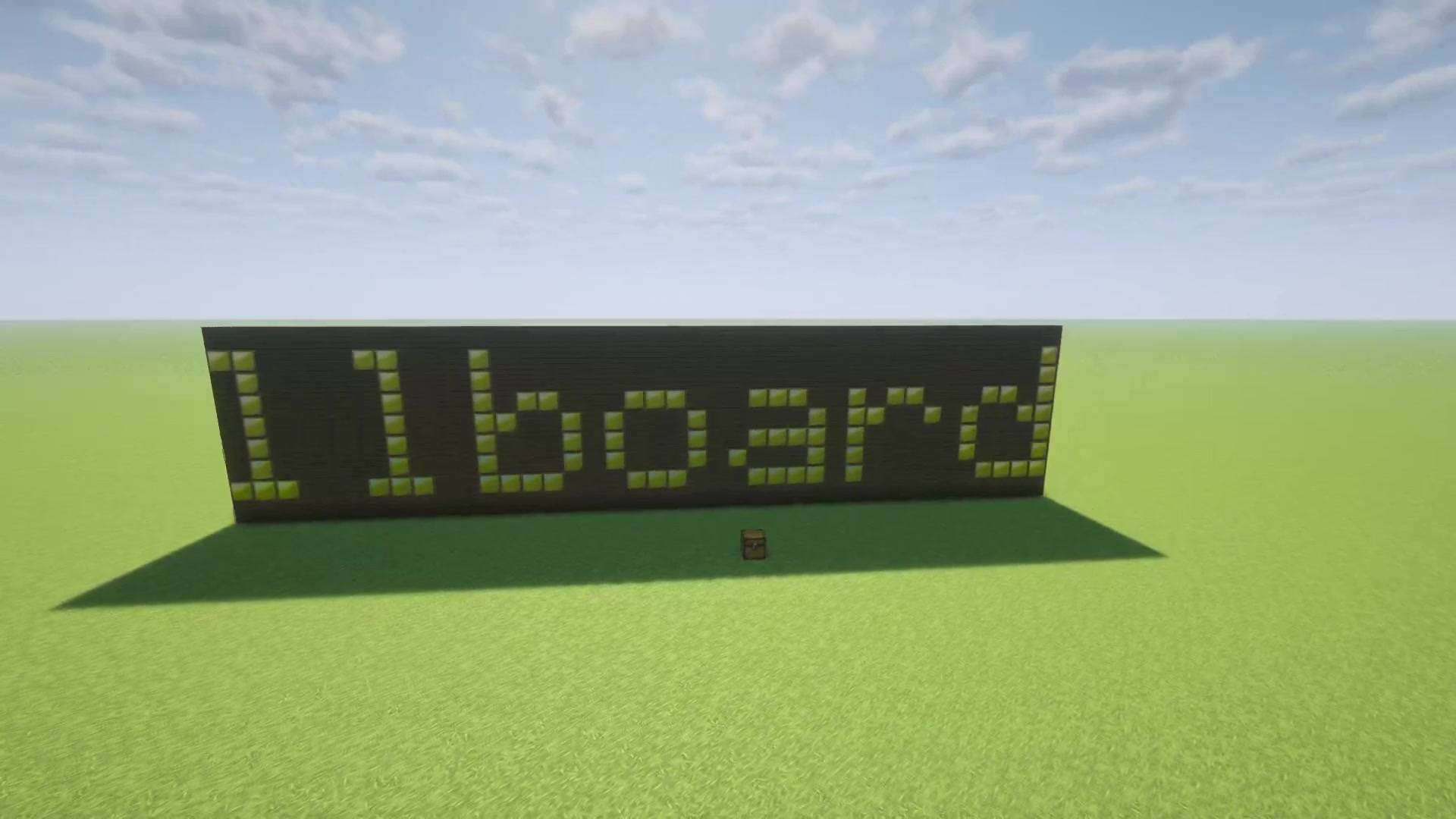
03-scrolling-text.jpg
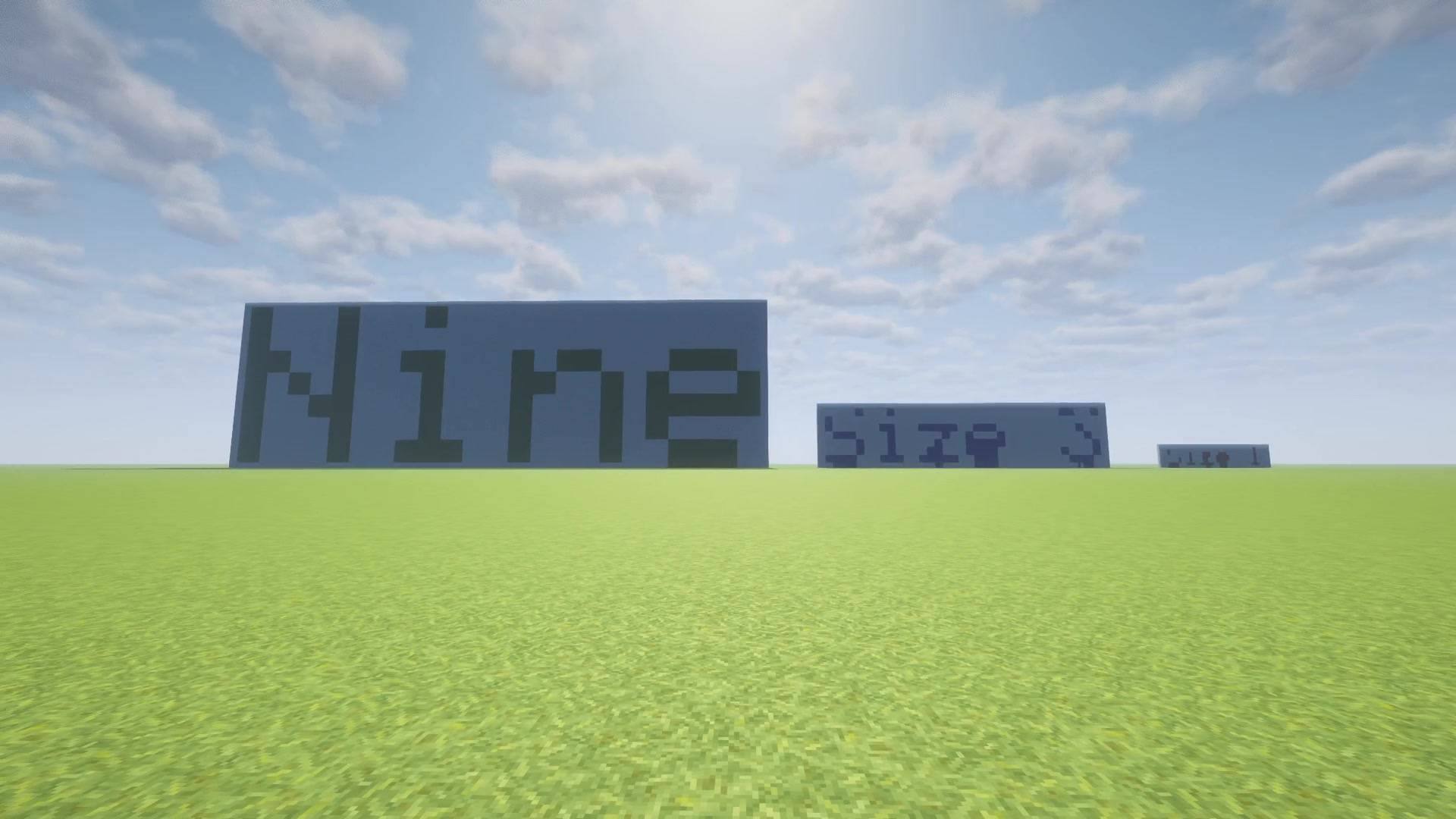
04-letter-sizes.jpg
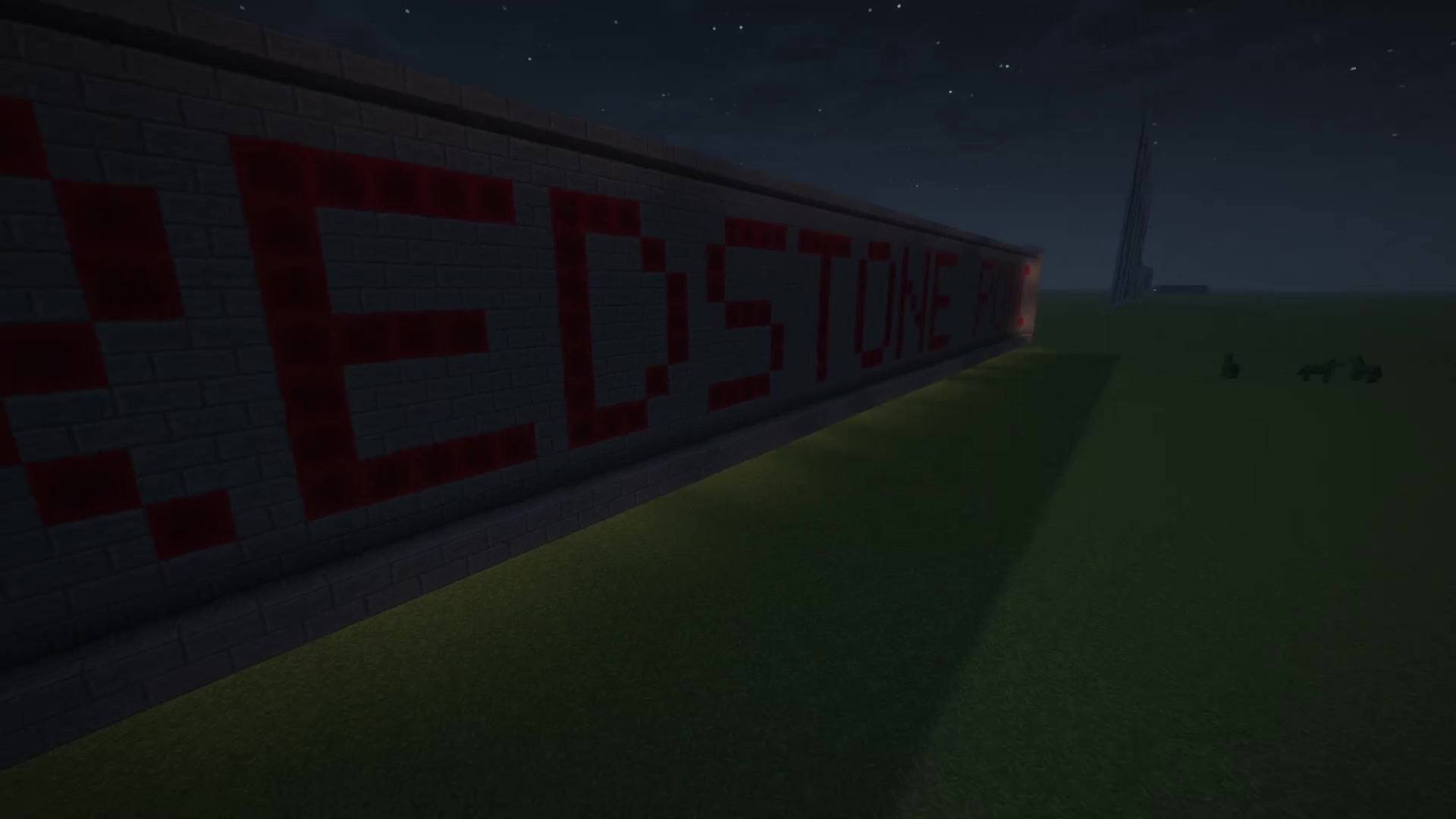
05-redstone-punch-card.jpg
Description
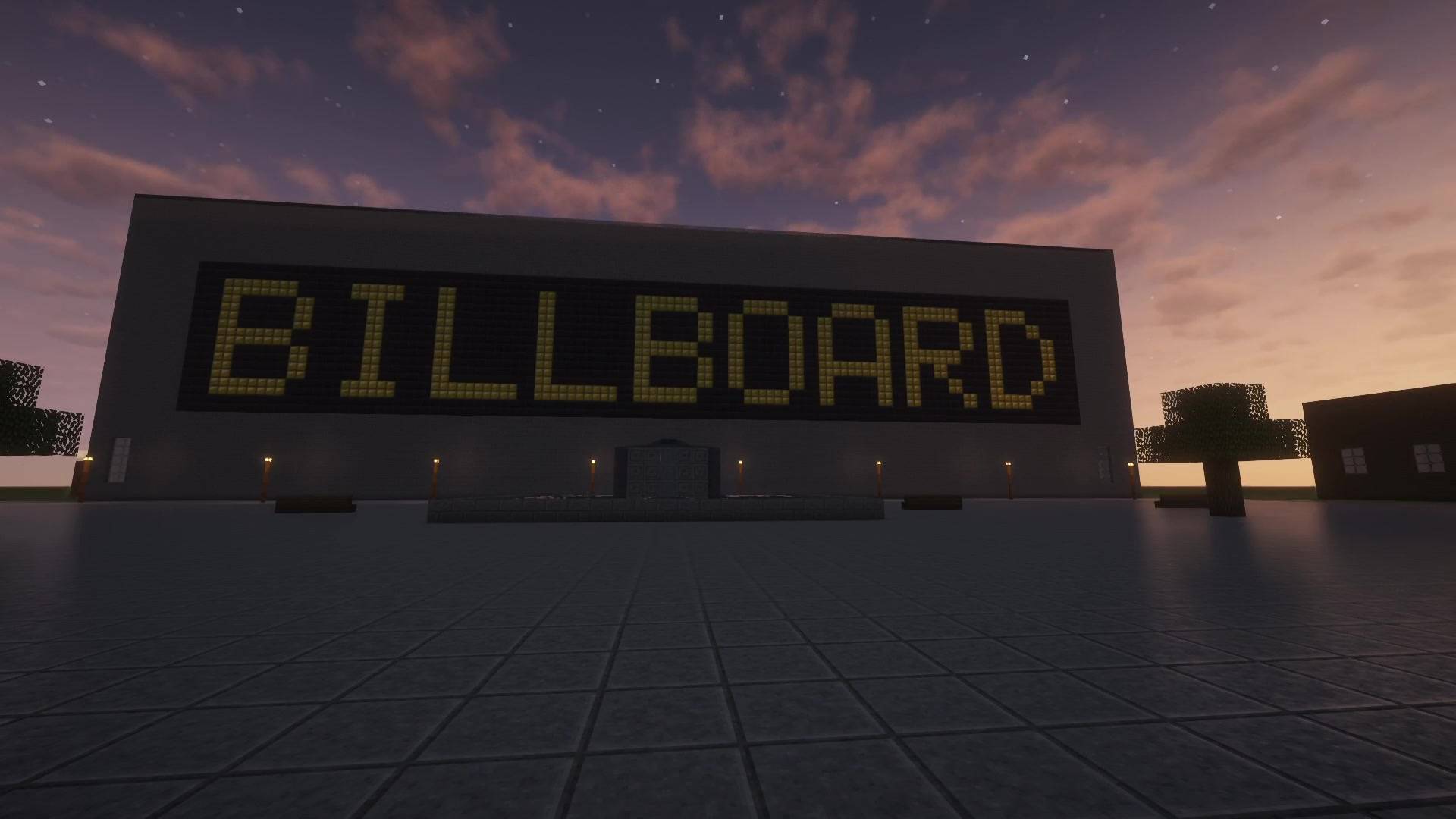
Turns any flat wall into a scrolling text billboard, a picture or an animation, all made of blocks.
- Text in 9 sizes, any block as pixels, scrolling or standing still
- Pictures and animated GIFs, every pixel turned into the vanilla block with the closest color
- Lua scripting built in with the Script Box: clocks, slideshows, countdowns. No other mod needed.
- Works with redstone and, if you have it, CC: Tweaked
Trailer: https://youtu.be/al35hSXC-FU
How to use
- Craft a Selector Wand (redstone torch above a stick) and a Billboard Engine (iron / redstone / iron, redstone / glass pane / redstone, iron / redstone / iron).
- Right-click one corner of a flat wall with the wand, then the opposite corner. While you hold the wand, the action bar shows the size. Sneak + right-click clears the corners.
- Place the engine directly behind the wall, touching the back of one wall block with a full face. The text is read from the other side, so the engine stays hidden.
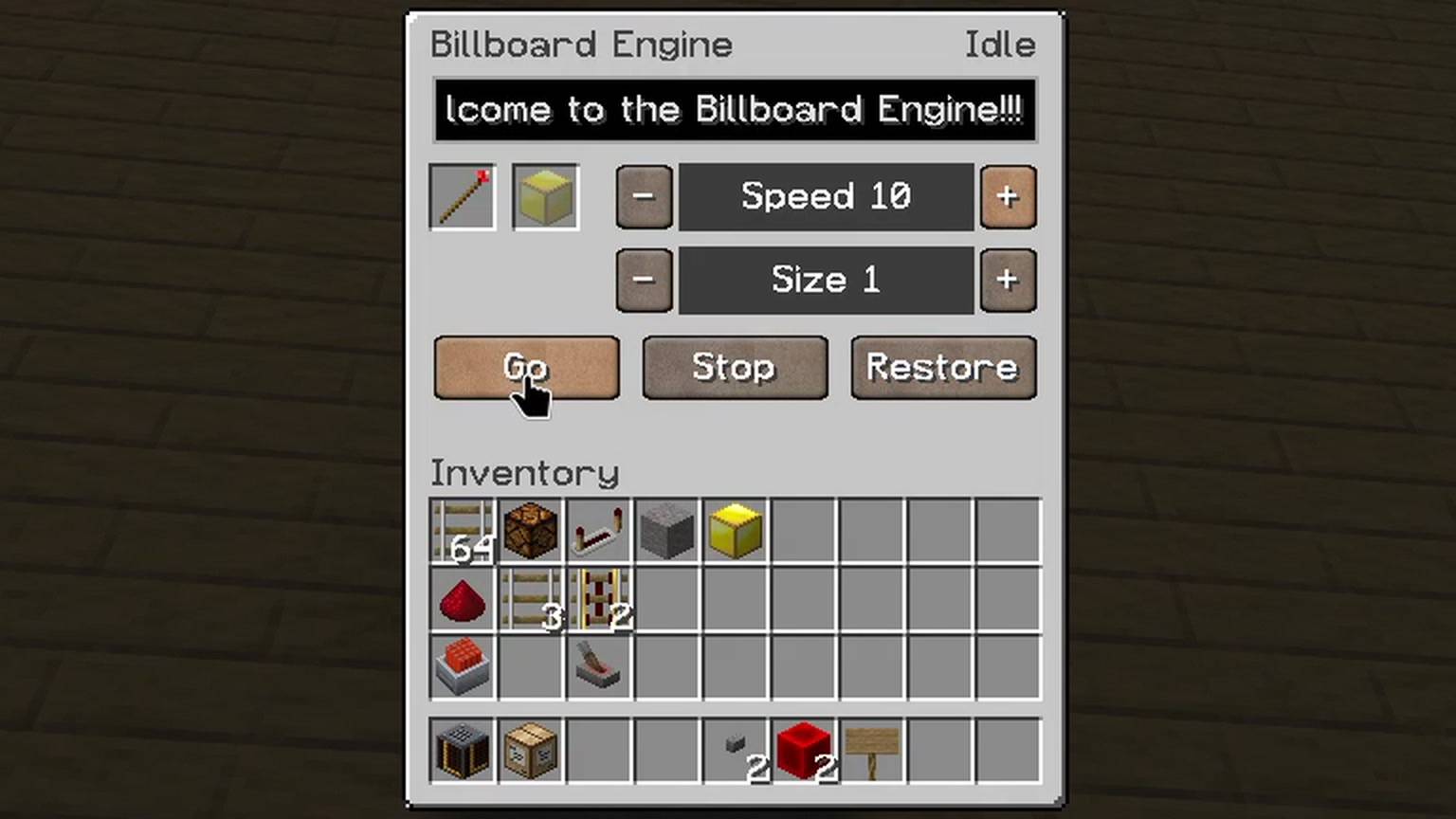
- Open the engine, put the wand in the left slot and click the right slot with a block (e.g. gold block). The slot keeps only a copy; the block is never used up. Blocks can also be dragged there from JEI or REI.
- Type a text and press Go. The text scrolls from right to left; Speed sets 1 to 10 columns per second, Size sets the letter size from 1 to 9. Stop freezes it, Restore puts the wall back. Breaking the engine also restores the wall.
Features
- 5x7 font; size n draws every dot as n x n blocks (up to 45 x 63 blocks per letter). On a taller wall the text is centered vertically; on a lower one the bottom rows are cut off.
- Walls up to 256 wide and 384 high (a server can allow up to 512 wide).
- The original wall is saved in the world and comes back on Restore or when the engine is broken.
- While a billboard is shown, its wall is protected against players, explosions, pistons, mobs and
/setblock, so pixel blocks can't be mined. - Redstone friendly: redstone blocks as pixels drive lamps, dust, repeaters and comparators behind the wall like a punch card. Redstone lamps as pixels light up where levers or redstone blocks sit behind the wall. Levers and torches attached to the wall stay put.
- Walls containing chests, signs or other block entities are refused.
Script Box: Lua without other mods
The Script Box runs one Lua program that drives the engine it touches. Recipe: like the engine, with paper instead of the glass pane.
- Drag a
.luafile and up to 8 images from your file manager onto its screen. The screen shows the files, the last output lines, Restart and Stop. - The program starts with the world and runs while its chunk is loaded. Only the player who placed the box and operators may change it.
- The
enginetable controls everything:show(text),setText,go,stop,runOff,setSpeed,setSize,setPixel,drawImage,drawPixels,claim,releaseand more. Alsosleep,print,os.time(Minecraft time),os.date(real time) andtextutils.formatTime.
A clock:
engine.claim()
while true do
  engine.show(os.date("%H:%M"))
  sleep(1)
end
Pictures and animations
engine.drawImage("picture.png") shows a PNG, JPEG, GIF or BMP on the wall, every pixel as the vanilla block with the nearest color (about 260 blocks, all free). Animated GIFs play by themselves.
Control by sign and redstone
Put a sign on the engine and give the engine a redstone pulse: the engine shows the sign's text. While it runs, it follows edits to the sign, which also works with Create's Display Link. Wax the sign so nobody edits it by accident.
ComputerCraft (optional)
Scripting needs no other mod: the Script Box above runs Lua right in the game. If you already use CC: Tweaked, the engine is also a peripheral of type billboard_engine with the same functions as the Script Box's engine table (only drawImage takes the image data instead of a file name). CC: Tweaked for Minecraft 26.3 is only available on Modrinth: https://modrinth.com/mod/cc-tweaked
Requirements
Minecraft 26.3, Fabric Loader 0.19.5 or newer, Fabric API, Java 25. On a server, install it on the server and on every client.
Full manual: https://github.com/Knito58/billboard/wiki
Source
Source code and issue tracker: https://github.com/Knito58/billboard (MIT License)
Made with Claude AI.
Billboard Engine Team