Better Painting Placement

Choose and preview the exact painting you want before placing it in the world.
1
1

2

2

3

3

Description

Better Painting Placement

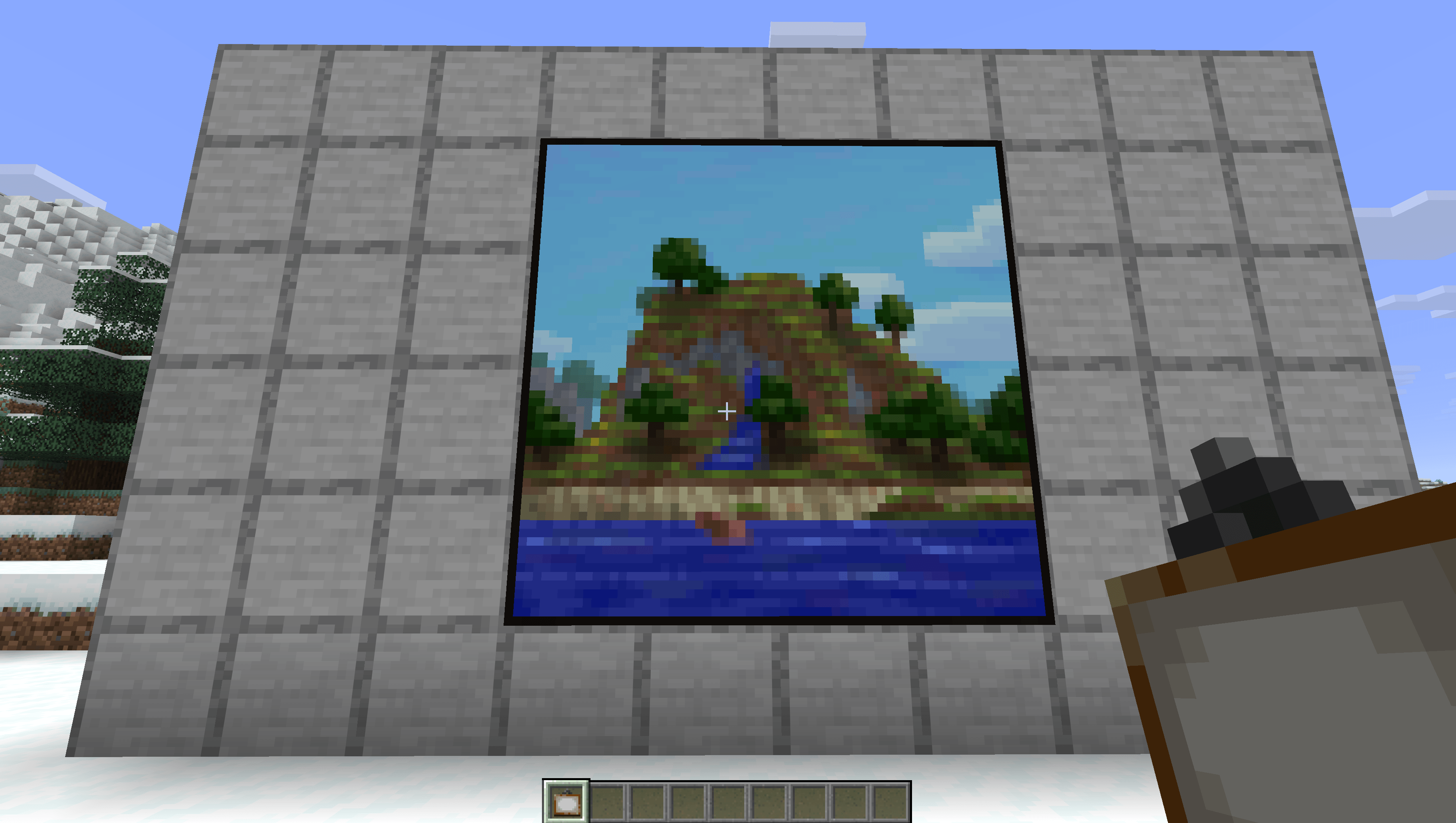
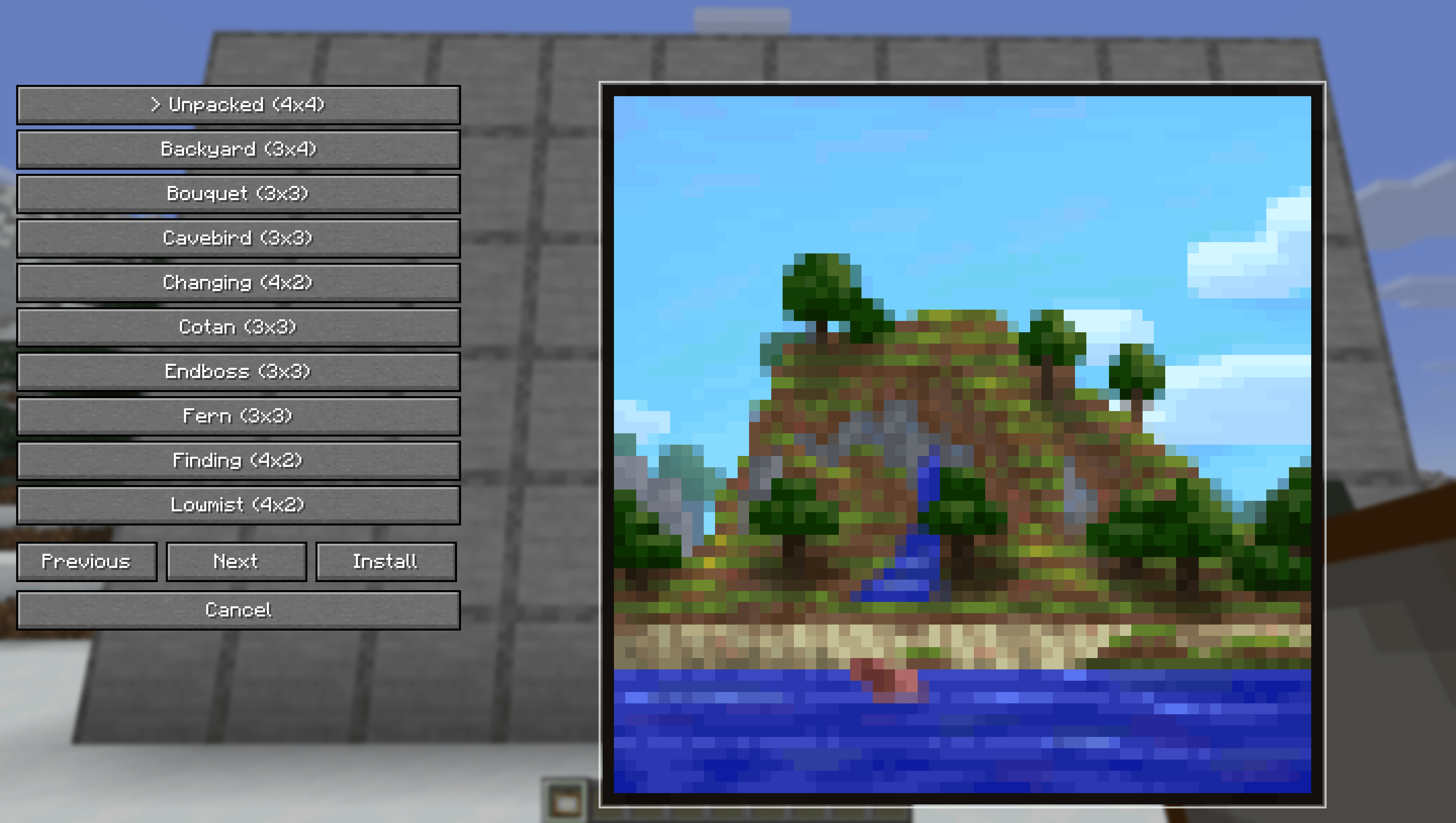
Better Painting Placement lets you choose the exact painting you want before placing it in the world.

No more breaking and replacing paintings until the right one appears. Hold a painting, open the selector, pick a variant, then place it with a live placement preview.

Features

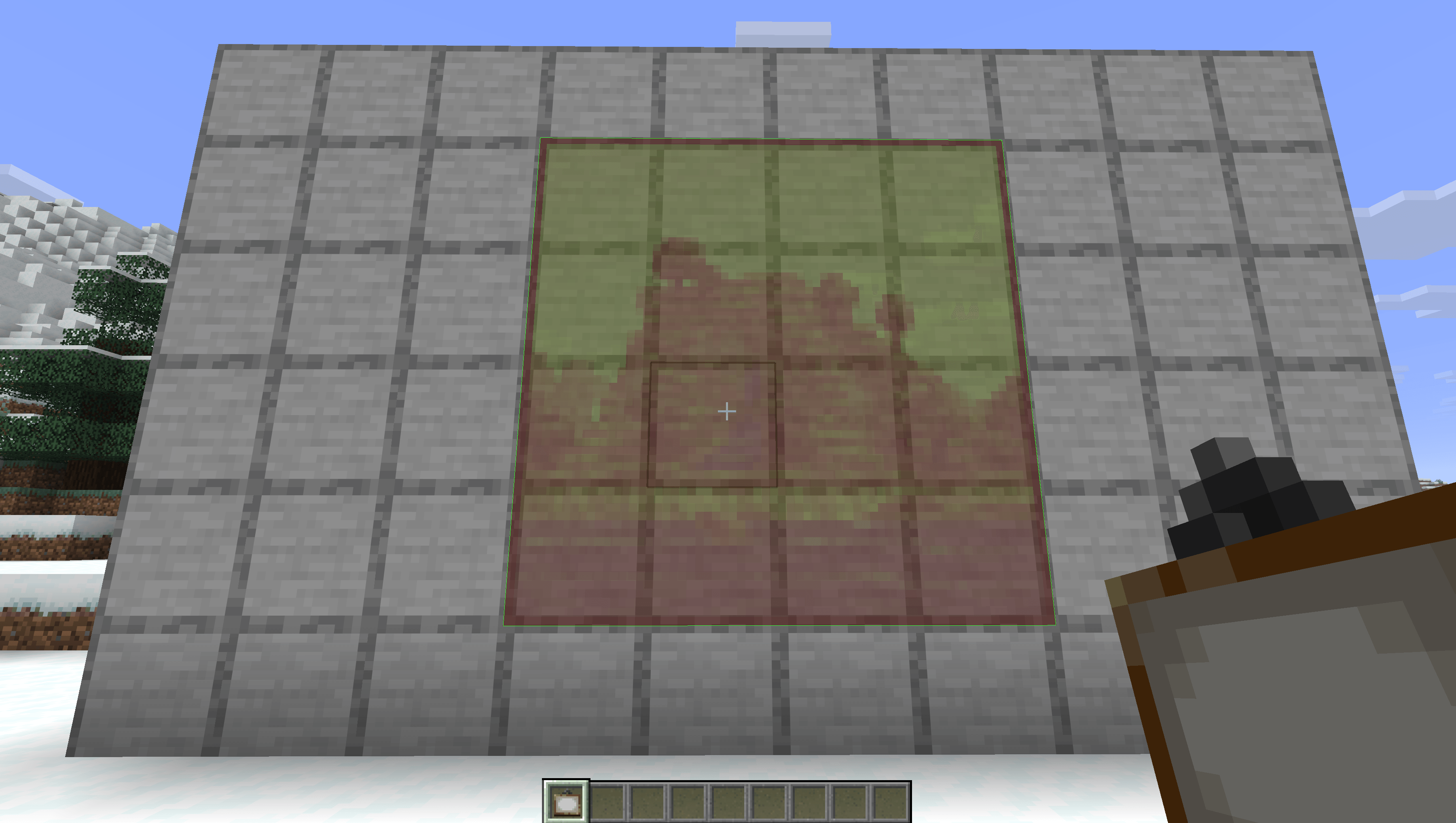
  • Preview the selected painting before placing it
  • Green preview outline when placement is valid

Multiplayer

For full functionality on multiplayer servers, the mod must be installed on both the client and the server.

If the server does not have the mod installed, the custom painting placement feature will not work.

How To Use

  1. Hold a painting in your hand.
  2. Press Shift + Right Click.
  3. Choose a painting from the selector.
  4. Aim at a wall.
  5. Right Click to place the selected painting.

The Better Painting Placement Team

profile avatar
  • 3
    Projects
  • 111
    Downloads

More from KakojtoBuryat

  • MacOS Control Click Fix project image

    MacOS Control Click Fix

    • 20
    • Mods

    Keeps Control + left click working as a left click on macOS instead of being converted to right click.

    • 20
    • May 16, 2026
    • Mods
    • +1
  • MacOS Hotbar Scroll Fix project image

    MacOS Hotbar Scroll Fix

    • 25
    • Mods

    Fixes macOS hotbar scrolling by making every scroll step responsive, fast, and correctly directed.

    • 25
    • May 15, 2026
    • Mods
    • +1
  • MacOS Control Click Fix project image

    MacOS Control Click Fix

    • 20
    • Mods

    Keeps Control + left click working as a left click on macOS instead of being converted to right click.

    • 20
    • May 16, 2026
    • Mods
    • +1
  • MacOS Hotbar Scroll Fix project image

    MacOS Hotbar Scroll Fix

    • 25
    • Mods

    Fixes macOS hotbar scrolling by making every scroll step responsive, fast, and correctly directed.

    • 25
    • May 15, 2026
    • Mods
    • +1