Better Character
- By
A mod that lets you create HD skins in a ridiculously simple and convenient way.
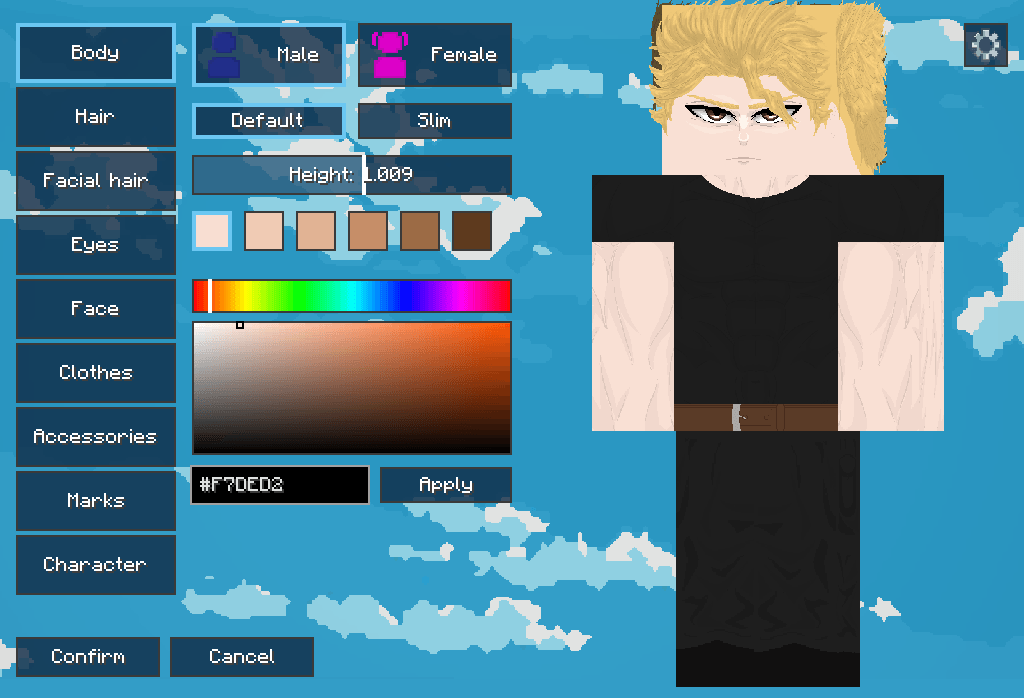
imagem_2026-08-23_233434834.png
dV7pfwz.png
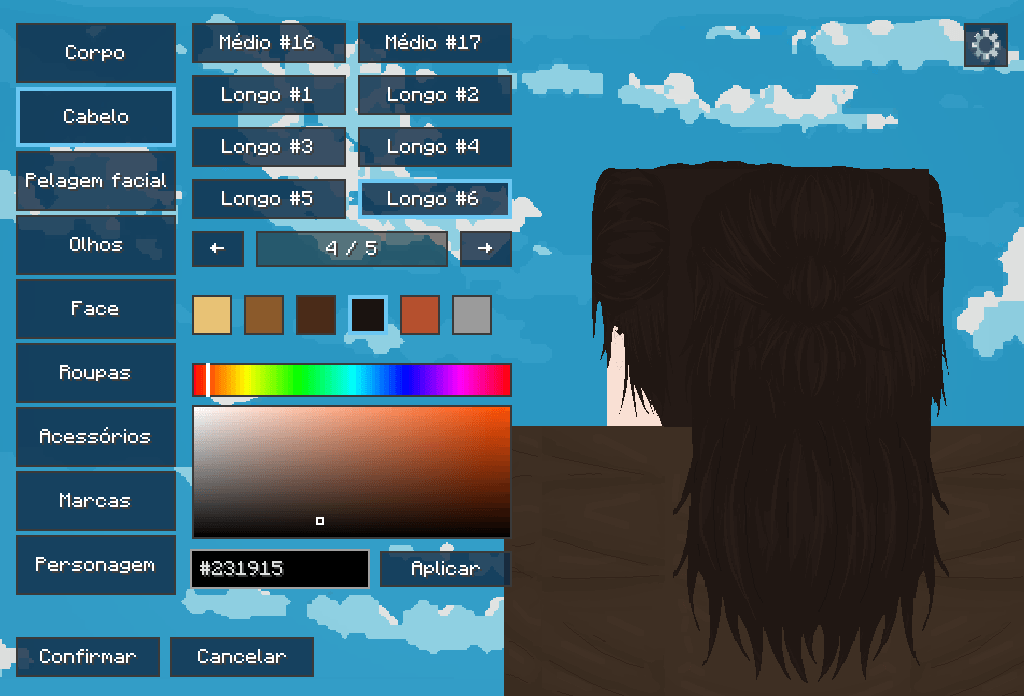
imagem_2026-08-23_233552282.png
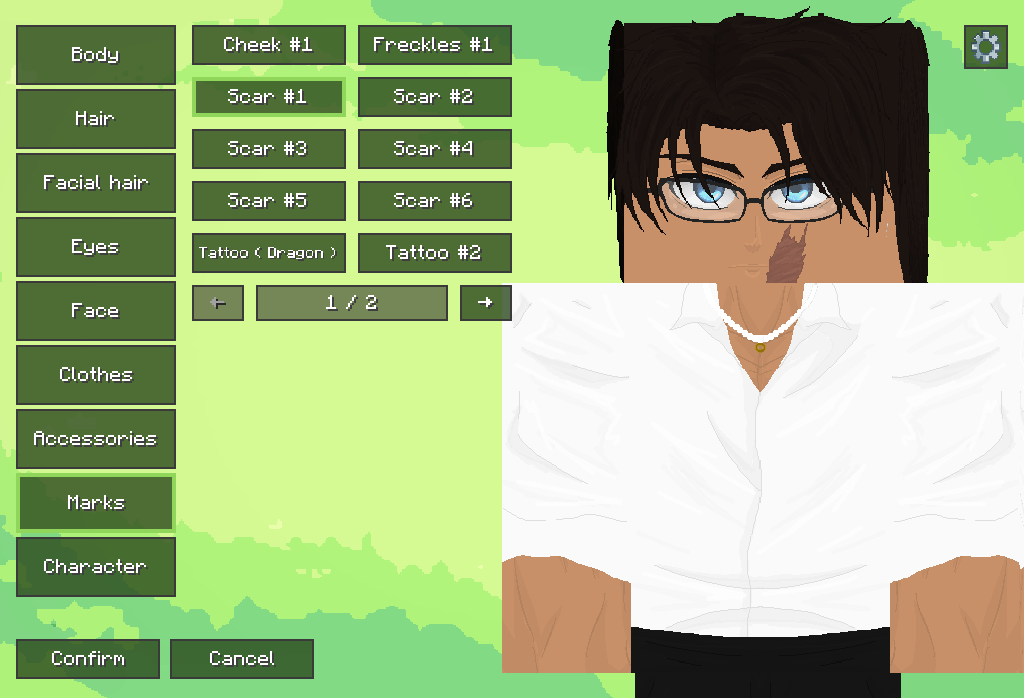
imagem_2026-08-23_233939085.png
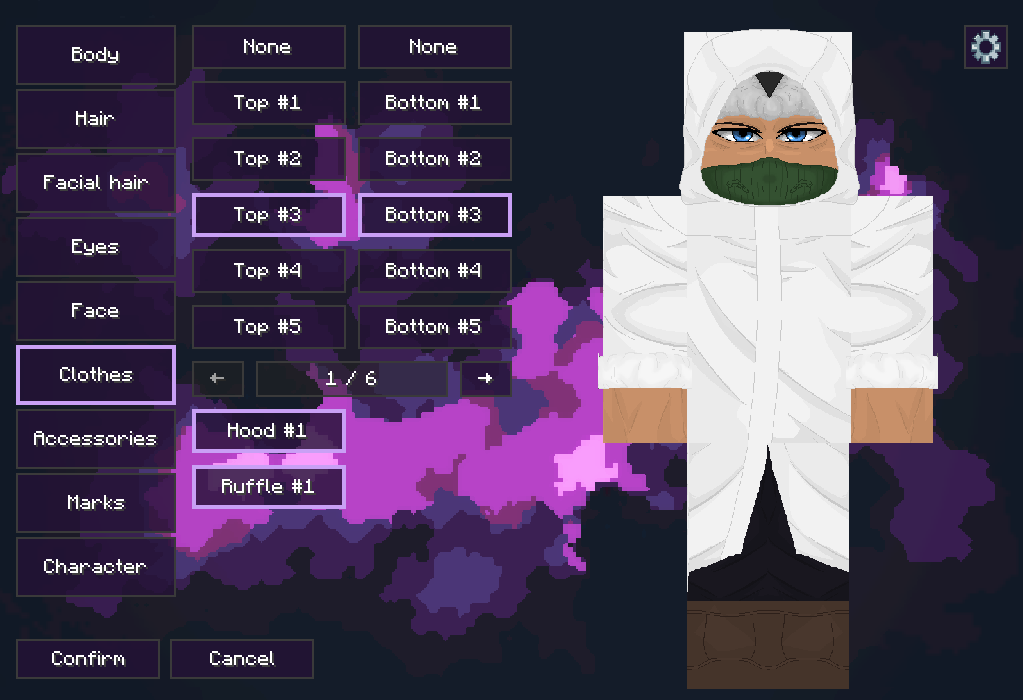
imagem_2026-08-23_234128551.png
Description
CREATE YOUR CHARACTER. YOUR WAY.
Better Character transforms Minecraft's traditional skin system into a complete in-game character creator.
Combine high-quality skin parts, customize colors and create unique characters without manually editing a skin file.
A COMPLETE CHARACTER CREATOR

Create your character through an interface inspired by character creators from RPGs and other games.
Customize:
• Body type and gender
• Hairstyles and extended hair
• Eyebrows, beards and mustaches
• Eyes and faces
• Skin, hair and eye colors
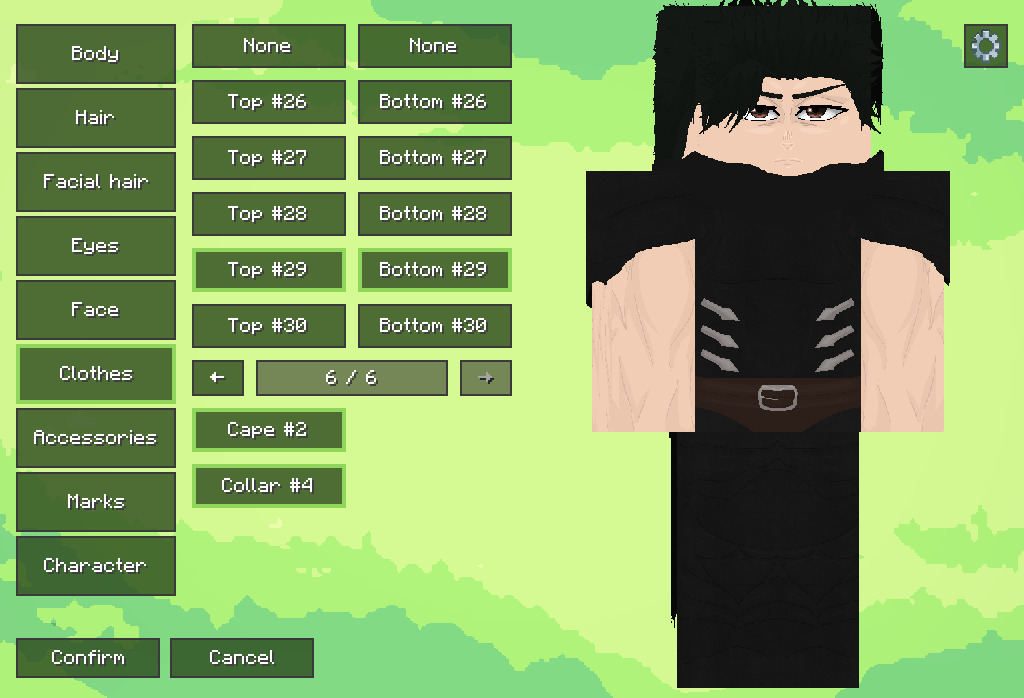
• Shirts and lower-body clothing
• Capes, hoods, collars, mantles and other clothing details
• Accessories, scars, tattoos and body marks
• Character height with optional Pehkui integration
Every selected part is automatically combined into a high-resolution Minecraft skin.
CUSTOMIZE EVERY DETAIL

Choose from preset colors or create your own using the complete color picker.
Adjust your character's skin, hair and eye colors, combine facial details and even change the vertical position of the eyebrows.
You can use multiple compatible accessories, marks and facial-hair elements at the same time.
HIGH-QUALITY MODULAR CLOTHING

Combine upper and lower clothing independently to create different outfits.
Compatible clothes can also receive additional elements such as:
• Hoods
• Collars
• Sleeves
• Capes
• Mantles
• Tunics
• Sashes
AN ADAPTIVE CHARACTER PREVIEW
The preview automatically adjusts its camera depending on the category you are editing.
Inspect facial details up close, rotate your character, use the mouse wheel to control the zoom and return smoothly to a complete body view.
MASCULINE AND FEMININE CHARACTERS

Create masculine or feminine characters while preserving Minecraft's recognizable block-based style.
The feminine option includes dedicated body geometry, while long hairstyles can use additional geometry beyond the standard skin model.
Compatible armor automatically hides overlapping details to reduce visual clipping.
SAVE, RANDOMIZE AND EXPERIMENT

Generate a random appearance and use it as the starting point for a new character.
Better Character also includes three local preset slots. Save your favorite characters, name them and switch between appearances whenever you want.
SHARE YOUR CHARACTER
Convert your complete character into a unique sharing code.
Send the code to another Better Character player so they can import your appearance directly into the character creator.
Older Better Character codes are automatically converted whenever possible.
CHOOSE YOUR STYLE
Customize more than your character.
Choose between three interface themes Plains, Sky and Space each featuring its own colors, animated transitions and background music.
MAIN FEATURES
• Complete in-game character creator
• High-resolution modular skin composition
• Masculine, feminine, default and slim body options
• Extended hairstyles and dedicated feminine body geometry
• Custom skin, hair and eye colors
• Adjustable eyebrow position
• Shirts and lower-body clothing
• Compatible capes, hoods, collars, mantles and tunics
• Multiple accessories, marks and facial details
• Smooth adaptive preview and manual zoom
• Three local character preset slots
• Random appearance generator
• Character sharing through importable codes
• Three visual themes with exclusive music
• Configurable texture resolution
• Optional Pehkui height integration
• Open through the main menu or by pressing Z
SERVER-SIDE AND CLIENT-SIDE MOD
Better Character is designed to be installed only on the client and server-side.
You need to install Better Character on the server.
COMPATIBILITY
Minecraft: 1.20.1 and 1.21.1
Mod Loaders: Forge and NeoForge
Environment: Server-side and Client-Side
Forge and NeoForge downloads are provided separately. Always download the file made for your mod loader.
Pehkui is optional and is only necessary for changing the physical height of your character.
HOW TO OPEN THE CHARACTER CREATOR
Press Z while playing or use the Better Character button on Minecraft's main menu.
Create your character, confirm the changes and your new appearance will be saved automatically.
CONFIGURATION AND COMPATIBILITY
Better Character includes client-side settings that allow you to:
• Temporarily disable Better Character rendering
• Disable the custom skin or body model
• Disable feminine body geometry
• Disable extended hair geometry
• Hide extended hair under helmets
• Hide feminine body geometry under chest armor
• Select a composed texture resolution of 2048
• These options can help when using Better Character alongside other player-model or cosmetic mods.
IMPORTANT INFORMATION
Better Character is still under development. New customization parts, compatibility improvements and features may be introduced in future updates.
Found a bug or have a suggestion?
Discord: https://discord.gg/Jcsf7NeBtK
⚠ TEXTURE USAGE POLICY READ
Extracting, copying, editing, converting, redistributing or using any Better Character texture outside the mod is strictly prohibited.
This includes using Better Character assets in:
• Regular Minecraft skins
• Resource packs
• Other mods or games
• Skin commissions
• Personal or public projects
• Commercial or non-commercial content
• Modified or partially recreated textures
Better Character textures are licensed exclusively for use as part of the Better Character mod. Downloading or accessing the mod files does not grant permission to reuse, modify or redistribute its assets.
If you wish to use any Better Character asset for another purpose, you must receive explicit permission from its creators beforehand.
CREDITS
Created by Kiura.
Character textures by Asbus.
Additional music credits: Vincent Diamante, Joe Hisaishi, Hans Zimmer and their respective copyright holders.
Special thanks to everyone who tested the mod, shared suggestions and helped Better Character evolve.
Better Character Team