Beezz Craft (Extended)
- By
Crafting wheel for Minecraft. CTRL + Right-click on an item — shows everything that can be crafted from it.
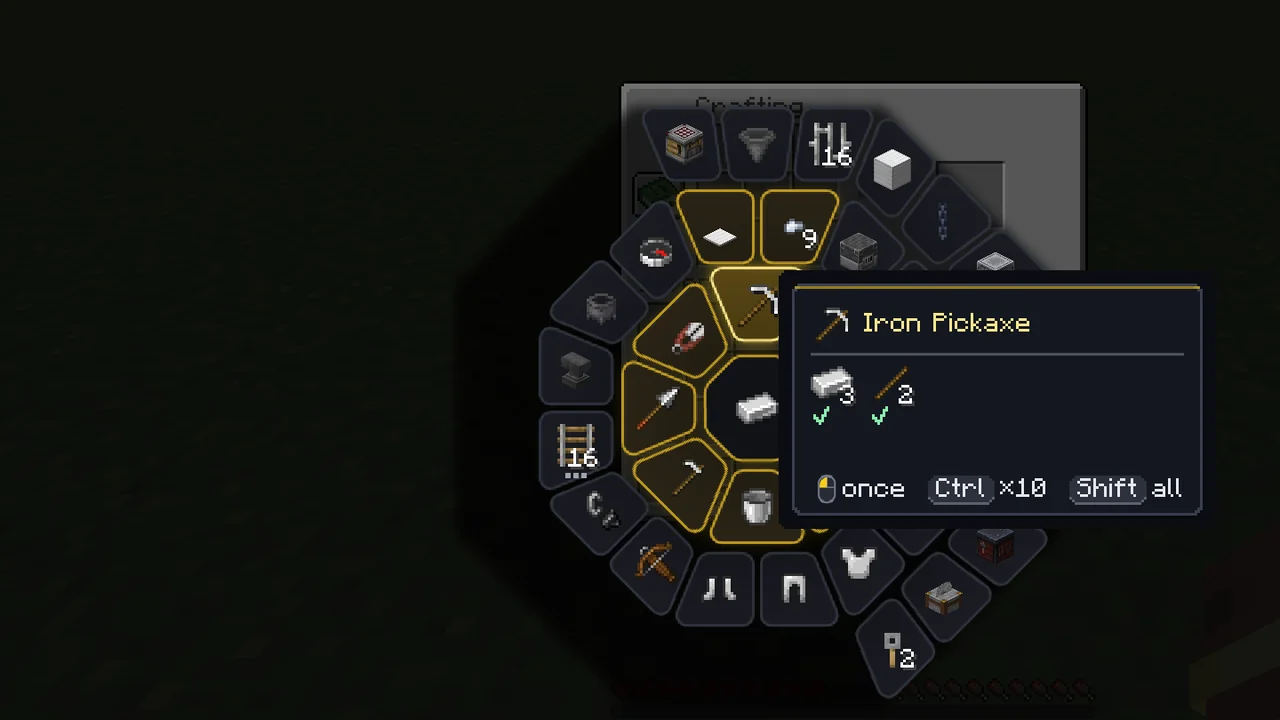
table-iron.webp
variants.webp
settings.webp
queue-needs.webp
Description
Support only English and Russian language!
BeezzCraft (Extended) is a client-side crafting wheel for Minecraft with a compact octagon interface. Ctrl + right click an item in your inventory or at a crafting table and the wheel opens with everything you can craft from it. No need to remember recipes or page through the recipe book.
A video showing this mod and its features is available on YouTube.
This mod was created by BeezzLand with the help of AI, and ported to Fabric and NeoForge by Mr712. I do not monetize on CurseForge — just enjoy the game!
If any issues arise, please write to me in the comments on CurseForge or open an issue on GitHub!
What can this mod do?
The Crafting Wheel
- Ctrl + right click an item in the inventory (2×2 recipes) or at a crafting table (3×3): an octagon wheel of everything it makes.
- Gold sectors mean the resources are there; grey sectors mean something is missing.
- Rings of 8, 16, 24 and 32 buttons — up to 80 recipes per page. More recipes go to the next pages: use the page switcher above the wheel or the mouse wheel.
- Click crafts once, Ctrl + click crafts 10 times, Shift + click crafts as many as possible.
- Hover a sector for a card with the result, the ingredients as icons (green tick = enough, red = how many are missing) and the click controls drawn as mouse/key pictures.
- The wheel opens around the mouse and shrinks automatically to fit small windows.
- Close it with Esc, the inventory key, a click on the centre, or a click outside the wheel.
Recipes & Variants
- Every crafting recipe of the game, even the ones the recipe book has not unlocked (a torch before a stone pickaxe).
- Recipes the recipe book knows are crafted through it; the others are laid out with ordinary clicks. Both work on vanilla servers.
- In singleplayer the recipes come from the integrated server; in multiplayer from the game's own data.
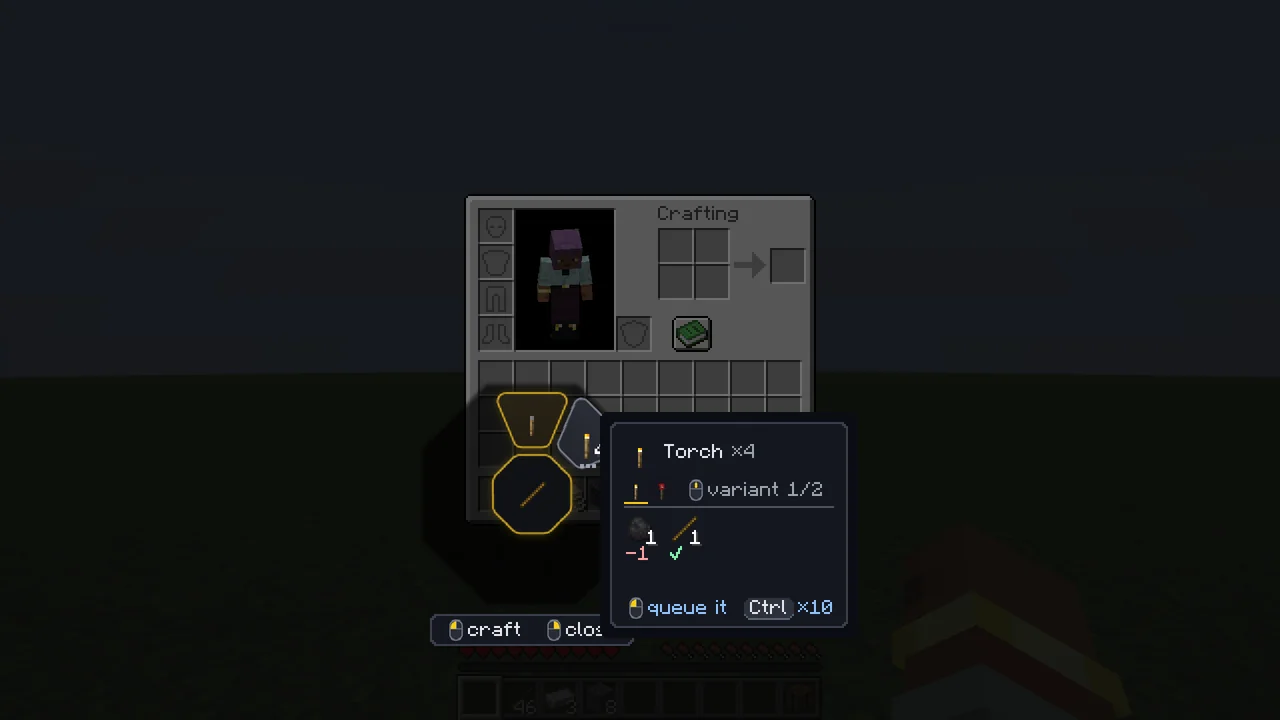
- Variants are grouped into one button: fences of every wood, torch / soul torch / copper torch, tool tiers, and so on.
- Mouse wheel over a button with variants cycles through them. The mod remembers the variant you crafted last.
- If you have not crafted that item before, the wheel shows the variant you can craft, then the one from the wood further up-left in your inventory, then the one you lack the least for.
- Craftable recipes come first; recipes you craft often and popular recipes are sorted higher.
- Grey recipes can be hidden in the settings.
Craft Queue
- Turn the queue on behind the gear button in the top-left corner of the inventory or crafting table.
- Click a grey recipe to queue it; it is crafted automatically as soon as the items are in your inventory.
- 3×3 recipes wait for a crafting table.
- The queue runs while no other container is open — in the world, in your inventory or at a crafting table. It never runs with a chest or another container open.
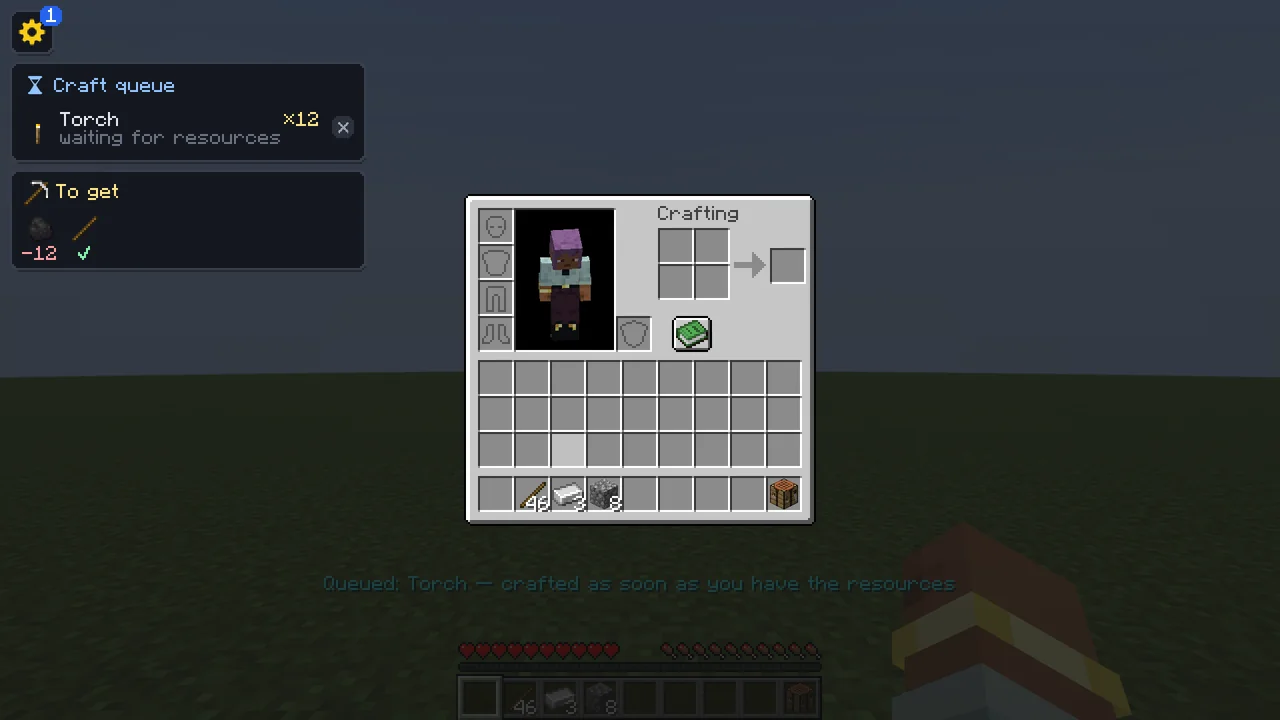
- The queue panel under the gear shows up to eight jobs with their status: can be crafted, waiting for resources or needs a crafting table. The × button removes a job.
- Right-click a queued sector to remove it from the queue.
- The gear shows the number of queued jobs.
- While playing, a compact queue card on the HUD shows the queued items and their counts.
Resources to Get
- "Resources to get" adds up every ingredient of the queue and subtracts what your inventory already has.
- Shown under the queue in the inventory and as a compact card on the HUD while playing.
- Green ticks mean you have the resource; red numbers show how many are missing.
- Can be switched off in the settings.
Settings
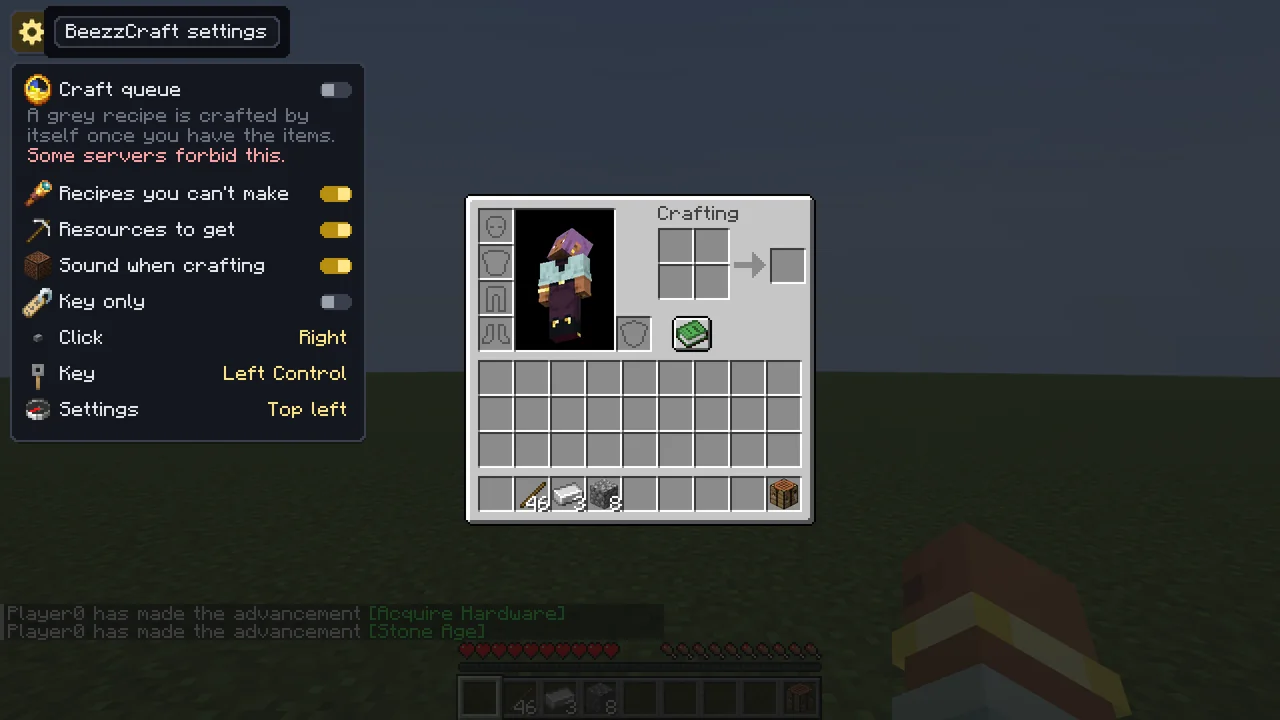
The gear button opens a small panel:
- Craft queue — automatic crafting of grey recipes (off by default; some servers forbid it).
- Recipes you can't make — show or hide grey sectors.
- Resources to get — show or hide the queue's shopping list.
- Sound when crafting — click sound on a craft.
The Ctrl count is set in the config file (default 10). The mod remembers recently crafted items and craft counts; they are used for sorting and variant selection.
Languages
English and Russian. Textures and translations are loaded from the mod's own JAR; Fabric API and other libraries are not required.
Controls
The wheel's modifier key can be changed in Options → Controls → Key Binds → Beezz Craft Extended → Function key.
| Action | Default control |
|---|---|
| Open the crafting wheel | Ctrl + right click an item |
| Open on the hovered item | Functional key (if "Use only the functional key" is on) |
| Craft once | Left click a sector |
| Craft 10 times | Ctrl + left click |
| Craft as many as possible | Shift + left click |
| Remove a queued recipe | Right click a sector |
| Switch variants | Mouse wheel over a sector |
| Switch pages | Mouse wheel or the page switcher |
| Open settings | Gear button in the top-left corner |
| Open the mod config | Mod Menu → BeezzCraft (Extended) → Configure |
| Change the functional key | Options → Controls → Key Binds → Beezz Craft Extended |
| Close the wheel | Esc, inventory key, centre or outside click |
The default functional key is Left Ctrl. It can be rebound to another key or mouse button; in Russian the option is called Функциональная клавиша.
Mod Menu
If Mod Menu is installed, the mod has a config screen:
- Functional key - the same key as in Controls; click it and press a key or mouse button.
- Use only the functional key - off by default. Hover an item and press the functional key to open the wheel without a mouse click.
- Functional click - the mouse button used with the functional key: Left button or Right button (default: Right button).
Configuration
Settings are stored in config/beezzcraft.json and can be edited in-game from the gear button.
{
  "queue": false,
  "showMissing": true,
  "sound": true,
  "showNeeds": true,
  "keyOnly": false,
  "functionalClick": 1,
  "ctrlCount": 10,
  "recent": [],
  "counts": {}
}queue— craft grey recipes automatically when the resources appear (off by default).showMissing— show grey recipes that cannot be crafted yet.sound— play a click sound when crafting.showNeeds— show the "resources to get" card.ctrlCount— number of crafts per Ctrl + click (at least 2).keyOnly- open the wheel by pressing the functional key alone on a hovered item (off by default).functionalClick- mouse button used with the functional key:0= left,1= right (default1).recentandcounts— remembered automatically; used to show recently and often crafted items first.
Supported Versions
The mod is available for Fabric and NeoForge:
- 26.3, 26.2, 26.1.2, 26.1.1, 26.1
- 1.21.11, 1.21.10, 1.21.9, 1.21.8, 1.21.7, 1.21.6
- 1.21.5, 1.21.4, 1.21.3, 1.21.2, 1.21.1, 1.21
No additional libraries are required. Client-side only: install it on your client, it works on any server.
Installation
- Install Fabric Loader or NeoForge for your Minecraft version.
- Put the matching JAR into the
modsfolder:BeezzCraft-Fabric-<version>-v1.0.1.jar— for Fabric;BeezzCraft-NeoForge-<version>-v1.0.1.jar— for NeoForge.
- Start the game.
Credits & License
- Original mod: BeezzLand (erkinpaw).
- Port to Fabric/NeoForge for 1.21–26.3: Mr712.
- GitHub: BeezzCraftExtended-MinecraftMod.
- Distributed under the MIT License.
Beezz Craft (Extended) Team