Atlas Map (Extended)
- By
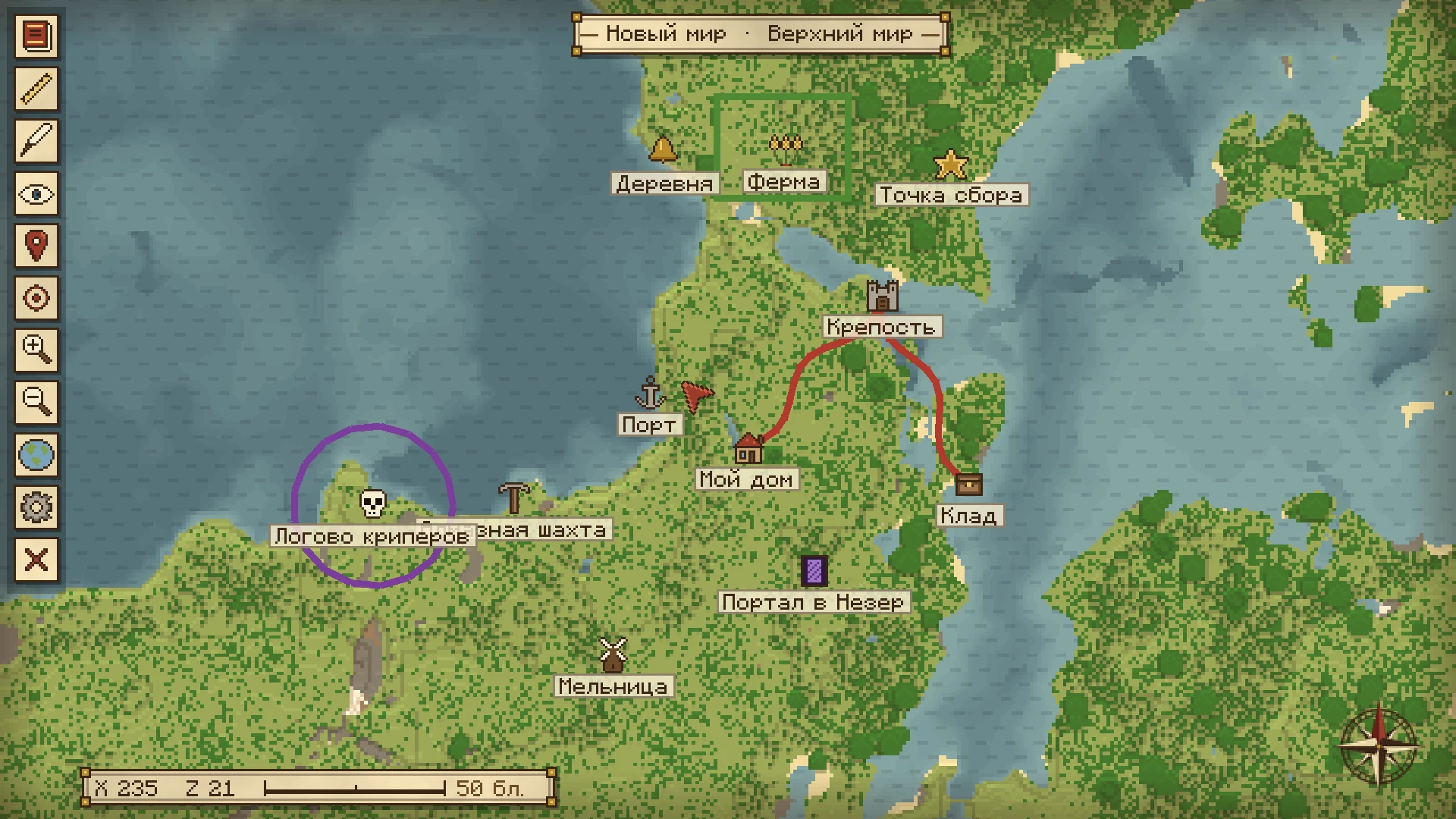
Map and mini-map in the style of antique cartography: 8 visual styles, color-coded markers, screenshots, a ruler, drawing tools, and other.
07_redaktor_metki.webp
02_minikarta.webp
08_vybor_ikonki.webp
Description
Support only English and Russian language!
AtlasMapExtended is a client-side world map and minimap with a hand-drawn papyrus style. The map draws itself as you explore, stores everything separately for every server and singleplayer world, and lets you mark places with icons, colours, descriptions and screenshots. Eight UI designs, a ruler, drawing tools and optional teleport are included.
A video showing how this mod was created, with feature reviews, is available on YouTube.
This mod was created and ported with the help of AI based on the ideas of the author and viewers. I do not monetize on CurseForge — just enjoy the game!
If any issues arise, please write to me in the comments on CurseForge or open an issue on GitHub!
What can this mod do?
Full-screen World Map
- Draws itself as you travel: the map is built from the chunks you load, so explored terrain, water, ice, caves and dimensions are remembered.
- Smooth navigation: drag with the left mouse button to pan, use the mouse wheel to zoom, and switch dimensions right on the map.
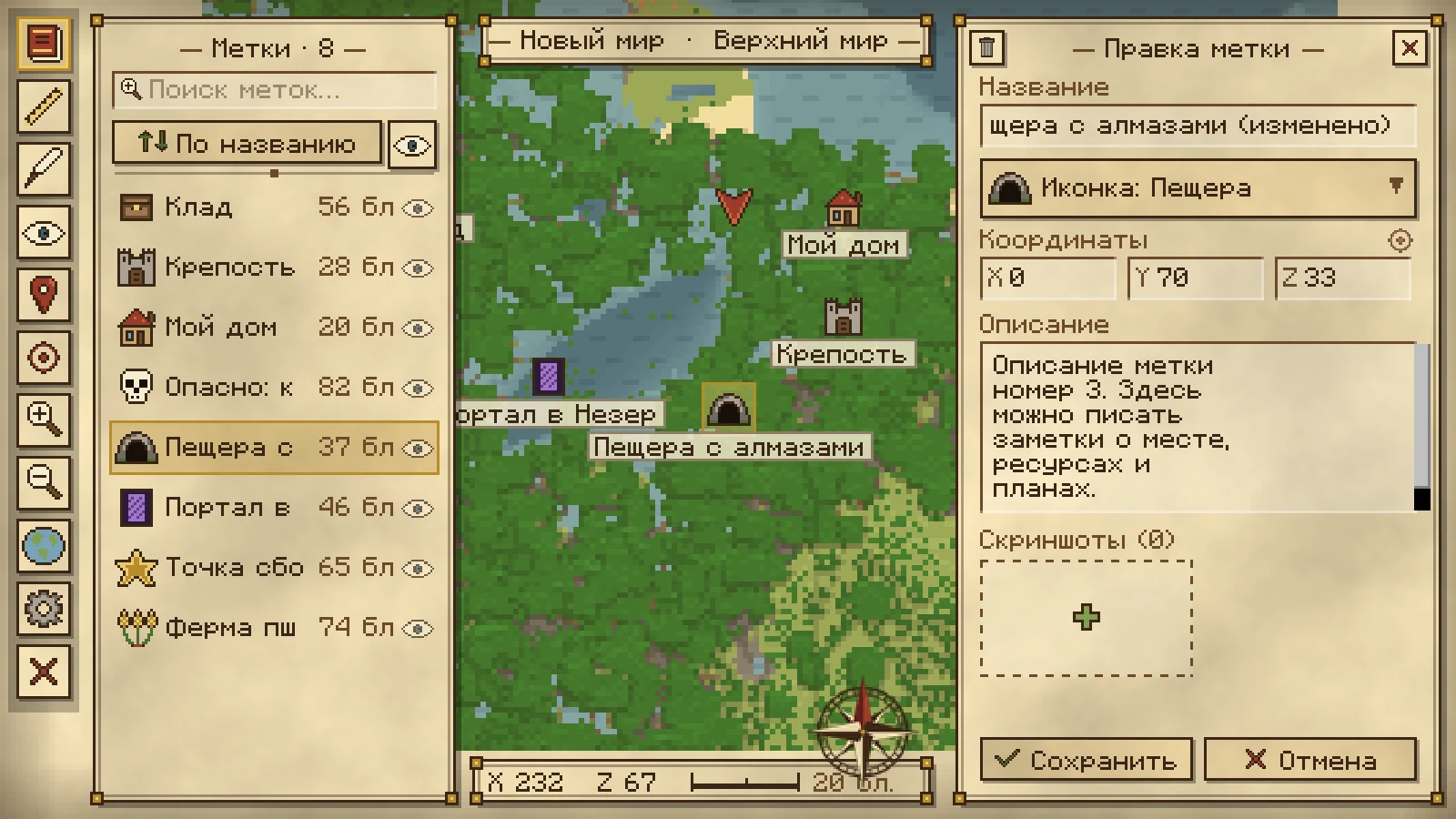
- Marker list: a collapsible list with search, distance sorting and visibility toggles.
- Map Atlas: a world list in the main menu for every server and singleplayer save, including maps you are not currently playing on.
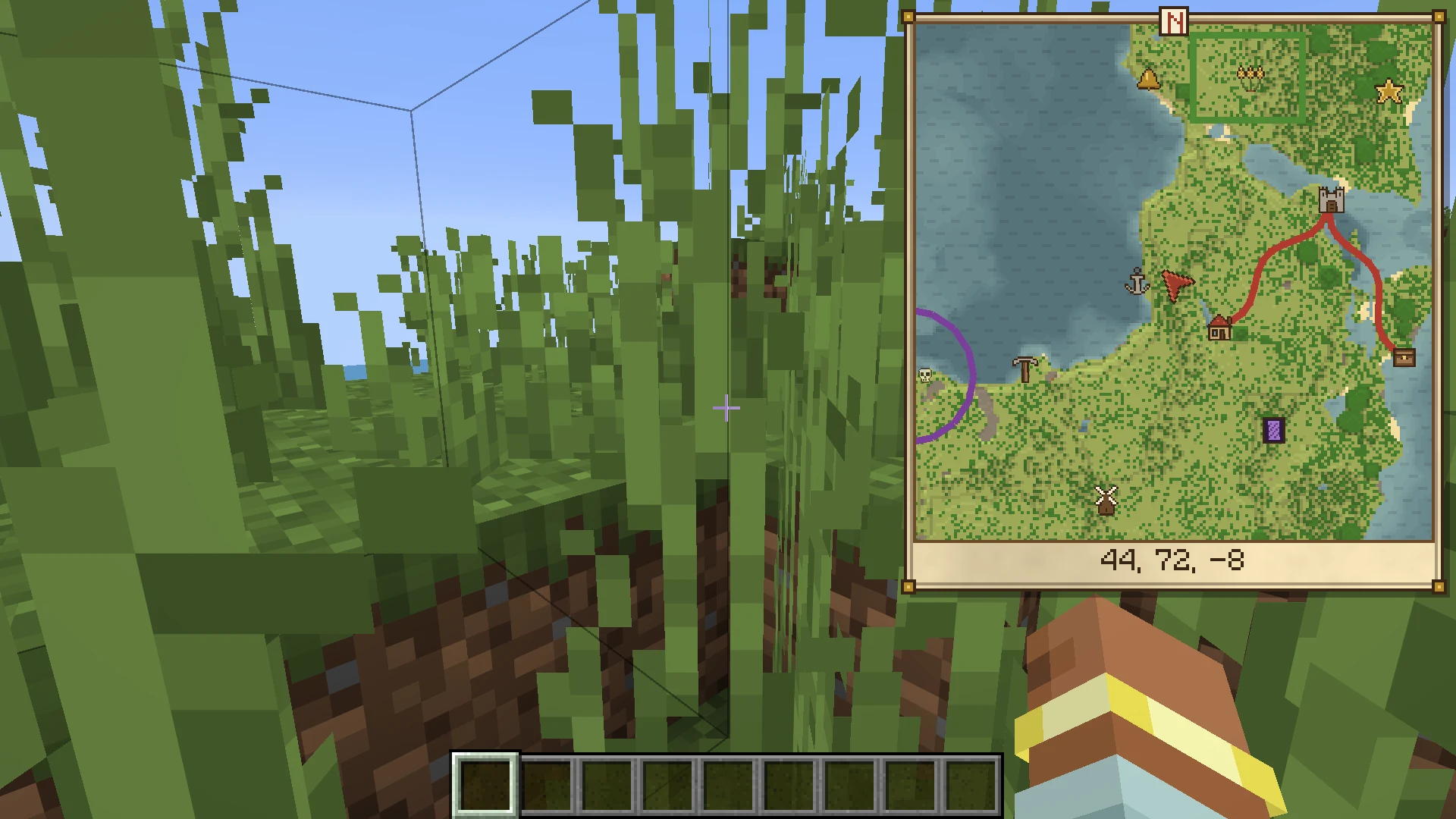
Minimap
- A compact minimap in any corner of the screen: top right, top left, bottom right or bottom left.
- Four sizes (80–170 px) and six zoom levels (0.5×–4×).
- Coordinates and marker icons on the minimap can be toggled independently.
- Toggle the minimap at any time with a hotkey.
Markers & Screenshots
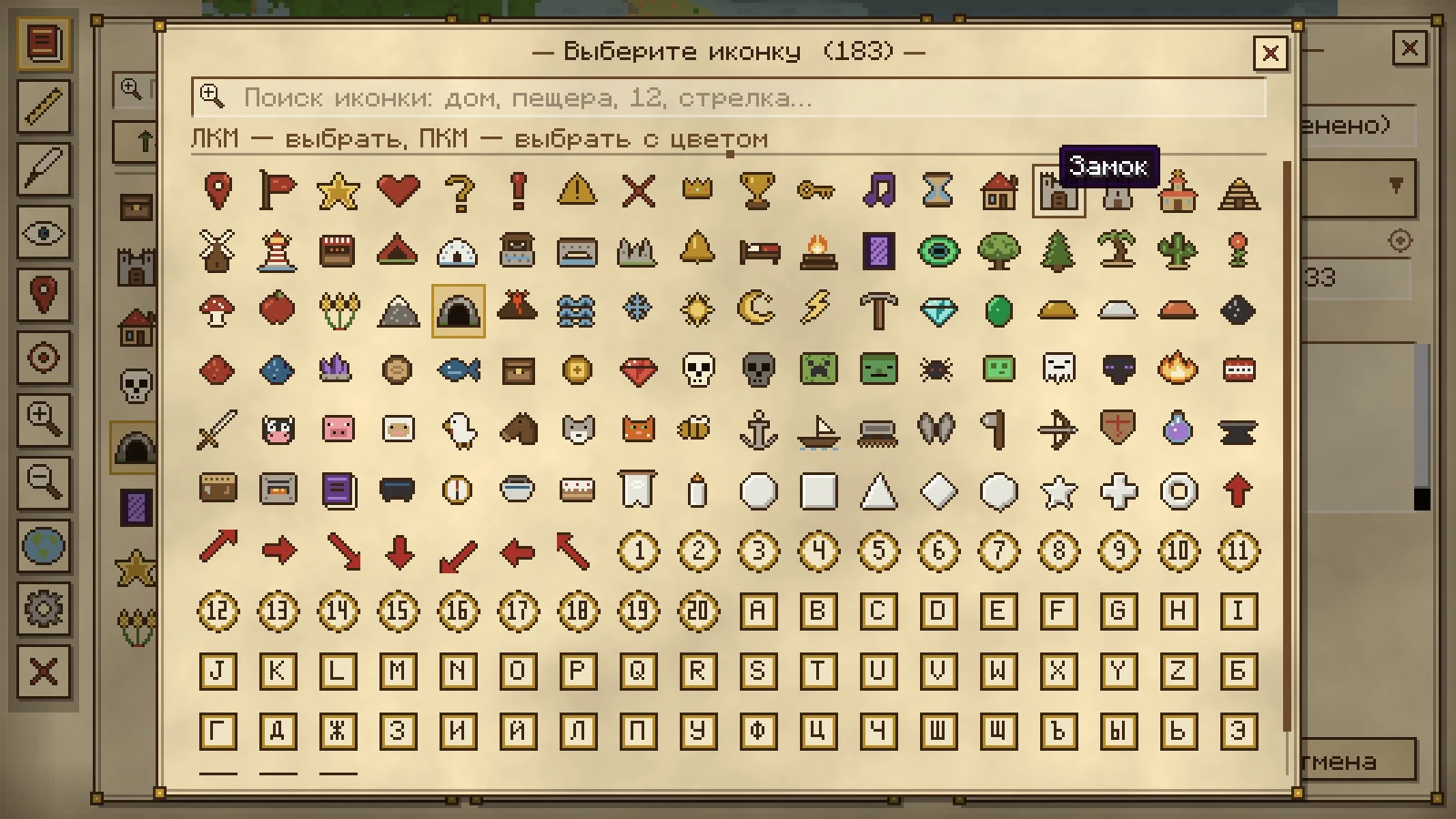
- 183 marker icons — items, blocks, mobs, biomes, arrows, symbols and more, with a fast search that understands both Russian and English layouts.
- Colourable icons: pick any tint for an icon, including a greyscale source for clean recolouring.
- Rich markers: name, description, exact coordinates, dimension, icon, colour and visibility.
- Screenshots: attach screenshots to a marker, view them in-game and even draw on top of them.
- Labels on the map: marker names can be shown directly on the world map.
- Optional teleport: a "Teleport" button on every marker (requires cheats in singleplayer or operator permissions on a server).
Drawing & Ruler
- Drawing tools on the map: pen, line, rectangle, circle and eraser, with 60 colours, adjustable width, undo and per-dimension storage.
- Draw on screenshots attached to markers.
- Ruler: measure the distance between two points, with a direct-line distance and point count.
- Drawings can be hidden at any time without deleting them.
Eight UI Designs
Choose the look that fits your world:
- Papyrus — the classic hand-drawn parchment style.
- Stone — carved grey stone.
- Deepslate — dark, cool-toned variant.
- Modern Light and Modern Dark — clean, flat interfaces.
- Oak — warm wooden panels.
- Nether — crimson and dark red.
- End — purple and pale yellow.
The theme applies to the map, minimap frame, marker list, settings and every dialog.
Zero Required Dependencies
- Fabric: only Fabric Loader is required — Fabric API is not needed.
- NeoForge: only NeoForge itself is required.
- No Mod Menu, no Cloth Config, no extra libraries.
- Client-side only: install it on your client, it works on any server.
Controls
All keys can be changed in Options → Controls → Key Binds → AtlasMapExtended.
| Action | Default key |
|---|---|
| Open the world map | M |
| Marker list | J |
| New marker at player position | B |
| Toggle minimap | N |
| Minimap zoom in / out | = / - |
| Ruler | R |
| Drawing editor | G |
| Show / hide drawings | H |
| Pan the map | Hold LMB and drag |
| Zoom the map | Mouse wheel |
| Add a marker | RMB on the map |
| Open a marker | LMB on a marker |
Configuration
Settings are stored in config/atlasmapextended.json and edited in-game from the gear button on the map or in the main menu.
{
  "minimapEnabled": true,
  "minimapSizeIndex": 1,
  "minimapZoomIndex": 3,
  "minimapCorner": 0,
  "minimapCoords": true,
  "minimapMarkers": true,
  "drawingsVisible": true,
  "markersVisible": true,
  "markerSort": 0,
  "theme": "papyrus",
  "teleport": false,
  "markerLabels": true
}
Map data is stored separately for every world and server in .minecraft/atlasmapextended/worlds/<id>/:
tiles/— the rendered map tiles per dimension;markers.json— markers with icons, colours, descriptions and screenshots;drawings.json— drawings per dimension;meta.json— world name, address, last dimension and last position.
Supported Versions
The mod is available for Fabric and NeoForge:
- 26.3, 26.2, 26.1.2, 26.1.1, 26.1
- 1.21.11, 1.21.10, 1.21.9, 1.21.8, 1.21.7, 1.21.6
- 1.21.5, 1.21.4, 1.21.3, 1.21.2, 1.21.1, 1.21
No additional libraries are required.
Credits & License
- Original mod: erkinpaw.
- Port to Fabric/NeoForge for 1.21–26.3: Mr712.
- GitHub: AtlasMapExtended-MinecraftMod.
- Distributed under the MIT License.
- Telegram group for discussing this mod
Atlas Map (Extended) Team