Attract to Chat - Mob Attraction By Chat Messages
- By
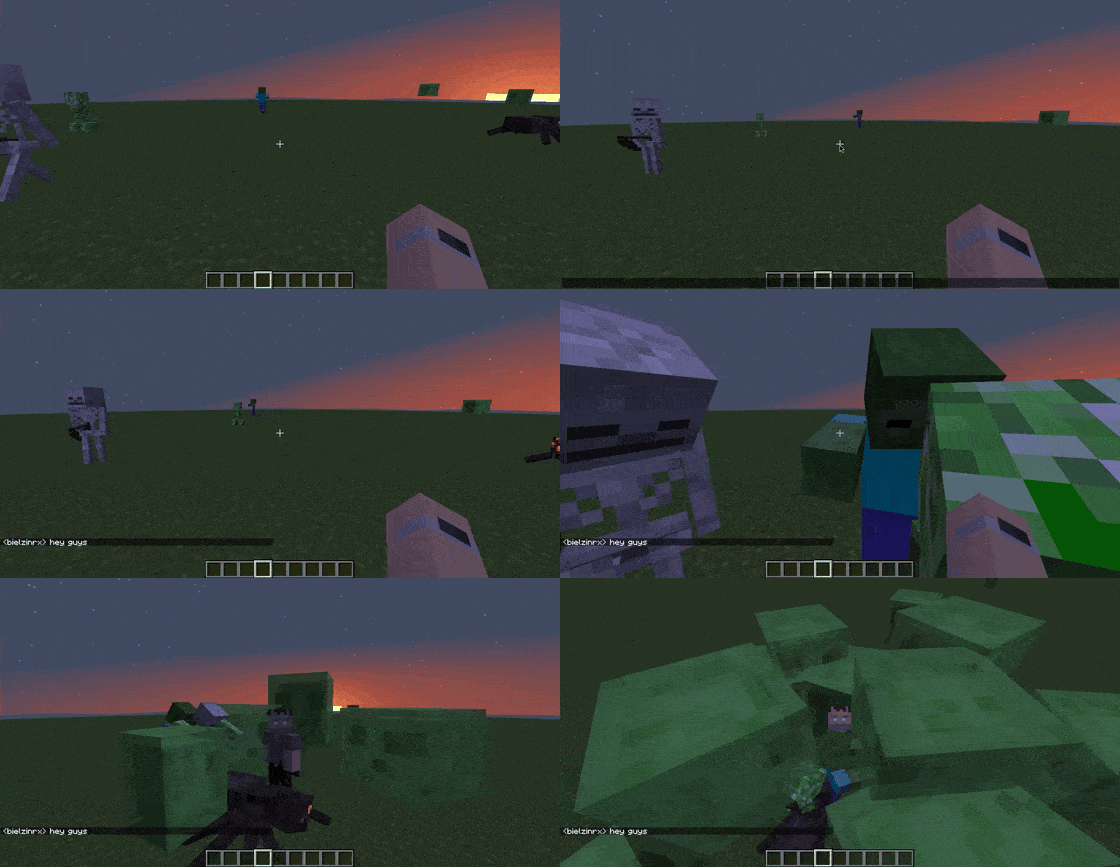
Mobs are attracted to the exact spot where you send a chat message.
Mobs Go to Message
Create a server, get 25% off your first month


Mobs can't read. But they can hear you type.


Forge · Fabric — server-side only. Players install nothing.
You're caving. Good run — diamonds, iron, half a stack of lapis. A friend types a joke; you laugh and type back: "HOLY CRAP THIS CAVE IS HUGE."
The jokes stop. Two tunnels over, a zombie abandons its minecart heist mid-swing and starts walking toward the message.
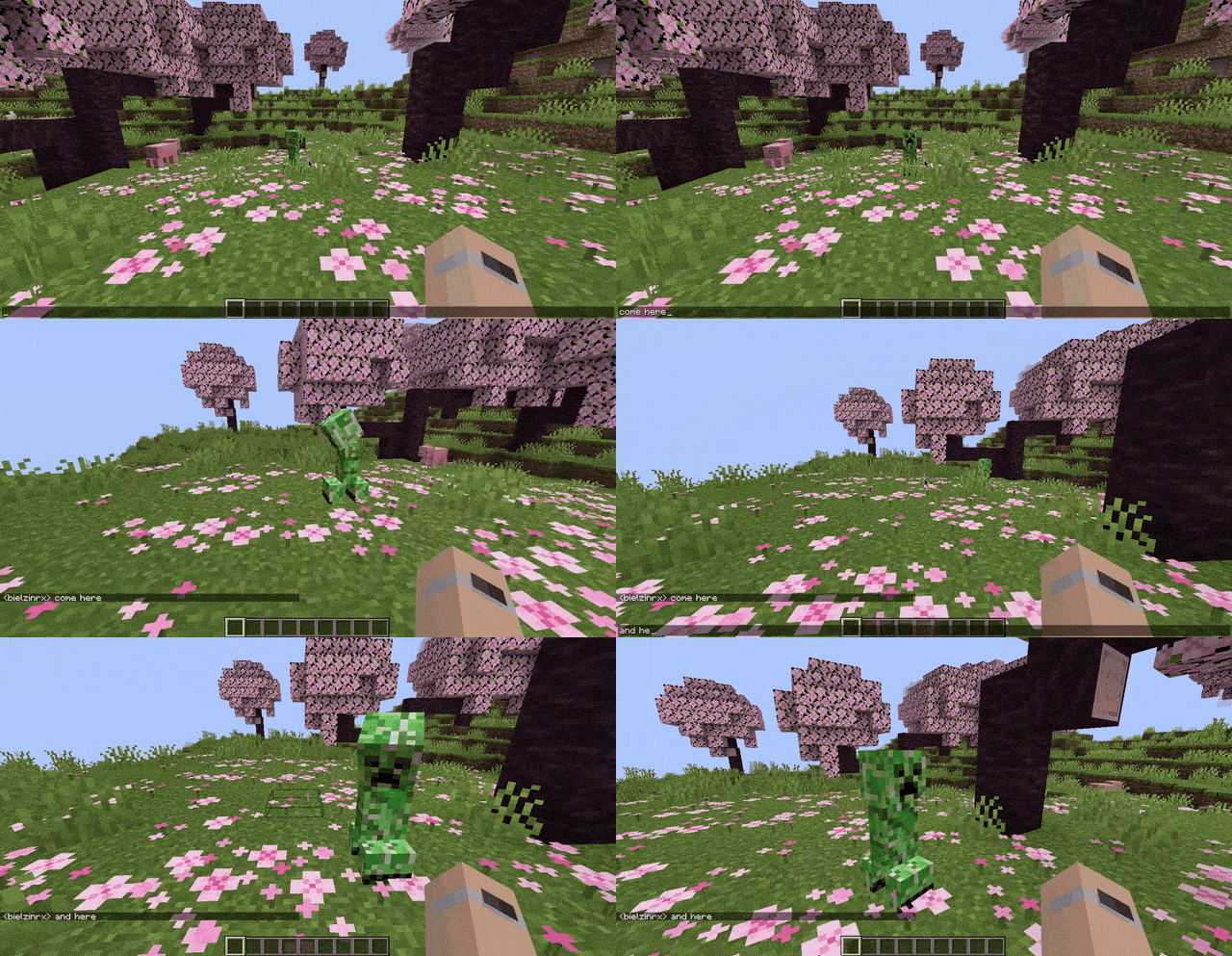
In Attract to Chat, chat is sound. Every message lands where you were standing when you typed it. Mobs hear it, walk toward that spot, and look around for whoever made the noise. That's the whole mod: one rule, no new blocks, no new items — your server's chat just has consequences now.
◈ Hearing rules
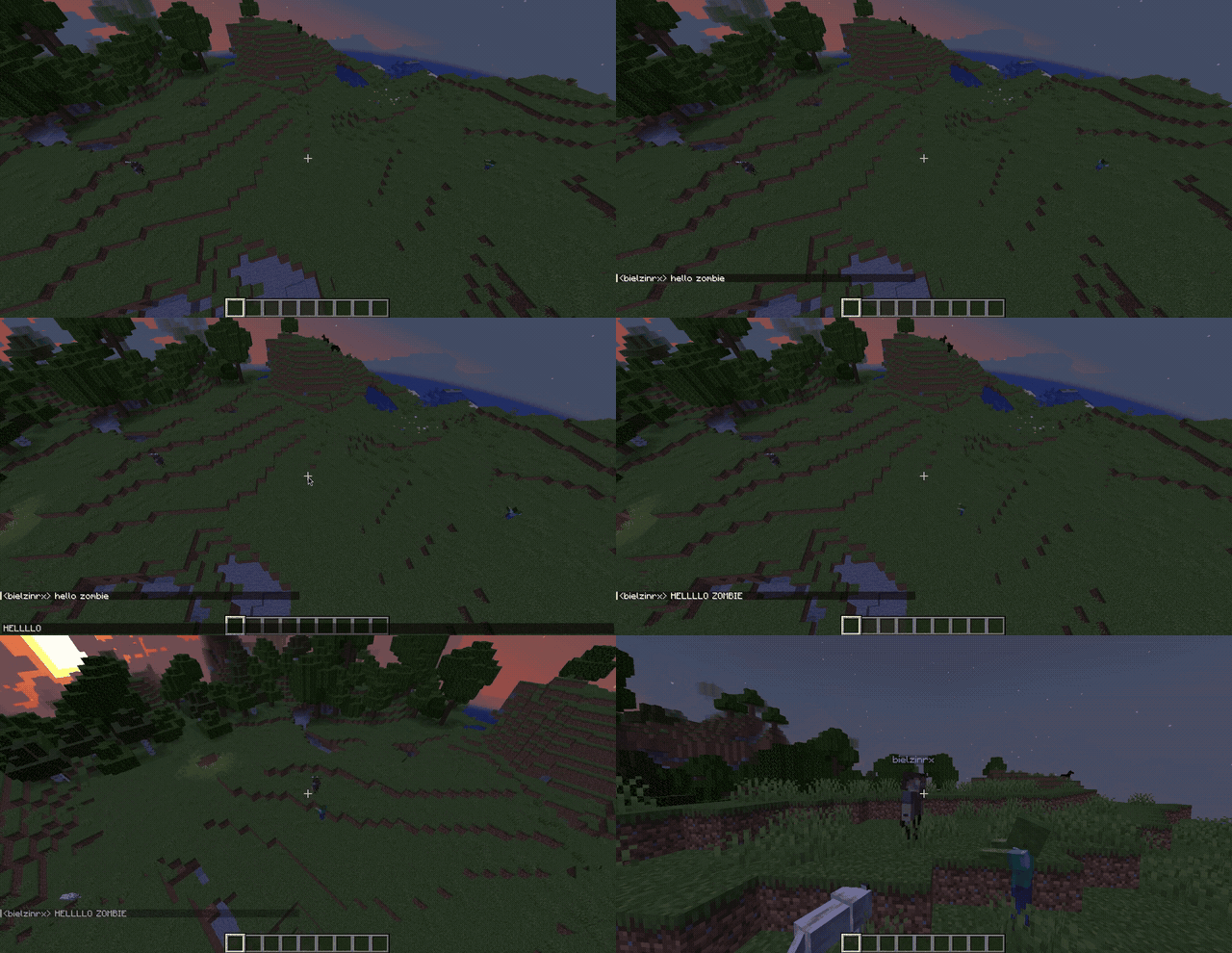
- Caps carry.
HELPtravels farther thanhelp, and!!!brings company faster. Shouting has consequences. - Walls muffle. Sound is raycast block by block, mouth to ear: every solid block between you trims 12.5% of a message's reach, and eight of them cut it off entirely. A sealed shelter is a real shelter.
- Mobs stay mobs. No teleport-aggro, no stacked odds. A mob mid-fight keeps its real target, villagers still flee zombies, and a villager you've taught to listen wakes for a shout and nothing less. Vanilla AI stays vanilla — the world just… listens now.
- Prefixes are silent. Messages starting with
!,@,#or/are never heard. You cannot lure with commands, and admin chat stays quiet.
◈ Not just a trap — a tool
The same rule that gets you killed can work for you.
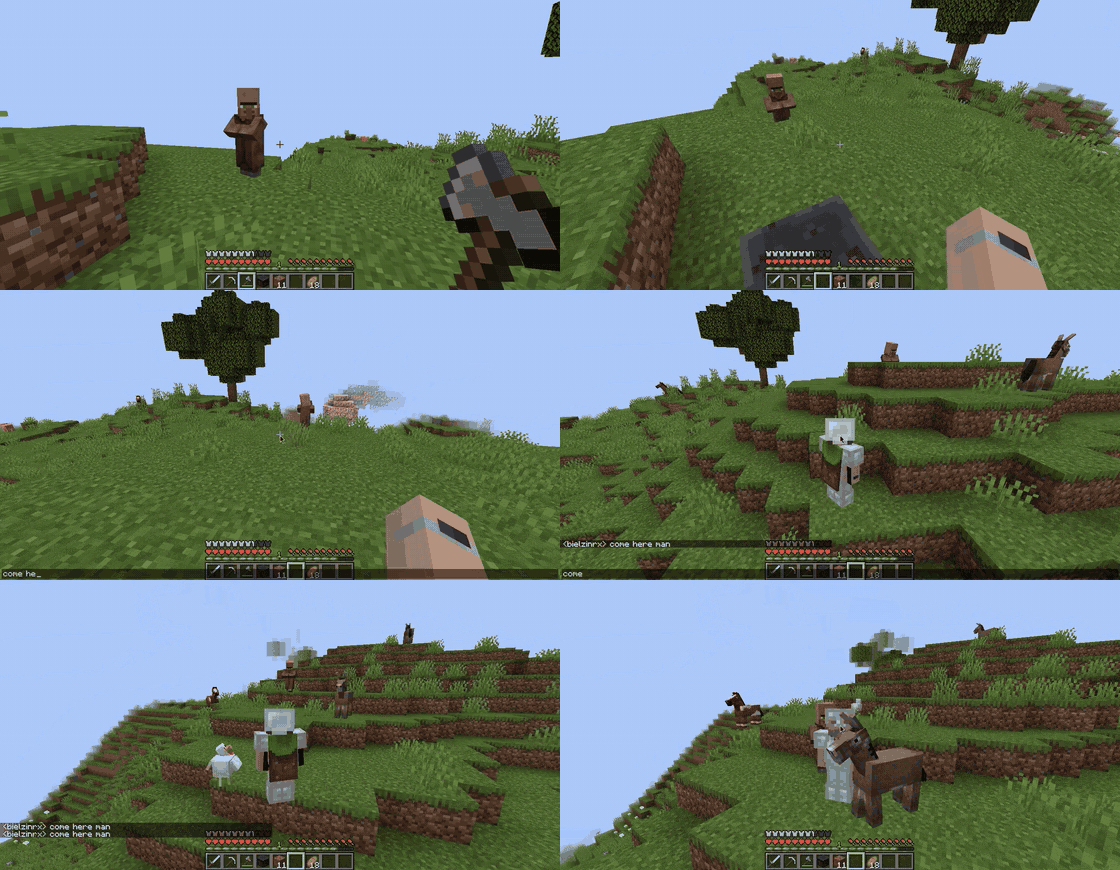
- call villagers to the farm with a sentence. goodbye, boat method. (one command first:
/atc entity add minecraft:villager— the default listen-list is hostile mobs only, so villagers stay quiet until you say otherwise. Waking a whole village shouldn't be an accident. And if a villager already shuffles over on your server, someone added it there once:/atc entity listshows exactly who hears.) - type at the ridge, slip away while they check it out.
- turn chat itself into a game of stealth on survival and challenge servers.
- host a "no talking" night — and find out who breaks first.
- teach mobs from other mods to listen too —
/atc entity addand they hear you. - and yes: finally, a reason for the player who never stops shouting to whisper.
◈ Troll Mode
The admin's favorite button.
/atc trollmode add <player> secretly marks someone — add @a marks the whole server at once. From then on, everything they type carries farther and pulls harder — mobs quietly gravitate toward them. No glow, no warning, no explanation. Just a friend slowly realizing the horde always knows exactly where they are.
It only changes how loud their voice is — never their loot, their health, or their odds in a fight. Everything that happens to them could happen to anyone who shouts too hard.
They will never know why.
Need a mercy button? /atc trollmode remove <player> un-marks one player, and /atc trollmode remove @a hands anonymity back to everyone at once — both autocomplete.
◈ Make it yours
Adjust how intense the world feels without touching the core mechanic — everything applies live, no restart.
- Presets — swap the whole vibe in one command: Safe, Casual, Chaos or Silent (
/atc preset set chaos), or save and reuse your own./atc preset undowhen the chaos went further than planned. - Vocal fatigue (off by default) — shout too much and you go hoarse: a short mute, and curious mobs coming to check on you. Milk clears it instantly, honey helps, death resets it.
- Anti-spam (off by default) — rapid-fire messages stop attracting mobs. Chat is never cancelled or hidden; it just stops being loud.
◈ Commands — full reference
Basics (everyone can run these)
| Command | What it does |
|---|---|
/atc help [category] |
In-game manual: overview, gameplay, mobs, admin, feature, config — plus walkiechat when Walkie-Chat is installed and client when you run the optional client. All autocomplete. |
/atc status |
Live report: range, toggles, cooldowns, mob speed — and the Walkie-Chat bridge state when the mod is present. |
Tuning (needs op level 2, all applied live — no restart)
| Command | What it does |
|---|---|
/atc debug [on|off] |
Shows what the world heard and who came. Bare command toggles it. |
/atc preset set <name> |
The whole balance in one command: safe, casual, chaos, silent — or a preset of your own. |
/atc preset undo |
Puts back exactly what the last preset changed. |
/atc preset custom |
Build and keep your own: save, update, delete, rename <name>, list. |
/atc preset reset · status |
Factory defaults / what is active right now. |
/atc config list |
Every option with current vs. default value. |
/atc config info <option> |
What an option does and its valid range — in game. |
/atc config hearingrange [0–500] |
How far a normal voice carries. Bare = current value. |
/atc config capsrangebonus [0–100] |
Extra blocks when you SHOUT. |
/atc config mobspeed |
How eagerly mobs walk toward a voice: base <0.5–2.0>, max <0.5–3.0>. |
/atc config forgettime <1–300> |
How long they keep investigating before giving up (seconds). |
/atc config fatigue |
When fatigue bites, and how long the hoarse phase lasts: threshold <1–100000>, muteduration <1–3600> (seconds). |
/atc feature caps |
The CAPS mechanic itself: enable, disable; bare = status. |
/atc feature fatigue |
Vocal fatigue enable / disable (clears state on off). |
/atc feature antispam |
The burst guard, with live feedback: enable, disable, status. |
/atc feature antispam cooldown |
Rest between scans per player: <0–60> seconds, enforced while anti-spam is on. |
/atc feature antispam window |
Messages per window before the tap quiets: <max 0–50> <seconds 1–120>. |
People & creatures (op level 2 unless noted)
| Command | What it does |
|---|---|
/atc ignore add|remove |
Voices the world never hears: <player> or @a. @a mutes everyone at once and calms current investigations. |
/atc trollmode add|remove |
The secret mark, on one <player> or on @a — marks or clears everyone at once. Both autocomplete. |
/atc trollmode list |
Who is marked right now. |
/atc entity add|remove |
Teach one more mob to listen, by entity id — modded ones included. |
/atc entity list |
Exactly which mobs can hear you. Default: the 24 vanilla hostiles. |
/atc client particles |
(player command, needs the optional client) your personal particle trail: enable, disable; bare shows status. |
Walkie-Chat (only visible when Walkie-Chat is installed; op level 2)
| Command | What it does |
|---|---|
/atc walkiechat compat |
The bridge, live: enable / disable. |
/atc walkiechat proximity |
A floor for handheld walkie voices: range <0–500>, capsbonus <0–100>. It applies when Walkie-Chat reports its own proximity range, which not every Walkie-Chat version does. |
Anything with <arguments> autocompletes in game — you never need to memorize this table.
◈ Every config option (defaults included)
The file lives at config/attracttochat-common.json on the server side. Every value carries a one-line # comment written by the mod — edit freely; it all applies live.
| Option | Default | In one line |
|---|---|---|
hearingRange |
30 | How far a normal message travels, in blocks. |
capsRangeBonus |
5 | Extra reach when you SHOUT. |
enableCapsFeature |
on | Turn CAPS sensitivity on or off entirely. |
mobSpeedBase |
1.2 | How eagerly mobs start walking toward a voice. |
mobSpeedMax |
2.0 | The ceiling loudness can push them up to. |
forgetTargetAfterSeconds |
20 | How long they keep investigating before giving up. |
scanCooldownTicks |
40 | Rest between attraction scans per player. Enforced while anti-spam is on; with anti-spam off, every accepted message runs one scan. |
enableVocalFatigue |
off | Shout too much → short mute + curious visitors. |
muteDurationTicks |
600 | How long the hoarse phase lasts (ticks; 20 = 1 s). |
traumaThreshold |
1000 | Fatigue buildup needed before it bites; decays with calm chat. |
enableAntiSpam |
off | Rapid-fire messages stop attracting. |
antiSpamMaxMessages |
3 | Messages inside the window that still count as talking, not spamming. |
antiSpamWindowSeconds |
8 | How many seconds that window covers. |
walkieChatCompat |
on | The Walkie-Chat bridge. Does nothing at all unless Walkie-Chat is installed. |
walkieChatProximityRange |
15 | Floor for handheld walkie voices: Walkie-Chat asks ATC for it before reporting its own range. |
walkieChatProximityCapsBonus |
10 | The CAPS extra on those voices, same condition. |
debugMode |
off | What /atc debug flips. |
Nothing here is hidden — /atc config info <option> explains every one of them in game too.
◈ Compatibility — tested pairings & how it behaves with others
- Walkie-Chat (by Theus452, Modrinth) — Walkie-Talkies talk, mobs listen. A voice on the air is heard where you stand, and a message Walkie-Chat already delivered is never counted twice.
- Talk on a Walkie-Talkie beside a Walkie Block set to the same frequency and the horde comes for the relay instead of you. Plain chat always brings them to you — typing next to a block does not hand it to the mob.
- A station under attack is chipped down with the game's own cracking progress, one mob at a time, so a crowd takes turns: a slime hops on top of it, a creeper finishes it with the last tick of its fuse. The wreck drops nothing, and everyone tuned to that channel hears it die over the walkie, naming whatever did it.
- The bridge is optional, on by default, and off with one command (
/atc walkiechat compat disable)./atc statusalways tells you what's live. - Voice chat mods — Attract to Chat listens to typed words, not microphone audio. Same server, no overlap.
- AI / combat mods — the investigation is one more entry in the mob's own goal list, claiming only movement and look. It never touches the attack target: a mob fighting you keeps fighting you, and it gives up the moment vanilla would.
- Mob-adding mods — by default, only the 24 vanilla hostiles hear you. That is deliberate: a 300-mod pack should not gain new aggro by accident. When you want a mob to listen,
/atc entity add <modid:name>makes it hear, one decision at a time. - Minimaps, inventory UIs, shaders, performance mods — nothing to conflict with: no render hook, no GUI, no keybind, no entity models. The client half is one class that sends a single "I'm here" packet on join.
- Chat mods that block or cancel messages — a message cancelled before it reaches chat is not a sound: mobs never heard it, and never will. One deliberate exception: while the Walkie-Chat bridge is on, ATC re-reads cancelled chat itself, because Walkie-Chat cancels every message it relays — the bridge's own checks then decide what actually attracts.
◈ For server owners
Server-side only — drop it on the server, players install nothing. Vanilla and third-party clients join normally and never see a missing-mod warning; the optional client only adds the personal particle trail, and it's opt-in per player.
/atc debugshows you exactly what the mobs heard — and where they went./atc ignore add <player>is for the guy who found the loophole.- Everything the mod says to a player is translated on the server, in that player's own language. No client mod needed, no missing translations — built for mixed BR/EU/US servers.
◈ Start in 3 lines
- Grab the jar matching your Minecraft version and loader from the Files tab.
- Drop it in your server's
modsfolder. Fabric versions pair with Fabric API, Forge versions run standalone — either way, never mix loaders. - Boot it up. Say something. Watch what answers.
◈ FAQ
Do players need the mod installed?
No — the magic runs on the server.
Solo too?
Yes. A singleplayer world is a server too; the admin commands just need cheats enabled, and status/help/particles work regardless.
Does it replace Minecraft's mob AI?
No — the investigation is one goal among many; mobs in combat keep their real target, and eight solid blocks still keep you safe.
Do walls really matter?
Yes — block by block: 12.5% of a message's reach per solid block, and eight of them silence it entirely.
Does it work with other mods?
Yes — the Compatibility section above lists what is actually tested, and where behavior could surprise you (new mobs are silent until you add them).
Can I put it in a modpack?
Yes, please — MIT, no need to ask.
Say one word in a cave on your server tonight, and count what answers.

MIT — free in any modpack, no need to ask. Credit appreciated, not required. Bugs, ideas and questions go to the issue tracker.




Created by bielzinrx · Walkie-Chat by Theus452 · Tested by kots_luffyzin
The Attract to Chat - Mob Attraction By Chat Messages Team