Ashlight
- By
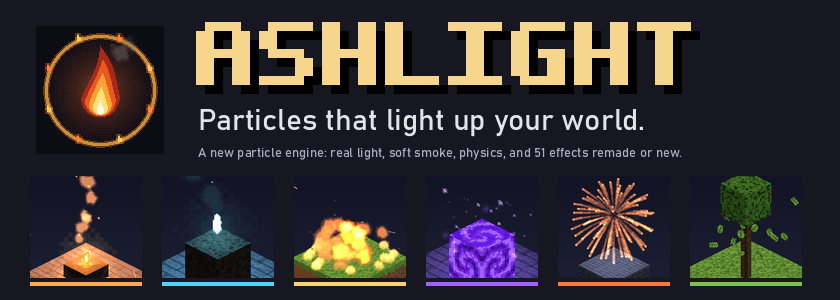
A new particle engine: smoke that billows and drifts, sparks that bounce, rain that splashes by surface, and embers that really light the blocks around them.
Particles that light up your world
Ashlight replaces how Minecraft simulates, lights and draws particles. Smoke billows, rolls and drifts in one shared wind. Sparks bounce off blocks and settle. Rain splashes differently on water, stone and leaves. And everything that glows (embers, flames, sparks, magic) casts real, flickering light on the blocks around it.
It still looks like Minecraft: every sprite is pixel art, and every effect keeps the colour and timing you know. It just looks like the world is finally on fire.
Ashlight is new. There could still be bugs that have to be fixed.
What changes
- Emberlight. Glowing particles light the blocks and mobs near them, with flicker. A campfire puts a warm pool of light on the grass, soul fire casts cold blue light, a firework lights the ground in its own colour. In daylight the light fades so nothing glows by mistake.
- Real smoke. Soft, lit, slowly turning puffs that grow, thin out and drift with the wind. They fade softly where they touch blocks instead of cutting through them.
- Physics. Gravity, drag, wind and curl noise. Particles collide with the real block shapes: sparks bounce, debris slides and stops, ash sticks.
- Weather by surface. Rain makes rings on water, crowns and spray on stone, drips from leaves and sizzles on lava. Snow drifts. Storms bring mist.
- Correct sorting. Every particle is sorted back to front in one pass, so smoke behind glass and bubbles under water look right.
- A hard budget. You choose the most particles that can exist. When the budget fills, ambient effects thin out first; explosions and gameplay effects stay.
Scenes
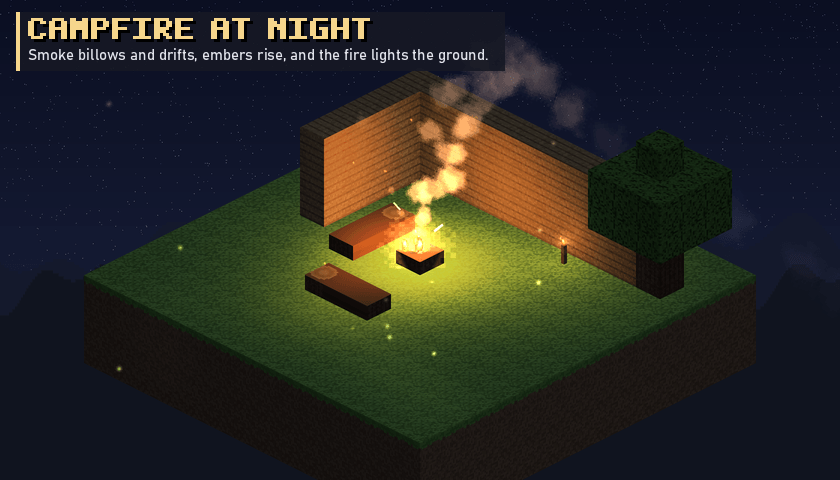
Campfire at night
Smoke rises in a column and bends with the wind. Embers rise, fade from yellow to red and go out. The fire lights the ground, the logs and the wall behind it.
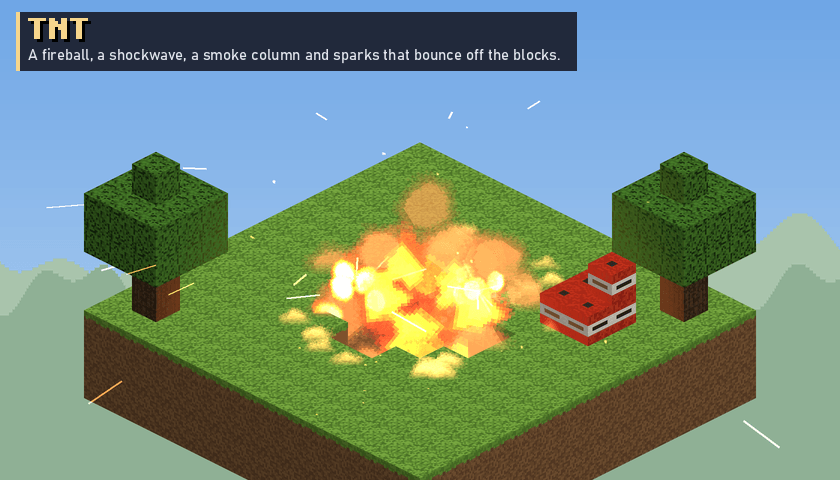
TNT
A white flash, a fireball that rolls outward, a shockwave on the ground and a column of smoke that hangs in the air. Sparks and embers fly out and bounce off the blocks. Chains of 100 TNT make one big smoke column, not a black wall.
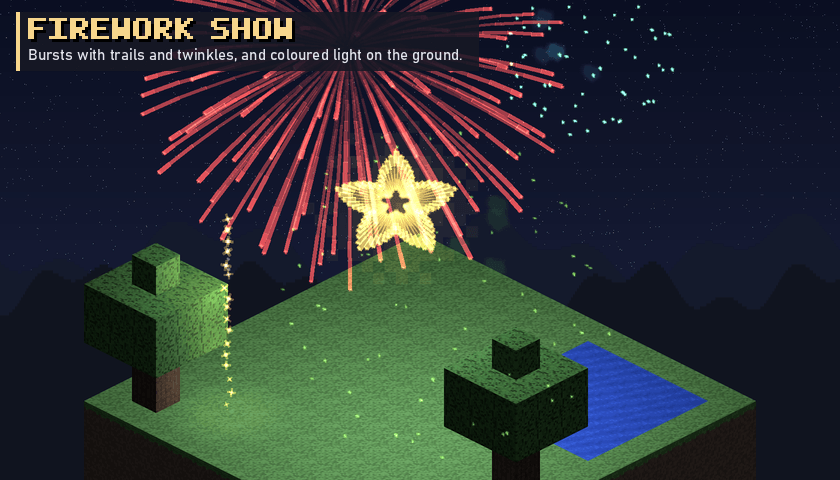
Firework show
Every vanilla shape (small ball, large ball, star, creeper, burst) with trails, twinkles and glitter. Each burst lights the ground in its colour for a moment.
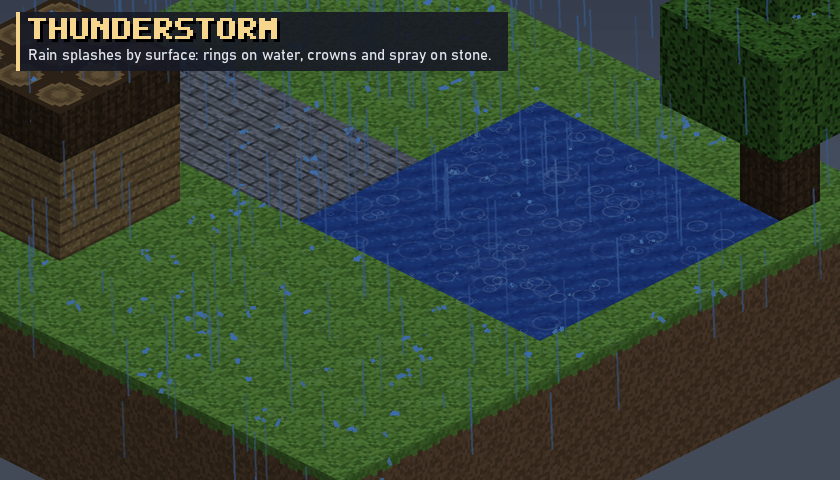
Thunderstorm
Every raindrop splashes by what it hits. A lake fills with rings, stone paths get crowns and spray, and low mist rolls over the fields.
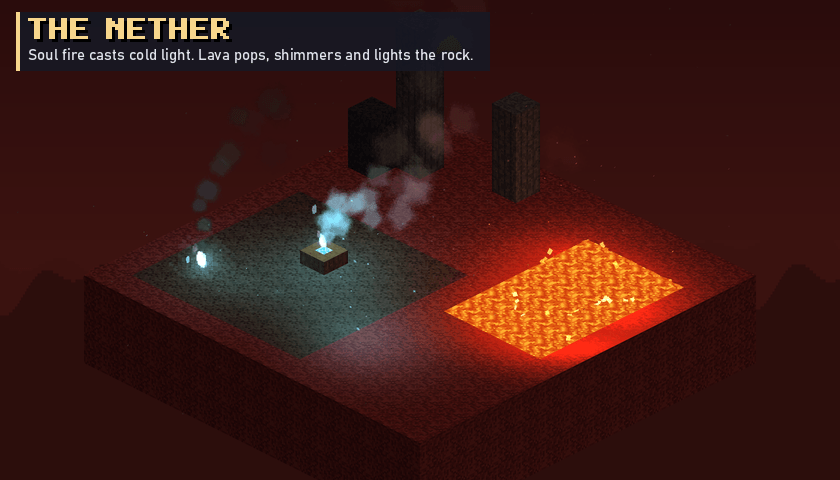
The Nether
Soul fire and soul campfires burn with blue flames and cold light. Lava pops, throws droplets and makes the air above it shimmer. Ash drifts through the valleys.
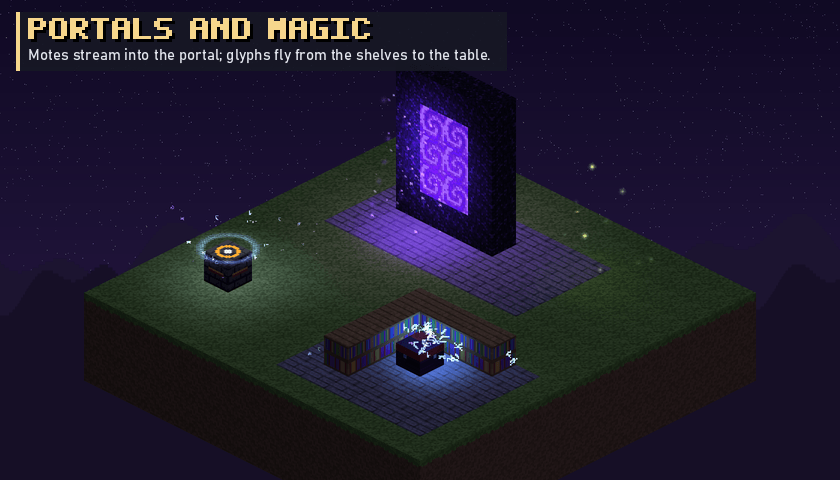
Portals and magic
Motes stream into a nether portal and colour the stone purple. Glyphs fly from the bookshelves into the enchanting table.
Effects
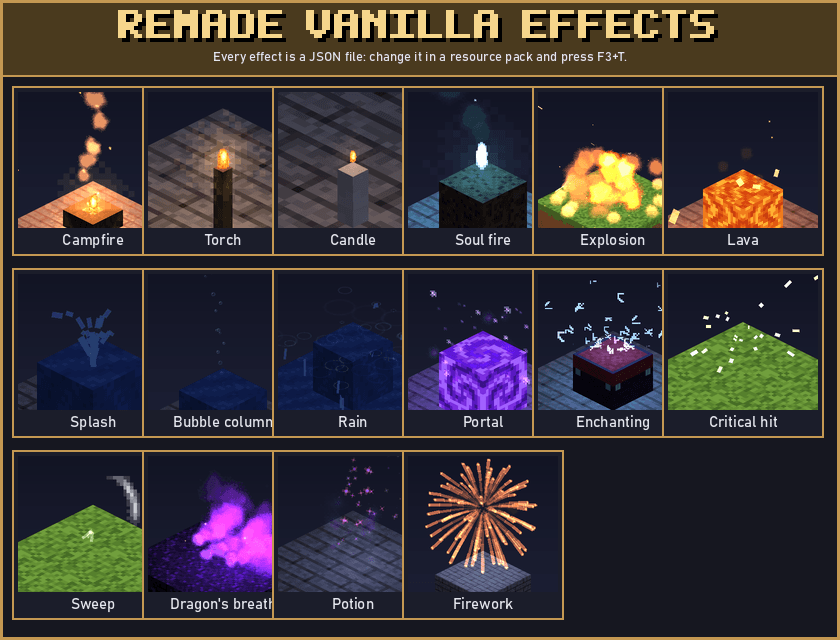
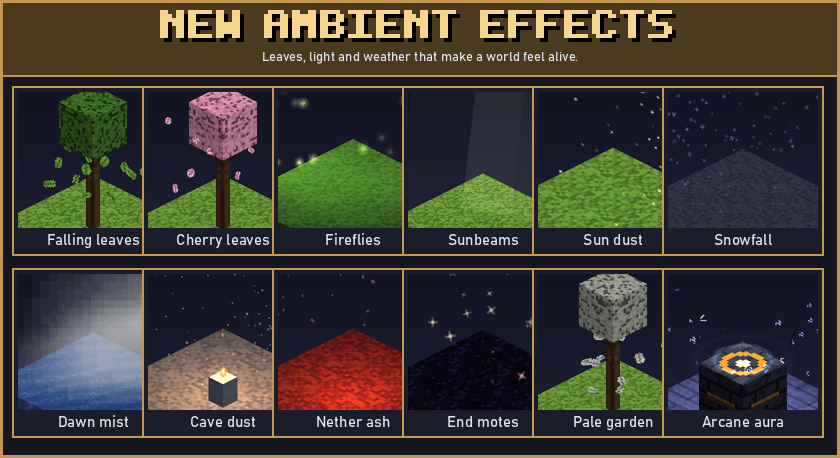
- Remade vanilla effects: explosions, fire, torches, candles, campfires, soul fire, copper fire, smoke, lava, block breaking, block placing, footsteps, splashes, bubbles, rain, potions, enchanting, portals, crits, sweeps, mob deaths, fireworks and dragon's breath.
- New ambient effects: falling leaves (also cherry and pale garden leaves), fireflies, sunbeams and sun dust in forests, dawn mist over water, cave dust, Nether ash, End motes, heat shimmer over lava and storm mist.
- Showcase:
/ashlight effect <id>plays any effect./ashlight showcasebuilds a gallery of Effect Pedestals: right-click a pedestal to play its effect, sneak-right-click to choose the next one, or power it with redstone.
Settings
Open the settings from the mod list (Config) or with the Ashlight settings key (not bound by default). Every option has a tooltip.
- Profiles: Low, Medium, High, Ultra and Custom.
- Particle budget and particle distance.
- Emberlight: Off, Low or High.
- Soft particles, remade vanilla effects, ambient effects and weather effects on or off.
- Vanilla fallback: turns Ashlight off and shows the normal particles again.
- Debug overlay: particle count, simulation time, render time and memory (also in F3).
For pack makers and modders
- Every effect is a JSON file in
assets/<namespace>/ashlight/effects/. Change one in a resource pack and press F3+T. Mistakes are reported with the file name and the exact field. - An effect can replace a vanilla particle type and have a soul-fire variant.
- Public API: spawn effects from the client or the server, attach effects to entities, register effects in code. The server sends small packets, so effects stay in sync in multiplayer. See
API.mdin the source.
Performance
Ashlight simulates on worker threads at 20 ticks per second and draws all particles with GPU instancing in one sorted pass. Distance culling, view culling and the budget keep the cost steady. On the test PC (1080p), Ashlight ran at 89 fps with 38,000 particles and 56 fps with 74,000 particles on screen, and it gave better 1% lows than vanilla in the 100 TNT and firework tests.
Compatibility
- Tested with Sodium, ImmediatelyFast, Entity Culling, FerriteCore, EMF, ETF, JEI, Jade, JourneyMap, FTB mods and GeckoLib.
- Iris and shader packs: when a shader pack is on, Ashlight draws its particles through the vanilla particle pipeline, so the pack lights them. Emberlight, soft particles and heat shimmer are off in this mode. Tested with Complementary Reimagined.
- Particles from other mods are not changed.
Requirements
- Minecraft 1.21.11 with NeoForge 21.11.48 or newer.
- No required libraries.
- Install it on the client. Install it on the server too, to use Effect Pedestals and to play effects from the server.
- Optional: Iris for shader packs.
All sprites, textures, shaders and code of Ashlight are original work.
Ashlight Team