Agent Diagnostics Toolkit
- By
Sets up test scenarios from one command and writes what happened into latest.log, so an AI assistant can diagnose a manual test.
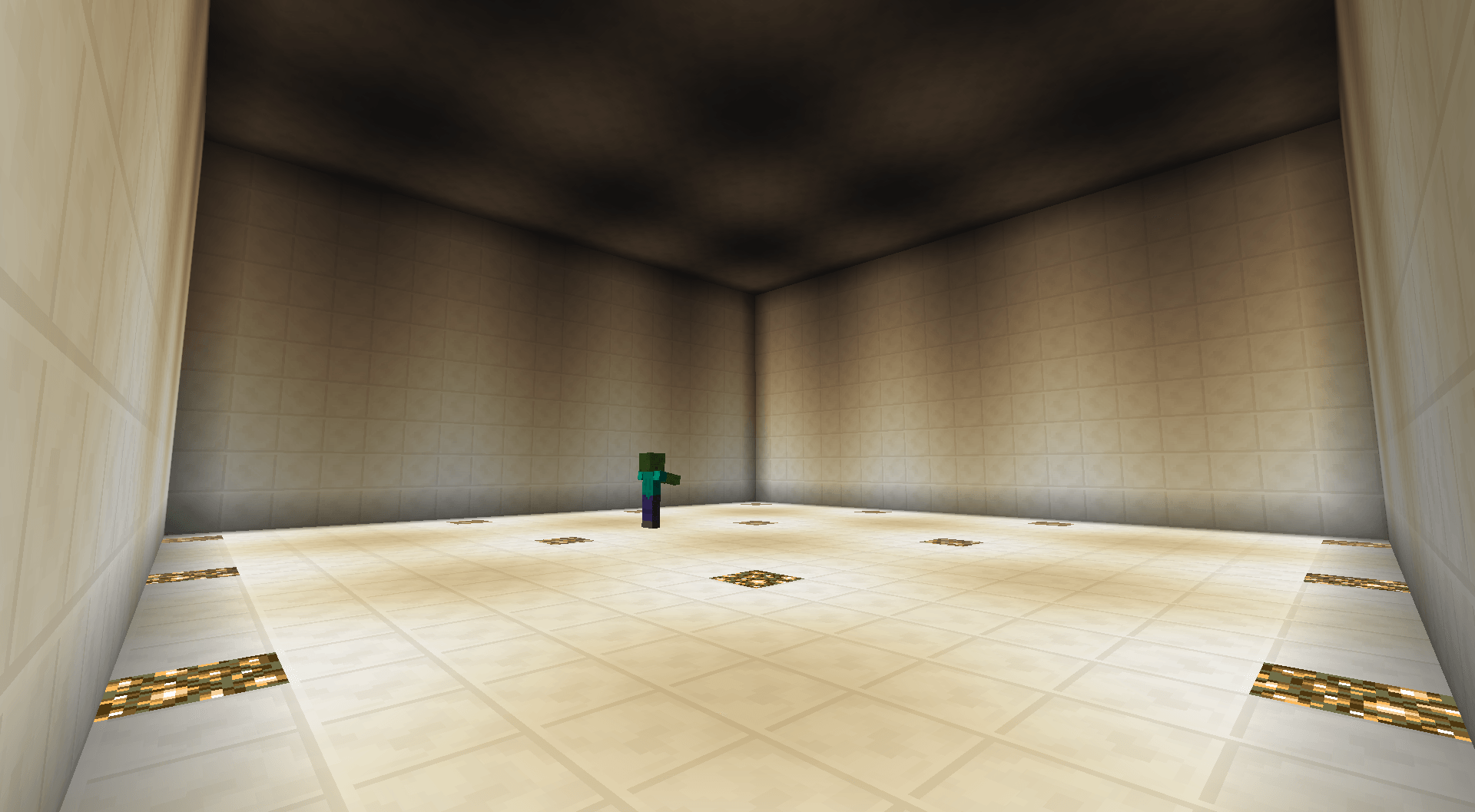
Test Arena.png
Description
Agent Test Toolkit
A development tool for Minecraft mod authors. This is not a gameplay mod. It adds no items, no blocks, no recipes, and nothing to find in a world.
It is for someone developing a Minecraft mod. It works perfectly well on its own, as a way to set up a test scenario without typing the same eight commands every time. But its main purpose is to help an AI coding assistant stop relying on the developer to describe what happened on screen, by writing what the game actually did into the log in a form a program can read.
It does that by:
- preparing a test arena
- bundling commands so a scenario can be set up in one step
- recording what happens in the world into the log
- reporting the state of players, entities and blocks on demand
Everything it records happens on the server, so that is where it goes. In singleplayer, that just means installing it. Commands need operator permission; /devtool help lists them.
If you are working with an AI assistant, point it at AGENTS.md. That file tells it what the toolkit can do, how to keep the log readable, and the traps worth knowing about before it wastes a test run.
If you are reading yourself, start with README.md, then docs/commands.md for the full command list.
AI usage disclaimer: This mod was developed with AI-agent assistance using this agent workflow. The project owner reviewed the work during development.
What it does
Test arenas. One command builds an enclosed, lit, empty box of whatever size you ask for. Resetting it clears everything inside and repairs the walls, and it is safe to run at the start of every attempt. Dying inside sends you back to the arena rather than to your bed.
Command bundles. Put a list of commands in a JSON file, run it with one command. Delays between commands, stop on first failure, and one bundle can call another. They live in your config folder, not in a world save, so they survive making a fresh test world.
Event logging. Eight kinds of game event, all off until you turn them on, each restrictable to the arena or to a radius so the log stays readable.
Inspection. Report a player, entity, block, inventory or raw NBT as structured text, on demand.
Sessions and markers. Name a run and drop labelled bookmarks in the log, so the interesting part can be found later.
Self reporting. Ask the mod what it actually supports. The answer comes from the running build, not from a document that might be out of date.
Waiting, checking, and asking. A bundle can wait until a region is loaded instead of guessing a delay, show a label on screen and pause until you type that you are ready, and compare a count, a presence, a dimension or a game mode with a value you declared. Each comparison is written to the log as a plain outcome, and a verdict there means only that the observation matched the value you gave it. The assistant still decides what that means.
Fixtures and restarts. Name the one entity a bundle just summoned, find it again later by that name, and remove exactly it. A checkpoint stored in the world save remembers which bundle must run next across a stop and restart, and refuses anything else until it has run.
Examples
Setting up a repeatable run
Say you are testing what your mod does when a block is placed.
Put this in config/devtool/bundles/mytest.json:
{
  "block_test": {
    "commands": [
      "devtool arena reset",
      "gamerule doMobSpawning false",
      "devtool log block_place on arena",
      "devtool session start block_test",
      "devtool mark READY"
    ]
  }
}
Then, every time you want a clean run:
/devtool run block_testThat empties the arena, stops mobs wandering in, starts recording block placement inside the arena only, and drops a bookmark. Place a block, and the log has this:
[DevToolkit][BLOCK_PLACE] side=SERVER worldTick=19051 block=minecraft:log meta=0
dimension=0 posX=177 posY=69 posZ=262 blockState=minecraft:log[axis=y,variant=oak]
placedBy=Developer placedById=928
One line, always the same shape, sitting in latest.log next to your own mod output and Forge output. Your assistant can read that without you describing anything.
An arena to test in
/devtool arena create 20 10 20Builds a sealed, lit, empty box twenty blocks across, centred where you stand, floor level with your feet. Lit well enough that nothing spawns inside. Your respawn point moves in with it, so dying mid-test does not send you back to your bed.
One per dimension, remembered in the world save. Later:
/devtool arena resetRepairs anything you broke, clears every mob, dropped item and stray block, and puts you back at the start position. Safe at the top of every attempt, because running it twice gives the same result as running it once.
Running your setup automatically on login
Settings live in config/devtool/devtool.cfg: arena defaults, the block arenas are built from, how much NBT is written before it gets truncated, and this. Anything that could change your world or your settings without being asked is off until you turn it on.
join {
    B:enabled=true
    S:bundle=block_test
}
Now that bundle runs whenever an operator joins. Log in and the world is already prepared: arena cleared, mobs off, recording started. Off by default, and the bundle name empty by default, so installing the mod changes nothing on its own.
Asking what is in the world
/devtool entities nearby 20
/devtool inspect entity @e[name=target]
/devtool nbt held
Each writes structured lines into the log rather than chat, so an assistant can read the answer instead of you retyping it.
The Agent Diagnostics Toolkit Team