Chunkglow
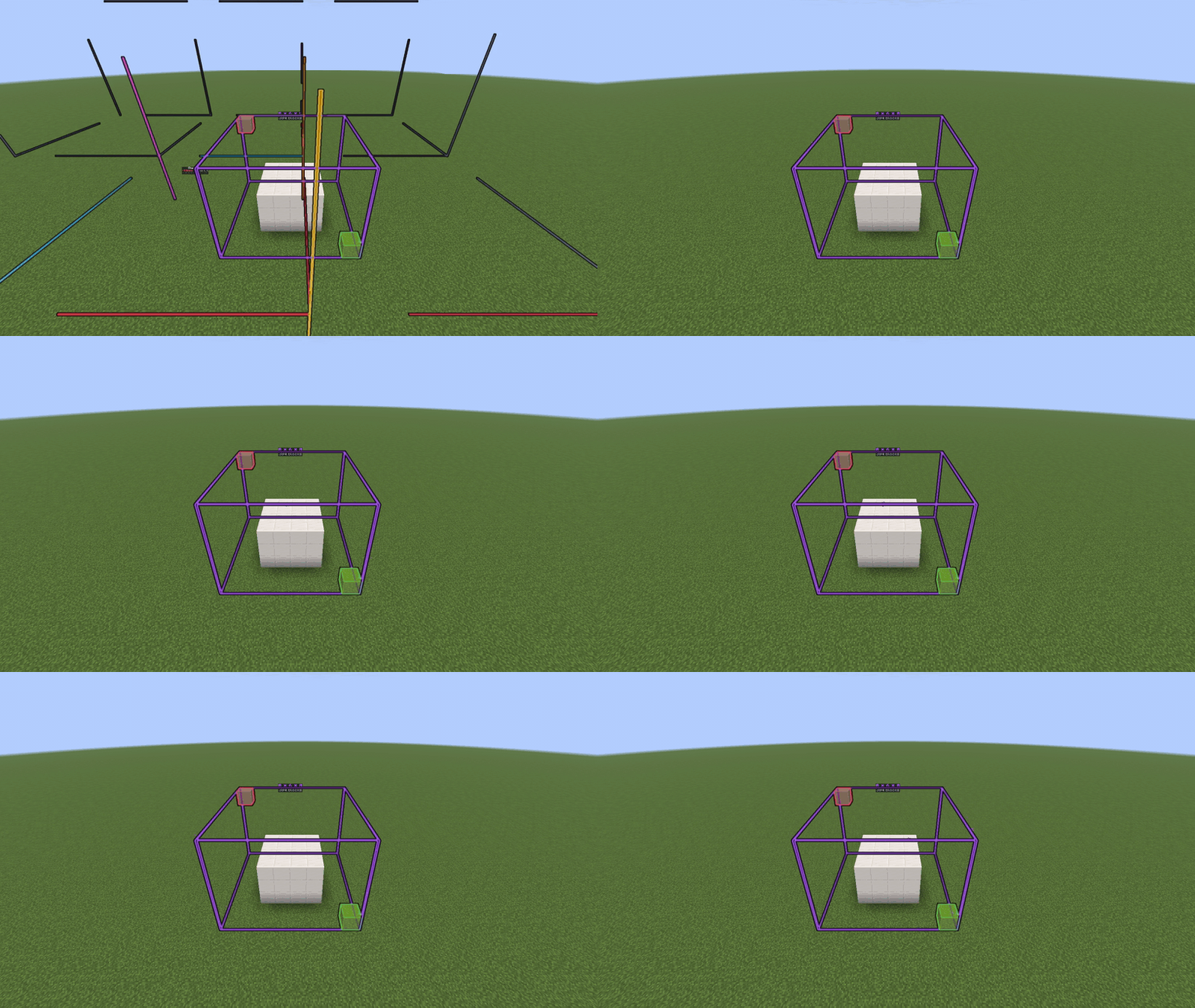
See chunk borders, region borders, slime chunks and your own selection boxes as glowing, animated outlines in the world. Everything is drawn with display entities and shown only to the player who asked for it, so other players never see your outlines.
Features
- Chunk outline – the chunk you stand in, with colour-coded corner posts, horizontal rings, and glowing red lines on region borders. It follows you as you move, or you can pin it on any chunk.
- Chunk grid – a grid of chunks around you with your own chunk highlighted (3x3 by default, up to 7x7).
- Slime finder – scans the chunks around you and lights up every slime chunk in green (5x5 by default, up to 9x9).
- Selection box – pick two corners with the wand or with commands and a glowing box appears between them, with its size and block count shown in chat.
- Chunk info – shows your chunk coordinates, the region file name (click to copy), your local position in the region, and the X/Z block range.
- Menu – a simple 27-slot GUI with one button per mode.
- Animations – lines sweep in and fold away, light pulses glide along the lines and sparks rise from the corner posts.
- Glow through walls – optional coloured glow outline so borders stay visible behind blocks.
- Action bar – shows the current chunk, the region file and the time left before the outline hides.
- Auto-hide – outlines hide themselves after a set time to save performance, and are removed when you leave, change world (for pinned outlines) or the plugin is disabled.
- Display entities are not saved to the world.
Commands
Main command: /chunkglow (aliases /cglow, /chunkborders). Permission: chunkglow.use.
| Command |
Description |
/chunkglow |
Toggle the outline of your chunk |
/chunkglow chunk [x z] |
Outline your chunk, or pin a given chunk |
/chunkglow area [x z] |
Chunk grid around you or around a given chunk |
/chunkglow slime [x z] |
Show slime chunks around you or around a given chunk |
/chunkglow wand |
Get the selection wand |
/chunkglow pos1 [x y z] |
Set corner 1 (looked-at block, or given coordinates) |
/chunkglow pos2 [x y z] |
Set corner 2 (looked-at block, or given coordinates) |
/chunkglow cuboid |
Show the box between your two corners |
/chunkglow menu |
Open the menu |
/chunkglow info |
Chunk and region file you are in |
/chunkglow off |
Hide your outline |
/chunkglow help |
List the commands |
/chunkglow status |
Show the number of active outlines (admin) |
/chunkglow reload |
Reload the config (admin) |
The wand: left-click a block for corner 1, right-click a block for corner 2. When both corners are set, the box is drawn automatically. The wand does not break blocks.
Permissions
| Permission |
Default |
Description |
chunkglow.use |
everyone |
Use outlines, the menu and the wand |
chunkglow.admin |
op |
Use /chunkglow status and /chunkglow reload |
Supported Minecraft versions
1.21, 1.21.1, 1.21.3, 1.21.4, 1.21.5, 1.21.6, 1.21.7, 1.21.8, 1.21.9, 1.21.10, 1.21.11, 26.1.1, 26.1.2, 26.2, 26.3
Runs on Paper (Java).
Made by Avelotaro.
AI is used.
For Bussiness use email: avelotaro@gmail.com
For contact use Discord: https://discord.com/users/1563191066033791080