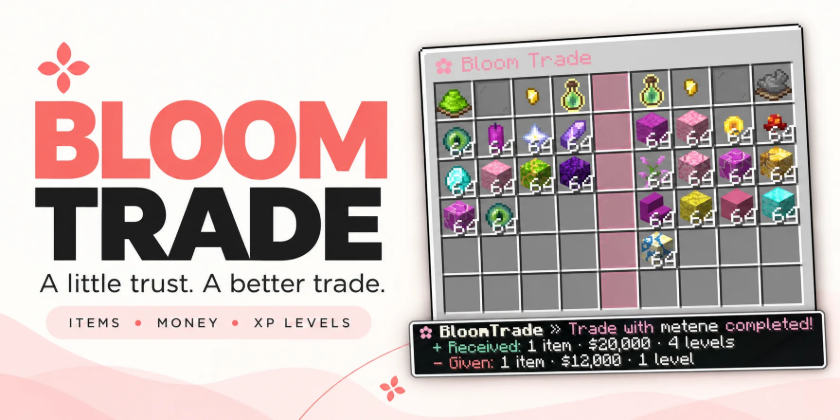
 Bloom Trade
A little charm. Every exchange.
Give player trading a softer touch. Bloom Trade brings items, money, and XP levels together in a clean, pink trading menu—with clear confirmations and gentle sounds.
 Two players. One simple exchange. No resource pack required.
 Your offer. Their offer.
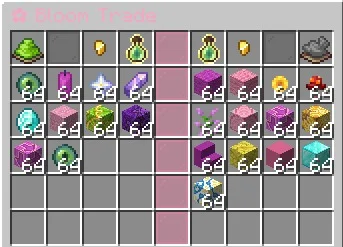
Trade side by side in an easy-to-read interface.
Items — place your items into your side of the menu and review your partner’s offer.
 Money — add an economy offer through Vault.
XP levels — share levels directly, without calculating raw XP points.
Pick up, move, and split your offered stacks to arrange the exchange your way.
 A simple way to say “Let’s trade”
Send a request with /trade <player>, or sneak and right-click another player.
If they sneak-right-click you back while your request is pending, the trade opens.
♡ Accept or decline requests with simple commands.
♡ Expiring requests keep old invitations out of the way.
♡ Request cooldowns help prevent spam.
 Take a look. Then confirm.
Both players confirm their own offers before the exchange begins.
Once both are ready, the green confirmation buttons count down:
5 → 4 → 3 → 2 → 1
Changed your mind? Click your confirmation button again to withdraw it.
Changing an item, money amount, or XP offer clears both confirmations and stops the countdown, giving everyone time to review the updated trade.
Your amount. Your choice.
Enter the exact amount you want to offer.
Click the Money or XP control and your menu temporarily closes so you can type the amount in chat. Your input stays private, and the trade menu automatically returns after a valid entry.
♡ Money appears with a clear currency format, such as $320.
♡ XP is offered in levels.
♡ Enter 0 to clear an amount.
♡ Type cancel or iptal to return without changing it.
No fixed increments. Just the amount you choose.
 A peek inside
Know what’s inside a shulker before confirming.
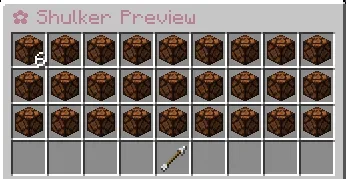
Right-click an offered shulker to open a read-only preview, inspect its contents, and return to the trade.
Previewing never lets players remove or insert items.
 Make it your Bloom
Enjoy the soft pink defaults or match the interface to your community.
Customize messages, GUI text, colors, currency display, sounds, and trade settings through configuration files.
Built-in English and Turkish language support keeps menus and feedback familiar.
♡ Soft pink headings.
♡ Lavender descriptions.
♡ Clear offer values and confirmation states.
♡ Compact summaries showing what you received and gave.
 A softer sound
Small sounds make each step feel more complete.
Gentle feedback accompanies requests, confirmations, countdowns, completed trades, and other interactions.
Customize supported sound settings or disable them to keep things quiet.
 Some items stay with you
Choose which items players may offer.
The configurable material blacklist lets you block items such as player heads from being placed into a trade.
♡ Add blocked materials through configuration.
♡ Disable the blacklist when you don’t need it.
♡ Blocked items stay with their owner.
The blacklist checks directly offered items; it does not recursively filter the contents of shulkers.
 Simple commands, familiar controls
| Command |
Description |
| /trade |
Displays trade help. |
| /trade <player> |
Sends a trade request. |
| /trade accept |
Accepts a pending request. |
| /trade deny |
Declines a pending request. |
| /trade cancel |
Cancels your trade or pending request. |
| /bloomtrade reload |
Reloads configuration and language files. |
Closing the trade menu normally cancels the exchange. Temporary transitions for amount entry and shulker previews keep the session connected.
Configuration reloads are restricted to authorized administrators and are blocked while trades are active.

 What you’ll need
• A supported Spigot, Paper/Paper fork, or Folia server.
• The appropriate Java version for your server.
• Vault and a compatible economy plugin for money trading.
Item and XP-level trading do not require Vault. No resource pack is required.
Compatibility targets include Minecraft 1.21.x and 26.x. Check the included compatibility documentation for exact supported and runtime-tested versions.
Small details. Sweeter trades.
Let every exchange Bloom.
You can support me via the Support Me! Addon.