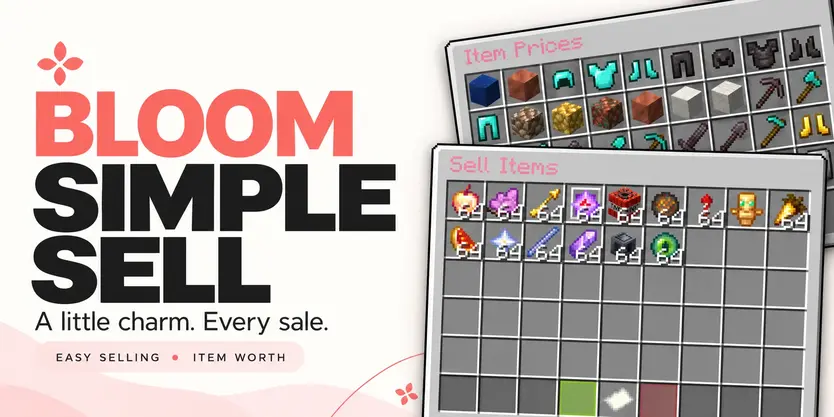
 Bloom Simple Sell
A little charm. Every sale.
Turn spare items into something useful. Bloom Simple Sell brings easy selling, a browsable price menu, and soft pink details to your server’s economy.
 Simple menus. Clear prices. No resource pack required.
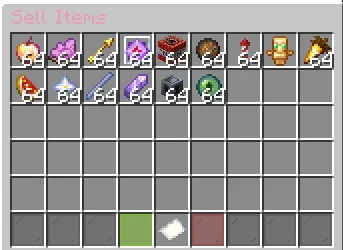
 Drop it in. See its value. Sell.
Open /sell, place your items in the menu, and check their total value before confirming.
 Sell multiple stacks together.
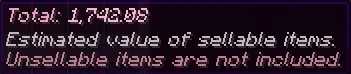
 See the estimated value of eligible items.
 Changed your mind? Cancel to get your items back.
Prefer a quick command? Use /sell hand to sell your held stack or /sell all to sell eligible items from your inventory.
 A little look before you sell
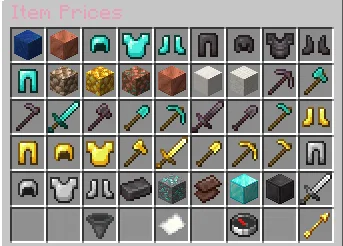
Wondering what your items are worth? Open /worth and browse your server’s selling prices.
 View individual item and full-stack values.
 Sort by price or name.
 Filter by category.
Browse pages with golden navigation arrows.
Your active sorting mode and filter stay clearly marked, making it easy to find what you need.
 Your prices. Your rules.
Adjust your economy through a categorized price_list.yml, with starter prices ready to customize.
Set individual item prices.
Blacklist materials you don’t want players to sell.
Configure protection for valuable custom items.
Customize messages, menu text, and gentle sounds.
English and Turkish language files included.
Connected to your economy
Sales use your server’s money through Vault, with a compatible economy provider such as EssentialsX Economy.
One familiar balance, from your everyday economy to every sale.
 Simple commands
| Command |
Description |
| /sell |
Open the selling menu. |
| /sell hand |
Sell the stack in your main hand. |
| /sell all |
Sell eligible inventory and hotbar items. |
| /worth |
Browse item prices. |
| /bloomsell reload |
Reload configuration, prices, and languages. |
 A little control. The right access.
| Permission |
Description |
| bloomsell.use |
Access the selling menu. |
| bloomsell.hand |
Use /sell hand. |
| bloomsell.all |
Use /sell all. |
| bloomsell.worth |
Browse the worth menu. |
| bloomsell.admin.reload |
Reload plugin settings. |
 What you’ll need
- A supported Minecraft server.
- Vault.
- A compatible economy provider, such as EssentialsX Economy.
Check the release’s compatibility information for supported server platforms and versions.
Less clutter. A little more money.
Let every sale Bloom.