ShowcasePedestals
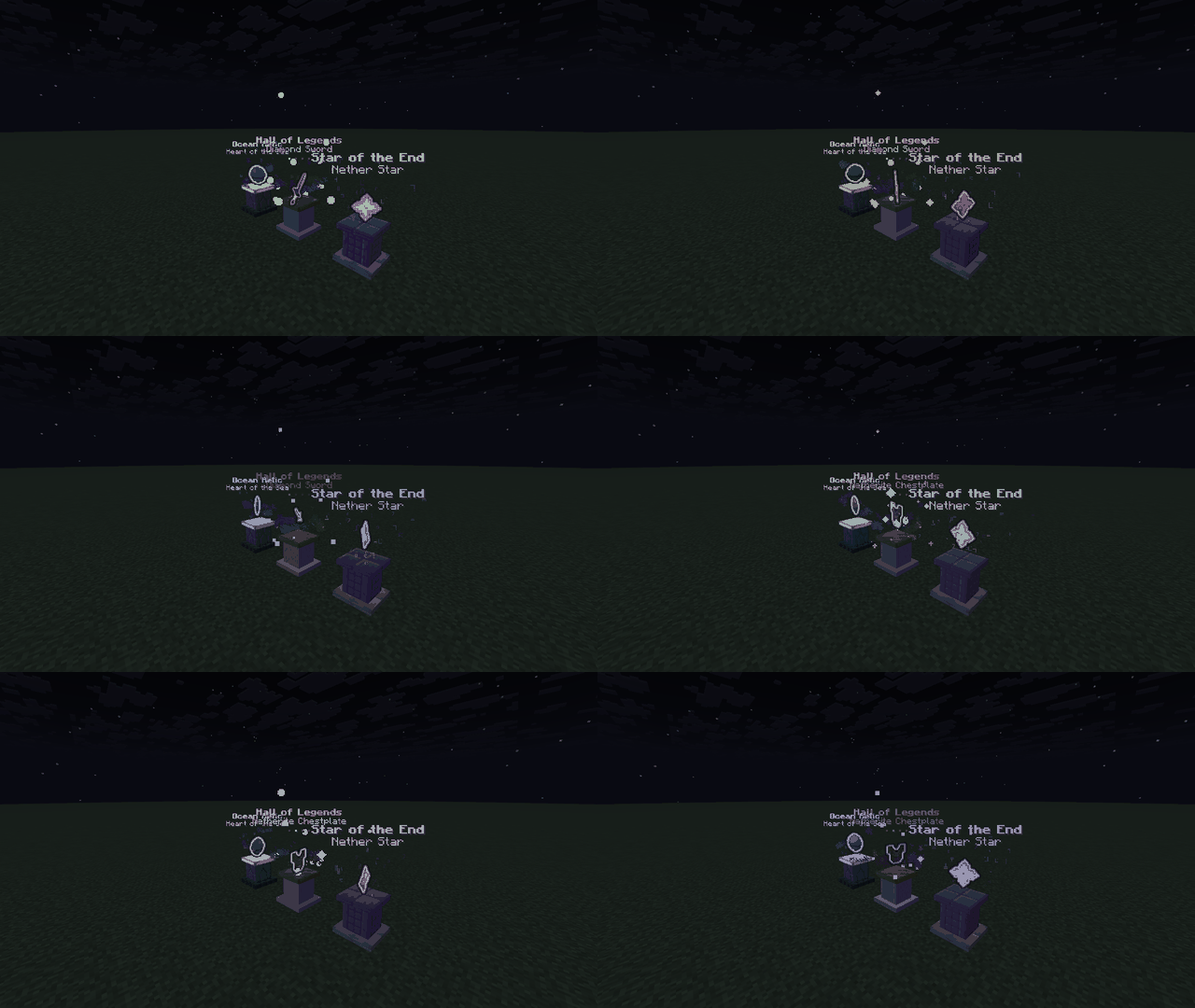
Turn any item into a floating, spinning, glowing centerpiece. Place a pedestal, drop an item on it, pick a particle style, and give it a colorful label. Everything is edited from a clean in-game menu.
Features
- Floating item display: the item spins and gently bobs above the pedestal, with an optional glow.
- 7 particle styles: None, Orbit, Helix, Sparkle, Soul Flame, Arcane and Rainbow. The glow color follows the style.
- 6 base styles: Quartz & Gold, Deepslate & Amethyst, Prismarine, Purpur, Gilded Blackstone, or Floating (no base). Bases are built from block displays.
- Multi-item showcases: up to 14 items per pedestal, cycling automatically at a speed you choose (or switch manually).
- Custom labels: MiniMessage colors, gradients and rainbow text, with an optional item name line under the label.
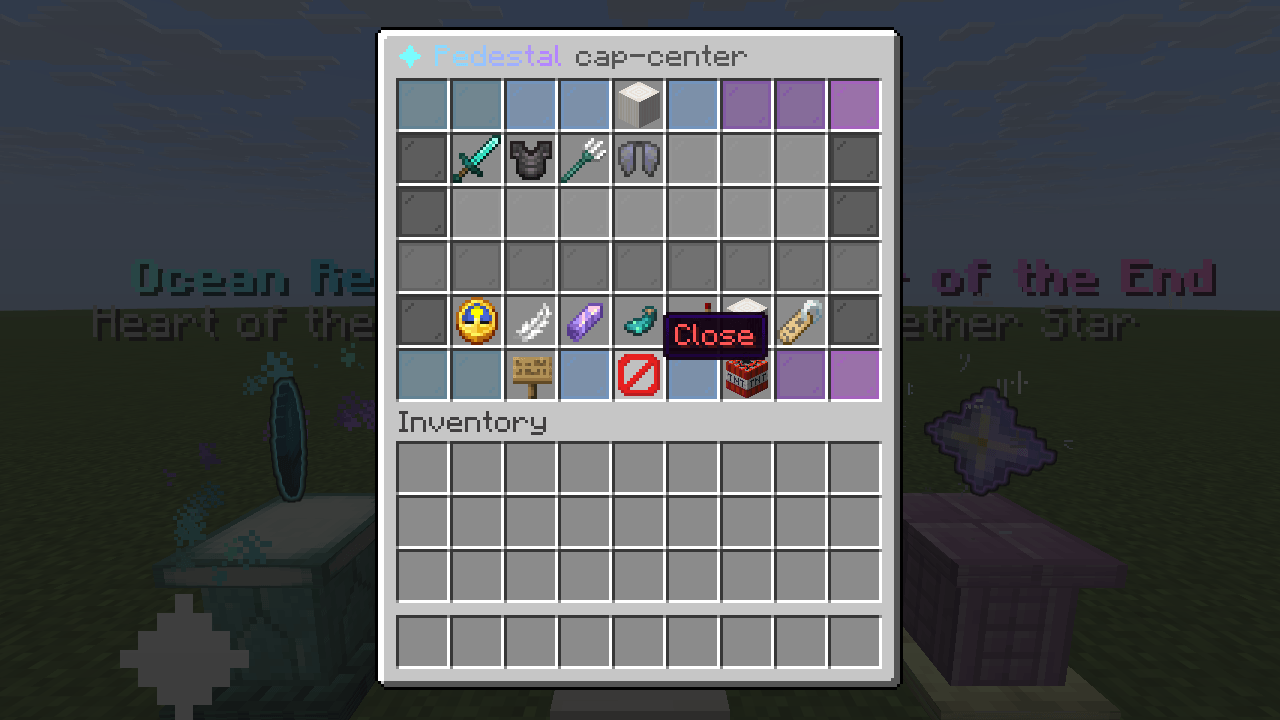
- Editor GUI: change rotation speed, bob height, particles, glow, cycle time, base, item name and label with a click. Click items in your inventory to add them, click showcased items to remove them.
- Quick add: sneak and right-click a pedestal while holding an item to add it.
- Craftable pedestal item: amethyst shard on top, three quartz blocks in the middle, three smooth stone slabs on the bottom (can be turned off).
- Solid bases: an invisible barrier keeps players from walking through a pedestal (optional).
- Per-player limit: cap how many pedestals each player can place. Admins are exempt.
- Lightweight: animation and particles only run when a player is nearby, and the update rate is configurable.
- Saved automatically: pedestals persist across restarts and chunk reloads.
How to use
- Get a Showcase Pedestal (craft it, or use
/pedestal give).
- Right-click a block to place it.
- Right-click the pedestal to open the editor, or sneak and right-click with an item in hand to add it quickly.
Pedestal owners and admins can edit. Other players can right-click a pedestal to see what it shows. Breaking the pedestal block directly is blocked; use the editor's Remove pedestal button (shift-click to confirm). Owners get the pedestal item back in survival mode.
Commands
Alias: /pedestals, /showcase
| Command |
Description |
Permission |
/pedestal help |
Show command help |
none |
/pedestal edit <name> |
Open the editor (players only; you must own the pedestal) |
showcasepedestals.use (owner) or showcasepedestals.admin |
/pedestal create <name> [x y z] [world] |
Create a pedestal (~ works for coordinates) |
showcasepedestals.admin |
/pedestal remove <name> |
Remove a pedestal |
showcasepedestals.admin |
/pedestal additem <name> [material] |
Add an item (or the one in your hand) |
showcasepedestals.admin |
/pedestal clearitems <name> |
Remove all items |
showcasepedestals.admin |
/pedestal set <name> <key> <value> |
Change a setting |
showcasepedestals.admin |
/pedestal next <name> |
Switch to the next item now |
showcasepedestals.admin |
/pedestal list |
List all pedestals (click to teleport) |
showcasepedestals.admin |
/pedestal info <name> |
Show a pedestal's settings |
showcasepedestals.admin |
/pedestal tp <name> |
Teleport to a pedestal |
showcasepedestals.admin |
/pedestal give [player] [amount] |
Give the pedestal item |
showcasepedestals.admin |
/pedestal reload |
Reload config and pedestals |
showcasepedestals.admin |
Keys for /pedestal set: label, speed (0-720 degrees per second), bob (0-0.5 blocks), particles, glow, cycle (seconds), base, itemname.
Permissions
| Permission |
Description |
Default |
showcasepedestals.use |
Place pedestals and edit your own |
everyone |
showcasepedestals.admin |
Manage every pedestal and use all commands |
op |
Supported Minecraft versions
1.21, 1.21.1, 1.21.3, 1.21.4, 1.21.5, 1.21.6, 1.21.7, 1.21.8, 1.21.9, 1.21.10, 1.21.11, 26.1.1, 26.1.2, 26.2, 26.3
Runs on Paper (Java).
Made by Avelotaro.
AI is used.
For Bussiness use email: avelotaro@gmail.com
For contact use Discord: https://discord.com/users/1563191066033791080