Teleportfx
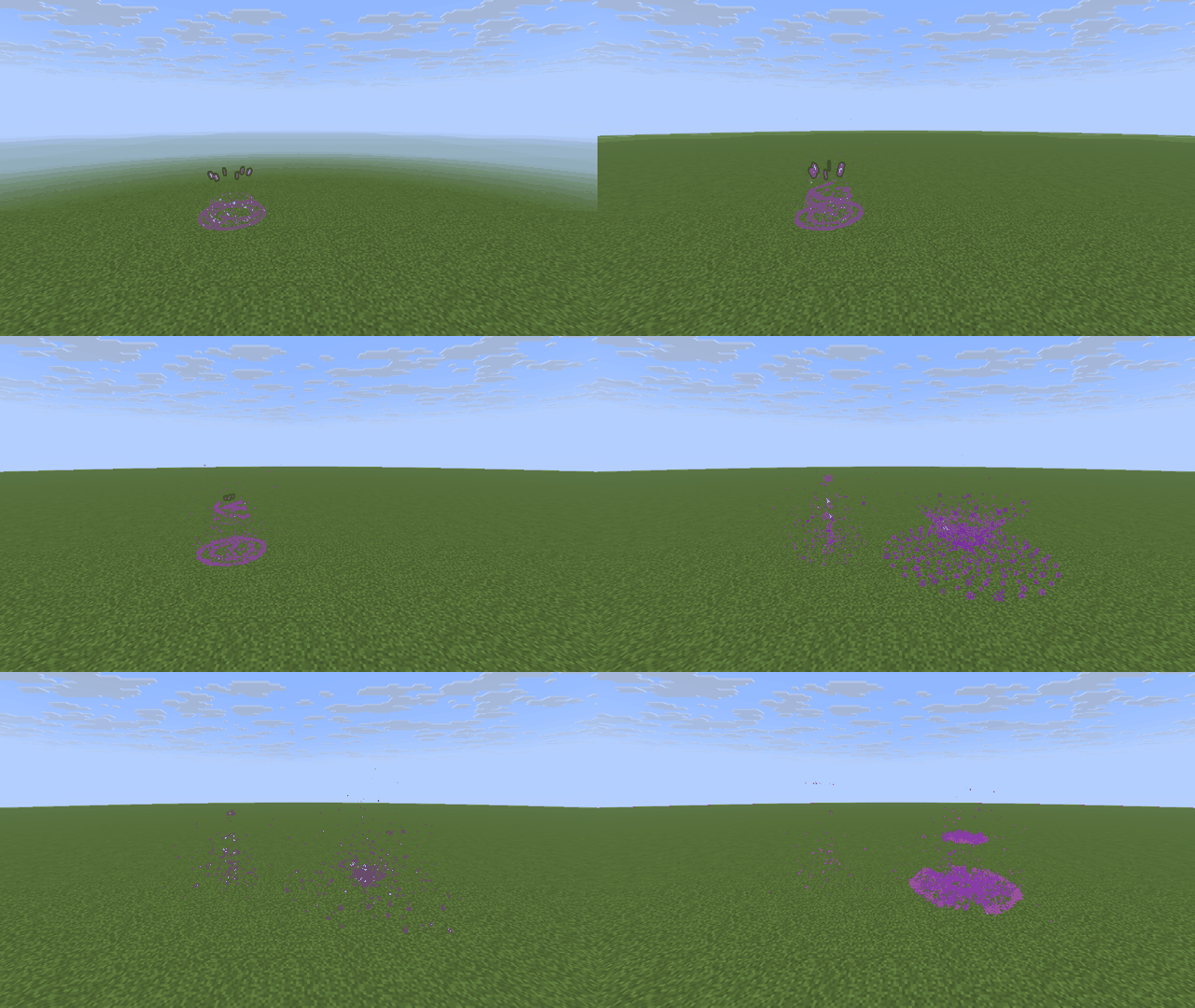
Give every teleport on your server a cinematic look. Teleportfx plays a particle and display-entity effect where a player leaves and where they arrive. It works with any plugin that teleports players (homes, warps, tpa, random teleport) and is purely cosmetic.
Features
- 4 effect styles: Portal Swirl, Star Burst, Lightning Rings and Shockwave.
- Charge-up and arrival: a charge-up at the departure spot, then a burst and a collapsing vortex at the destination.
- Glowing halo: a ring of floating display items above the player during the charge-up (optional).
- Closing cutscene: a glowing star polygon traces itself around the player, spins with a crown above their head, then flares out (optional, 3 to 12 points).
- Player menu: each player picks their own style in a GUI.
- Permission-based defaults: give VIP or MVP groups a different default style.
- Warm-up mode: optionally hold the teleport back while the charge-up plays.
- Built for busy servers: particle density multiplier, per-player cooldown, minimum distance and a cap on effects running at once.
- Smart skipping: no effects for spectators or players hidden by a vanish plugin.
- Teleport causes: choose which causes get an effect (command, plugin, ender pearl, nether portal, end portal, end gateway, chorus fruit, spectate).
- Editable messages in MiniMessage format.
Commands
Main command: /teleportfx (alias /tpfx)
| Command |
Description |
Permission |
/tpfx or /tpfx menu |
Open the style menu |
teleportfx.use |
/tpfx set <style> |
Pick your style (none turns effects off) |
teleportfx.use |
/tpfx preview [style] |
Try a style on yourself |
teleportfx.use |
/tpfx list |
Show all styles |
none |
/tpfx demo <style> [x y z [x y z]] [world] |
Play an effect anywhere, also from the console |
teleportfx.admin |
/tpfx reload |
Reload config.yml |
teleportfx.admin |
Permissions
| Permission |
Description |
Default |
teleportfx.use |
Open the menu and pick an effect |
everyone |
teleportfx.style.portal |
Use Portal Swirl |
everyone |
teleportfx.style.starburst |
Use Star Burst |
everyone |
teleportfx.style.lightning |
Use Lightning Rings |
everyone |
teleportfx.style.shockwave |
Use Shockwave |
everyone |
teleportfx.bypass.cooldown |
No cooldown between effects |
op |
teleportfx.admin |
Reload the config and play demo effects |
op |
Set a style permission to false for a group to lock that style for them.
Configuration
Everything is in config.yml:
default-style: portal, starburst, lightning, shockwave or none.permission-styles: default style by permission, first match wins. A player's own pick always comes first.effect: origin-ticks, destination-ticks, density (0.25 to 2.0) and halo.cooldown-seconds: time between two effects for one player. The teleport itself is never blocked.min-distance: shorter teleports in the same world get no effect.causes: which teleport causes get an effect.skip-spectators and skip-vanished.warmup: enabled and ticks.cutscene: enabled, ticks and sides.max-active-effects: safety cap for the whole server.messages: all chat messages.
Supported Minecraft versions
1.21, 1.21.1, 1.21.3, 1.21.4, 1.21.5, 1.21.6, 1.21.7, 1.21.8, 1.21.9, 1.21.10, 1.21.11, 26.1.1, 26.1.2, 26.2, 26.3
Runs on Paper (Java).
Made by Avelotaro.
AI is used.
For Bussiness use email: avelotaro@gmail.com
For contact use Discord: https://discord.com/users/1563191066033791080