
Xray Ultimate
- By
2026-jpg.jpg
qa_stacked.png
Description
First ever Xray texturepack with outlines!
for Minecraft Bedrock
From the creator of Xray Ultimate for Java, downloaded over 80 million times

✅ Achievements stay ON 💎 22 modes 🔦 Cave lines ✨ Glowing ores 📱 PC, phone and tablet
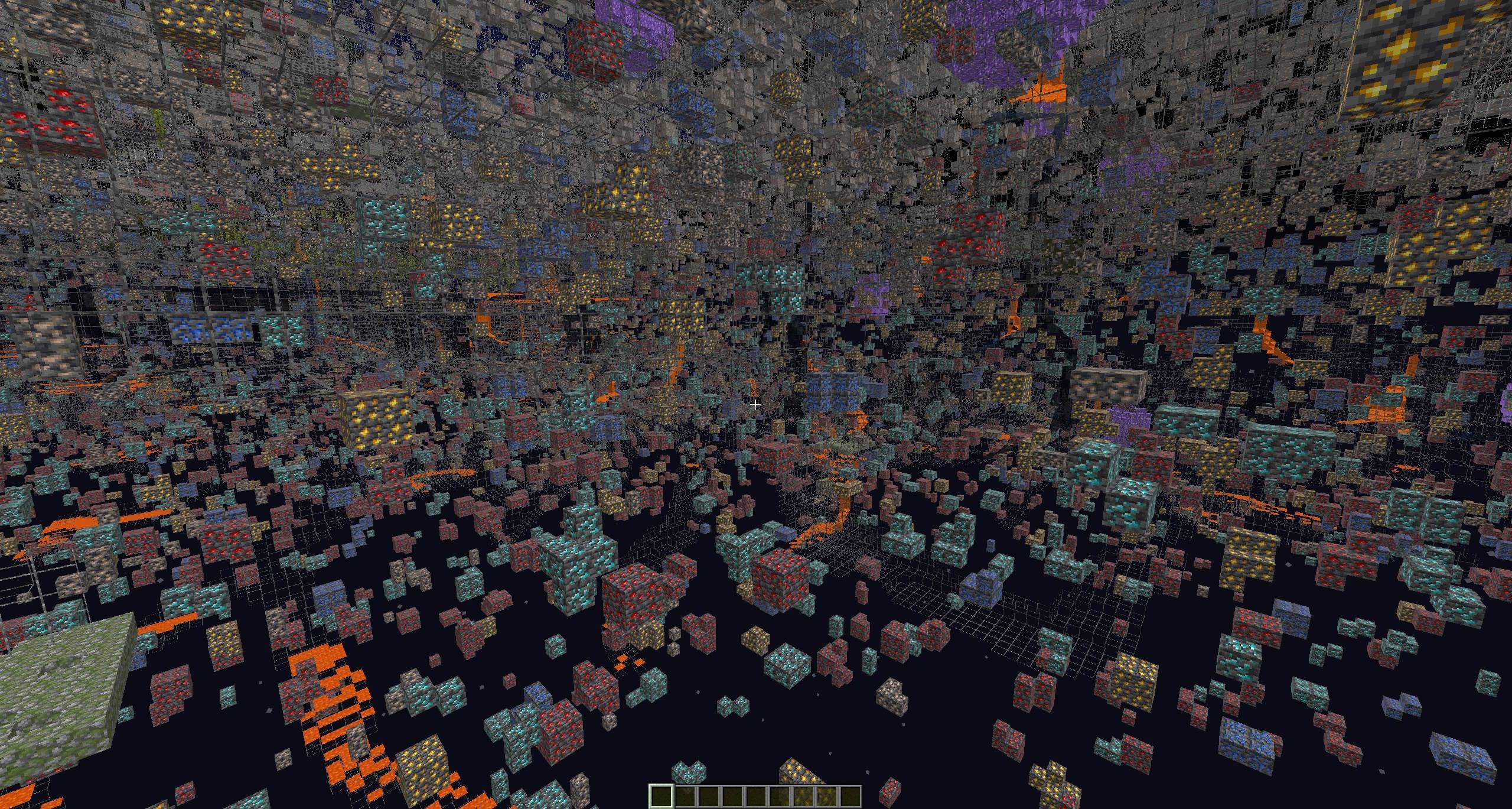
See ores, caves and structures straight through the ground. Stone, deepslate, dirt, netherrack, sand, gravel, wood and the other blocks you dig through turn invisible, and everything worth finding stays.
💎 Why players use it
- Every ore at once. Diamonds, ancient debris and every other ore stay visible, along with spawners, chests and vaults.
- 🔦 Cave lines. Hold a pickaxe, shovel, axe, hoe or sword and glowing blue lines trace the hidden rock around you, so you can read the cave through solid ground.
- ⚙️ Runs on any device. Pick a level from Ultra to Potato to match your device. New in 1.6: the cave lines check every block around you in a fixed order, so there are no gaps, and the default level is lighter than before.
- 22 modes: three looks for the cave lines and Stone x-ray, each at five levels, plus X-ray only and Structures only, switched with the gear icon on the pack.
- Achievements stay on. It's a normal resource pack, not an add-on.
- ✨ Glowing ores. With Vibrant Visuals or Ray Tracing on, the colored parts of every ore glow in the dark.
- Ores keep their normal look, so you know right away what you're looking at.
- Stone x-ray. Only the rock disappears. Dirt, grass, sand, gravel and trees stay, so you can still find your way.
- Structures only. The ores are hidden too, so spawners, trial spawners, vaults, chests and other structure blocks stand out.
- 🛡️ Safety built in. Lava, water and bedrock always stay visible, silverfish blocks get a red square, and gravel shows as a striped stick so you can see what might fall on you.
- 📱 Works on Windows, Android, iPhone, iPad and Chromebook.
🔦 Cave lines
Hold a pickaxe, shovel, axe, hoe or sword and thin glowing lines show the invisible rock around you, up to 14 blocks ahead depending on the level. They skip ores, so ores still stand out on their own. The lines reach further in the direction you look and follow your view up and down, so you see ahead down a tunnel or shaft.
Three looks, each at five levels:
- Block outlines (the default): A clean grid around every hidden block.
- Dots: A single dot on each face, lighter to draw than block outlines.
- Terrain outline: Highlights terrain edges. The lightest look.
The lines only show in first person, with the tool in your main hand, and with Hide Hand turned off in the settings.
⚙️ Pick your level
Every look comes in five levels. Higher levels reach further and cost more:
- Ultra: 14 blocks ahead. Gaming PCs, Xbox Series X, PS5, the newest iPads and flagship phones.
- High (the default): 13 blocks ahead. Most devices.
- Medium: 11 blocks ahead. Xbox One, PS4, mid-range phones, older iPads.
- Low: 9 blocks ahead. Budget phones, older tablets, the original Switch.
- Potato: 7 blocks ahead. The oldest and weakest devices.
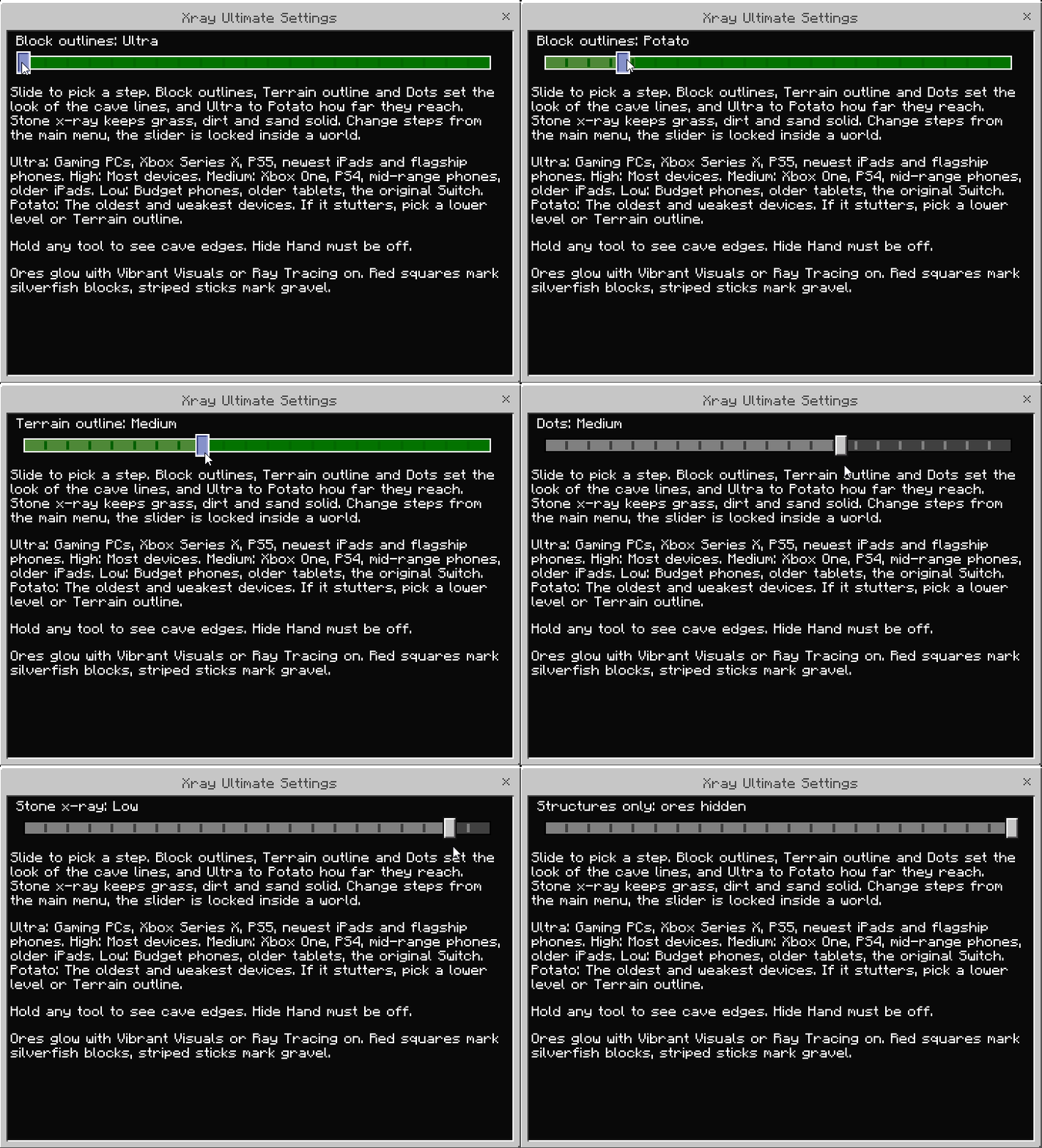
🎛️ The 22 modes
Block outlines, Terrain outline and Dots set the look of the cave lines, and Ultra to Potato how far they reach. Stone x-ray uses block outlines but only hides stone, deepslate, netherrack and other rock.
Left to right on the slider:
- Block outlines: Ultra
- Block outlines: High (the default)
- Block outlines: Medium
- Block outlines: Low
- Block outlines: Potato
- X-ray only: no cave lines at all
- Terrain outline: Ultra
- Terrain outline: High
- Terrain outline: Medium
- Terrain outline: Low
- Terrain outline: Potato
- Dots: Ultra
- Dots: High
- Dots: Medium
- Dots: Low
- Dots: Potato
- Stone x-ray: Ultra
- Stone x-ray: High
- Stone x-ray: Medium
- Stone x-ray: Low
- Stone x-ray: Potato
- Structures only: the ores are hidden, so chests, trial spawners, vaults, end portal frames, suspicious sand and more stand out
📥 How to install
- Download the .mcpack file and open it. Minecraft imports it by itself.
- Go to Settings > Global Resources, select Xray Ultimate under My Packs and press Activate.
- Select the pack again, press the gear icon and move the slider to pick a mode. Block outlines: High is picked by default.
⚠️ Change modes from the main menu. Bedrock locks the slider while you're in a world.
⚙️ Best settings
- 🔦 For the cave lines, hold a pickaxe, shovel, axe, hoe or sword in first person, and keep Hide Hand off.
- ⚙️ If the game stutters, pick a lower level or Terrain outline, the lightest look.
- ✨ Turn on Vibrant Visuals if your device can handle it. The ores light up in the dark, so you can spot them from far away.
- 🧪 With normal graphics, use a Night Vision potion in deep caves. Resource packs can't change light levels.
- ☀️ Keep Brightness at 100%.
- 💡 If ores still look dark, turn off Smooth Lighting in the video settings.
❓ FAQ
Does it turn off achievements?
No. It's a resource pack, and resource packs don't affect achievements.
How do I turn on the cave lines?
Hold a pickaxe, shovel, axe, hoe or sword in first person, with Hide Hand off. The lines show on the hidden rock around you. Pick the look and level with the slider.
The cave lines run a bit heavy on my phone.
Pick a lower level, like Low or Potato, or switch to Terrain outline, the lightest look. X-ray only turns the lines off completely.
Where did the "Only diamonds" modes go?
Version 1.6 replaced the ore filters with looks and levels for the cave lines. Every mode shows all ores, and Structures only hides them when you are hunting for structures.
Can I use it on servers and Realms?
It loads anywhere your global resource packs load. Most servers ban x-ray and can ban you for using it, so only use it where it's allowed: your own worlds, your Realm and anarchy servers.
Why can't I change modes inside my world?
Bedrock locks the mode slider while a world is open. Go back to the main menu, change the mode and join again.
Why don't the ores glow for me?
The glow only shows with Vibrant Visuals or Ray Tracing turned on in the video settings. With normal graphics the ores keep their normal look.
Why are some blocks still visible?
Bedrock only lets resource packs hide blocks that existed in version 1.19 or earlier. Some blocks that got their own ID later, like granite, diorite and andesite, can stay visible.
Why do some blocks look empty in my inventory?
The pack hides those blocks everywhere, including your inventory and hotbar. Untick the pack in Global Resources when you want to build, or use Stone x-ray, which keeps dirt, sand, wood and building blocks visible.
What are the red squares and striped sticks?
Red squares are silverfish blocks, so you don't break into a swarm. Striped sticks are gravel, which can fall on you when you dig under it.
☕ Playing Java? Get Xray Ultimate for Java
💬 Found a block that still shows up, or have a question? Ask on the Discord: discord.gg/Tph5KAr
Permissions
- Screenshots, videos and streams with the pack are fine, monetized or not.
- Realm and server owners can add the pack to their Realm or server.
- Don't re-upload the pack anywhere else. Link to this page instead.
- Don't sell the pack or put any part of it in a paid product without written permission.
- You can edit it for personal use, but don't share edited versions without asking first.
The full terms are in the license on this page.
NOT AN OFFICIAL MINECRAFT PRODUCT. NOT APPROVED BY OR ASSOCIATED WITH MOJANG OR MICROSOFT.
Xray Ultimate Team

