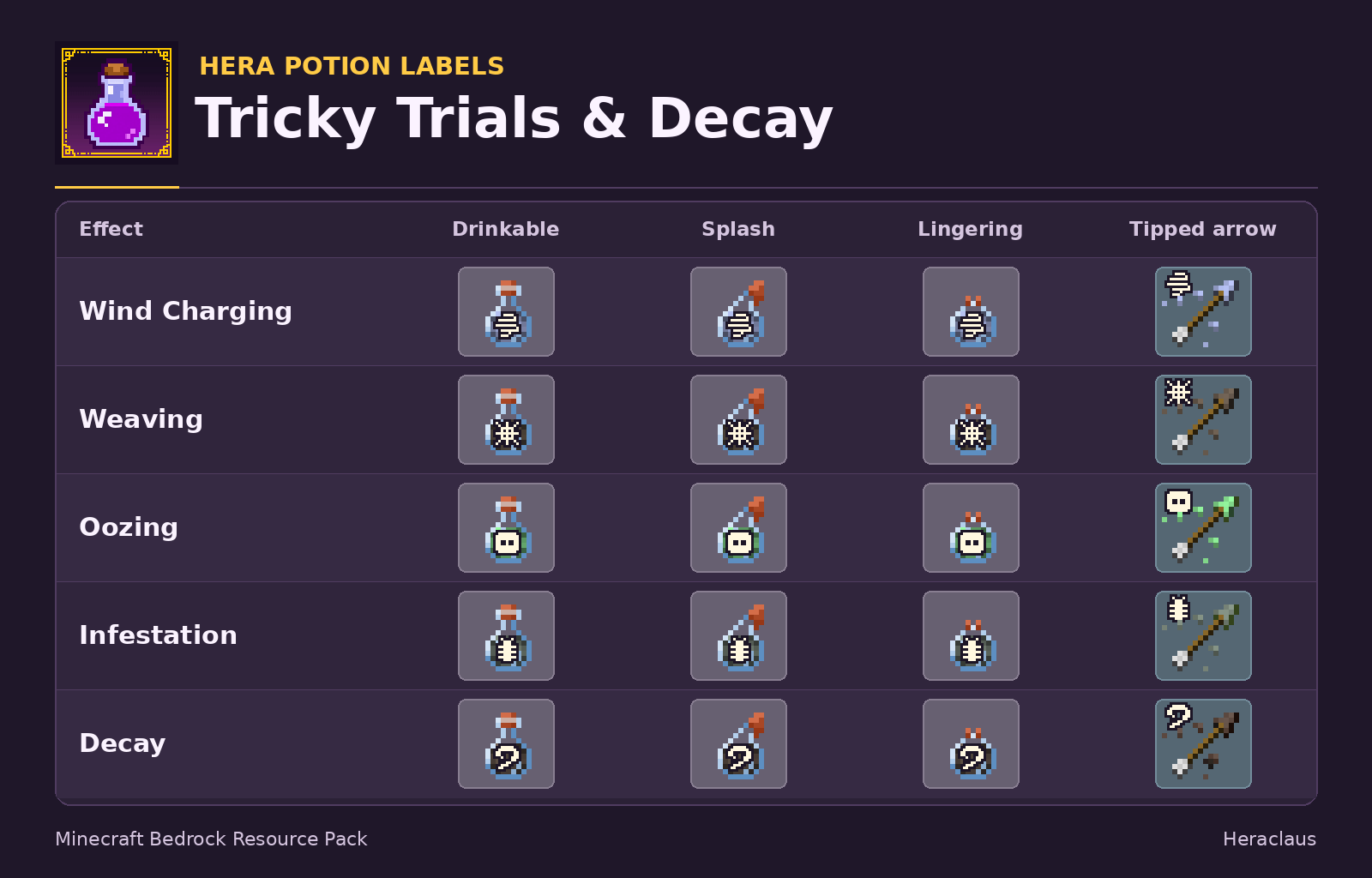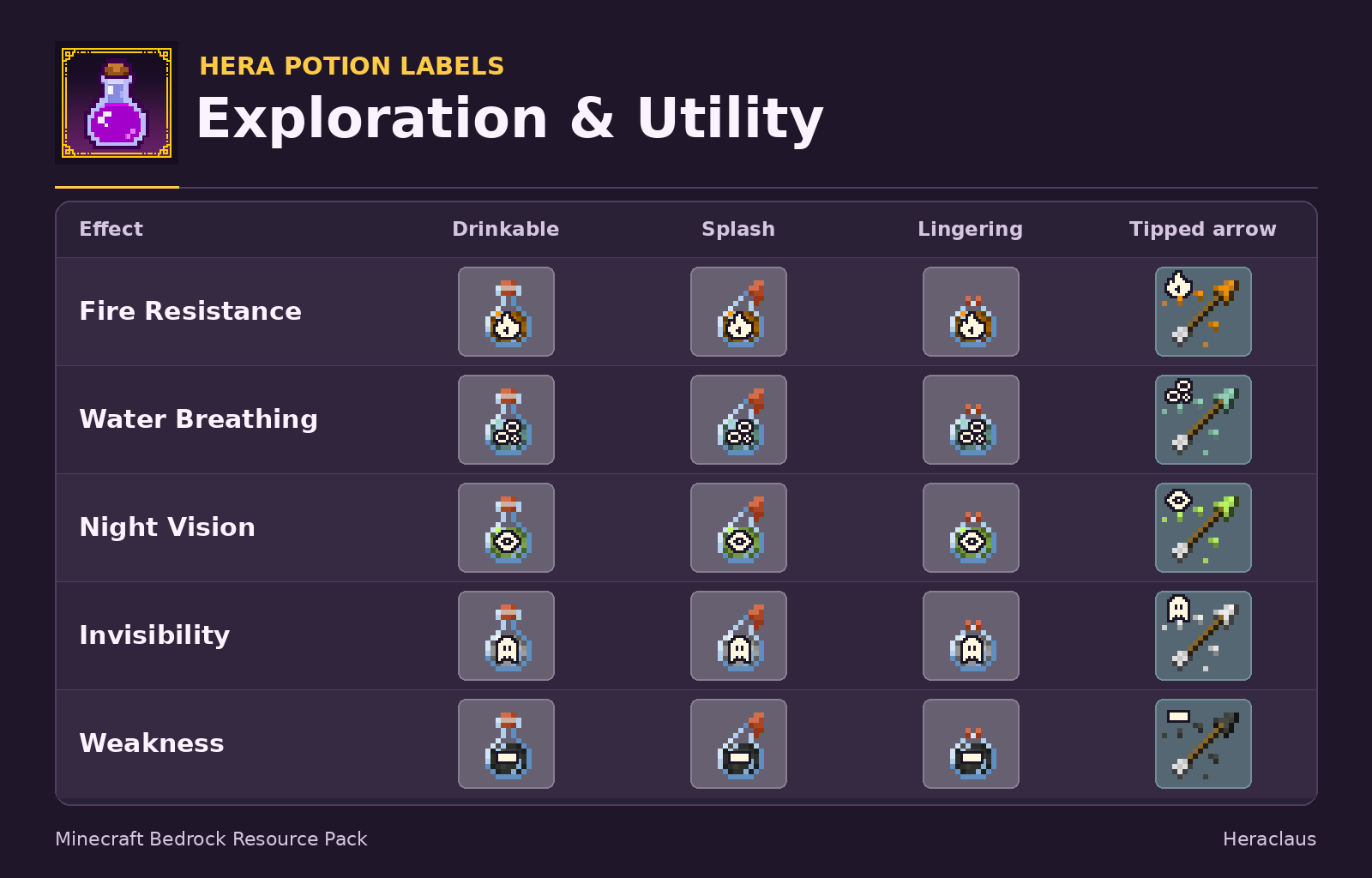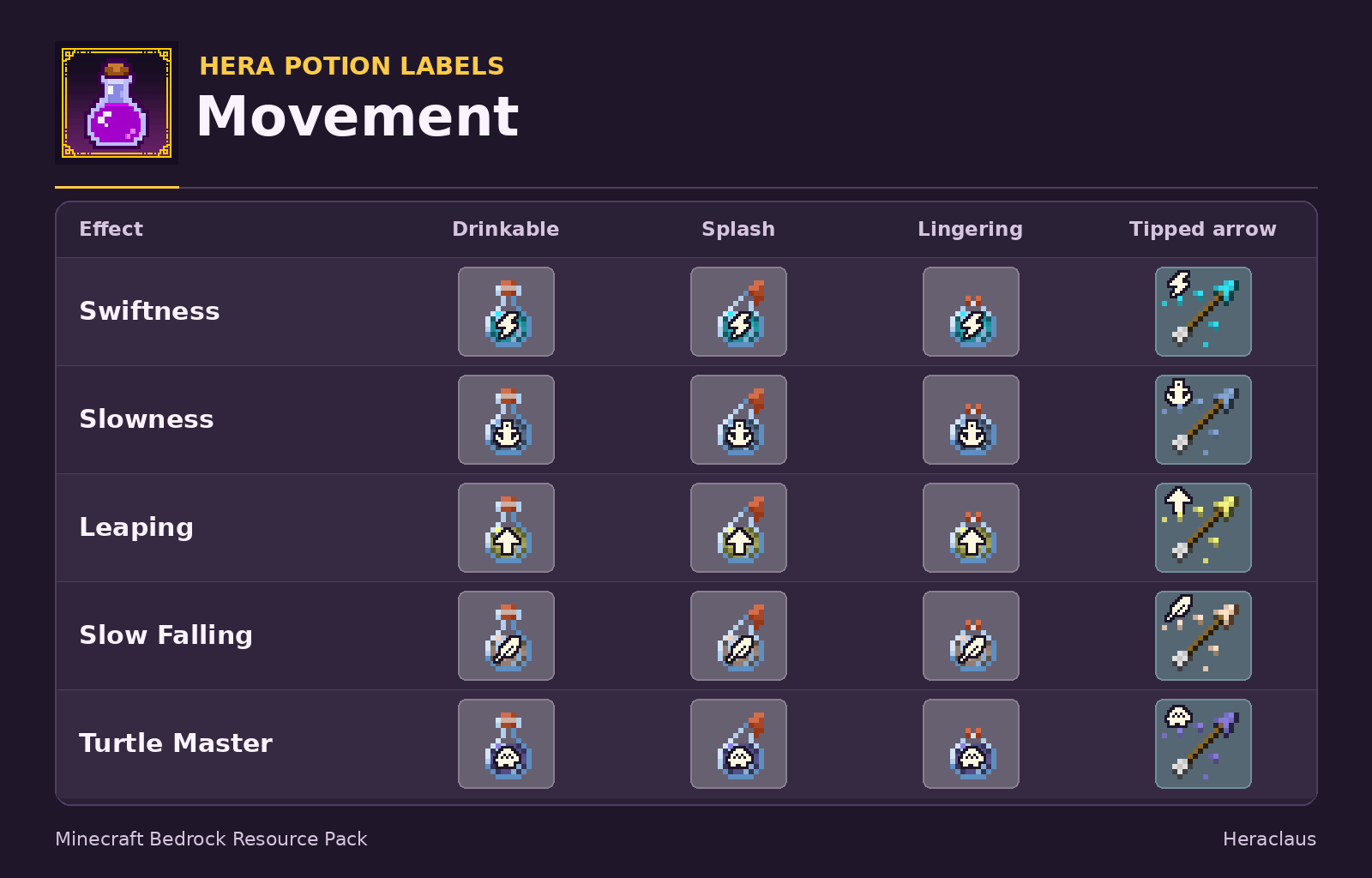
Hera Potion Labels makes it easier to pick the right potion or tipped arrow from your hotbar or inventory. Each effect has a matching pixel-art symbol across all four item forms. A lightning bolt marks Swiftness, a plus sign marks Healing, and a heart marks Regeneration.
Features
-
60 potion textures covering drinkable, splash, and lingering potions.
-
20 matching tipped arrow textures, with symbols in the upper-left corner so stack counts stay easy to read.
-
Includes Decay, Turtle Master, Wind Charging, Weaving, Oozing, and Infestation.
-
Standalone resource pack for Minecraft Bedrock Edition 1.21.0 and newer. No Behavior Pack or experimental features required.
Extended and level II variants share their effect’s symbol. Check the item tooltip for its duration and strength.
Installation
-
Open the downloaded .mcpack file with Minecraft Bedrock.
-
In your world settings, go to Resource Packs → My Packs and activate Hera Potion Labels.