JOIN MY DISCORD
Get the most stable version here Heradigital
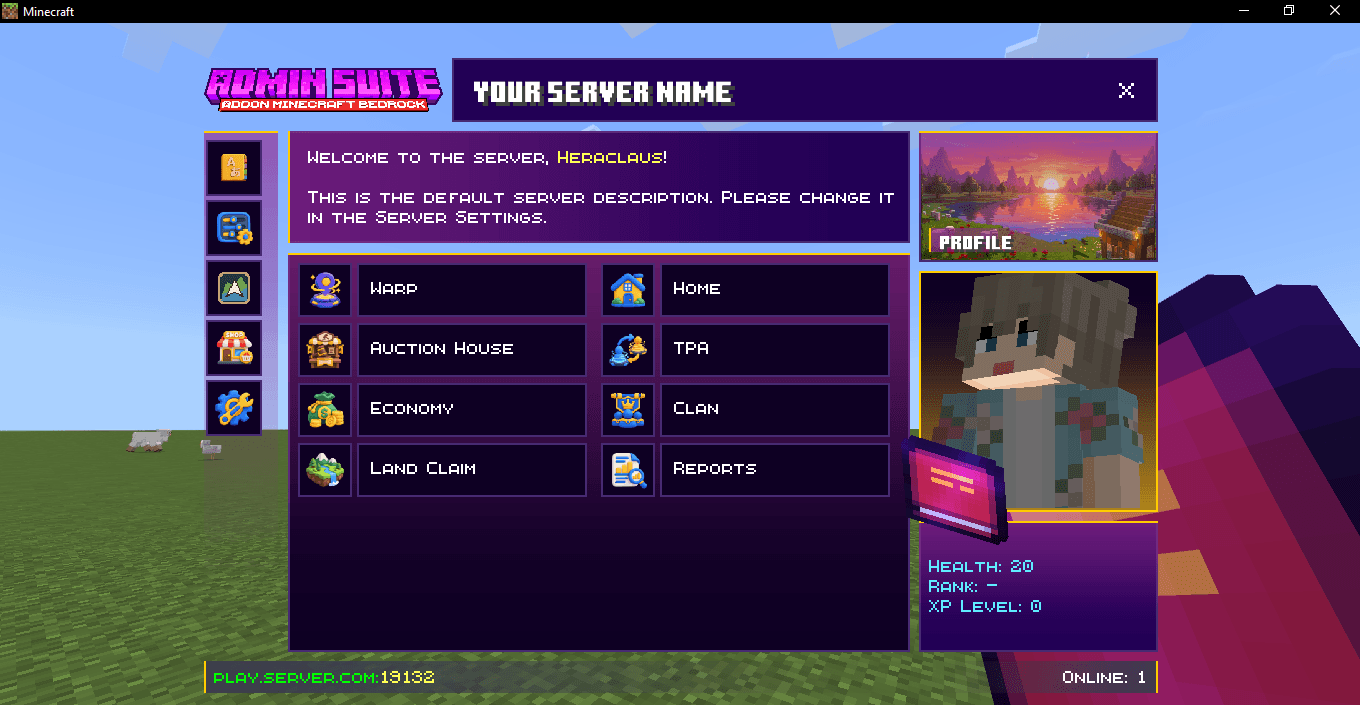
Hi guys, this is an addon that can help you manage your Minecraft bedrock server. With many features that will be updated periodically at any time. This addon is made specifically for Minecraft Bedrock, so the system and code are always well-crafted to be optimal.
How to use it?
Must be active:
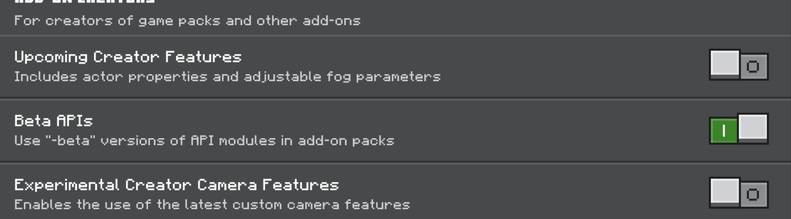
- Enable Beta API.
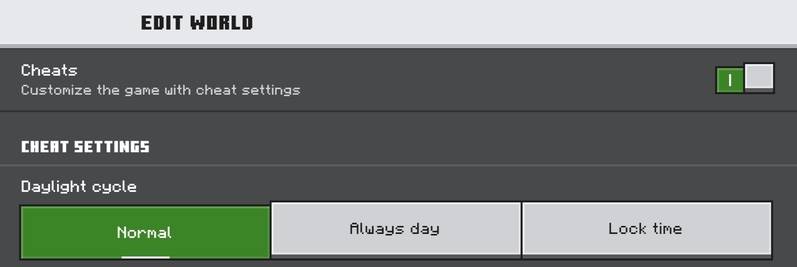
- Enable cheat.
- Give yourself the admin tag by typing "/tag @s add admin".
- Take item Admin Suite and open it.
- Create a role with a name owner then give yourself a role.
- Apply the role you created to yourself.
- All menus will appear according to the update version.
Some of the main features:
Admin management with roles
The Access module lets you delegate specific Admin Suite tools through custom roles. Choose which tools each role can use, then assign one role per player. For example, a Moderator role can manage player reports while rank settings stay restricted. Role assignments are saved and automatically reapplied when players rejoin.
Player management
The Player module brings player management and moderation into one Admin Suite menu. Admins can view player information, teleport players, issue kicks, apply timed mutes and freezes, and set temporary or permanent bans. They can also lift active mutes, freezes, and bans.
World management
The World module lets admins change the time and weather, adjust gamerules, and set individual players’ game modes from one menu. Admins can also ban specific items. The module automatically removes banned items from players’ inventories and equipment, with exemptions for players who have a configured bypass tag.
Registration system
The Login module adds password-based sign-in to your Minecraft world. When enabled, new players register on their first visit, and returning players must enter their password to unlock movement and camera controls. Players are kicked after too many failed attempts. Admins can toggle the feature, manage registrations, and reset login data.
Repeated broadcast system
The Broadcast module lets admins send announcements, event reminders, warnings, and tips to all online players as pop-up notifications with a sound. Send a message immediately or set it to repeat at a custom interval. Recurring broadcasts can be edited or deleted and resume automatically when the world reloads.
Set Auction, Home, Land, Warp, Clan, Economy
- The Warp module lets admins create, edit, and remove public teleport destinations. Players can select a warp from the Member Menu, with a short cooldown between uses.
- The Auction House is a player marketplace where sellers list items at a fixed price and buyers search listings and purchase them with in-game currency. Sellers can cancel unsold listings and claim earnings from sales made while they were offline. Admins can set listing limits by rank and remove listings.
- The Money module manages the in-game economy. Players can transfer money, deposit or withdraw funds from their bank, and review their transaction history. Admins can adjust balances, configure the currency, and set an income limit.
- The Clan module lets players create clans, join public clans, or accept invitations. Members can use clan chat and contribute to a shared bank. Clan leaders can manage member roles, edit clan settings, and transfer leadership.
- The Home module lets players save named locations and teleport back to them from the Member Menu. Players can manage their saved homes, while admins can set home limits by rank and remove individual homes.
- The TPA module lets players ask to teleport to another online player or invite that player to teleport to them. The recipient can accept or decline the request and can turn off incoming requests entirely.
- The Land module lets players claim and protect an area by marking two corners. Owners can grant other players access, configure protections for building, PvP, and explosions, and transfer ownership. Admins can set claim limits by rank and remove claims.
NPC management system
The NPC System lets admins place interactive characters that give players quick access to features like shops, quests, warps, and daily rewards. Admins can configure what each NPC does when tapped and customize its model, skin, animation, and floating name. The admin menu also lets them locate, edit, or remove existing NPCs.
Marketplace
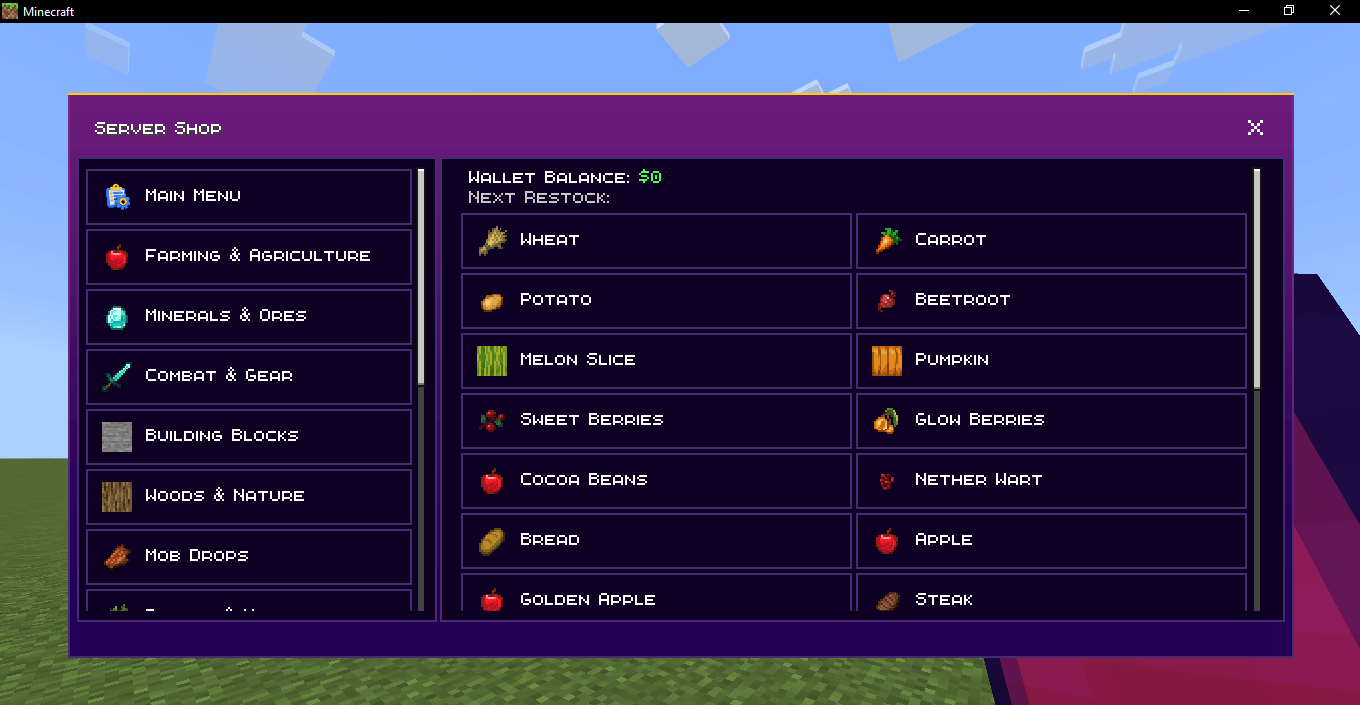
The Shop module gives players a server-run store where they can browse categories, search for items, and buy or sell goods using in-game currency. Admins can manage the catalog, set buy prices and sell rates, and choose which items have limited stock. Eligible items can automatically restock at a configurable interval.
Several slash commands are available
The Chat module adds three slash commands to Admin Suite. /as:chat shows players how to send private messages, reply, use clan chat, and activate rank skills with the current chat prefix. The license owner can use /as:resetprefix to restore the default . prefix and /as:lore to open the Lore Editor and more.
Log System
The Server Logs module lets authorized staff review player chat and recorded admin actions in-game. Staff can choose a log type and filter entries to the last 1, 6, 12, or 24 hours.
Lobby
The Lobby Protection module lets admins create safe zones for spawn hubs and lobbies. Each lobby can have its own rules for building, block and entity interactions, PvP, explosions, and mob spawning. Admins can also ban specific items and configure exceptions.
Ranks & Skills
The Ranks module lets admins create custom ranks, attach skills, and assign ranks manually or award them automatically when players reach configured playtime milestones. Players can check their playtime and see the requirements for upcoming ranks.
Spy & Control
The Spy module gives authorized staff tools to monitor players in-game. Staff can use Spectator mode, turn invisible with Vanish, or follow a selected player with a CCTV camera. The module also provides teleportation between dimensions.
Regions
The Regions module lets admins define custom zones with rules for PvP, building, interactions, containers, explosions, mob spawning, and banned items. Regions can also use a separate inventory and a custom kit, then restore the player’s regular inventory when they leave.
Sidebar
The Sidebar module displays a customizable HUD with live player and server information. Admins can edit the layout, insert scoreboard values through placeholders, and configure icons and time display. Players can show or hide their own sidebar.
Hologram + Leaderboard
The Floating Text module lets admins place floating labels and leaderboards anywhere in the world. Admins can create leaderboards from tracked stats or enter their own rankings, then customize the display with colors and animations.
Display (Chat & Nametag)
The Display module lets admins customize how players appear in chat and on overhead nametags. Admins can set separate formats using placeholders and manage custom player identities, including whether they are permanent.
Clear Lag
The Clear Lag module automatically removes dropped items across all dimensions at set intervals. Admins can configure when players receive countdown warnings and choose how cleanup notifications are displayed.
Minimap
The Minimap module shows nearby terrain on the HUD, with optional markers for other players and friendly or hostile mobs. Players can change the zoom, choose which markers appear, and select a destination for on-map guidance.
Redeem, Daily Reward, Starterkit, Job, Quest, and many more.
Visit our youtube to see the full tutorial. Watch the tutorial here
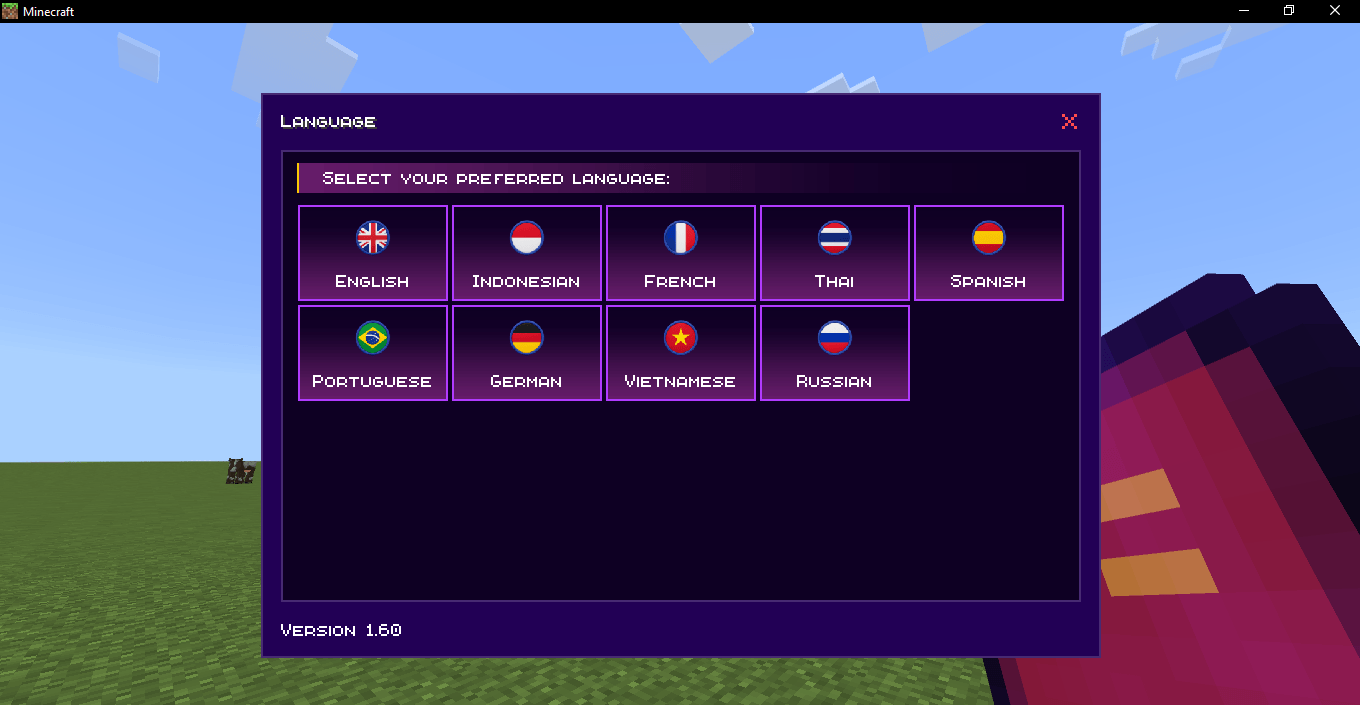
Multi-language support :
- English
- Indonesian
- Spain
- Brazil
- Thailand
- Vietname
- Germany
- France
- Russian
You should know:
- To open the list of slash commands, type "/info"
- To bypass the protection system use the "bypass" tag