Better Outlined Glowing Ores
by pikacraft
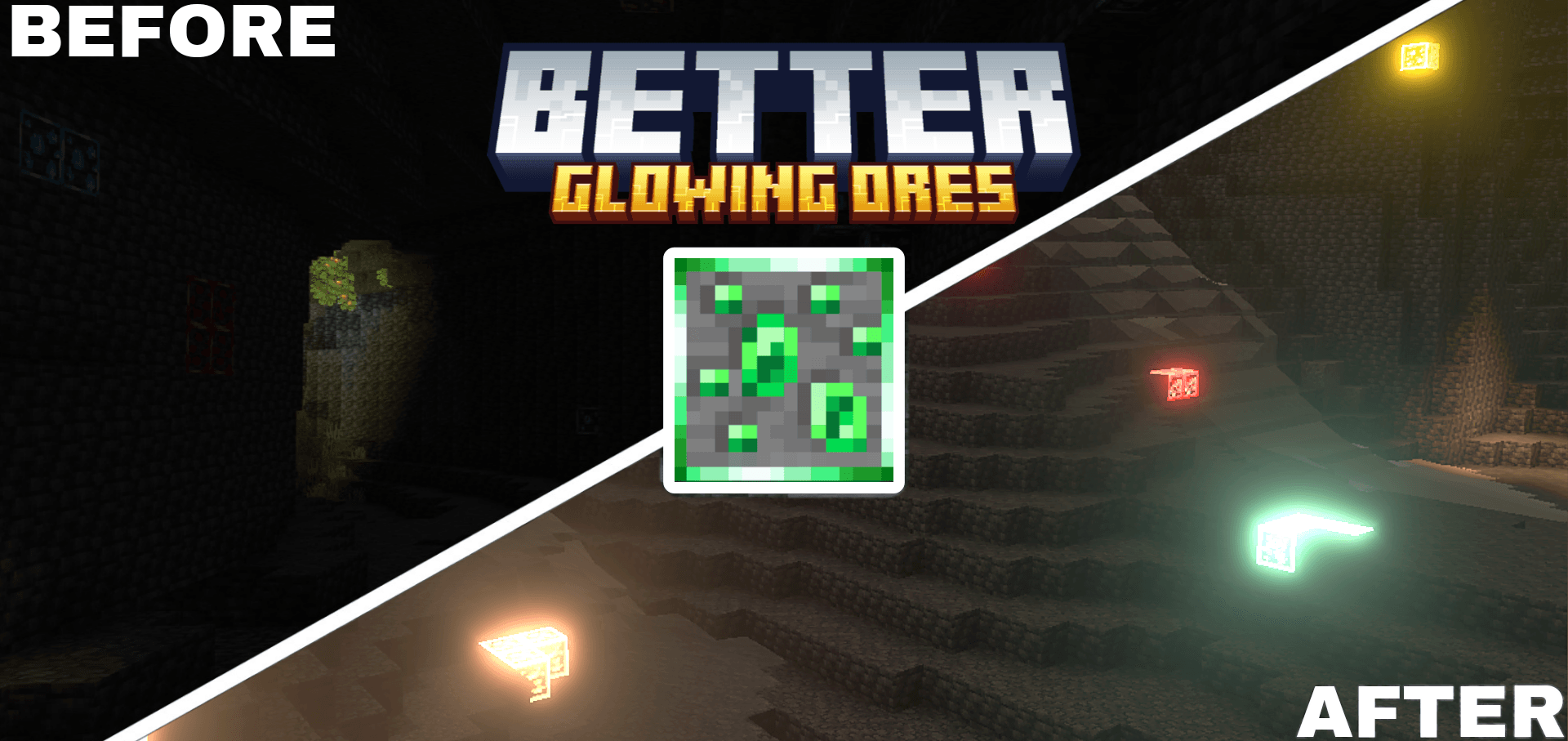
Never lose track of your ores in a dark cave again. Better Outlined Glowing Ores gives every ore a bright neon outline and glowing veins, so you can spot them from across the cave.
Features
- Neon outlines on every ore block, colored to match the ore (green for emerald, cyan for diamond, red for redstone, yellow for gold and so on)
- Glowing ore veins, with the surrounding stone left unlit so the ore stands out
- Vanilla-style ore textures, so the pack still feels like Minecraft
- Works with both stone and deepslate ores
- Also covers Nether ores, ancient debris and gilded blackstone
Included ores
Coal, Copper, Iron, Gold, Redstone, Lapis, Emerald, Diamond (stone and deepslate versions), Nether Gold, Nether Quartz, Ancient Debris and Gilded Blackstone.
Requirements
- Minecraft Bedrock Edition 1.21.80 or newer
- Vibrant Visuals turned on. The glow comes from the pack's PBR emissive maps, so you need Vibrant Visuals for it to show. Without it, you only get the outlines.
How to install
- Download the .mcpack file.
- Open it, and Minecraft will import it automatically.
- Go to Settings > Global Resources and activate Better Outlined Glowing Ores.
- In Video settings, enable Vibrant Visuals.
Notes
- This pack only changes ore textures. Nothing else in the game is touched.
- It should work with other texture packs if you put it above them in the resource pack list.
Enjoy mining, and feel free to leave feedback or suggestions in the comments!