Vertex Teams – The Ultimate Teams System!
- By
A modern, UI-first teams addon for Bedrock with custom team names/tags, roles, invites, applications, private team chat, shared homes, stats, and friendly-fire protection.
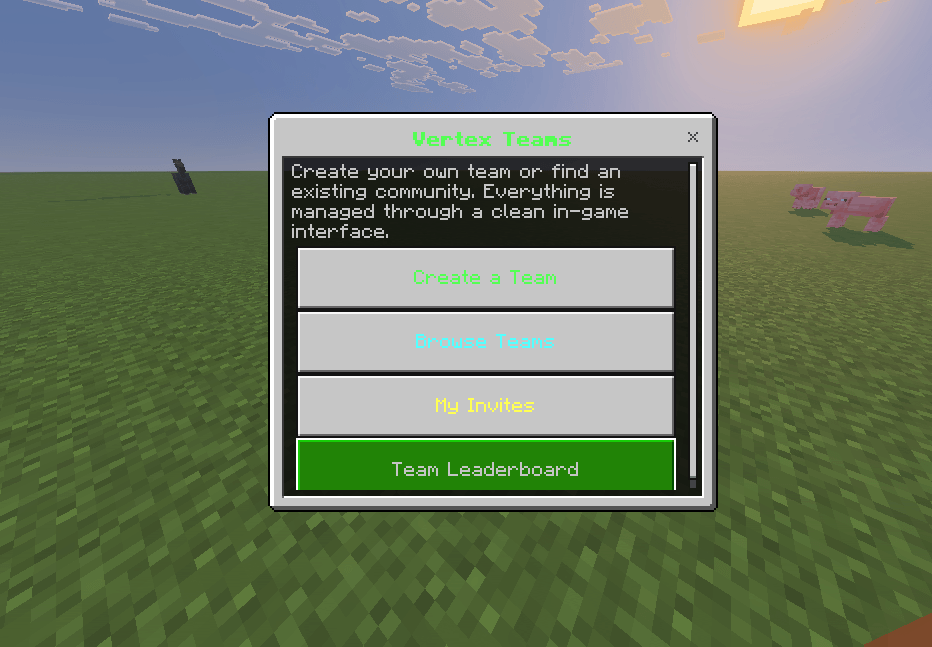
image_2026-09-29_213911423.png
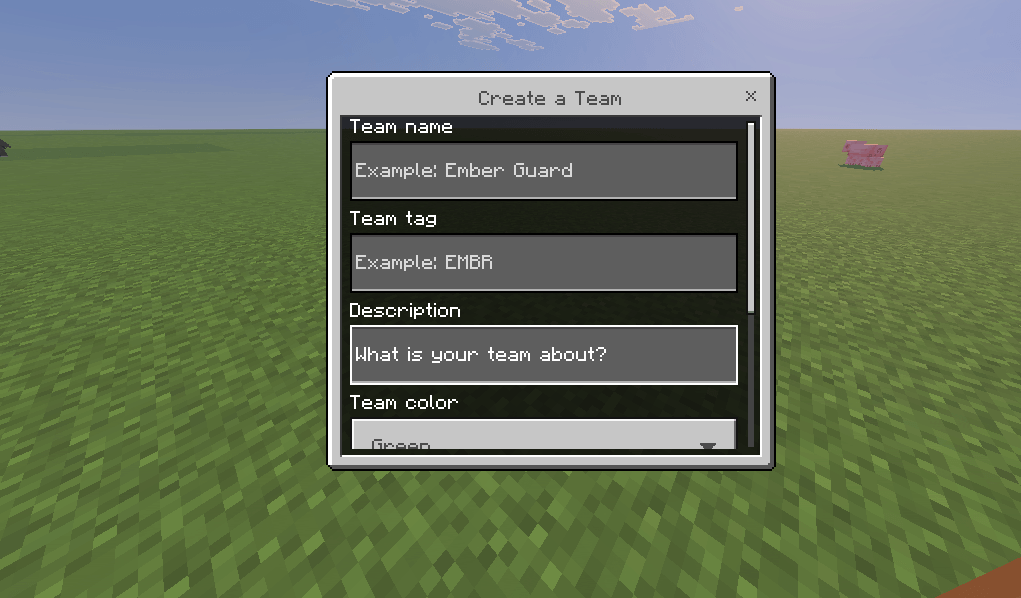
image_2026-09-29_213933953.png
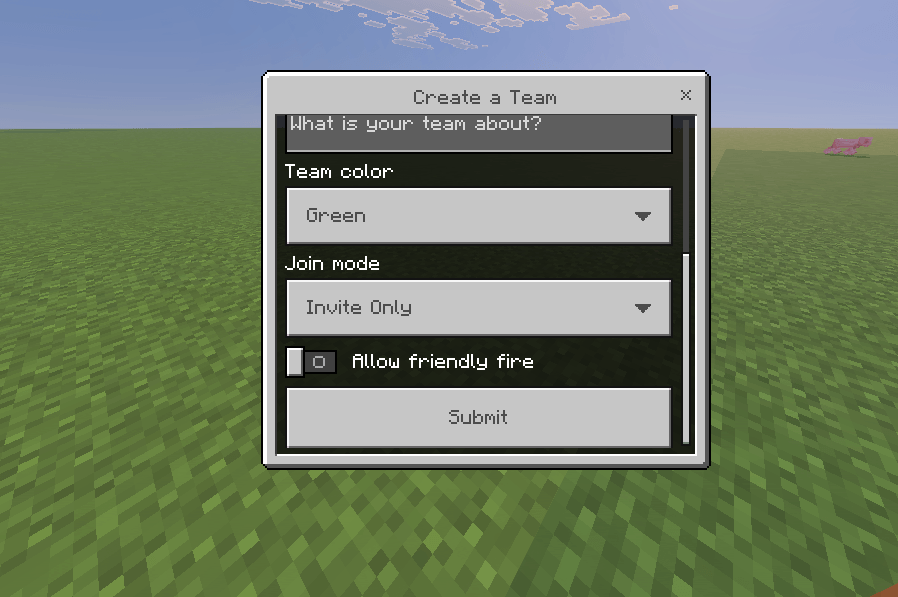
image_2026-09-29_213945775.png
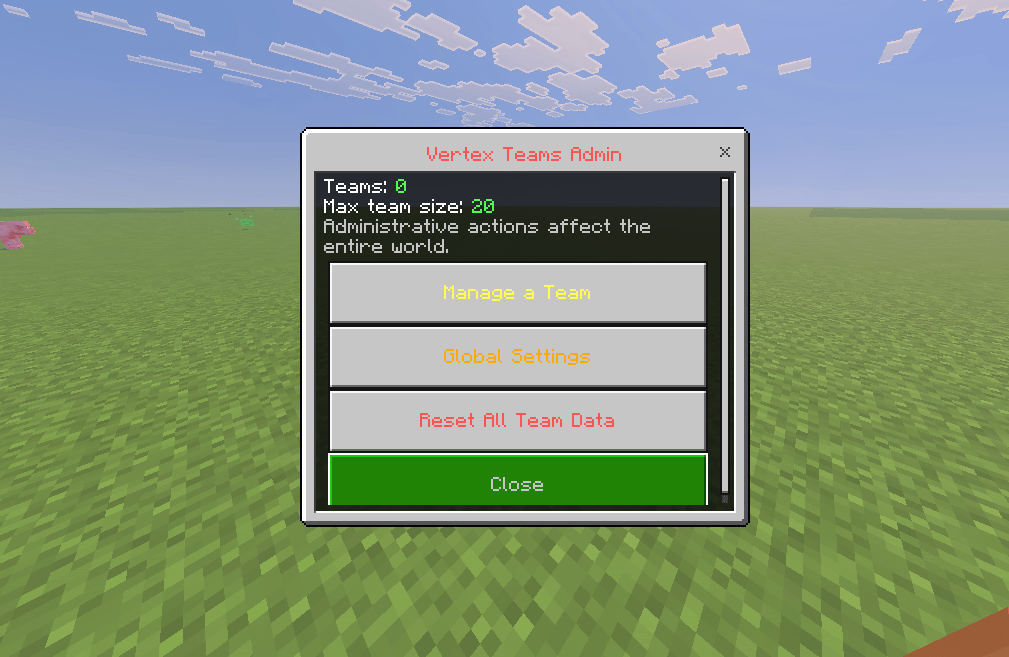
image_2026-09-29_214034528.png
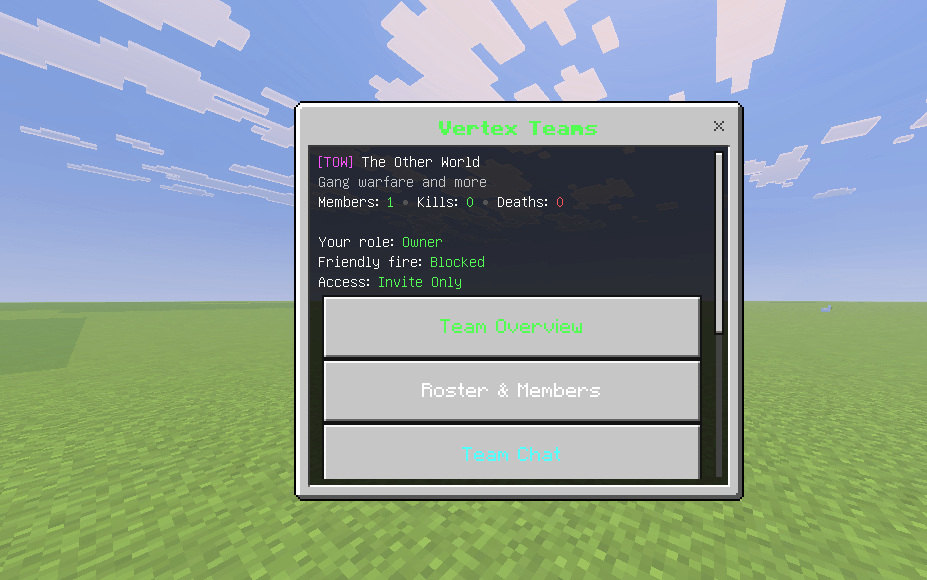
image_2026-09-29_214143855.png
Description
Vertex Teams
A modern, UI-first teams system for Minecraft Bedrock Edition.
Vertex Teams gives survival servers, Realms, SMPs, factions-lite worlds, and private communities a polished team system without forcing players to memorize a wall of commands. Players create and manage teams through clean Bedrock forms while the addon handles persistence, permissions, team safety, invitations, applications, homes, statistics, and administration behind the scenes.
Version: 1.0.0
Author: Nexium Labs
Edition: Minecraft Bedrock Edition
Type: Script / Behavior Pack
Why Vertex Teams?
A lot of team addons stop at “create, invite, leave.” Vertex Teams is built to feel like a real multiplayer system instead of a command demo. The main experience lives inside a simple in-game interface, with owner/officer permissions and sensible safeguards for real servers.
Features
Modern team management
- Create teams with a custom name, tag, description, and color.
- Choose between Open, Applications, and Invite Only join modes.
- Browse discoverable teams from an in-game directory.
- View a lightweight leaderboard based on team size and combat activity.
Roles and permissions
- Owner — full control, ownership transfer, settings, moderation, and disbanding.
- Officer — member management, invites, applications, settings, and team home controls.
- Member — standard team access, chat, roster, stats, and team-home use.
- Promote, demote, kick, transfer ownership, leave, or disband safely through confirmation screens.
Friendly-fire protection
- Friendly fire is blocked by default for players on the same team.
- Team owners/officers can enable it per team when they want PvP practice or special game modes.
- Damage is canceled before it is applied instead of healing players after the fact.
Invitations and applications
- Invite eligible online players directly from the team UI.
- Invites persist and automatically expire.
- Application-based teams can review player messages and approve or decline requests.
- Duplicate invites/applications and team-size limits are validated automatically.
Team chat
- Send private messages to online teammates from the team UI.
- Quick command available with
/teams:chat "your message". - Messages are only delivered to current members of the same team.
Team homes
- Owners and officers can save the team’s shared home location.
- Members can teleport to it from the UI.
- The saved dimension and coordinates persist with the world.
Team statistics
- Tracks team kills and deaths.
- Same-team kills are not counted as team kills.
- Team overview shows members, K/D, age, access mode, and other useful information.
Administrator controls
Server operators can open /teams:admin to:
- Browse and force-disband teams.
- Change the maximum team size.
- Enable/disable team-home support globally.
- Reset all Vertex Teams data with a confirmation step.
Persistent world storage
- Team data is stored using Bedrock world dynamic properties.
- Storage is automatically split into chunks instead of relying on one oversized JSON property.
- Teams, members, invites, applications, homes, settings, and stats survive world restarts.
Installation
- Download Vertex Teams v1.0.0 Production.
- Open the
.mcpackor.mcaddonfile with Minecraft Bedrock Edition. - Edit or create a world.
- Open Behavior Packs and activate Vertex Teams.
- Start the world.
- Run:
/teams:menuNo resource pack is required.
Commands
| Command | Access | Description |
|---|---|---|
/teams:menu |
Everyone | Opens the main Vertex Teams interface. |
/teams:chat "message" |
Team members | Sends a private message to online teammates. Quote messages containing spaces. |
/teams:admin |
Operators/Admins | Opens global administrator controls. |
Vertex Teams intentionally keeps commands minimal. Most features are available from the UI.
First-time setup
Vertex Teams works out of the box with sensible defaults:
- Maximum team size: 20
- Friendly fire: Blocked
- Team homes: Enabled
- Invite expiration: 7 days
- Team join mode when creating a team: Invite Only
Operators can adjust global team size and team-home availability using /teams:admin.
Compatibility
Vertex Teams is authored against stable Bedrock Script API modules and uses:
@minecraft/server2.6.0@minecraft/server-ui2.0.0
The pack manifest targets modern Bedrock builds with min_engine_version set to 1.21.130.
The addon does not require a separate resource pack, custom entities, or custom blocks. It is designed to remain lightweight and reduce conflicts with other addons.
Server owners should always back up important worlds before adding or updating behavior packs.
Suggested use cases
Vertex Teams works especially well for:
- Survival multiplayer servers
- Realms
- SMP communities
- Factions-lite worlds
- PvE communities
- Friend groups
- Event worlds
- Modded survival packs that need social grouping without a full factions system
Data and updates
Vertex Teams stores its database inside the world using dynamic properties. Updating the behavior pack does not intentionally wipe team data.
Before major version upgrades, making a copy of the world is still strongly recommended.
Known limitations
- Players must be online when an application is accepted so the addon can safely attach their current player identity to the team.
- Inviting a player is currently performed from the list of online players.
- Team chat is intentionally implemented through the UI and
/teams:chatrather than replacing global vanilla chat. - The addon does not claim land or protect blocks; it focuses specifically on teams and social/team management.
Support and feedback
Found a bug or have a feature idea? Include your Minecraft Bedrock version, the Vertex Teams version, what you expected to happen, and steps to reproduce the issue. Clear reports make fixes much faster.
Vertex Teams — modern Bedrock teams without the command clutter.
Vertex Teams – The Ultimate Teams System! Team