MCPEDL.png
Description
"This Uncraft Table covers almost all the recipes in the vanilla version"
Introduction:
The Uncraft Table is a functional block used for Uncraft items. Simply hold the block or tool you wish to deconstruct, right-click on the Uncraft Table, and if deconstruction is possible, it will proceed. After deconstruction, the required materials for crafting will be returned. If the item has enchantments, you can also choose to deconstruct them. Please note: If the item's durability is not full, it cannot be deconstructed, but enchantments can still be deconstructed.
This addon is designed for entertainment purposes and does not prioritize balance. Please decide whether to use it based on your preferences.
Crafting
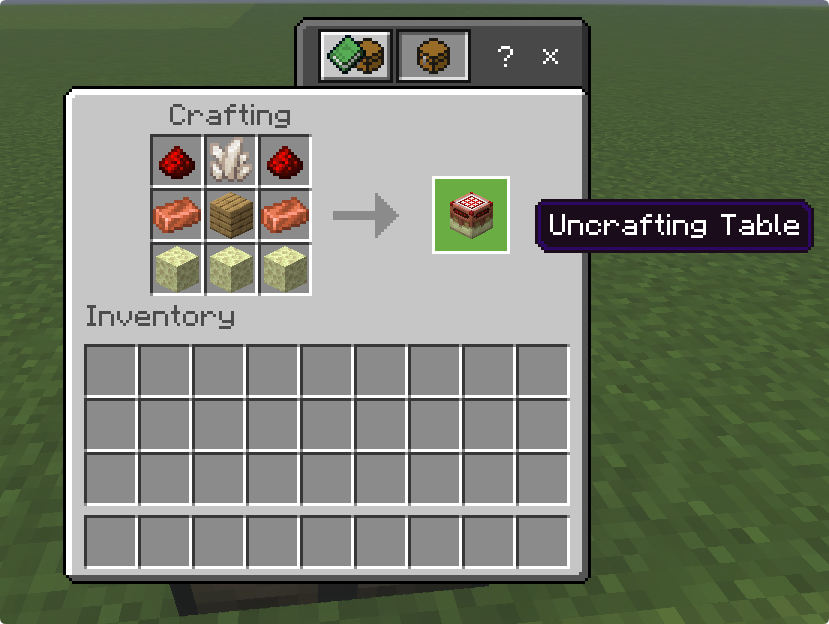
Uncraft Enchantments
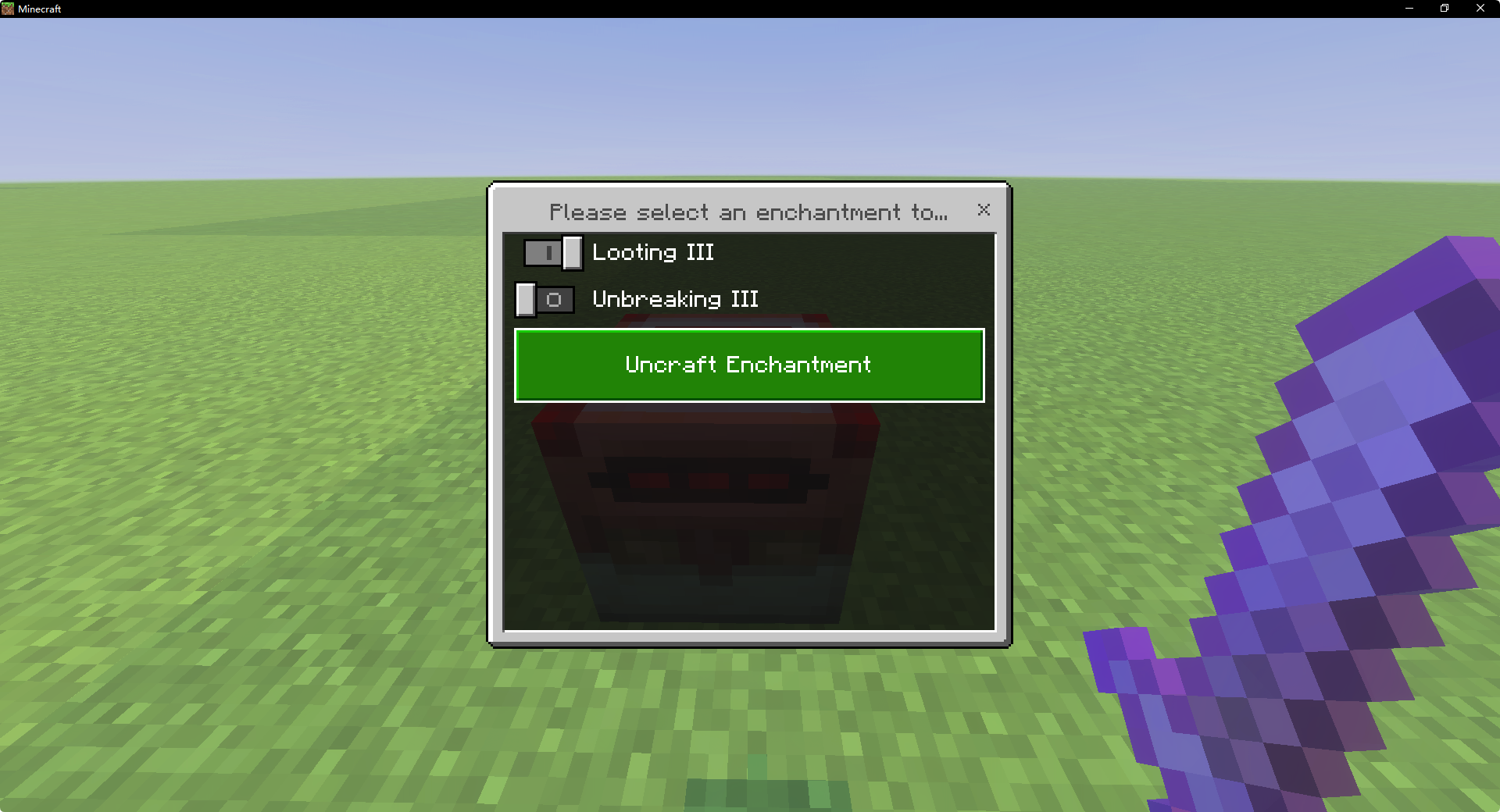
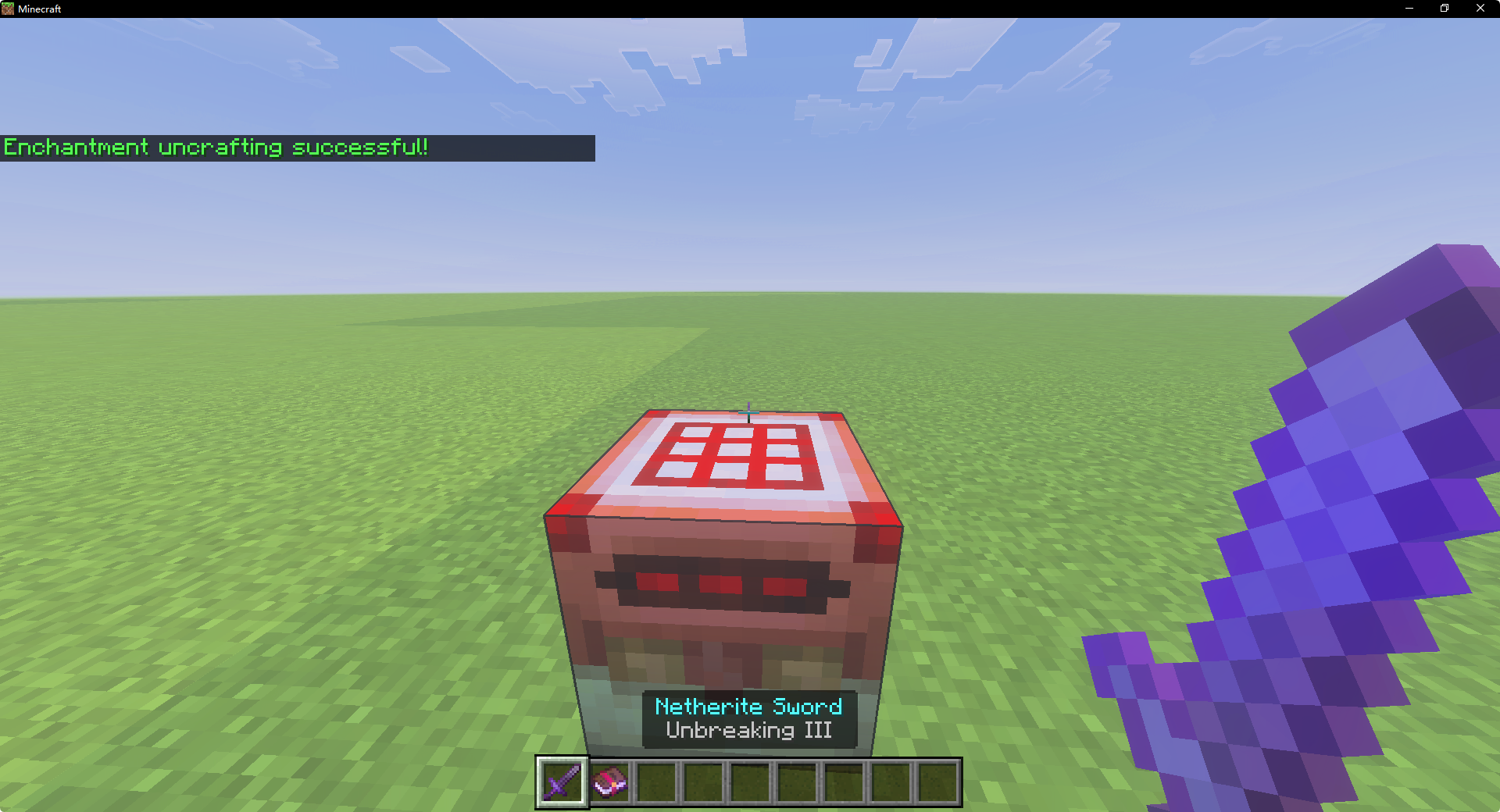
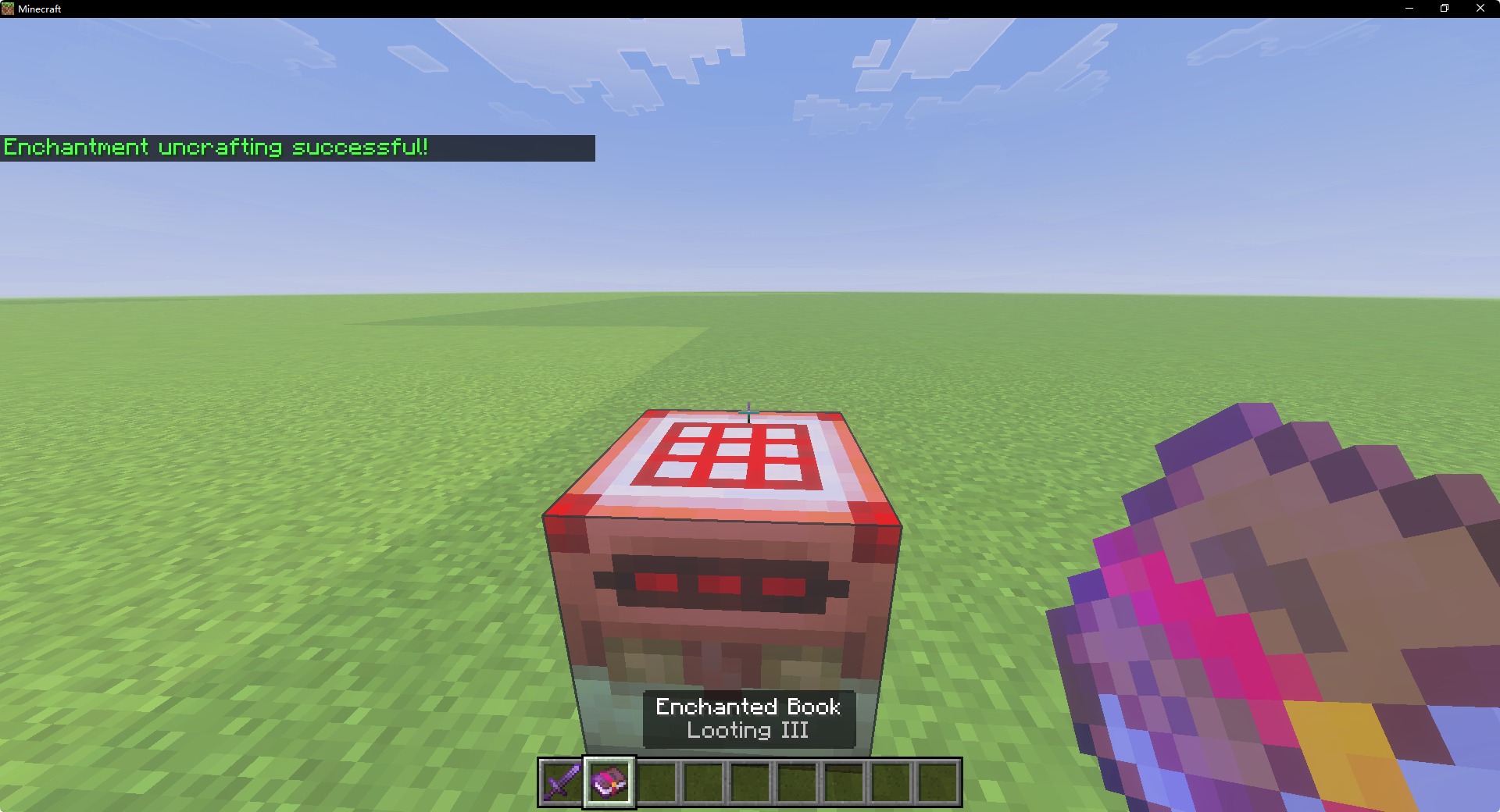
When Uncraft, you must select an enchantment for it to be deconstructed. When you choose to deconstruct an item, its enchantments will be deconstructed as well.
Uncraft Items
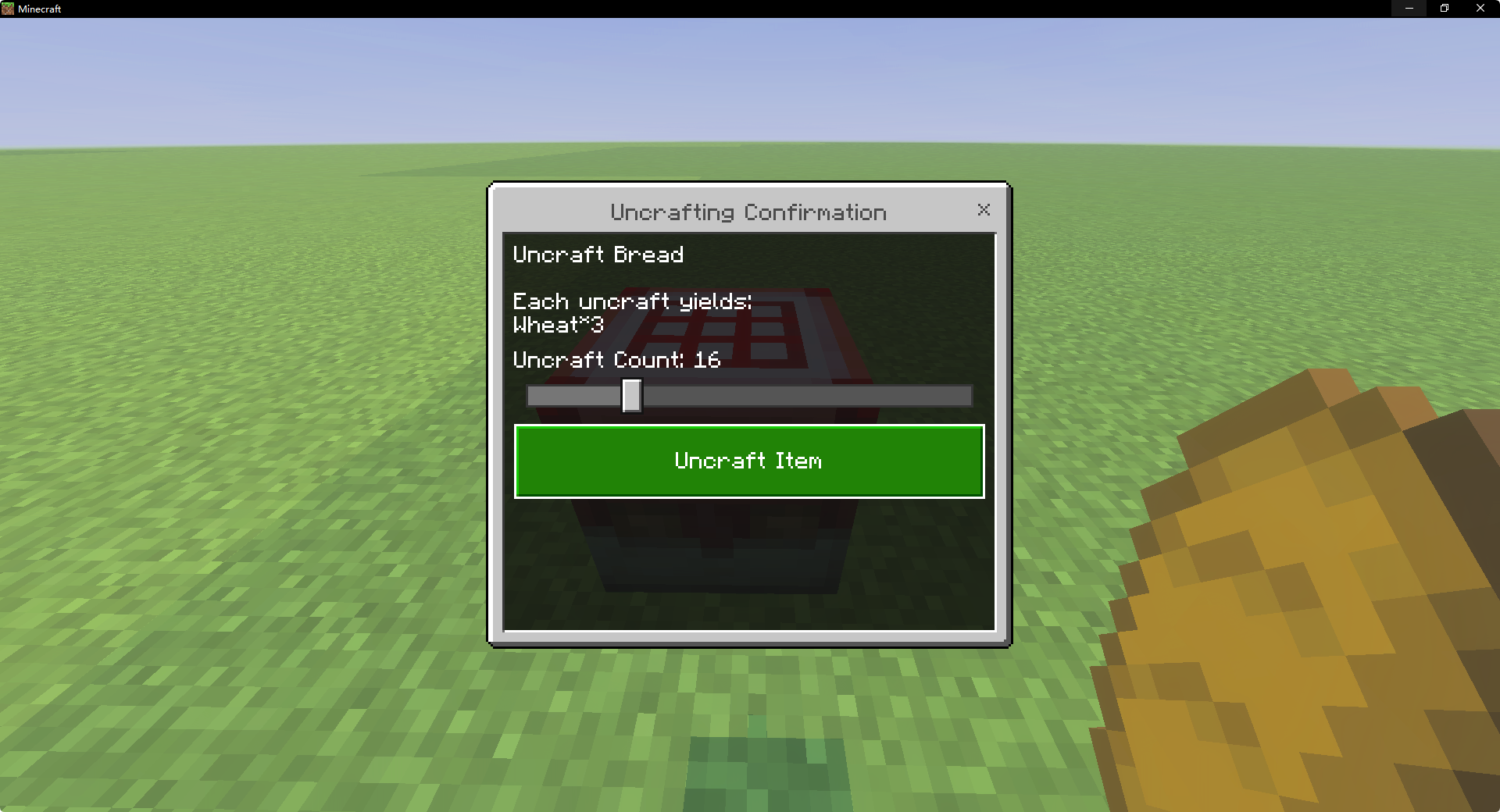
When Uncraft items, if there are multiple items, you can use a slider to select the number to deconstruct. The default is 1. All items will be given to your inventory using commands. If your inventory is too full, the items will drop onto the ground.
How to Add New Item Deconstruction Recipes
Automatic Method
- Place the new recipes in the addon's recipes folder, typically in a folder format, e.g., my_uncraft_recipes.
- Run craft.py located in the behavior pack directory and wait for it to finish.
- Restart the game.
Manual Method
- Open the src folder and locate UnRecipes.ts.
- Add a new recipe according to the UncraftRecipe interface.
- Return to the behavior pack root directory (where tsconfig.json is located), hold Shift + right-click on an empty area, and select "Open PowerShell window here."
- Run the command: tsc --project tsconfig.json.
- Restart the game.
Uncraft Table Addon Team

Owner