TradeScroll: Auction House
- By
TradeScroll brings a true Java-style Chest UI Auction House to Minecraft Bedrock: list items from your inventory, bid in real time, and trade safely with players.
TradeScroll
Auction House: Java-Style 54-Slot Chest UI & Real-Time Player Marketplace for Minecraft Bedrock
Browse, bid, and buy in a familiar chest-style marketplace, with real item icons, hover tooltips, and zero-config ecosystem integration.





Achievement Friendly • Key Features • Chest Layout • How to Use • Configuration • Installation • Changelog
TradeScroll: Auction House brings a Java-style player marketplace to Minecraft Bedrock. Items are shown directly inside a 54-slot chest-style grid with real icons and hover tooltips, powered by a hybrid Chest-UI engine, dynamic inventory-based forms, real-time bidding, and full integration with the Verocraft ecosystem.
Achievement Friendly
Keep earning achievements and trophies in your survival worlds. TradeScroll is fully achievement friendly, so you can run a complete player marketplace without losing your world's achievements.
Key Features
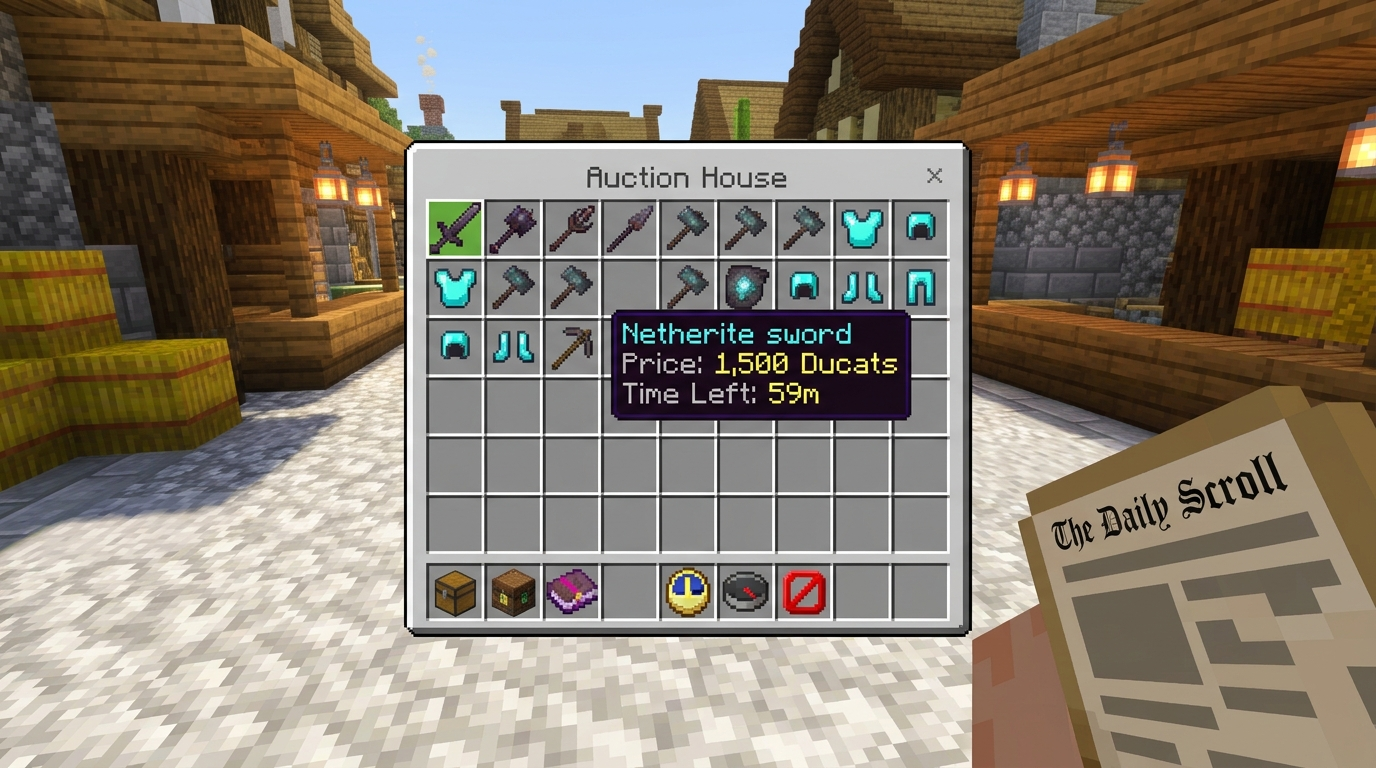
54-Slot Java-Style Chest GUI
A visual auction container that displays items directly in the grid, just like a Java server, without any physical entity in your world.
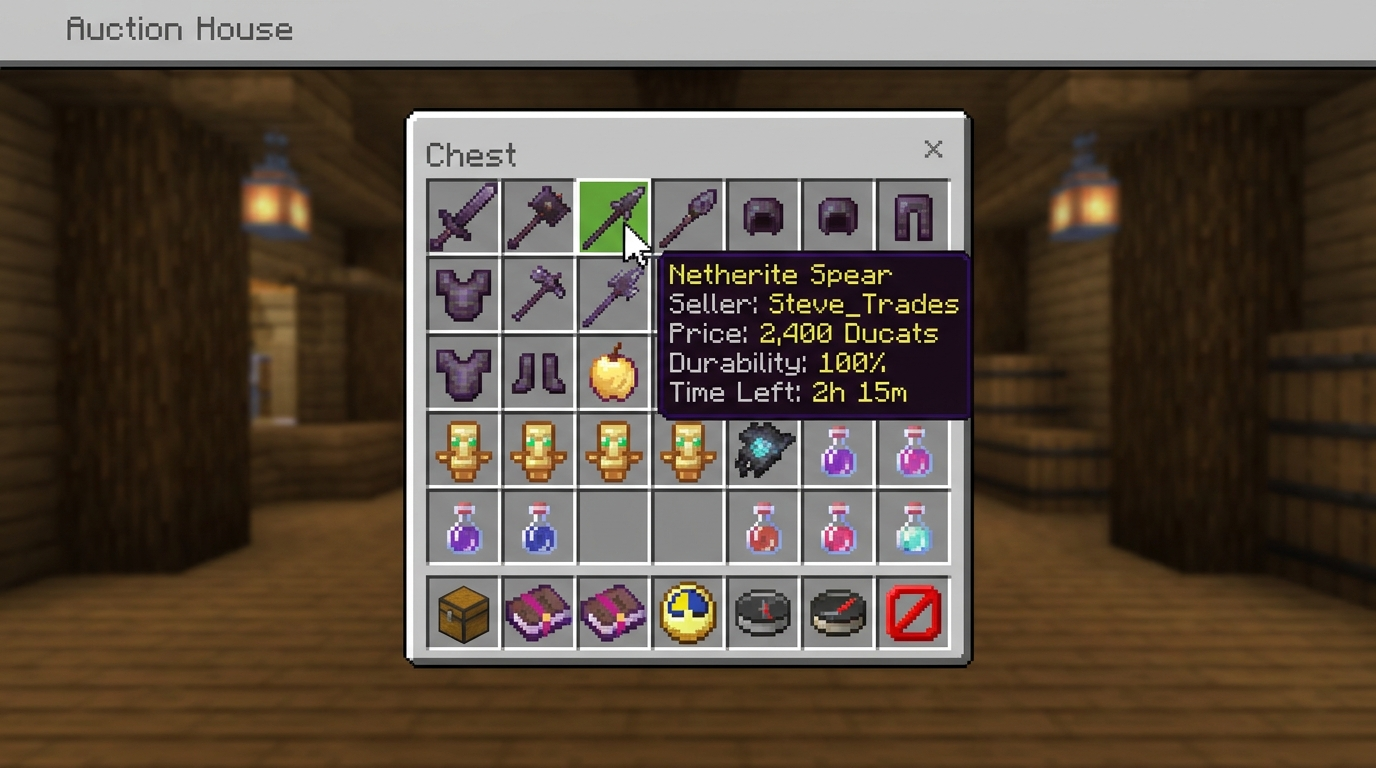
The Daily Scroll (Physical Auction Item)
Open the auction house immersively with a special newspaper-style item (auction:ledger). Action hints appear on the action bar.
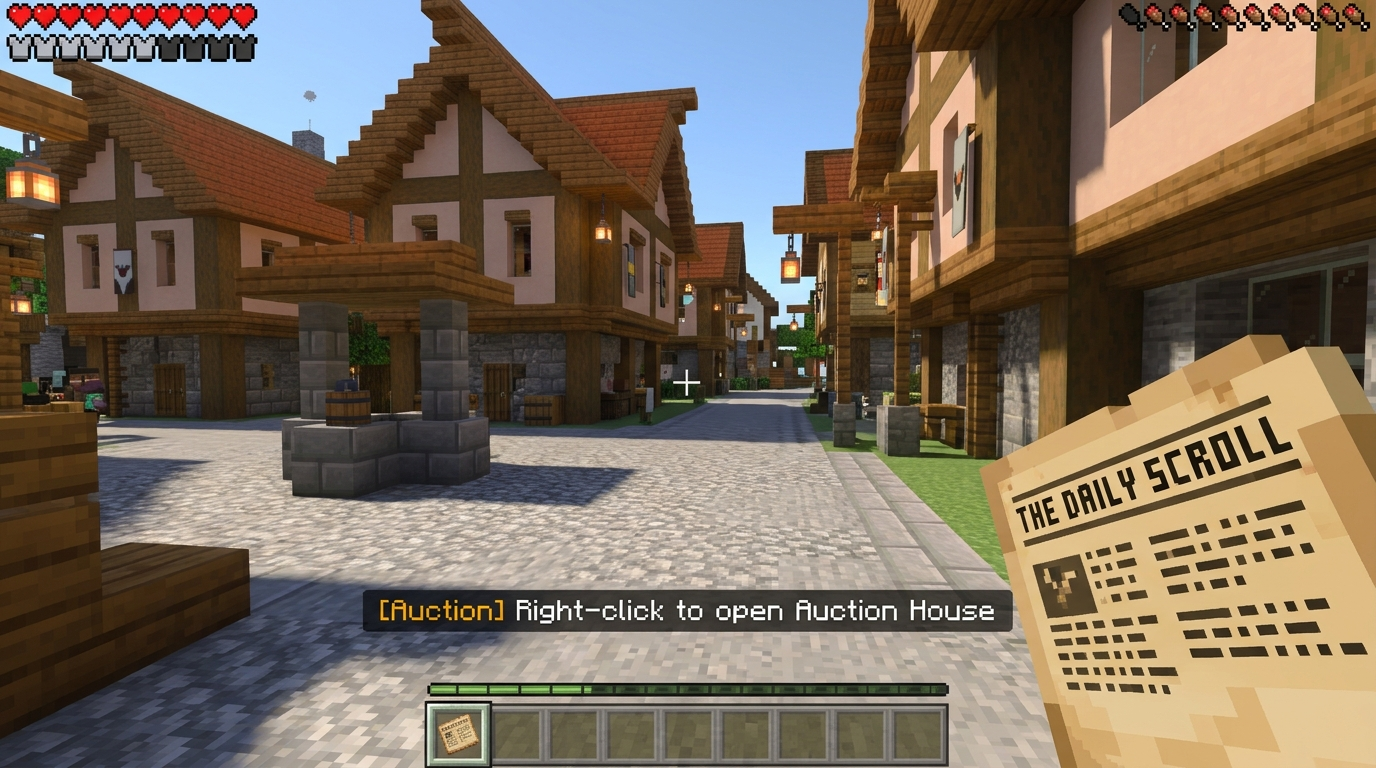
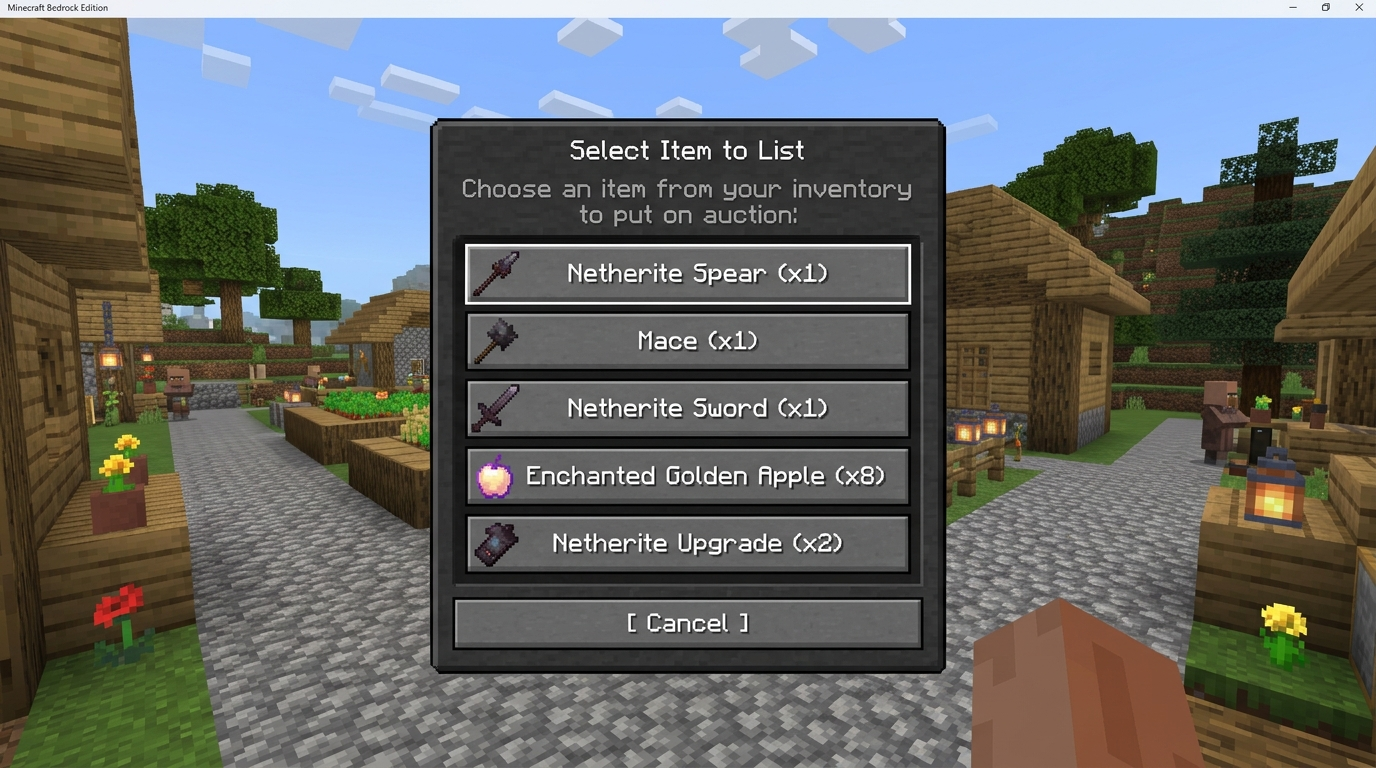
Dynamic Inventory Item Selector
When you want to sell something, the interface automatically reads your whole inventory and lists every valid item with its real pixel-art icon, including Spears, Maces, Smithing Templates, weapons, and armor. No need to hold the item in your main hand.
Floating Hover Tooltip Card
Hover or touch any item in the grid to see a full info card:
- Seller and ownership tag (
[YOURS]) - Current Bid and Buy Now price
- Durability bar (
Durability: 100%) - Enchantments and lore
- Time remaining and highest bidder
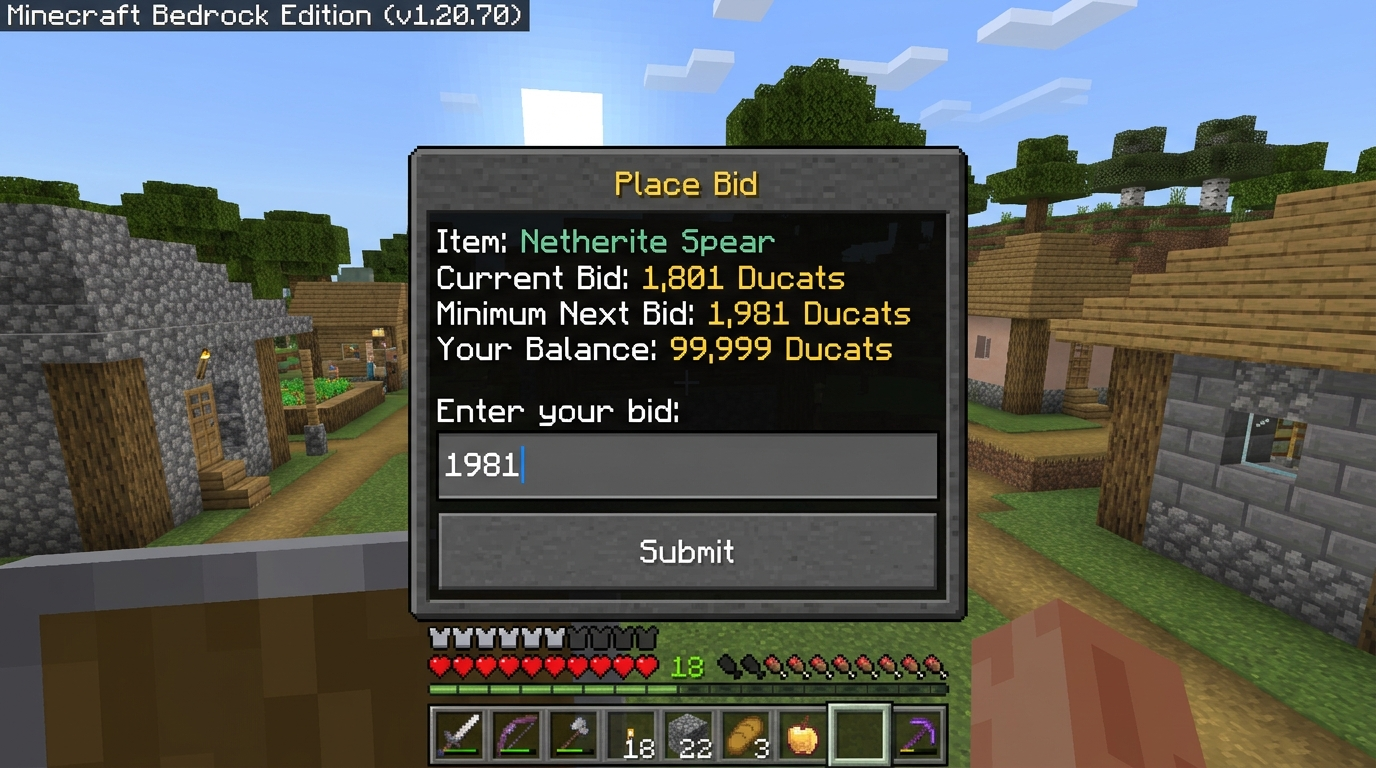
Real-Time Bidding & Outbid Refund
Dynamic bidding with an instant automatic refund the moment another player outbids you.
Instant Buyout & Tax-on-Sale
Use Buy Now to purchase instantly without waiting for the auction to end. A transaction tax is only deducted when an item is successfully sold.
Persistent Claim Box
Won items, sale proceeds, and expired listings are kept safely in an anti-duplication Claim Box until you collect them, even when you are offline.
Zero-Config Ecosystem Gateway
Instantly compatible with Verobank (VB) and Dynamic Economy (DE) through session token detection. Shortcut buttons appear automatically when the companion addon is active, with no manual config editing.
How to Use
1. Open TradeScroll
- Use The Daily Scroll (
auction:ledger) with right-click or by holding the screen. - Or run the command
/scriptevent auction:open.
2. List an Item for Auction
- Click the Pencil icon (Slot 49, Sell Item) on the bottom control bar.
- Pick the item you want to auction from your inventory list.
- Enter the starting bid, an optional Buy Now price, and the auction duration.
3. Place a Bid or Buy Now
- Click the item you want in the 54-slot catalog.
- Choose Place Bid to bid above the current price, or Buy Now for an instant purchase.
4. Collect Your Winnings and Sales
- Open the auction menu and click the Chest icon (Slot 45, Claim Box).
- Press the claim button to move items and money into your inventory or account.
Server Configuration
Customize the server settings in Auction_House_BP/scripts/config.js:
moneyScoreboard: scoreboard objective that tracks player balances (default:"money").currencyName/currencyNamePlural: displayed currency name (default:"Ducat"/"Ducats").salesTaxRate: transaction tax taken when an item sells (default:0.05, or 5%).minListingPrice: minimum starting price for a listing (default:50).durations: available auction durations (15m,60m,12h,1d).minBidIncrementRate: minimum raise for the next bid (default:10%).items: registry of items allowed for auction, with recommended prices and texture icons.
Installation
- Download
TradeScroll_Auction_House_v1.0.0.mcaddon. - Open the file to import it into Minecraft Bedrock automatically.
- In your World Settings, activate both the Behavior Pack and the Resource Pack.
- Enable the Beta APIs experimental toggle in your World Settings.
- Hold The Daily Scroll and right-click, or run
/scriptevent auction:open, to start trading.
Compatibility
- Minecraft Bedrock 1.20.10+.
- Requires the Beta APIs experimental toggle. The addon remains fully achievement friendly.
- Works in singleplayer, multiplayer servers, and Realms.
- Automatically integrates with Verobank and Dynamic Economy when they are active in the same world.
This addon is created independently and is not affiliated with Mojang or Microsoft.
TradeScroll: Auction House Team

Owner