TPA Flag
- By
A non-experimental Minecraft Bedrock addon that gives players a TPA Flag item to send teleport requests, manage an inbox, warp to bed spawn, use personal and global warps, and teleport across dimensions with an XP cost and countdown for balance.
TPA Item
Set Warps
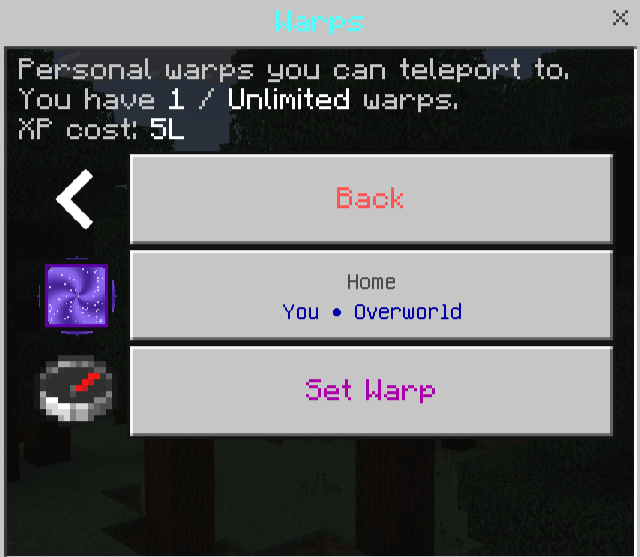
Warps
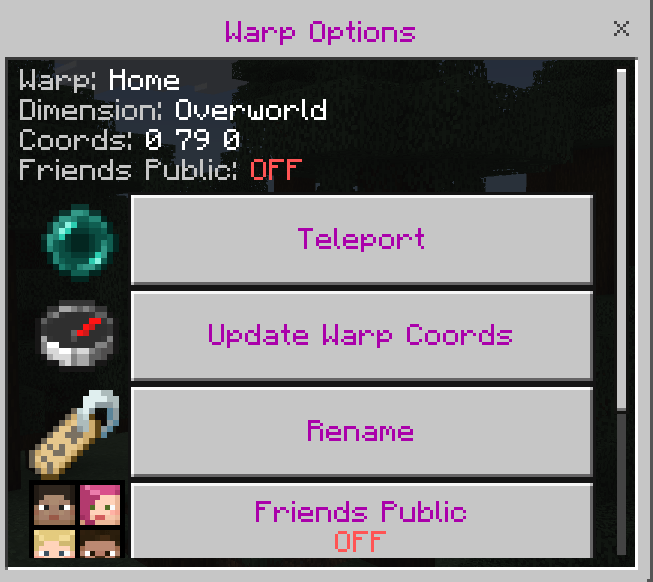
Warps Options
MCPEDL
Description
TPA Flag
────────────────────────────
Core Info
────────────────────────────
Non Experimental
Built to run without experimental features.
No Cheats Required
Does not require enabling Cheats.
Achievement Friendly
Achievements stay on because the addon does not require cheats or experimental features.
Does not use player.json
This add on does not replace or edit player.json or vanilla player files.
Works on Worlds, Realms, and Servers
Designed to run in singleplayer worlds, Realms, and dedicated servers.
Addon Friendly
Works with other addons just fine.
Join the Discord for any help. Spectral Ascension HQ
────────────────────────────
Getting the TPA Flag
────────────────────────────
Automatic Setup
You do not have to hand anything out.
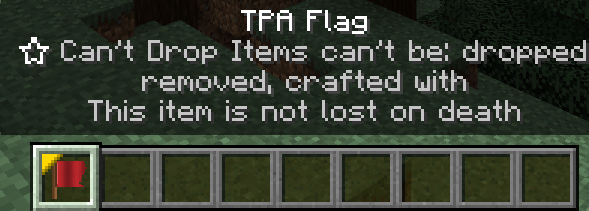
On first join, players automatically receive the TPA Flag.
It is locked in inventory so it does not get dropped by accident.
It is kept on death, so players do not lose access.
How to Open the Menu
Hold the TPA Flag in your main hand and use it.
Or place the TPA Flag in your offhand and Sneak + Jump to open the menu.
────────────────────────────
Fair Teleport Rules
────────────────────────────
Countdown
Most teleports start with a countdown before they happen.
Default countdown for most teleports is 10 seconds.
If you move, the teleport cancels.
Staff can edit countdown times.
Cooldown
After a successful teleport, players must wait before using that teleport again.
Default cooldown for most teleports is 10 seconds.
Staff can edit cooldown times for balance.
XP Level Cost
Teleports can cost XP levels.
If you do not have enough XP levels, the teleport will not start.
Staff can adjust XP costs at any time.
────────────────────────────
Main Menu Features
────────────────────────────
Spawnpoint
Teleports you to your bed respawn point, not world spawn.
If you have not set a respawn point yet, sleep in a bed first.
Warps
Your personal saved travel list.
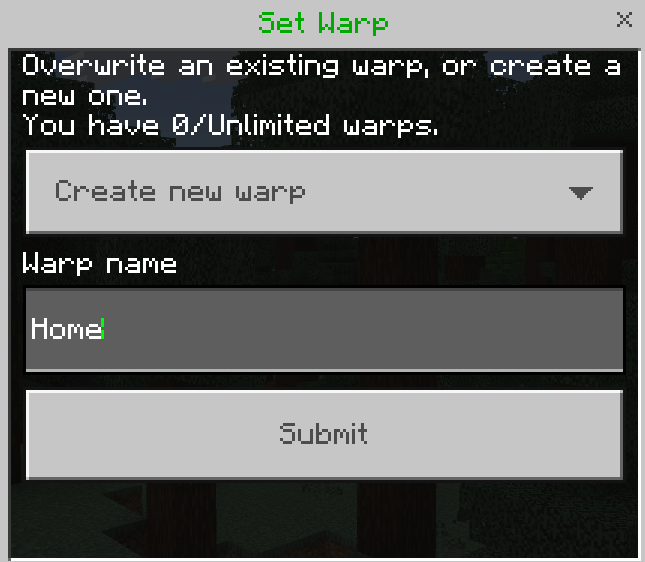
Set warps at bases, mines, farms, portals, and more.
Rename warps, delete warps, or update a warp’s coordinates without deleting and remaking it.
Warp names support § color codes, so players can color their warp names.
Warps save the dimension, so they work across Overworld, Nether, and End.
Players can also toggle a warp to be visible to friends.
This Friends Public option is off by default.
Warp Shop
Lets players buy more personal warp slots using XP levels.
The Warp Shop button only appears when Warp Shop is enabled by staff.
When Warp Shop is ON, the normal personal warp limit system is overridden for normal players.
In shop mode, players start with 0 purchasable warp slots.
Existing personal warps can either be kept or wiped when staff turns Warp Shop ON or OFF.
Each new slot costs more than the last one.
Default costs are 10 XP for the first slot, then 20 XP, 30 XP, and so on.
Default max slots players can buy is 10, but staff can change this.
TPA to Players
Pick an online player and send a teleport request.
Requests expire automatically if ignored.
Nobody gets surprise teleported without permission.
The person teleporting is the one who pays the XP cost.
Inbox
See incoming requests.
Accept makes the requester teleport to you, and countdown rules still apply.
Deny rejects the request.
Private and Friends
Two systems in one place: Private protection and Friends teleporting.
Private Toggle
Off by default.
When Private is ON, only players you add to Trusted Players can send you a normal TPA request.
Trusted players still use the normal request system and must still be approved in the Inbox.
Trusted Players
Add or remove players you trust.
Best for teammates you want to allow, while still forcing them to request first.
Friends
Friend requests must be accepted by the other player.
Friend requests expire if ignored.
Once someone is your friend, they can start teleporting to you without needing inbox approval.
Only add people you truly trust as friends.
Block Players
Block or unblock specific players.
When someone is blocked, they cannot send you TPA requests.
They cannot send you friend requests.
They cannot teleport to you using Friends teleport.
If they were friends, the friendship is removed on both sides.
Block also overrides trusted and removes them from trusted if needed.
Unblocking only removes the block. It does not restore friends or trusted automatically.
Death TP
Teleport back to your last death location.
If you have not died yet, it tells you it cannot be used yet.
The dimension is saved with the location.
Global Warps
Server wide warp points everyone can use.
Perfect for spawn hubs, shops, event areas, minigames, and community farms.
Players can teleport to global warps.
Staff can create, rename, and delete global warps inside this menu.
Global warps save dimension, so they work across Overworld, Nether, and End.
RTP
Random Teleport.
Works only in the Overworld.
Random distance from your current location is between 100 and 10,000 blocks.
Uses a safer landing system before placing the player.
If you try RTP in the Nether or End, you get a message saying it can only be used in the Overworld.
────────────────────────────
Dimension Support
────────────────────────────
Cross Dimension Support
This add on stores the dimension with saved locations.
Spawnpoint can bring you back to your Overworld bed even if you are in the Nether or End.
Personal warps work across Overworld, Nether, and End.
Global warps work across Overworld, Nether, and End.
TPA also works across Overworld, Nether, and End.
Death TP saves the correct dimension as well.
────────────────────────────
Staff Features
────────────────────────────
Staff Access
Staff buttons show automatically for Operators.
Operators can access staff menus without needing a special tag.
XP Cost
Set an All Teleports default XP cost.
Optionally set custom XP costs per feature with a toggle.
If a custom toggle is off, that feature uses the default cost.
Supported features include Spawnpoint, TPA to Players, Warps, Global Warps, Death TP, and RTP.
Countdown
Set an All Teleports default countdown.
Optionally set custom countdowns per feature.
If a custom toggle is off, that feature uses the default countdown.
Cooldown
Set an All Teleports default cooldown.
Optionally set custom cooldowns per feature.
If a custom toggle is off, that feature uses the default cooldown.
Max Warps
Set the maximum number of personal warps normal players can create.
Staff bypass the limit.
If Warp Shop is ON, this limit is overridden for normal players.
Warp Shop Settings
Toggle the Warp Shop ON or OFF.
When toggling ON or OFF, staff are asked if they want to wipe personal player warps or keep them.
Wiping affects only personal player warps. Global warps are not touched.
Set how many warp slots players can buy.
Set how much the first warp slot costs.
Set how much the cost increases per slot.
Manage Players
View online players.
Click a player to see how many personal warps they are using.
Teleport directly to a player’s warp.
Remove individual warps.
Remove all personal warps at once.
Offline Players with Warps
Shows players who currently have saved personal warps.
Staff can view their warp list.
Staff can teleport to those warp locations.
Staff can remove individual warps or clear all.
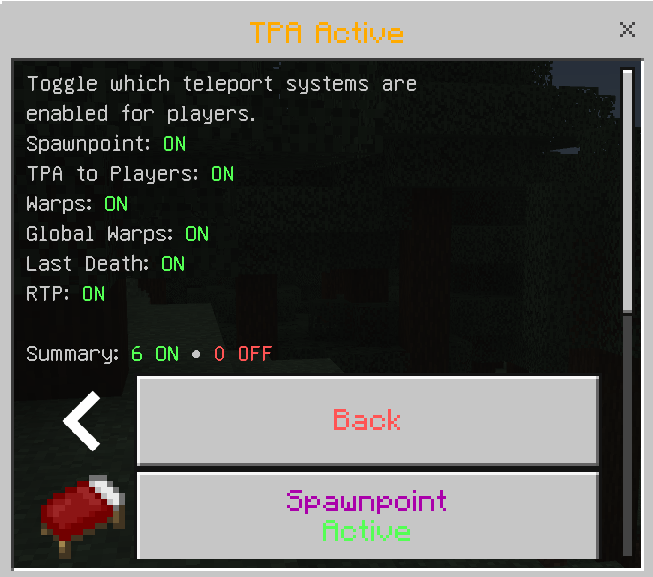
TPA Active
Staff can toggle each system Active or Disabled.
This includes Spawnpoint, TPA to Players and Inbox, Warps, Global Warps, Death TP, and RTP.
Players can see Active or Disabled under buttons.
Clicking a disabled feature informs the player it was disabled by staff.
────────────────────────────
Install Notes
────────────────────────────
Install
Import the .mcaddon.
Enable the packs in your world settings.
In most cases, enabling the Behavior Pack will also pull in the Resource Pack automatically.
TPA Flag Team