TC Command Cheat
- By
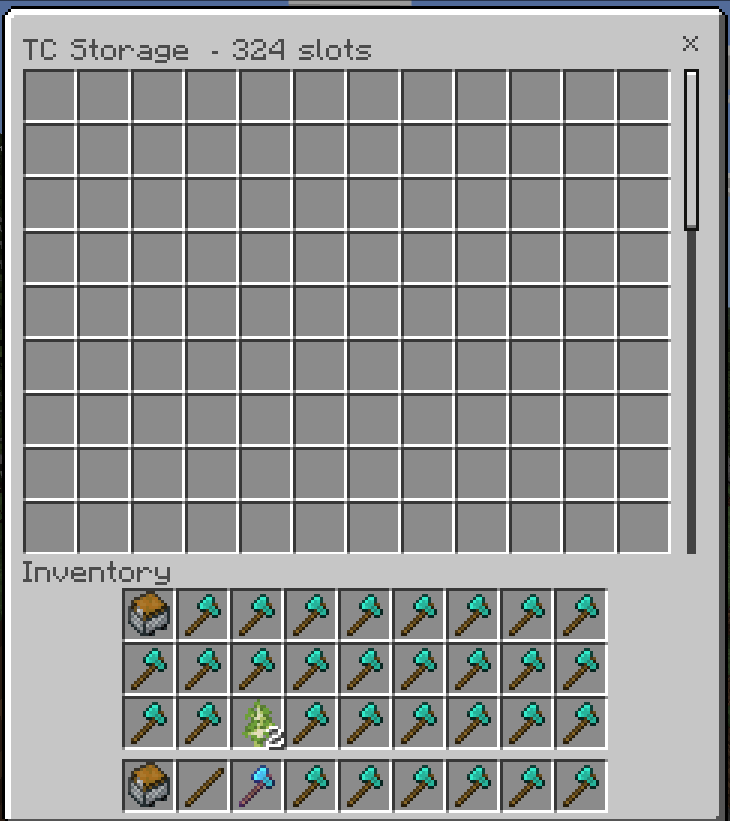
[AF] TC Command Cheat adds 40+ slash commands for survival and creative worlds without cheats: menus, 324-slot vaults, Master traders, OP kits and survival utilities.
Screenshot 2026-10-09 010622.png
Screenshot 2026-10-09 003815.png
Screenshot 2026-10-08 234954.png
Description
TC Command Cheat v2.0.0
Support: https://ko-fi.com/toancao YouTube: https://www.youtube.com/@toancaomc Discord: https://discord.gg/9rch87H9yM CurseForge: https://www.curseforge.com/members/toancao/projects
How to Play
Enable both packs in World Settings. All commands use the prefix tc:. Open the main hub with /tc:menu or /tc:help to see every command and its status. Run any command directly in chat. Most toggles turn on and off with the same command.
How to Use Features
Full Command List
Help and Menu
- /tc:menu and /tc:ui - Open the main hub: Quick Actions, Active Cheats, search, five counted groups and System.
- /tc:help - Show help grouped by category with one line per command.
- /tc:info - Show player and world info such as dimension, coordinates and game rules.
- /tc:settings - Open client preferences: English/Vietnamese plus all feature toggles.
Survival and Player
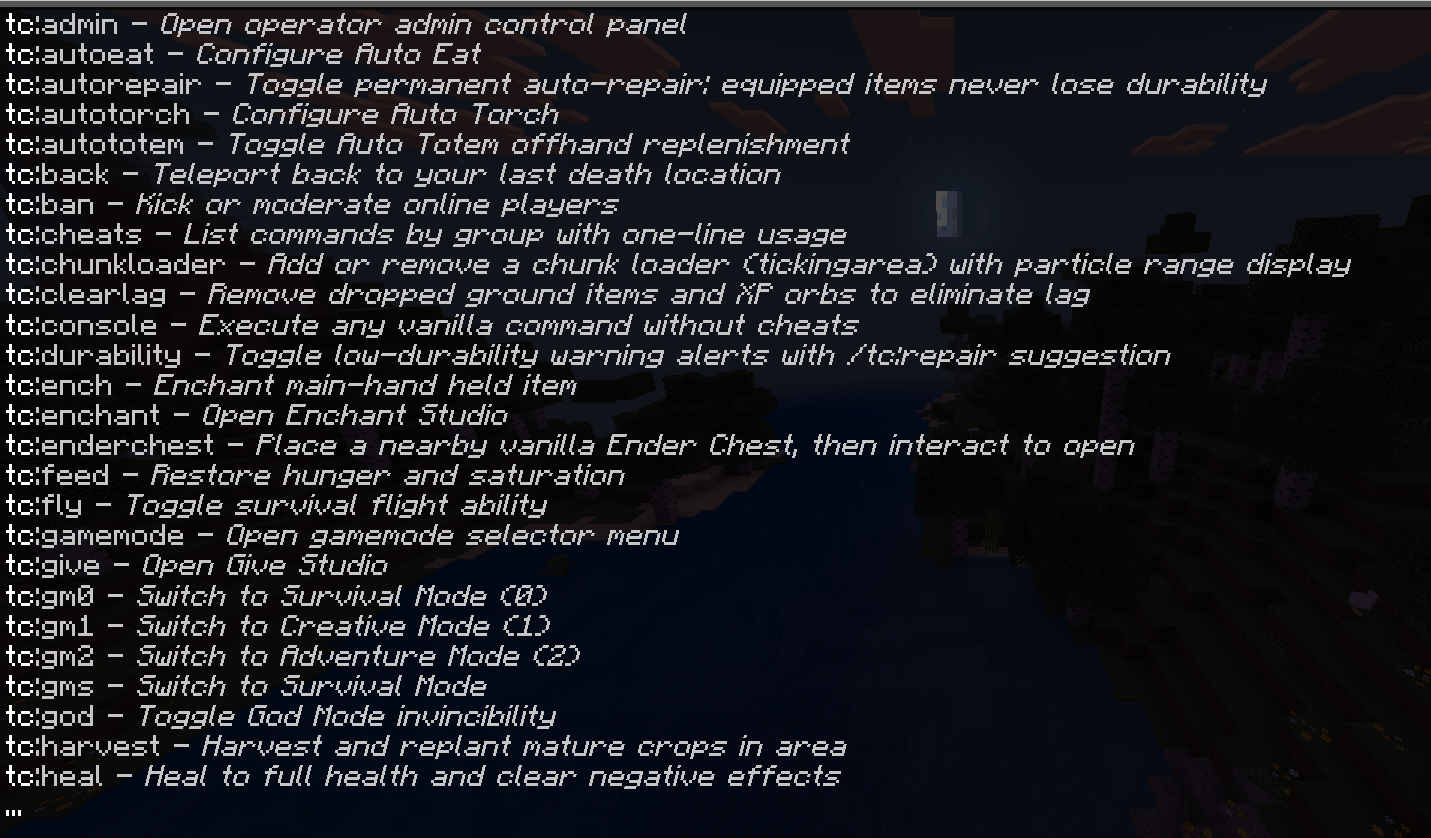
- /tc:heal - Heal to full health and clear negative effects.
- /tc:feed - Restore hunger and saturation instantly.
- /tc:god - Toggle God Mode invincibility. Ordinary damage is cancelled; /kill is not guaranteed to be blocked.
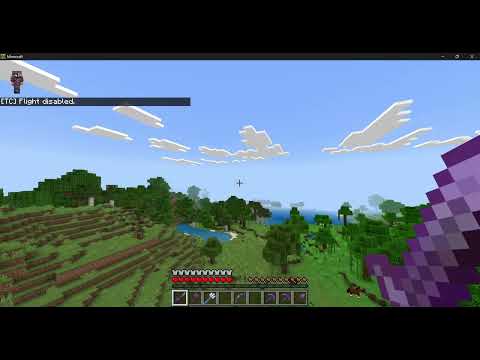
- /tc:fly - Toggle survival-style flight with adjustable speed. Jump ascends, sneak descends.
- /tc:speed - Open the movement speed menu. No separate level commands.
- /tc:nightvision - Toggle permanent Night Vision fullbright.
- /tc:keepinv - Toggle Keep Inventory on death.
- /tc:autototem - Toggle Auto Totem offhand replenishment.
- /tc:magnet - Toggle Item Magnet that pulls nearby dropped items.
- /tc:petgod - Open the Pet Protection menu: pet invincibility, heal all nearby pets and teleport pets to you.
- /tc:home - Teleport to home or set a new home location.
- /tc:back - Teleport back to your last death location.
- /tc:harvest - Harvest and replant mature crops around you.
- /tc:waypoint - Save, search, favorite, rename and teleport to waypoints across dimensions.
- /tc:radar - Scan nearby valuable ores, chests and spawners.
Mining and Automation
- /tc:veinminer - Toggle Vein Miner and Tree/Leaf Capitator.
- /tc:oreboost - Multiply ore loot 2X, 3X or 5X using the live mining tool.
- /tc:transmute - Toggle lucky transmutation of stone into ores.
- /tc:autotorch - Automatically place torches while mining.
- /tc:autoeat - Automatically eat the best food, with emergency golden apple option.
- /tc:rescue - Save safe positions and rescue on falls. /tc:unstuck returns to safety.
- /tc:presets - Apply Miner, Farmer, Explorer or Combat toggle sets, or save your own.
Storage and Items
- /tc:inventory - Open a 324-slot Personal Vault or Expanded EC. Hold the key, then interact in front of you.
- /tc:sort - Sort player inventory and nearby chests, or deposit matching items into a viewed chest.
- /tc:repair - Repair all equipment and inventory items to 100 percent.
- /tc:autorepair - Toggle permanent auto-repair of equipped items.
- /tc:durability - Toggle low-durability warning alerts.
- /tc:smelt - Instantly smelt raw ores and foods in inventory.
- /tc:enderchest - Place a nearby vanilla Ender Chest, then interact to open.
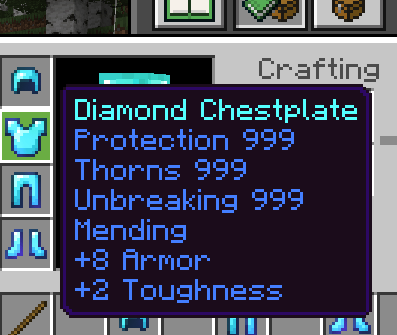
- /tc:give - Give Studio with search, categories, quantities and vault destinations, plus 8 single OP 999 chests.
- /tc:enchant - Enchant Studio with compatibility checks, valid levels and equipment presets. Vanilla limits apply.
Trader and Kits
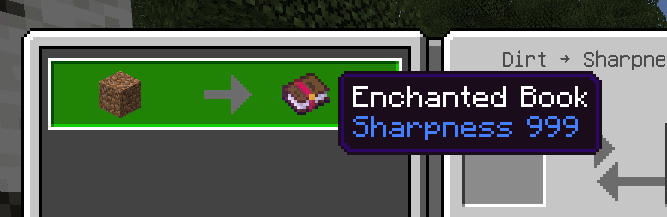
- /tc:trader - Spawn 11 Master villagers with fixed 1-emerald trades, or 12 Dirt Exchange villagers trading 1 dirt for totems, 999 books and 999 netherite gear.
- /tc:kit - Normal menu with 11 vanilla-limited kits (Crystal PvP, Ultimate PvP, Miner, Farmer, Archer, Builder, Explorer, Fisher, Warrior, Lumberjack, Enchanter). Unlimited menu spawns 15 chest kits up to enchantment level 32767 in front of you.
World and Mobs
- /tc:settime - Change world time or toggle the daylight cycle.
- /tc:setweather - Change world weather.
- /tc:tphub - Open the teleport hub menu.
- /tc:spawn - Spawn custom entities or mob presets.
- /tc:mob - Kill nearby monsters or toggle the Mob Repeller shield.
- /tc:killmobs - Instantly kill all hostile monsters in the area.
- /tc:chunkloader - Add or remove a native chunk loader with particle border view.
- /tc:clearlag - Remove dropped items and XP orbs to reduce lag.
Gamemode
- /tc:gamemode - Open the gamemode selector menu.
- /tc:gm0 and /tc:gms - Switch to Survival.
- /tc:gm1 - Switch to Creative.
- /tc:gm2 - Switch to Adventure.
Administration
- /tc:console - Execute vanilla commands without cheats enabled.
- /tc:admin - Open the operator admin panel. Requires GameDirector permission.
- /tc:ban - Kick or moderate online players. Requires GameDirector permission.
All commands work without cheats enabled. Use /tc:help to see current toggle status.
How to Install
- Download TC_CommandCheat_v2.0.0.mcaddon.
- Open the file to import both packs into Minecraft.
- Enable TC Command Cheat (BH) in Behavior Packs and TC Command Cheat (RP) in Resource Packs.
- No Beta APIs needed. Keep cheats off if you want achievements.
- Join the world and run /tc:menu.
Notes
- Requires Minecraft Bedrock with stable server 2.8.0 and server-ui 2.1.0 module support.
- This release is a behavior pack plus a resource pack for storage UI, key icons and localized titles.
- Do not modify manifest.json UUIDs or dependencies. Keep the original folder structure.
- Test trades, 999/32767 enchant behavior and 324-slot storage persistence in a backup world first. NBT values above vanilla limits are stored data; the game decides how to apply them.
- For support and updates visit https://ko-fi.com/toancao and https://www.youtube.com/@toancaomc
TC Command Cheat Team

Owner