TC Auto Bridge – Smooth Bridging
- By
TC AutoBridge is a Minecraft Bedrock addon that auto-places blocks beneath the player while moving, creating a smooth, gapless bridge that follows their direction and speed with predictive placement.
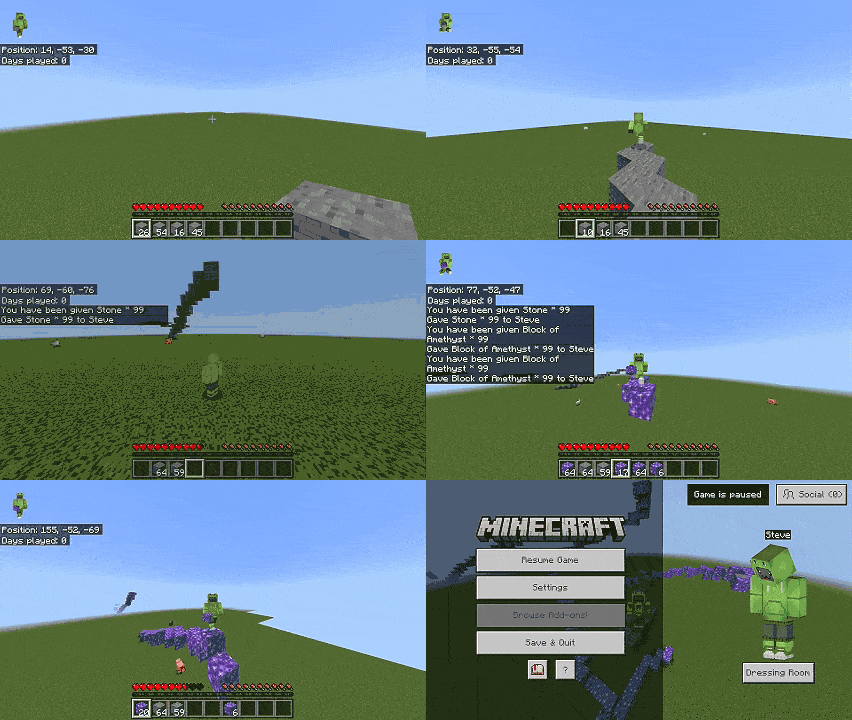
# TC AutoBridge
TC AutoBridge is an advanced utility addon for Minecraft Bedrock Edition designed to make building and traversing terrain effortless. By smartly predicting your movement velocity and viewing angle, it automatically places blocks in front of you, allowing you to bridge across the void, build staircases, or pillar up without the tedious need to aim and click repeatedly.
## Key Features
- **Four Smart Bridging Modes:**
- **Flat:** Bridges strictly on a horizontal plane, locking your starting height.
- **Up:** Automatically builds a staircase upwards when you jump.
- **Down:** Automatically builds a staircase downwards when you move while sneaking.
- **Tower:** Builds a vertical pillar directly beneath you when you jump in place.
- **Sneak to Bridge:** A hands-free mode that automatically bridges for you as long as you hold the sneak button, without requiring you to hold the interact button.
- **Smart Auto-Fill:** Never run out of materials mid-air. The addon can be configured to automatically pull the same block type—or any available building block—from your inventory into your hand when your current stack depletes.
- **Immersive Feedback:** Real-time Actionbar HUD shows your active mode and remaining blocks, accompanied by vanilla-like placement sounds and particles.
- **Directional Block Support:** Fully supports directional blocks (stairs, logs, furnaces). Blocks will automatically rotate and face the correct direction based on your viewing angle, just like vanilla placement.
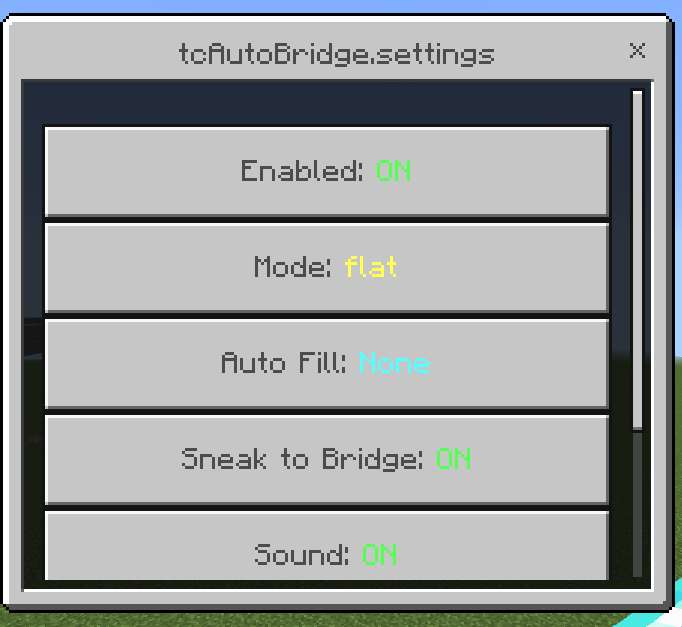
- **In-Game Settings Menu:** Type `/autobridge` to open an intuitive, native UI menu to toggle features, switch modes, and customize your experience on the fly.
## How to Use
1. Equip a valid building block in your hand (e.g., dirt, stone, wood, glass).
2. Type `/autobridge` to open the settings menu and configure your preferred mode.
3. Hold right-click (or long-press on screen) while moving, OR enable the "Sneak to Bridge" feature to build simply by sneaking.
4. Watch as the blocks seamlessly place themselves in front of you!
*Note: TC AutoBridge is highly optimized and chunk-aware, ensuring smooth server performance even with multiple players bridging simultaneously.*

TC Auto Bridge – Smooth Bridging Team

Owner


![TC Death Chest – Never Lose Your Items [Achievement-Friendly] project image](https://media.forgecdn.net/avatars/thumbnails/1701/445/256/256/639080522926877858.jpg)