StoneTombs
- By
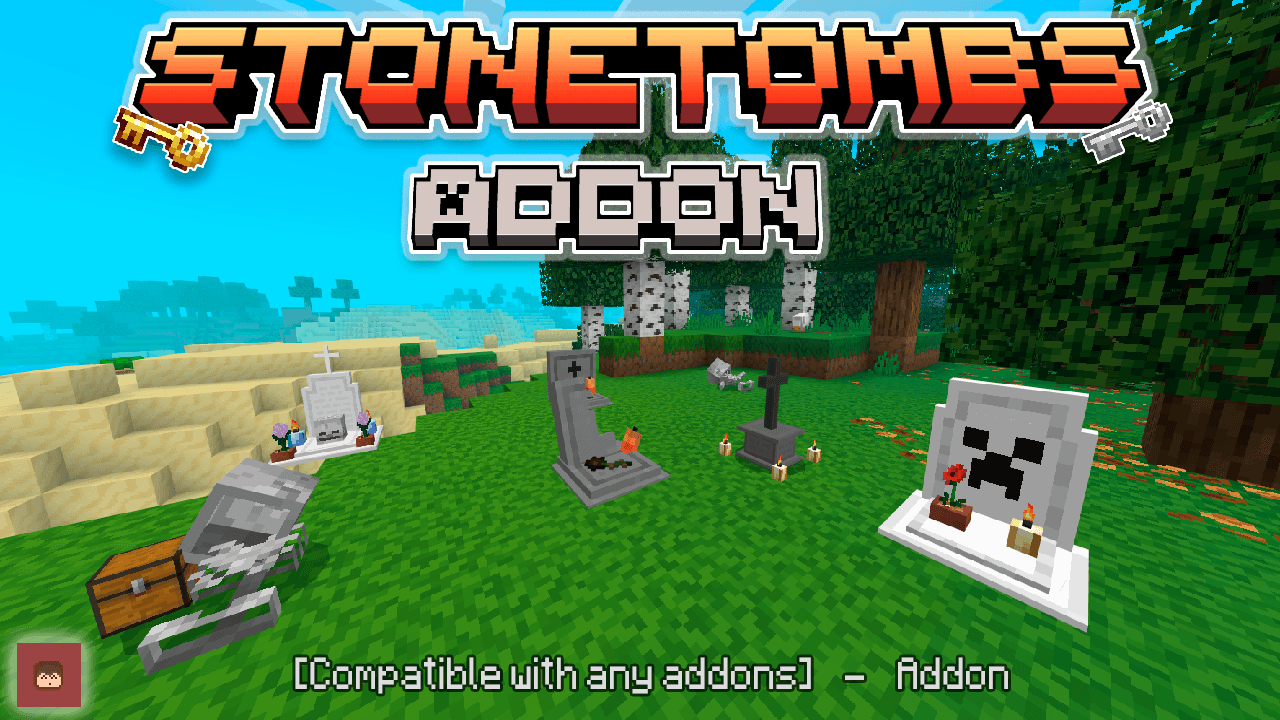
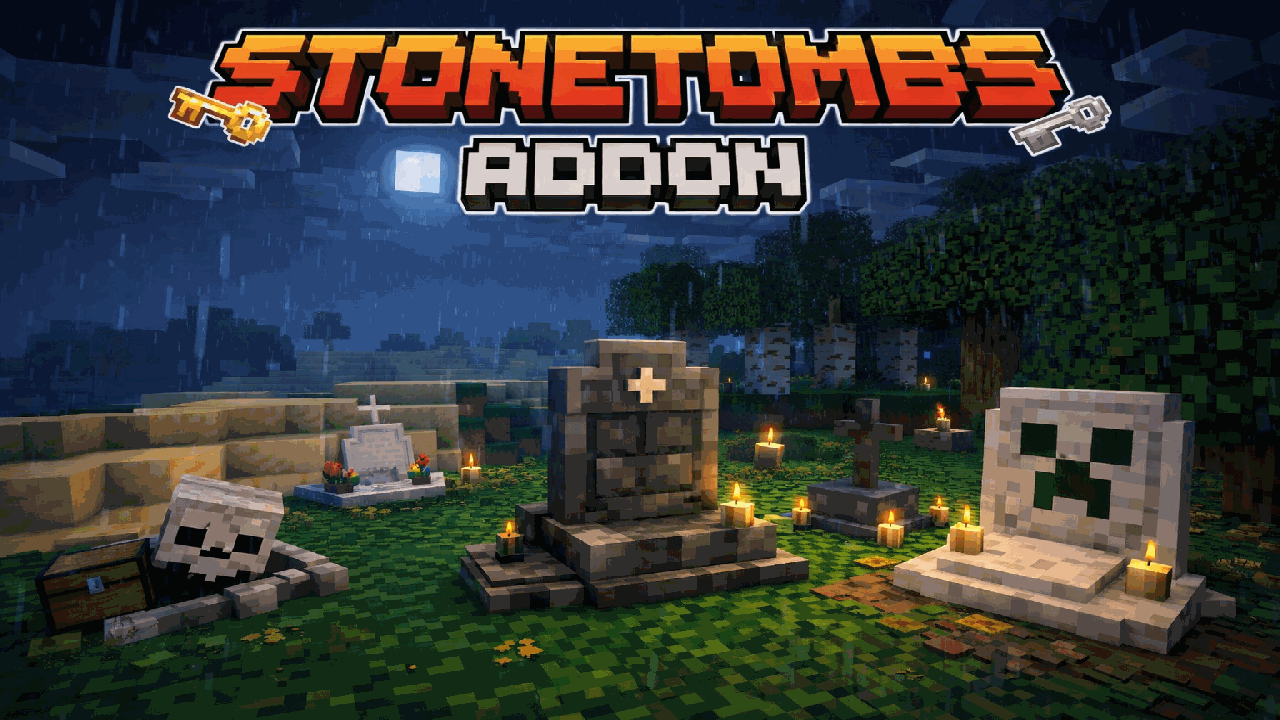
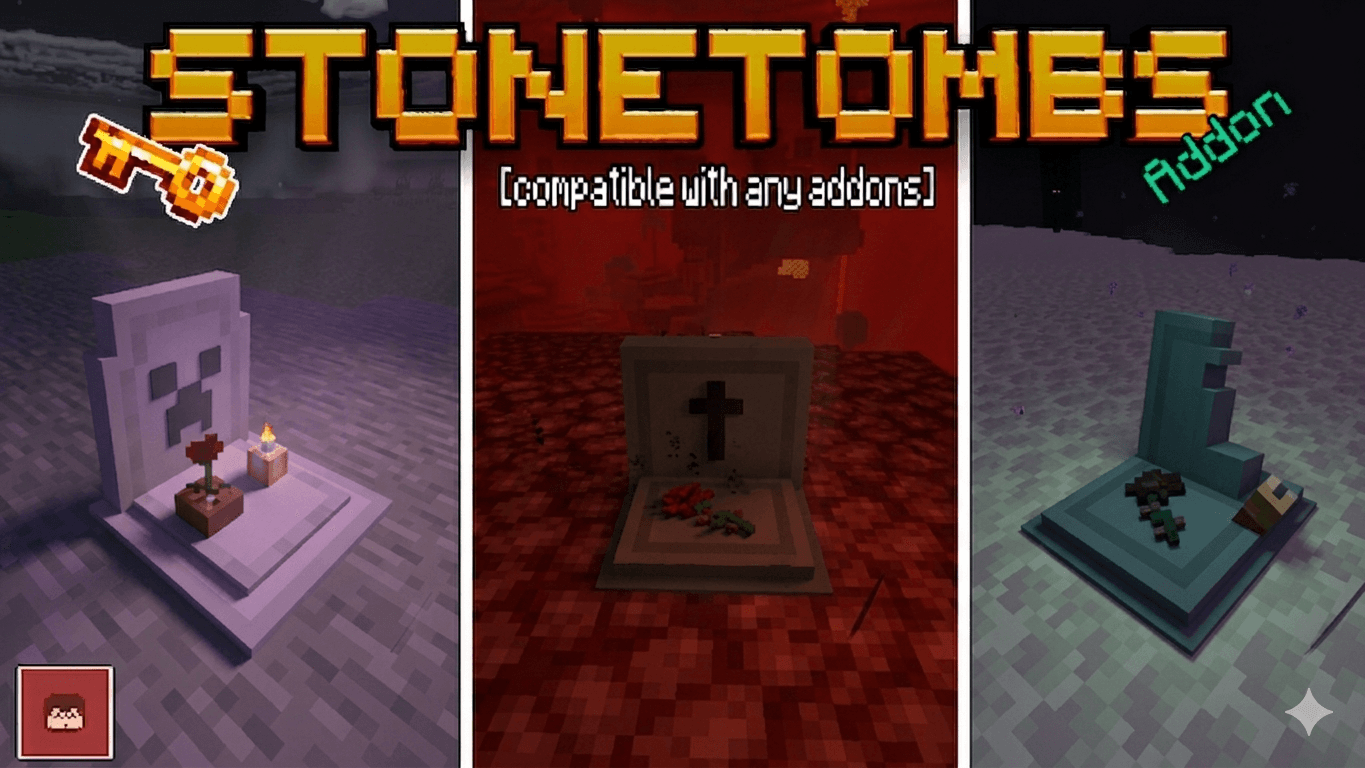
The add-on adds a tomb that will store your things when you die, it will give you a key that will allow you to open your tomb, it will also allow you to teleport to your tomb to get there faster
stonetombs_t.png
stonetombsdwdw.png
img.png
Description
🪦 StoneTombs V2.0 — Never Lose Your Items Again
✅ Realms • Multiplayer • Addon Friendly
🏆 Achievements Friendly • 🚫 No Experimental Toggles • 🚫 No player.json
🌐 Official StvAddons Page • 🚀 Discord Server
🪦 StoneTombs V2.0
Dying far from home should not mean losing hours of progress.
StoneTombs protects your inventory inside a personal grave when you die and gives you the tools to find it, track it, teleport back, recover your equipment intelligently and manage every active grave from one interface.
V2.0 is a major rework focused on making death recovery safer, easier to understand and much better for survival worlds, multiplayer servers and Realms.
⭐ Why StoneTombs?
- 🪦 Stores your inventory safely inside a grave when you die
- 🔑 Creates a unique Grave Key linked to that specific grave
- 🧭 Live grave tracking with distance + direction
- ✨ Optional enchanted-key teleportation
- 📋 New Grave Manager for all your active graves
- 🎒 3 different recovery modes
- 🛡️ Restore equipment only when you need it
- 👕 Automatic armor and offhand re-equipping
- ⭐ Configurable XP recovery from 0% to 100%
- 🧱 Permanent Smart Safe Grave Placement
- 🆘 Automatic 4×4 emergency platform if no safe ground exists
- 🌋 Safer graves around lava, dangerous terrain and the void
- 👥 Owner-only, timed-public or fully public graves
- ⏳ Configurable grave expiration and cleanup
- 🔔 Public/expiration notifications with sounds
- 🎨 17 grave models
- 🌈 15 grave-name colors
- ⚙️ Separate Admin Config and Personal Config
- 📖 Complete in-game Help & Guide
- 🌐 Overworld, Nether and End support
- 👥 Multiplayer & Realms friendly
- 🧩 Designed to work alongside other addons
- 🚫 Does not use
player.json - 🧪 No experimental gameplay toggles required
🔥 What's New in V2.0?
StoneTombs V2.0 is much more than a visual update.
The entire recovery system has been expanded so players have more control while server owners can configure how graves behave across the world.
🆕 V2.0 Highlights
- Added a complete Grave Manager
- Added live grave tracking
- Added nearby grave preview
- Added Original Slots, Fill Inventory and Drop Remaining Items recovery modes
- Added automatic armor/offhand restoration
- Added Equipment Only recovery
- Added configurable XP storage
- Added configurable teleport XP costs
- Added Owner Only / Owner Then Public / Everyone access modes
- Added public-grave timers from 30 seconds to 60 minutes
- Added public-grave notifications
- Added grave expiration and cleanup controls
- Added expiration warnings and notifications
- Added configurable maximum active graves
- Added permanent Smart Safe Grave Placement
- Added automatic 4×4 emergency platforms
- Added separate Admin Config and Personal Config
- Added a complete in-game Help & Guide
- Expanded visual customization to 17 tomb models
- Added 15 grave-name colors
- Improved Grave Key behavior and tracking
- Improved XP handling
- Improved item restoration and full-inventory handling
- Improved compatibility for worlds, Realms and dedicated servers
Video Short Review
☠️ How StoneTombs Works
When you die, StoneTombs creates a grave containing your stored inventory and gives you a Grave Key connected to that exact grave.

Your grave stores information such as:
- Grave number
- Owner
- Dimension
- Coordinates
- Death time
- Death cause
- Stored XP
- Stored items
By default, only the owner can recover their grave.
Your key can also display the grave's location so you always know where your items were left.
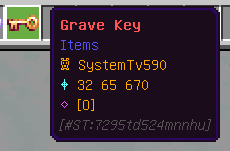
Coordinates can also be shown in chat when the grave is created.

Both coordinate displays can be enabled or disabled by the server administrator.
🧱 Smart Safe Grave Placement
One of the most important V2.0 improvements is the new Smart Safe Grave Placement system.
This safety system is always enabled.
When you die, StoneTombs does not blindly place the grave exactly where you died.
Instead:
- It searches around your death location for safe natural ground.
- It checks nearby positions and different heights.
- It avoids unsafe empty space, lava and locations without a stable floor.
- If safe natural ground exists, the grave is placed there.
- Only when no safe location can be found, StoneTombs creates an automatic 4×4 emergency platform.
The emergency platform adapts to the dimension:
- 🪨 Cobblestone — Overworld
- ⬛ Blackstone — Nether
- 🟨 End Stone — The End
This makes deaths in caves, lava areas, dangerous terrain and the End void much safer without unnecessarily generating platforms everywhere.
🔑 Grave Keys
Every grave receives its own unique Grave Key.
A Grave Key only belongs to its matching grave, so another random Grave Key cannot be used as a universal key.
✨ Enchanted Grave Keys
Administrators can choose between:
- Always Enchanted Key
- Random Enchanted Key
An enchanted Grave Key can teleport you back to the grave when teleportation is enabled.

Teleportation can also have a configurable XP level cost:

- Free
- 1 Level
- 3 Levels
- 5 Levels
- 10 Levels
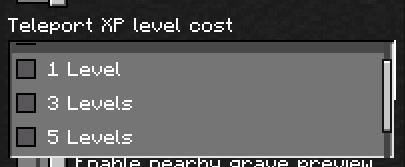
If the server uses Random Enchanted Key, normal Grave Keys cannot teleport. This keeps the random enchanted-key mechanic meaningful.
🧭 Tracking With Any Grave Key
Even when a key cannot teleport, it can still help you find your grave.
Sneak + Use a Grave Key to start or stop tracking.
When tracking a grave in the same dimension, your action bar shows:
- Distance
- Direction arrow



If the grave is in another dimension, StoneTombs instead shows the required dimension and coordinates.

📋 Grave Manager
V2.0 adds a full Grave Manager inside Personal Config.
It lets every player manage their own registered graves without needing to search through a pile of keys.
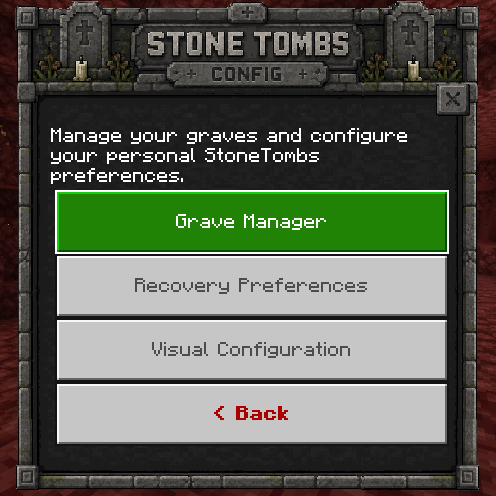
The manager displays your newest active graves and lets you:
- 🧭 Track Grave
- ✨ Teleport to Grave when allowed
- ℹ️ View Grave Information
- 🗑️ Permanently delete a grave
ℹ️ Grave Information
The information screen can show:
- Grave number
- Dimension
- Coordinates
- Grave age
- Death cause
- Stored XP
- Number of stored item slots
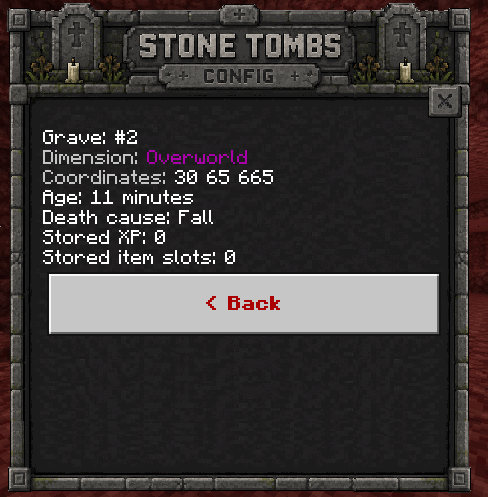
This is especially useful for players with several active graves across different dimensions.
🎒 Advanced Item Recovery
V2.0 adds three personal recovery modes.
Every player can choose the mode they prefer independently.
🎒 Original Slots + Auto Equip
Your armor and offhand items are automatically restored to their equipment slots whenever possible.
Inventory items then try to return to the exact slots they occupied before death.
If an original slot is already occupied, StoneTombs safely uses another available inventory slot instead.
📦 Auto Equip + Fill Inventory
Equipment is restored first.
The remaining recovered items are then compacted into available inventory spaces without trying to preserve their previous slot positions.
This is useful when you simply want everything back as efficiently as possible.
💨 Auto Equip + Drop Remaining Items
Equipment is automatically restored whenever possible.
Everything else is dropped safely around the grave instead of being inserted into your inventory.
This is useful if you prefer traditional grave-style item drops while still benefiting from automatic equipment recovery.
🛡️ Recover Equipment Only
Need your armor back before dealing with the rest?
Sneak + Hit your grave with the correct key to open the Recovery Menu.
From there you can choose:
- Restore Everything
- Restore Equipment Only
- View Grave Information
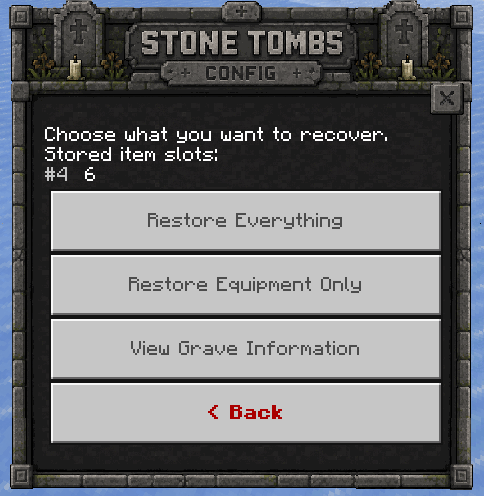
Armor, helmet, leggings, boots and offhand equipment have dedicated storage handling so they can be properly re-equipped.
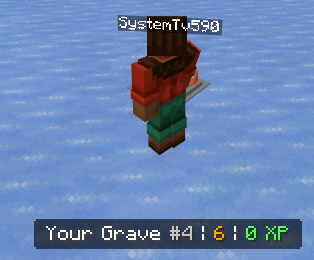
👁️ Nearby Grave Preview
When you are close to one of your own graves, StoneTombs can display a compact preview in the action bar.
The preview shows:
- Grave number
- Stored item slots
- Stored XP
Every player can personally enable or disable this preview.

Administrators can also choose whether it is enabled by default.
⭐ XP Recovery
StoneTombs V2.0 can protect your experience as well as your items.
Administrators can choose how much XP is stored inside graves:
- 0%
- 25%
- 50%
- 75%
- 100%
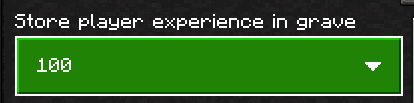
The protected percentage is stored inside the grave.
Any XP that is not protected is dropped normally at the original death location as experience orbs.
When the grave is successfully recovered, its stored XP is returned to the player.
👥 Grave Access & Public Graves
Server owners now have much more control over who can recover graves.
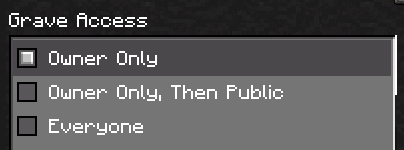
🔒 Owner Only
Only the grave owner can recover it.
This is the default mode.
⏱️ Owner Only, Then Public
The grave starts private.
After a configurable amount of time it becomes public.
Available public timers:
- 30 Seconds
- 1 Minute
- 5 Minutes
- 15 Minutes
- 30 Minutes
- 60 Minutes
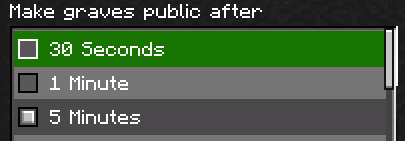
When the grave becomes public, any player can recover it with an empty hand.
The owner receives a notification identifying the grave with:
- Grave number
- Coordinates
- Dimension
- Notification sound
This makes the system useful for multiplayer servers where items should eventually become available instead of remaining permanently locked.
🌍 Everyone
The grave is public immediately.
Any player can recover it with an empty hand from the beginning.
Public graves do not make unrelated Grave Keys into universal keys. Players should use an empty hand unless they have the correct key.
⏳ Grave Expiration & Cleanup
Administrators can decide how long graves remain active.
Available expiration times:
- Never
- 15 Minutes
- 30 Minutes
- 1 Hour
- 6 Hours
- 12 Hours
- 24 Hours
- 3 Days
- 7 Days
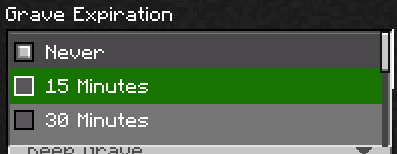
When an expiration policy is active, the administrator can choose what happens:
🪦 Keep Grave
The grave remains available.
📦 Remove Grave and Drop Items
The grave disappears and its remaining stored items are dropped at its location.
❌ Remove Grave and Delete Items
The grave and every remaining stored item are permanently removed.
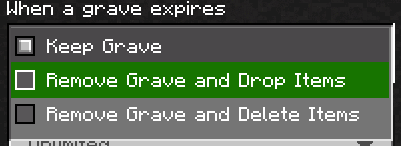
When an online player has a grave approaching expiration, StoneTombs sends a warning approximately 5 minutes before it expires.
When a loaded grave finally expires, the owner also receives a message identifying which grave expired plus a notification sound.
🔢 Maximum Active Graves
Server owners can control how many active graves each player can have.
Available limits:
- Unlimited
- 3
- 5
- 10
- 20
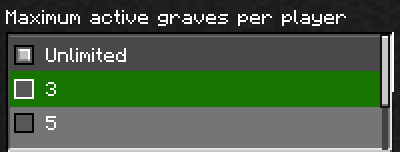
This can be useful on long-running multiplayer servers and Realms.
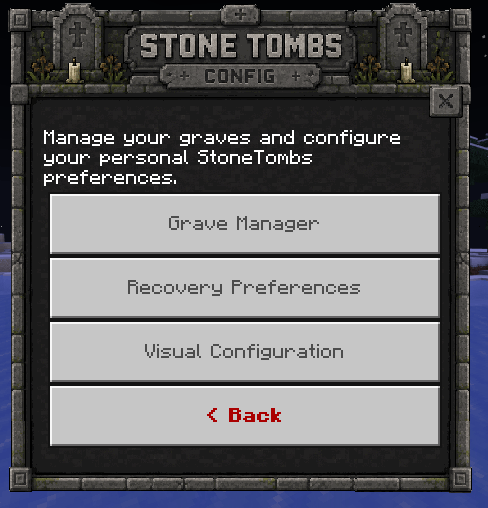
⚙️ New Config System
Every player receives a StoneTombs Config Key once.
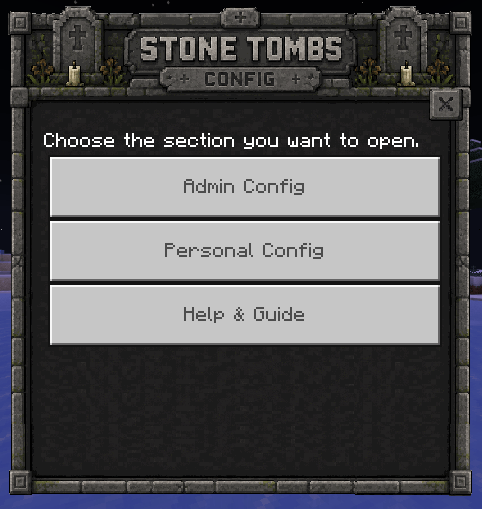
Using it opens the new configuration hub with three sections:
- 🔴 Admin Config
- 🟢 Personal Config
- 📖 Help & Guide
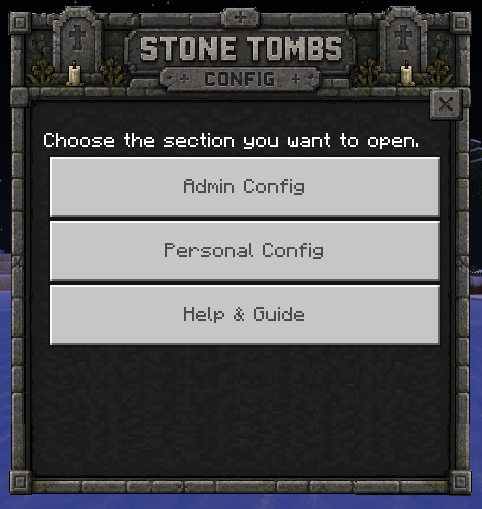
The Config Key itself does not give a normal player administrator access.
Admin Config checks real Minecraft operator/server permissions.
🔧 Config Key Recipe
If you need another Config Key, it can be crafted with:
- 1 Iron Ingot
- 1 Book
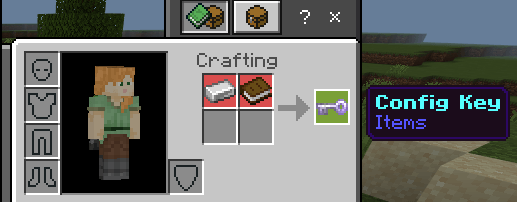
🔴 Admin Config
Only players with administrator/operator permissions can modify global StoneTombs settings.
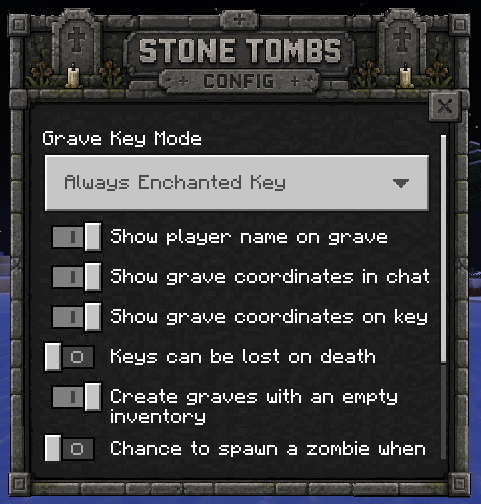
⚙️ General Settings
- Always Enchanted / Random Enchanted Grave Keys
- Show player name on graves
- Show grave coordinates in chat
- Show coordinates on Grave Keys
- Choose whether Grave Keys can be lost on death
- Create graves even with an empty inventory
- Optional zombie chance when opening graves
- Optional bone drops when opening graves
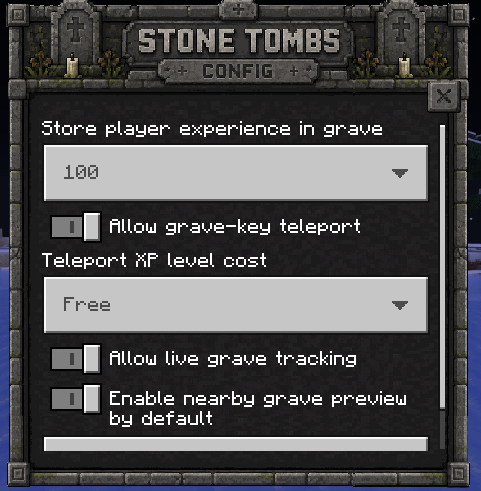
🛡️ Recovery & Safety
- Stored XP percentage
- Enable/disable Grave Key teleportation
- Teleport XP level cost
- Enable/disable grave tracking
- Default nearby-grave preview setting
Smart Safe Grave Placement and its 4×4 emergency fallback are permanent safety features and cannot be disabled.
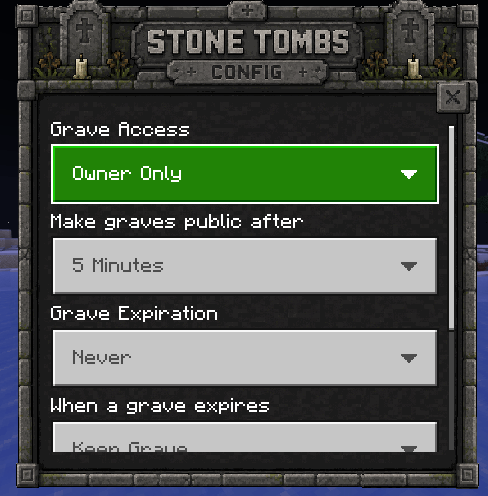
👥 Access & Cleanup
- Grave access mode
- Public-grave delay
- Grave expiration timer
- Expiration action
- Maximum active graves per player
🟢 Personal Config
Personal Config is available to every player.
Your personal choices do not change another player's preferences.
It includes:
- 📋 Grave Manager
- 🎒 Recovery Preferences
- 👁️ Nearby Grave Preview
- 🎨 Visual Configuration
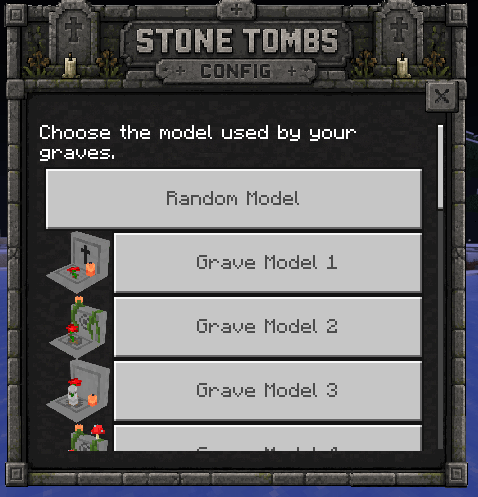
🎨 17 Grave Models & 15 Name Colors
StoneTombs V2.0 includes much more visual customization.
Every player can choose:
- 🎲 Random Grave Model
- 🪦 One of 17 individual grave models
- 🌈 One of 15 grave-name colors
Available name colors include normal and dark variations of:
- White
- Red
- Yellow
- Grey
- Cyan
- Purple
- Blue
- Green
- Orange
- Dark Red
- Dark Cyan
- Dark Purple
- Dark Blue
- Dark Green
- Dark Grey
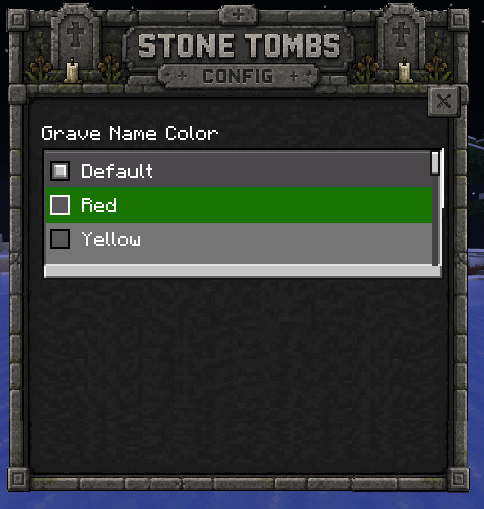
Your visual preferences apply to your own future graves.
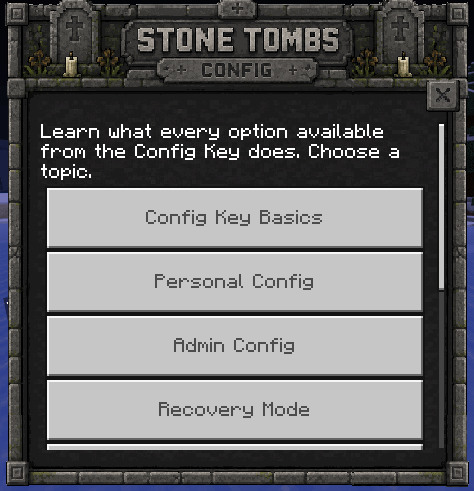
📖 Built-In Help & Guide
The Config Key includes a complete Help & Guide so players and server administrators do not need to leave the game to understand the addon.
The guide explains:
- StoneTombs basics
- Personal Config
- Admin Config
- Recovery Modes
- Smart Safe Grave Placement
- Grave Keys
- Teleportation
- Tracking
- Public Graves
- Access & Cleanup
🧟 Optional Grave Effects
Administrators can still enable some classic StoneTombs mechanics.
🧟 Zombie Chance
When enabled, opening a grave has a chance to spawn a zombie.
🦴 Bone Drops
When enabled, graves can drop bones when opened.
Both options are completely optional.
🌐 Dimensions
StoneTombs works across:
- 🌳 Overworld
- 🔥 Nether
- 🐉 The End
Grave records remember their dimension, and tracking/teleport systems use that information when helping you return.
✅ Compatibility
👥 Realms & Multiplayer
StoneTombs V2.0 is designed for multiplayer worlds, dedicated servers and Realms.
Admin settings use Minecraft's operator permission system while Personal Config remains available to everyone.
🚫 No player.json
StoneTombs does not modify player.json.
This makes it much easier to combine with other Bedrock addons and resource packs.
🧪 No Experimental Toggles
The current V2.0 uses the stable Script API and does not require experimental gameplay toggles.
🏆 Achievements
StoneTombs is designed to be used without disabling achievements.
🌐 Languages
The current addon includes:
- 🇺🇸 English
- 🇪🇸 Spanish — Spain
- 🇲🇽 Spanish — Mexico
📦 Installation
StoneTombs uses two packs:
- StoneTombs Behavior Pack
- StoneTombs Resource Pack
Both packs are required.
Installation
- Import/install both StoneTombs packs.
- Activate the Behavior Pack in your world.
- Activate the Resource Pack.
- Enter the world.
- Every player receives their Config Key once when first joining.
No experimental gameplay toggles are required.
📜 Previous Updates
Update 1.8.0
Added a crafting recipe for the Config Key.
Update 1.7.9
Merged the old visual configuration into the main Config Key and improved the custom interface. Also included fixes for the optional zombie-spawn setting.
Update 1.6.5
Expanded personal grave customization with selectable grave models, name colors and a random-model option.
Update 1.4
Introduced the original Config Key and the first generation of configurable grave behavior.
Many of the settings from these older versions have since been reorganized, expanded or replaced by the much larger V2.0 Admin Config and Personal Config systems.
🚀 Join the Community
Found a bug, have an idea or want to follow future updates?
🚀 Join my Discord Server
You can:
- Report bugs
- Suggest improvements
- Follow addon development
- See upcoming projects
- Request custom Minecraft Bedrock commissions
🌐 Official StvAddons Page
Discover more of my Minecraft Bedrock addons:
🌐 Visit StvAddons
⚠️ Reupload Policy
If you showcase StoneTombs in a video, review or external website, please send players to the official addon page.
Do not redistribute StoneTombs using your own direct download links.
Thank you for supporting the original project! ❤️
The StoneTombs Team


Owner