Smart Builder
- By
Build faster with an advanced construction toolkit featuring area editing, geometric shapes, generated structures, copy/paste, reusable blueprints, and undo/redo.
1000229216.png
1000229215.png
1000229217.png
1000230821.png
Description
Smart Builder
Build smarter. Create faster. Take control of your Minecraft world.
Smart Builder is an advanced construction and world-editing addon for Minecraft Bedrock Edition. Select an area, choose your building operation, configure the materials and dimensions, and let Smart Builder place blocks progressively while showing build progress.
Features
Build and Edit
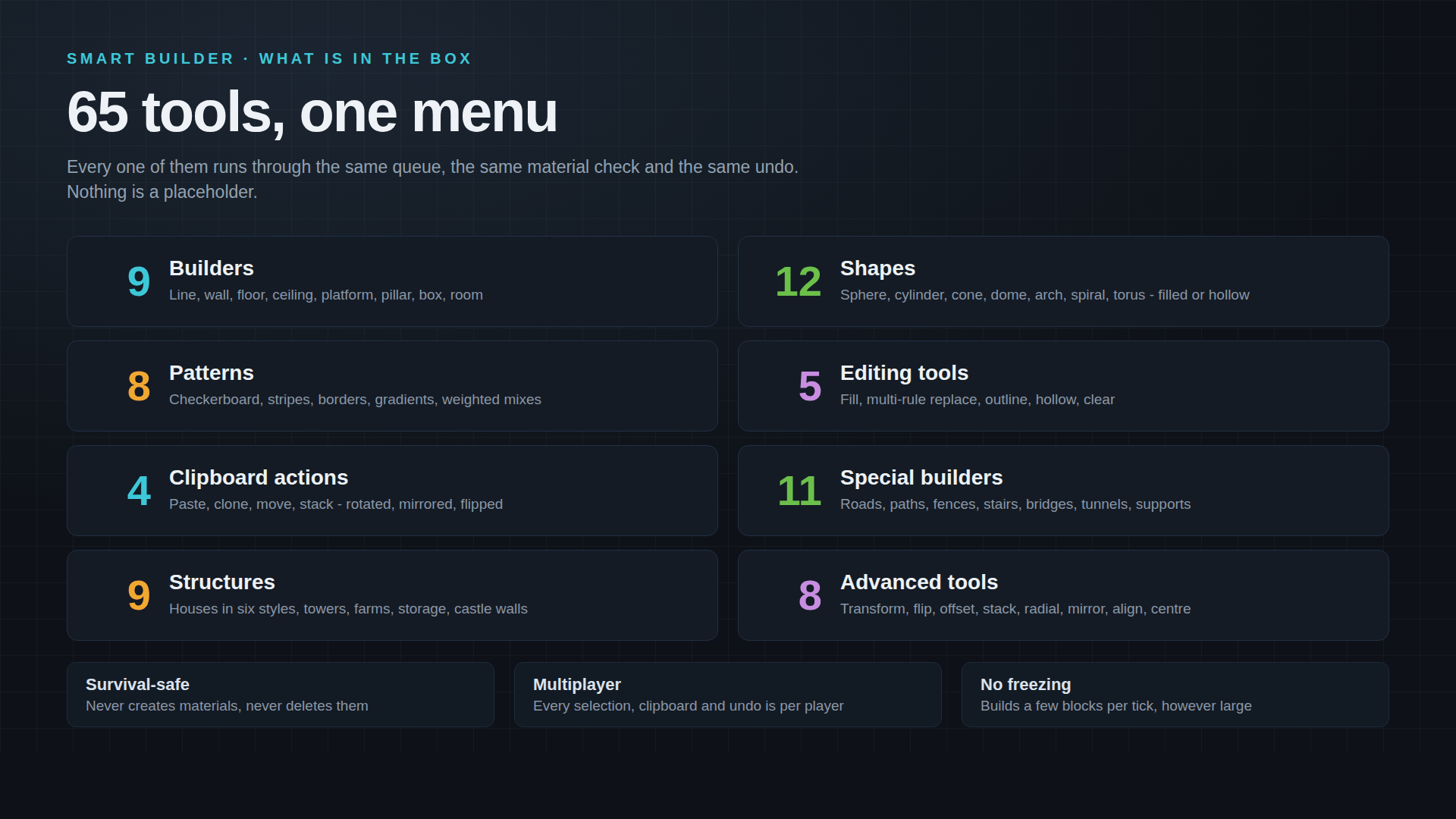
- Fill, replace, hollow, outline, or clear selected areas.
- Build lines, walls, floors, ceilings, platforms, pillars, boxes, and rooms.
- Generate 12 geometric shapes, including spheres, cylinders, cones, pyramids, domes, circles, arches, spirals, and toruses.
- Create checkerboards, stripes, gradients, repeating patterns, and randomized block designs.
Smart Structure Generation
Generate complete buildings and useful structures from configurable settings:
- Houses with multiple styles, including modern, medieval, and rustic designs.
- Towers and watchtowers.
- Farms and storage rooms.
- Castle walls with towers, gates, and walkways.
Special Builders
Generate roads, paths, sidewalks, curbs, fences, walls and gates, staircases, bridges, tunnels, and supports.
Copy, Paste and Blueprints
- Copy, paste, clone, move, and stack selected structures.
- Rotate, mirror, flip, offset, align, and repeat pasted builds.
- Save structures as blueprints and place them again later.
- Preview blueprint placement before building, and organize saved blueprints with renaming and favourites.
Advanced Building Controls
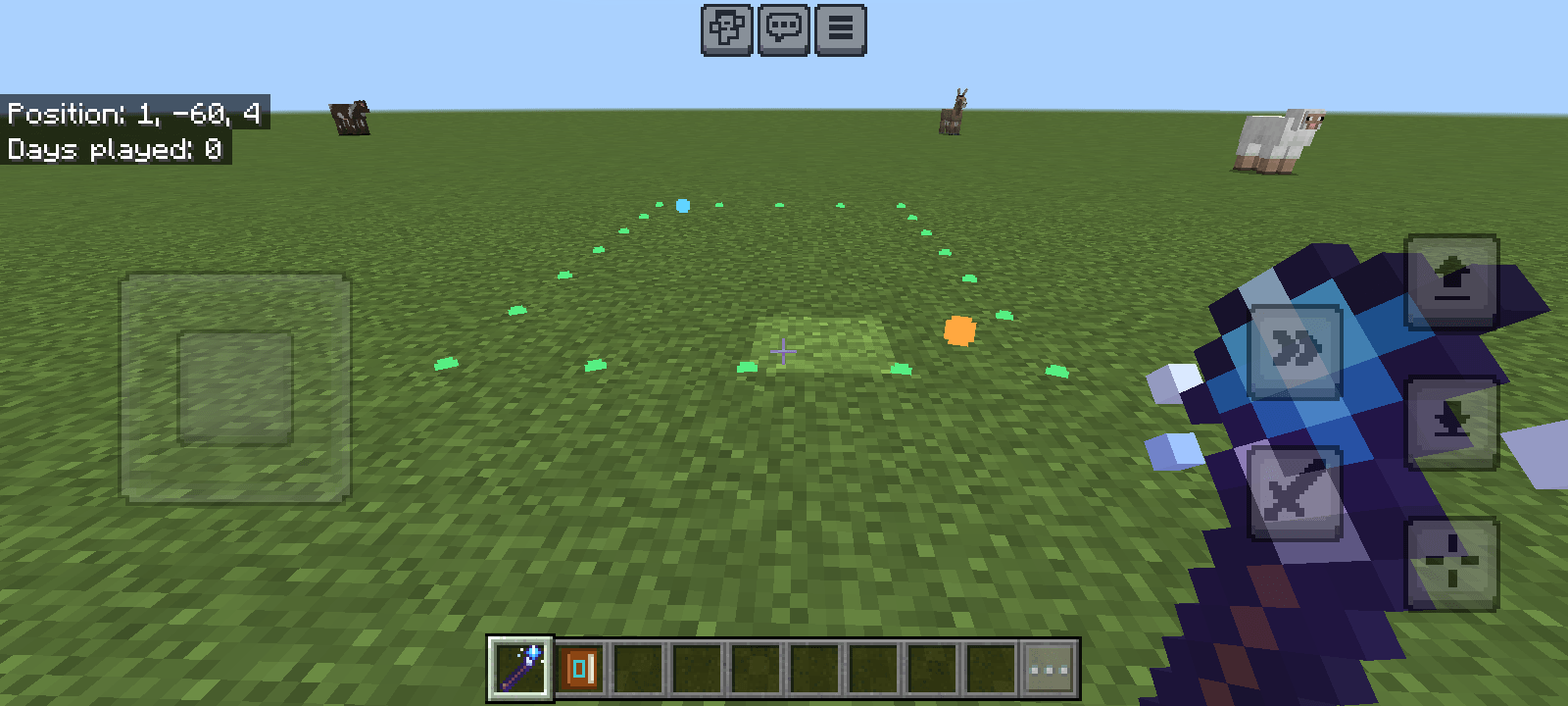
- Select areas using two corners and a visible particle outline.
- Resize selections and configure building dimensions.
- Use palettes and material-based patterns.
- Apply symmetry, mirroring, grid snapping, axis locking, and repetition.
- Undo and redo supported building operations through the history menu.
Survival and Creative Support
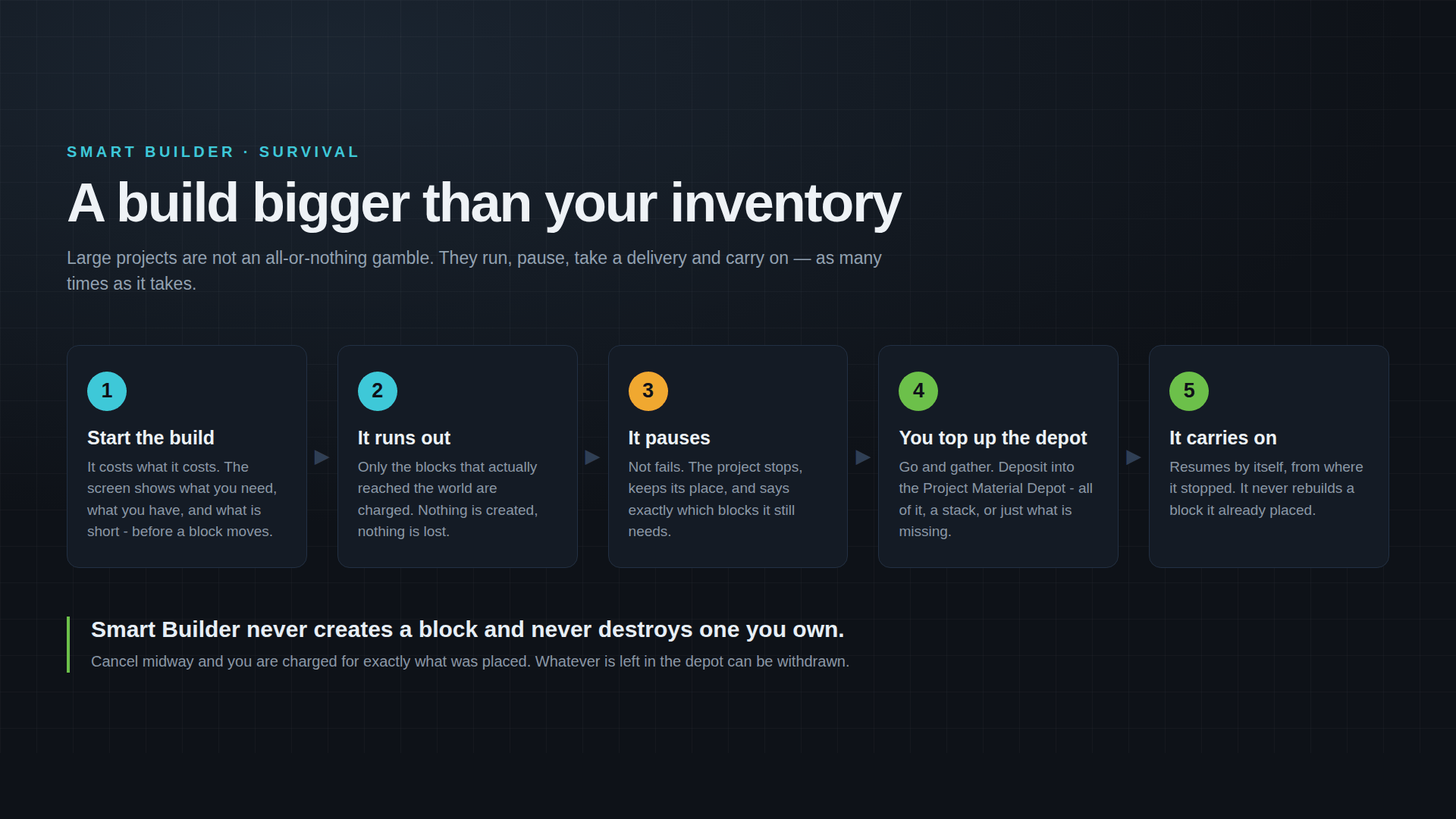
In Survival, construction uses actual materials from your inventory. The material depot lets larger projects pause when supplies run out and resume after you deposit more blocks.
In Creative, building operations do not consume your inventory materials.
Build Management
Monitor construction progress, manage queued operations, cancel ongoing builds, and configure build speed and operation limits. Progressive block placement helps control the workload of large constructions.
Getting Started
1. Import the ".mcaddon" file into Minecraft Bedrock Edition.
2. Open your world's settings and activate the Smart Builder Behavior Pack. Check that its Resource Pack is also active.
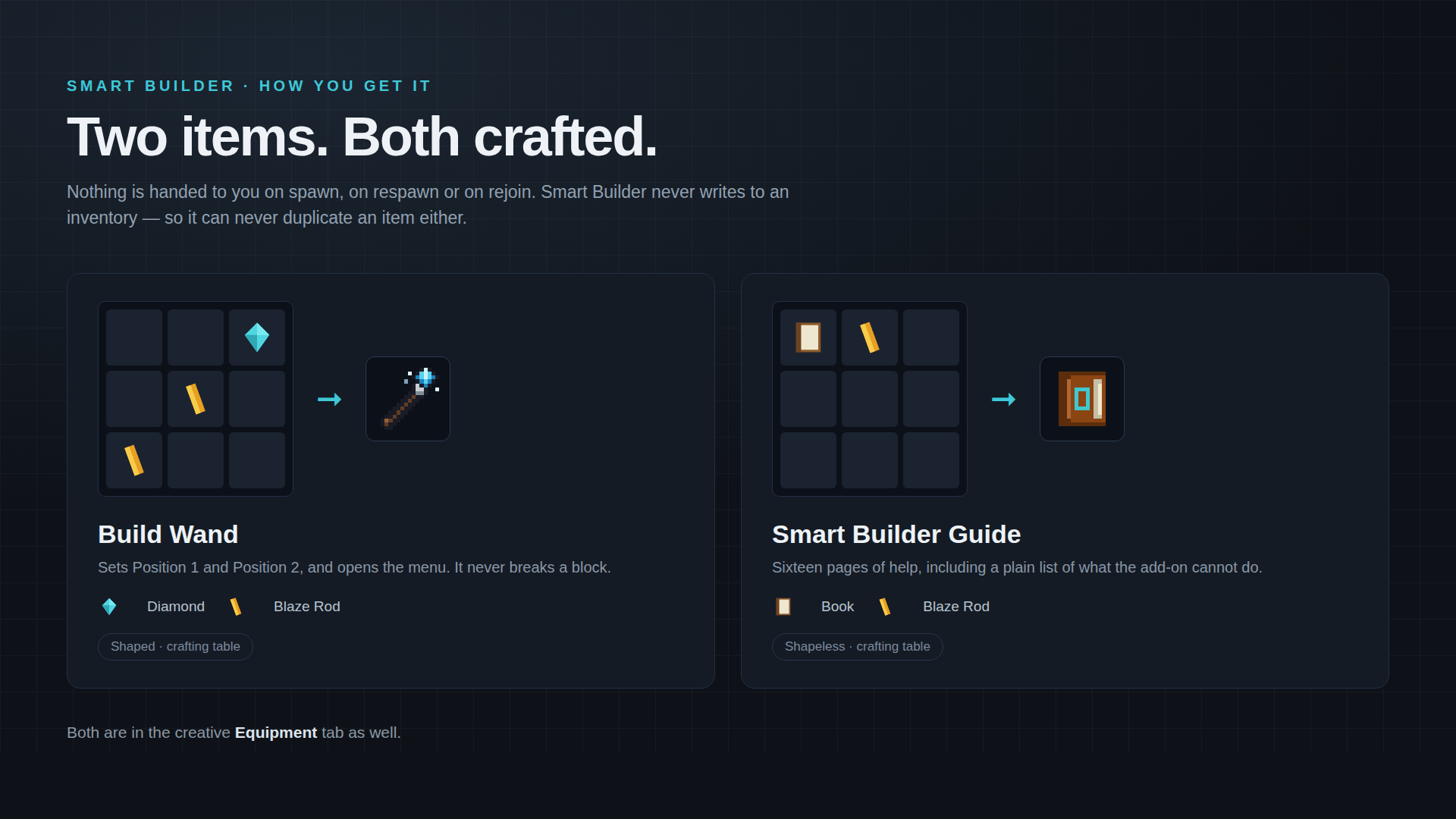
3. Obtain the Smart Builder wand by crafting it with one diamond and two blaze rods, arranged diagonally. It is also available in the Creative Equipment tab.
4. Use the wand on a block to set Position 1, then use it on another block to set Position 2.
5. After selecting your area, use the menu to choose a building operation, structure, shape, or editing tool.
6. Craft the Smart Builder Guide using a book and a blaze rod to access the in-game guide.
The wand selects positions and opens the building interface; it is not intended to break blocks.
Important Notes and Limitations
- The menus are in English.
- Clipboard contents are temporary for the current session. Save structures as blueprints to keep reusable copies in the world.
- Container contents and sign text are not preserved by copy or blueprint operations.
- Build operations do not continue automatically through a world restart, and undo history is cleared when the world reloads.
- Unloaded areas cannot be force-loaded by the addon; construction may need to wait until the area is available.
- Area protection controls Smart Builder operations only. It does not prevent players from manually breaking blocks.
- Clearing an area removes blocks without dropping them. Undoing a build does not refund the materials used.
Smart Builder — a complete toolkit for faster, more controlled construction in Bedrock Edition.
Smart Builder Team