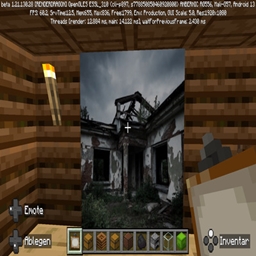
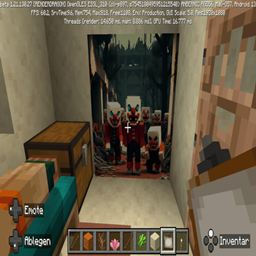
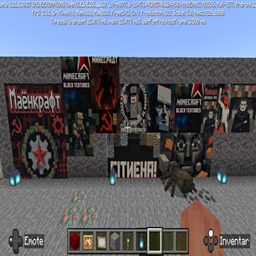
Pinkblack Textures. Pink Beeeyes.pinkblue Rain. Pink White snow.
- By

Have fun with a immersive pink colored Texturpack.Better moon.
Pink-Black Glitch-Aura Core Resource Pack (Bedrock Edition)
Dive into a world where aesthetics meet anarchy! The Pink-Black Glitch-Aura Resource Pack offers a bold, point-based overhaul of your Minecraft Bedrock world, replacing selected textures with a high-contrast, glitch-inspired look.
This pack is focused on setting specific visual accents that make your experience unique.
✨ Key Features:
* Cyber Aesthetic for Blocks: Replaces the textures of Blackstone (and its related variants) with the iconic, attention-grabbing pink and black checkerboard pattern. Transform your Nether and deep-level structures into a striking visual focal point.
* Pink-Eyed Bee Upgrade: The friendly Bees maintain their standard body texture, but receive a subtle yet impactful upgrade: their eye textures are replaced with a vibrant pink color. A small but powerful detail mod that immediately catches the eye.
* Atmospheric Weather Shaders: Experience your biomes in a new light! Rain transforms into a captivating Pink-Blue, while snowfall drifts down in a striking Pink-White, creating an intense, atmospheric environment.
⚙️ Installation & Compatibility:
This Resource Pack is designed for the Minecraft Bedrock Edition and overrides the vanilla textures of the elements mentioned. For the best rendering, this pack must be loaded at the highest priority in your Resource Pack settings!
🛠️ Installation Guide for CurseForge Bedrock Addons
Here is the step-by-step guide on how to install any Resource Pack (Addon) downloaded from CurseForge into your Minecraft Bedrock Edition.
1. Downloading the Pack
* Go to CurseForge and find the desired Resource Pack (e.g., the Pink-Black Glitch-Aura Pack).
* Click on the "Files" tab and select the file that is compatible with the Bedrock Edition and your current Minecraft version (usually a .mcpack or .mcaddon file).
* Click "Download".
2. Importing into Minecraft
There are two primary methods for installation:
Method A: Direct Import (Recommended)
* Ensure Minecraft Bedrock is closed.
* Double-click the downloaded file (.mcpack or .mcaddon).
* Minecraft will automatically open and display the message "Import started..." followed shortly by "Successfully imported: [Pack Name]".
Method B: Manual Installation (If Direct Import Fails)
* Rename the File: Change the file extension from .mcpack to .zip.
* Unzip the file. You should see a folder containing the resource pack structure.
* Copy this unzipped folder into the appropriate Minecraft folder on your device:
* Resource Packs: Copy the folder into .../com.mojang/resource_packs
* (The exact path varies by device (Windows, Android, Console).
3. Activating in Your World
* Launch Minecraft.
* Go to the world where you want to use the pack and click "Edit" or access the world "Settings".
* Scroll down to the "Resource Packs" section on the left sidebar.
* Under the "Available" list, select the imported pack and click "Activate". It should now appear under the "Active" list.
* Critical Step: Load Order. Ensure this pack is at the topmost position in the list of Active Packs. This ensures it successfully overrides the default textures (like Blackstone and Bee eyes).
* Launch the world and enjoy the new aesthetic!
Have fun.
Cymatrix Technologies 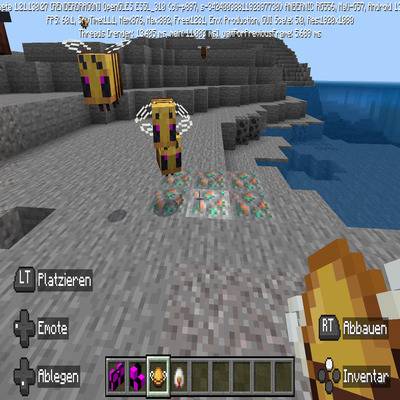
The Pinkblack Textures. Pink Beeeyes.pinkblue Rain. Pink White snow. Team