509109dc-4a3a-4331-8fb2-3aa41762e687.png
aa21838f-d14a-4a51-8e1d-11d16fc3d0a2.png
ce81ea87-84fb-4350-8bed-8773a42cbf9f.png
MCPEDL.png
590a9c10-9cb6-477f-8e45-d63b90ce41f7.png
Description
Ore Radar — Addon Guide
Ore Radar is a Minecraft Bedrock Edition addon that helps you find rare ores quickly and efficiently. Instead of strip-mining blindly, craft one of the radars, use it, and let floating markers point you straight to the ore veins hiding around you.
Requires: Minecraft Bedrock 1.26.50
Features
- Four craftable radar tiers with distinct power ranges (see the comparison below).
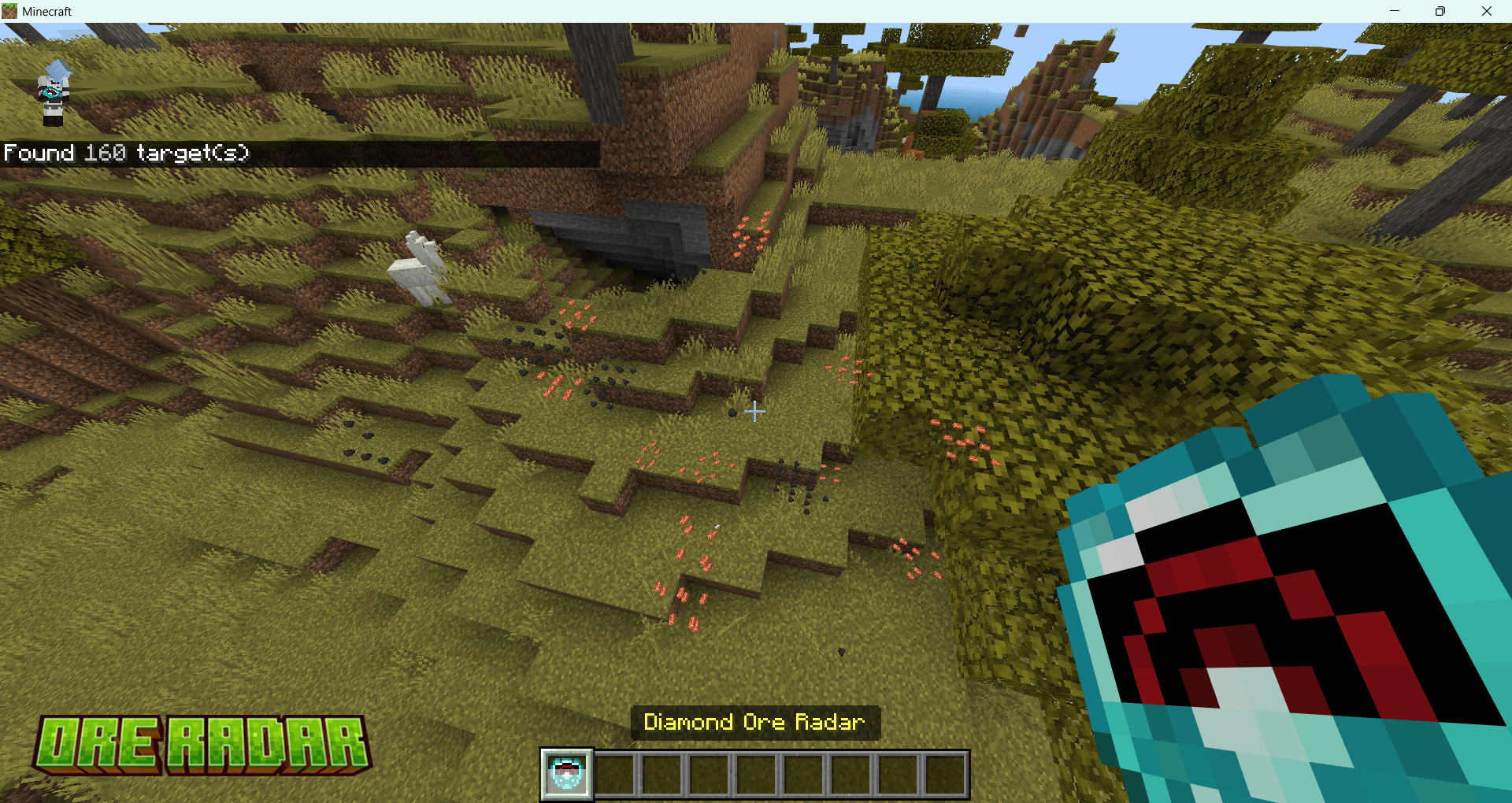
- Living scan & markers — each use scans your surroundings and places floating ore icons over nearby deposits, color-coded by ore type.
- Smart ore detection — matches ore blocks by their type ID, including deepslate variants and rare blocks like Ancient Debris.
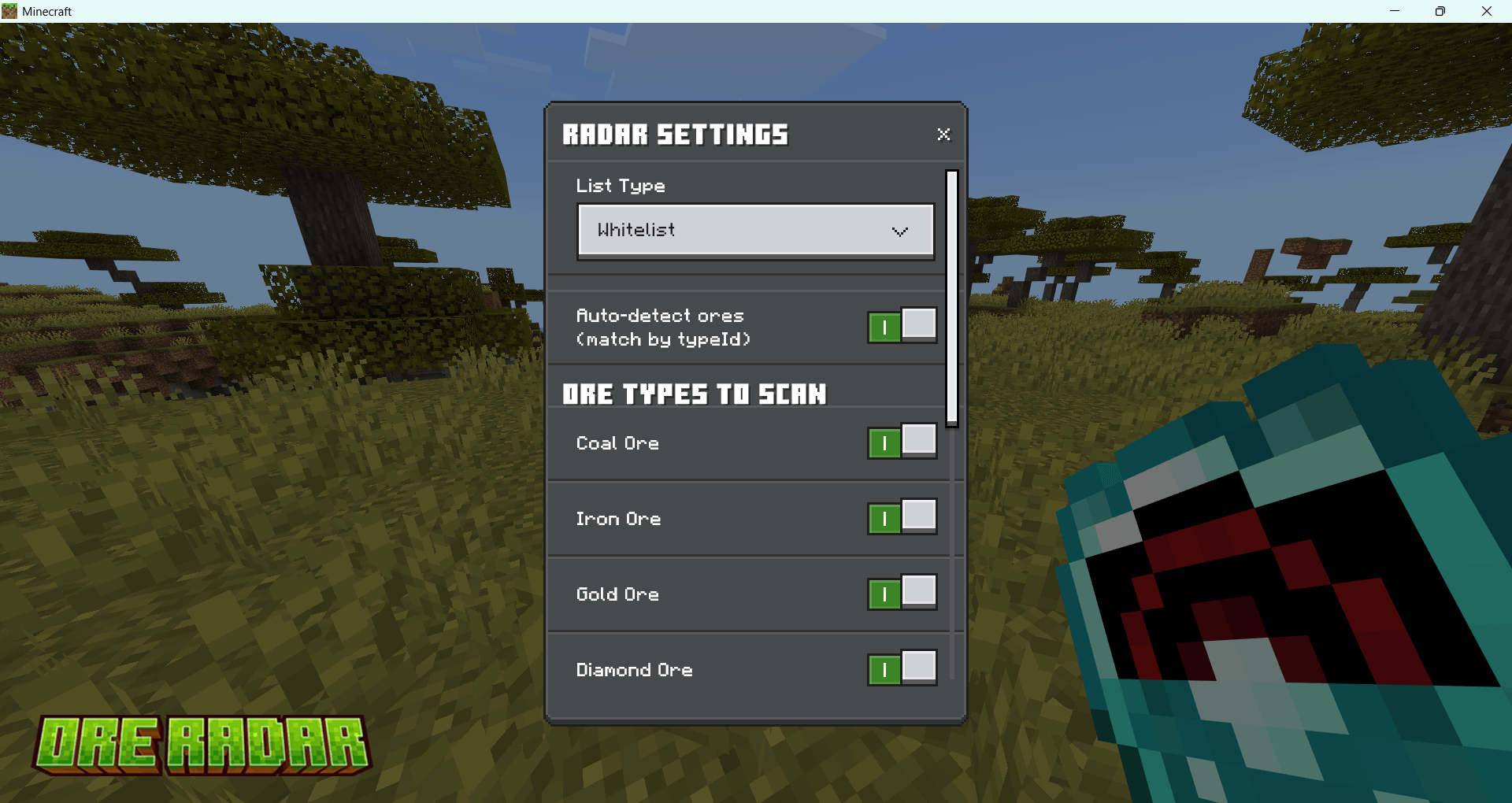
- Customizable settings menu — tune your searches with whitelist / blacklist mode, auto-detect, and per-ore selection.
- Balanced gameplay — every radar has durability and a use cooldown so the power doesn't come for free.
- Localized in both Simplified Chinese and English.
Item Comparison
| Radar | Cooldown | Search Radius | Max Markers | Marker Lifetime |
|---|---|---|---|---|
| Iron | 37 s | 20 m | 50 | 60 s |
| Golden | 33 s | 40 m | 90 | 120 s |
| Diamond | 33 s | 50 m | 160 | 180 s |
| Amethyst | 45 s | 30 m | 90 | 120 s |
How to Use
- Equip a Radar in your hotbar.
- Use it (right-click / long press) — a scan begins.
- After a moment, floating icons appear above nearby ore blocks.
- Walk toward the markers, mine the ores, done!
A message will report how many targets were found, or tell you that nothing was detected in range.
Settings Menu
Run the command to open the radar settings interface:
/xxr:radar_settingFrom here you can:
- List type — Whitelist (only scan selected ores) or Blacklist (scan everything except selected ores).
- Auto-detect — toggle whether ores are detected automatically by type ID.
- Ore list — tick the specific ore types to include in your search (Coal, Iron, Gold, Diamond, Emerald, Copper, Lapis, Redstone, Quartz, Ancient Debris…).
Your settings are saved per player and persist between sessions.
Crafting
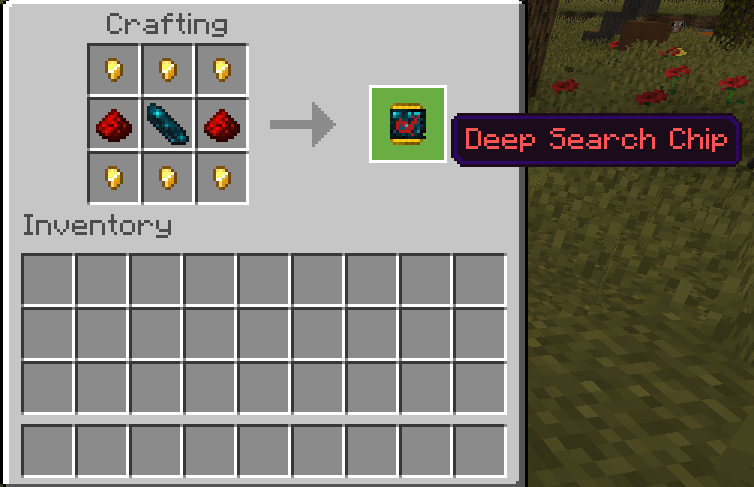
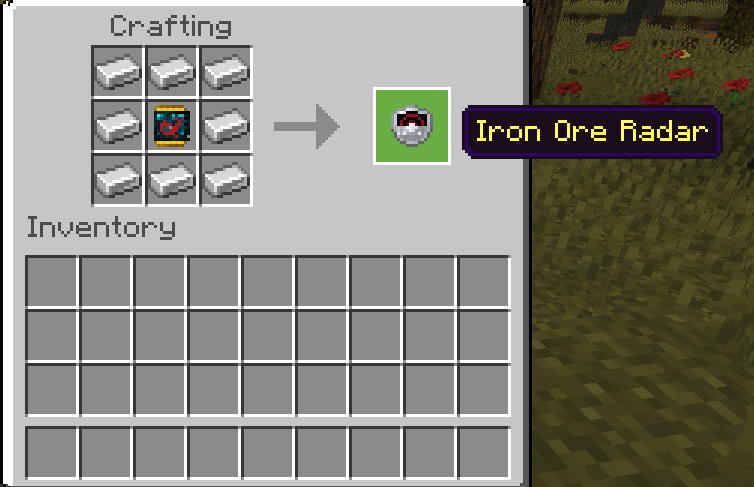
All items are crafted at a crafting table. Start with a Radar Chip (the core component), then combine it with each tier's material to build the corresponding radar.
Installation
- Download the
.mcaddonfile. - Open it — Minecraft will import the pair of packs automatically.
- Add both the Behavior Pack and the Resource Pack to your world.
- Activate them and hop in!
Deep Ore Seek Team

Owner