Farpoint | Personal Waypoints & Navigation
- By
Save private waypoints, see them on the Locator Bar from any distance, and follow a live destination with a craftable navigation compass.
Description
About
Farpoint gives every player a private, persistent waypoint system for Minecraft Bedrock.
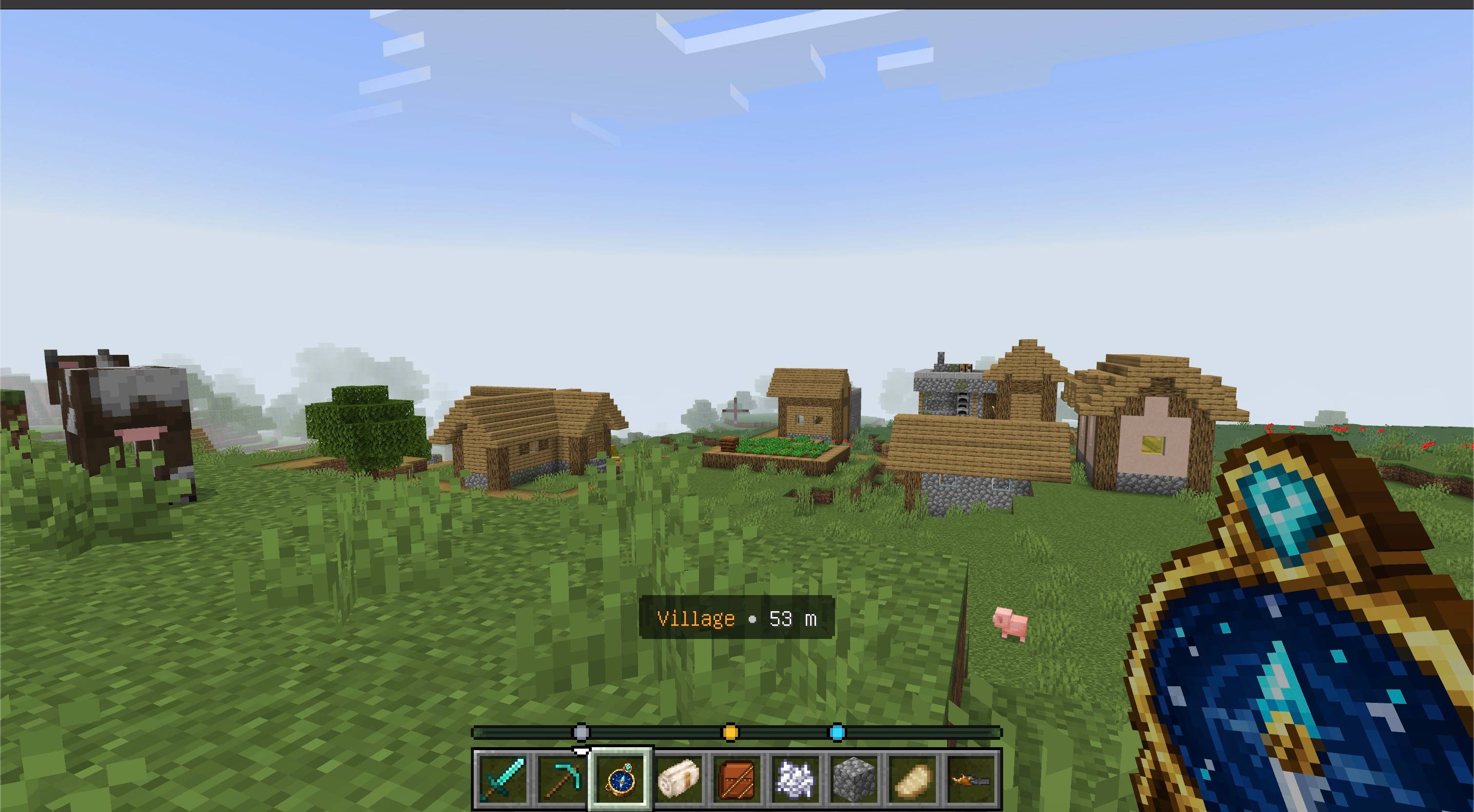
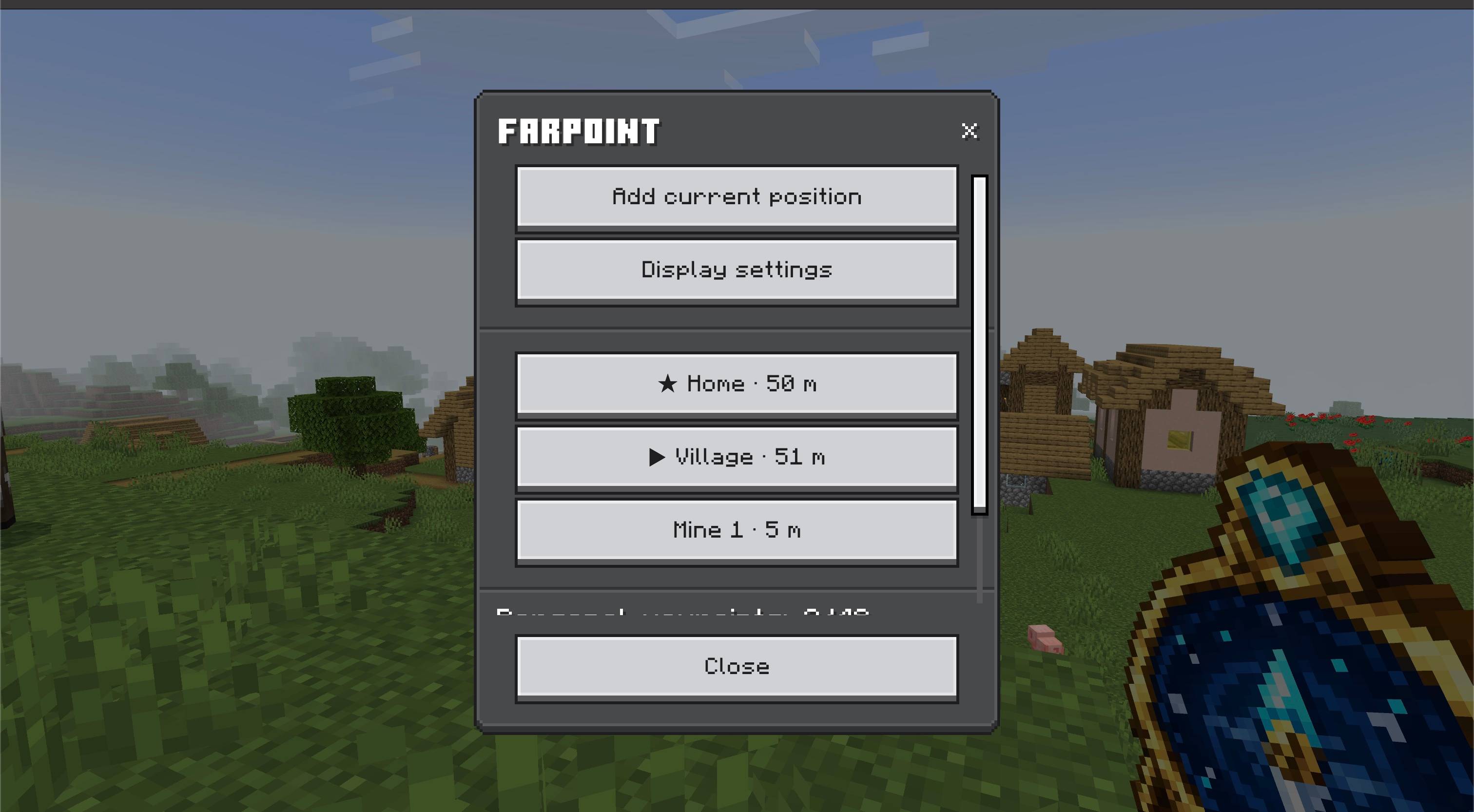
Craft the Waypoint Compass to save your home, villages, mines, portals, farms, storage, or any other important place. Saved locations remain visible on the Locator Bar from any distance, while active navigation shows the destination name and live distance above the hotbar.
Features
- Personal waypoints — every player keeps an independent private collection in multiplayer worlds.
- Long-distance Locator Bar markers — saved locations remain available beyond normal entity and chunk-render distances.
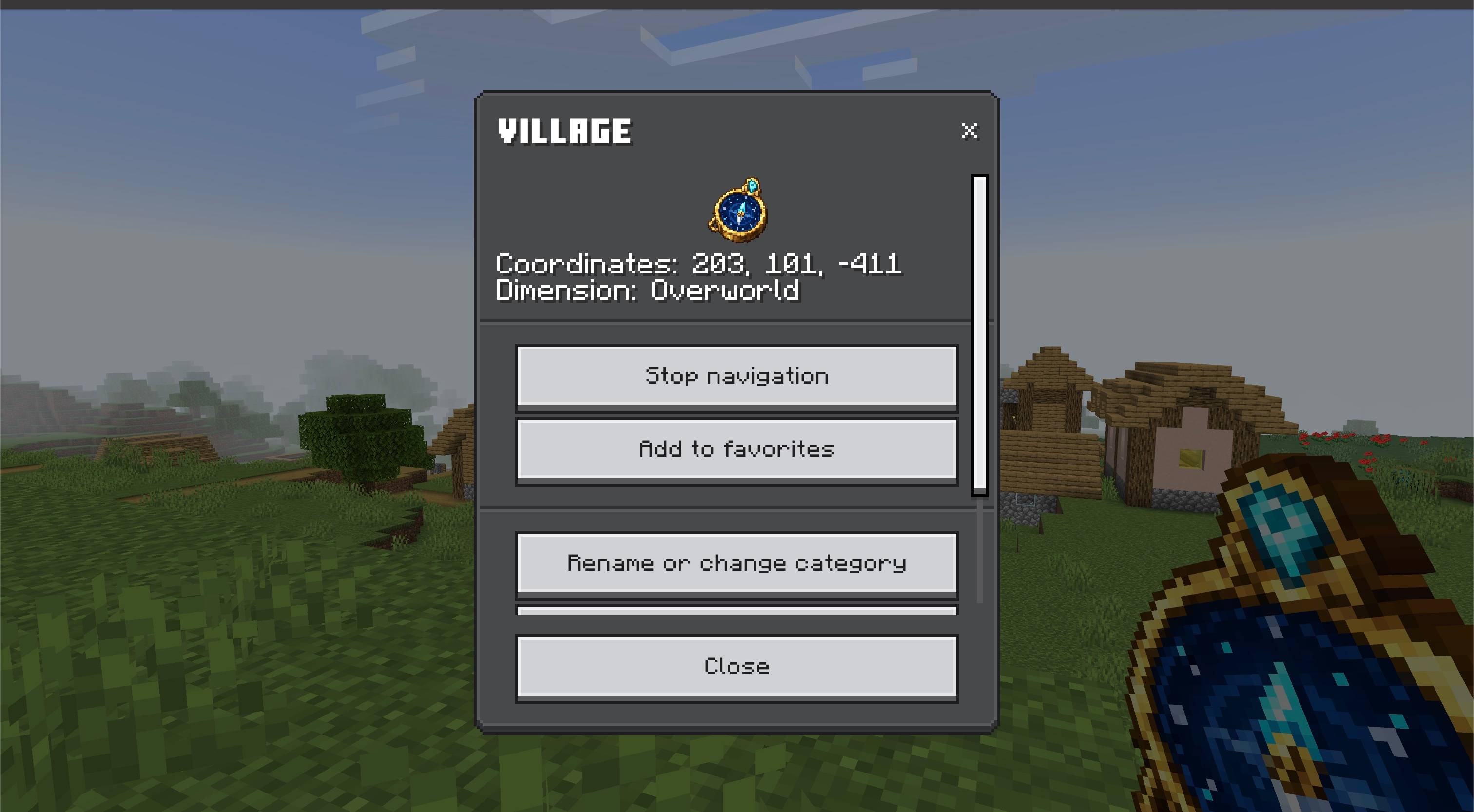
- Active navigation — select one destination to display its name and continuously updated distance above the hotbar.
- Eight useful categories — organize locations as Home, Village, Mine, Portal, Farm, Danger, Storage, or Other.
- Color-coded markers — categories use distinct colors on the Locator Bar and active navigation display.
- Favorites — favorite locations appear first while preserving the original order inside each group.
- Flexible visibility — show all same-dimension waypoints, only the active destination and favorites, or only the active destination.
- Cross-dimension awareness — Farpoint identifies when the active destination is in the Overworld, Nether, or End.
- Quick saving — sneak and use the Waypoint Compass to save your current position directly.
- Modern interface — manage, rename, categorize, favorite, navigate to, or delete points through a Data-Driven UI.
- Persistent settings — waypoints, favorites, navigation, and display preferences remain saved between sessions.
- Multiplayer friendly — markers and saved data are visible only to their owner.
- English and Russian localization — the item, interface, and messages support both languages.
- Vibrant Visuals compatible — the included Resource Pack does not disable Vibrant Visuals.
How to use
- Import the
.mcaddonfile into Minecraft Bedrock. - Activate both included Farpoint packs in your world.
- Craft a Waypoint Compass.
- Use the compass to open your waypoint list.
- Select Add current position, enter a name, and choose a category.
- Select any saved point and press Start navigation to follow its name and live distance.
- Sneak while using the compass whenever you want to save the current position quickly.
Crafting
Craft one Waypoint Compass at a crafting table:
                  | Amethyst Shard |
Paper             | Compass        | Paper
                  | Redstone Dust   |
The recipe unlocks after obtaining a Compass or Amethyst Shard.
Notes
- Each player can save up to 48 waypoints.
- Waypoints are private and are not shared with other players.
- Locator Bar markers are shown only for points in the player's current dimension.
- The active navigation display can identify a destination stored in another dimension.
- No commands, cheats, or experimental toggles are required.
Requirements
- Minecraft Bedrock Edition 26.50 or newer
- Both included Farpoint packs must be active
- No external add-ons required

The Farpoint | Personal Waypoints & Navigation Team


Owner