Crates System
- By
lightweight easy to use and setup crates addon for your server/map creations.
MCPEDL.png
Screenshot_20260822_134407_Minecraft.jpg
Screenshot_20260822_140632_Minecraft.jpg
Screenshot_20260822_140641_Minecraft.jpg
Description
Crates System
📦 CRATES SYSTEM
Have an issue or a suggestion? Join the [Discord](https://discord.gg/DQsPfsH4x2) here.
CratesSystem is a Bedrock add-on that lets server owners, creators, and map makers turn chests, barrels, and shulker boxes into fully customizable loot crates.
Create crates entirely in-game, choose from multiple custom keys, configure weighted rewards, assign automatic rarities, customize key names and lore, and give players a clean reward-preview interface without exposing the crate's contents to them.
✨ FEATURES
- Fully In-Game Crate System — Create, edit, configure, and delete crates directly in-game using simple menus.
- Custom Crate Keys — Supports 18 custom crate keys, Trial Key, and Ominous Trial Key, each with its own texture, ID, and configurable display name.
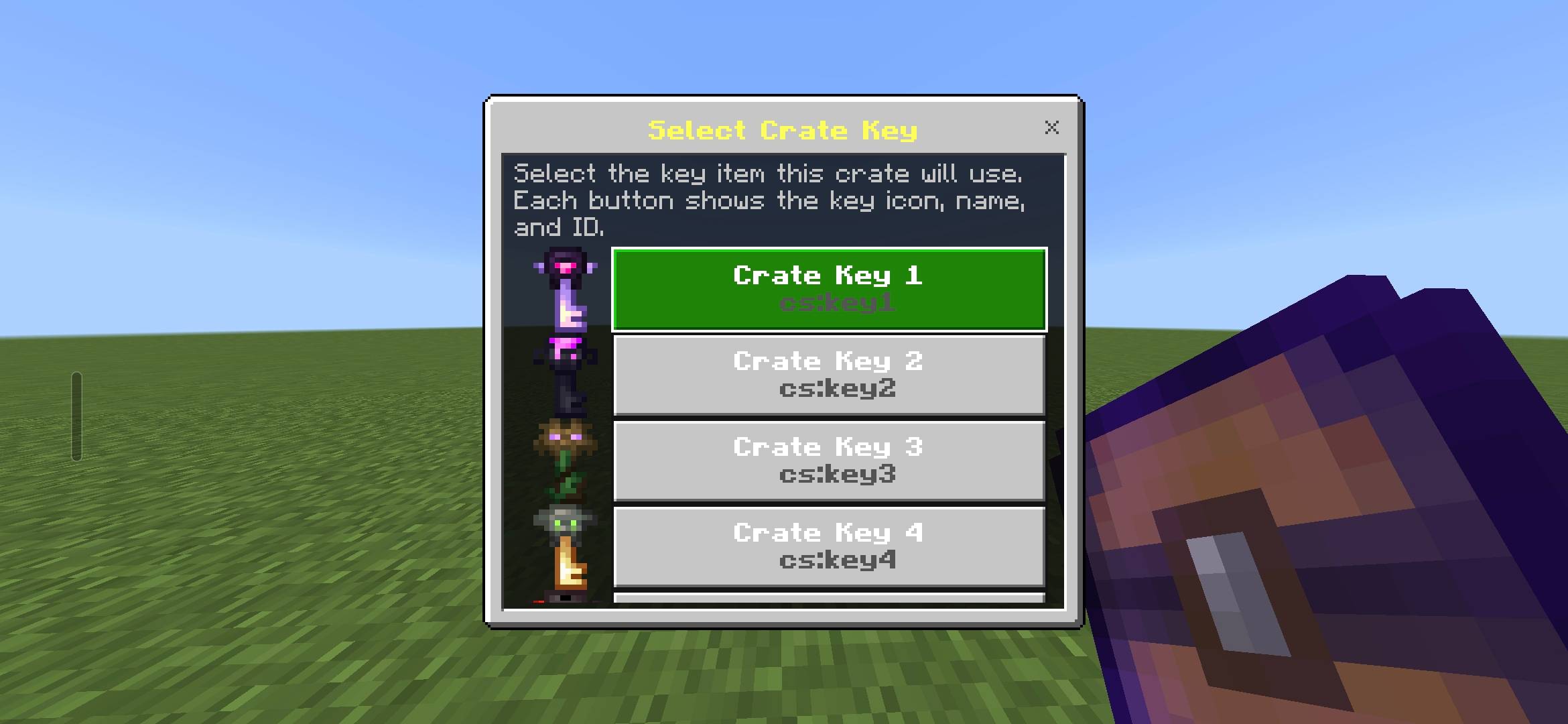
- Visual Key Selection — When creating a crate, choose its key from a visual selection menu showing the key's icon, configured name, and ID.
- Custom Key Names — Every crate can have its own custom key name, which is automatically applied to the corresponding key.
- Custom Key Lore — Add fully customizable lore to crate keys with Minecraft formatting codes and multi-line support using
\n. - Dynamic Lore Placeholders — Use
$locationto display the crate coordinates and$obtainedto display key obtained information. - Weighted Rewards — Assign weights to every reward so common and rare items can be balanced exactly how you want.
- Automatic Reward Chances — Drop percentages are calculated automatically from the configured weights.
- Automatic Rarities — Rewards are automatically classified as Legendary, Epic, Rare, Uncommon, or Common based on their calculated percentage.
- Reward Sorting — Rewards are automatically ordered from Legendary → Epic → Rare → Uncommon → Common, with the rarest rewards shown first.
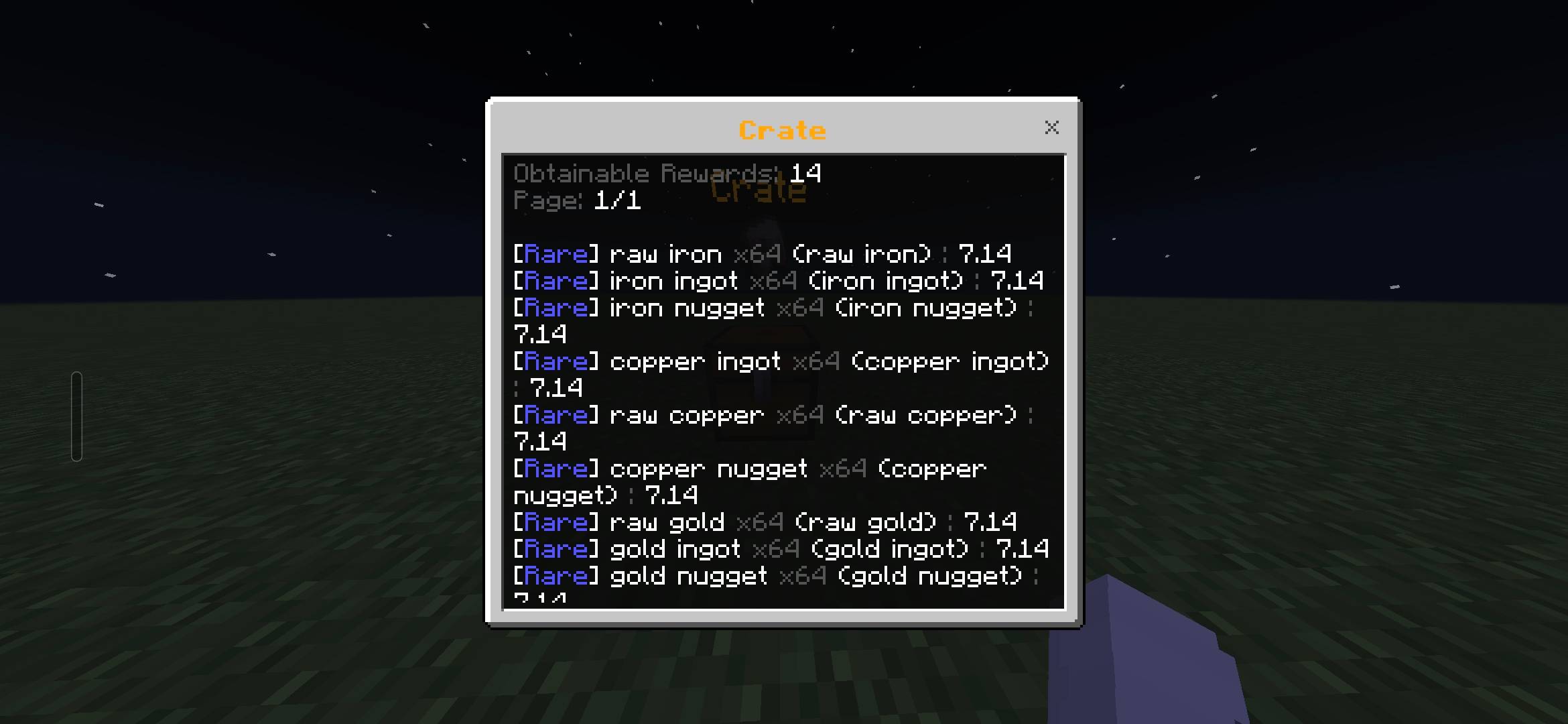
- Reward Preview Menu — Players can view every obtainable reward without being given access to the crate's contents.
- 15 Rewards Per Page — Large crates automatically split rewards across multiple pages.
- Reward Information — Reward previews display the rarity, custom display name, normal item name, stack size when greater than one, and chance percentage.
- Protected Crates — Non-admin players cannot take, move, split, swap, duplicate, or drop items from crate containers.
- Admin Access — Admins can crouch-interact with a crate to view its rewards or interact normally to access the underlying container.
- Cooldowns — Add optional cooldowns to control how frequently crates can be opened.
- Knockback Protection — Configure whether players receive knockback when they fail to open a crate with the required key.
- Persistent Crates — Crate settings and data are saved and persist through world restarts.
🛠️ HOW TO USE
Creating a Crate
- Hold the crate creator tool.
- Interact with a chest, barrel, or shulker box.
- Select the key you want the crate to use.
- Configure the crate settings.
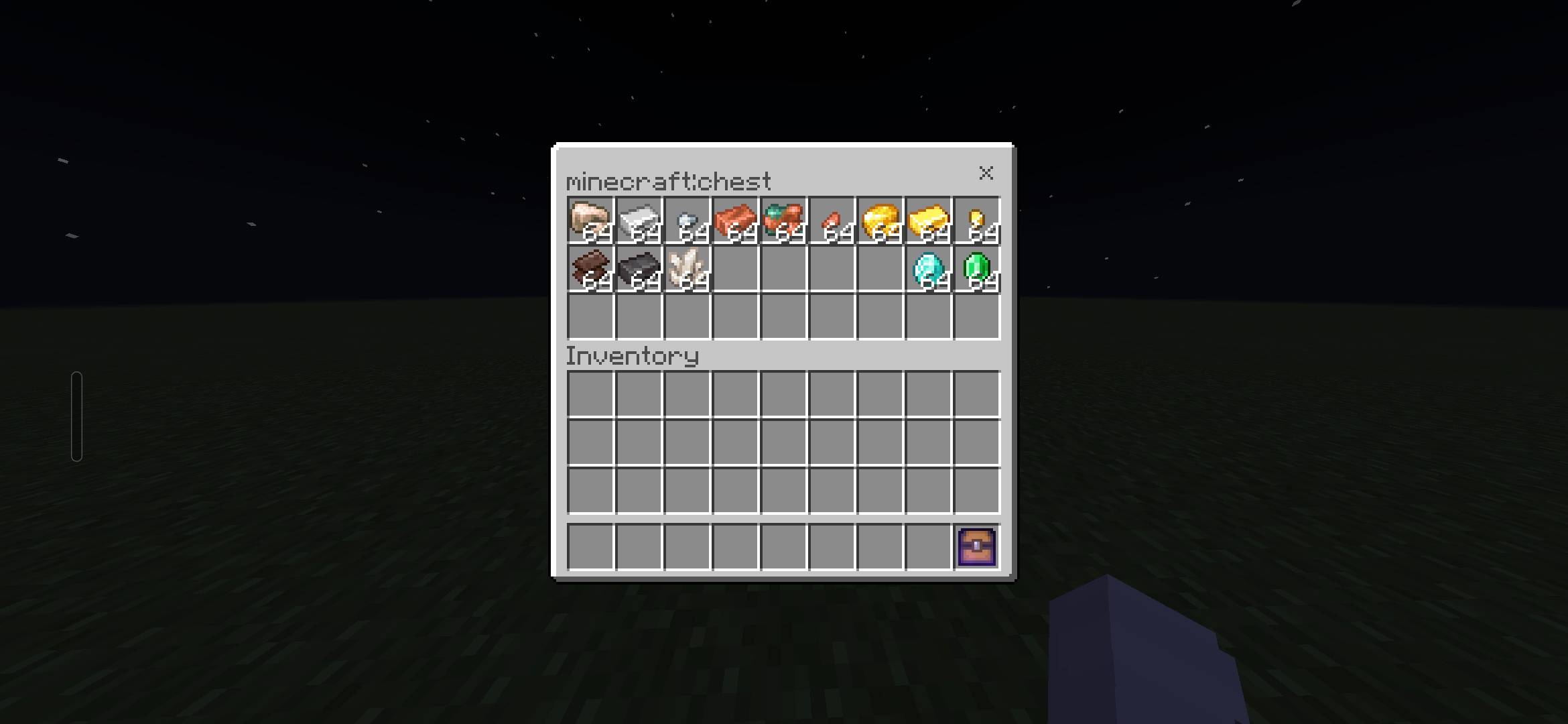
- Add the reward items to the container.
- Configure the reward weights through Edit Items.
Selecting a Key
The key selection menu displays each available key with its icon, configured name, and ID.
Available keys include:
- Crate Key 1–18
- Trial Key
- Ominous Trial Key
The selected key becomes the key required to open that crate.
Configuring a Key
Each crate can define a custom key name and lore.
Example:
§l§6Sady Key\n§8Location: $location\n§8Obtained: $obtainedThe \n creates a new lore line.
Supported placeholders:
$location— Displays the crate's coordinates.$obtained— Displays the key's obtained information.
Configuring Rewards
Rewards are taken from the items stored inside the crate.
Using Edit Items, you can configure the weight of each item. The system then calculates the item's chance based on the total reward weight.
Higher weight means a higher chance of being selected.
Reward Rarities
Rarities are automatically assigned from the calculated percentage:
- Legendary —
1%or lower - Epic — Above
1%to5% - Rare — Above
5%to10% - Uncommon — Above
10%to25% - Common — Above
25%
Rewards are displayed from the rarest to the most common.
Viewing Rewards
Interacting with a crate opens the reward preview interface.
Example:
§8Obtainable Rewards: §r25
§8Page: §r1/2

§r[§6Legendary§r] §l§6Sady Shovel §r(stone shovel) §8: §f2.50%- Up to 15 rewards appear on each page.
- Rewards are displayed as text rather than reward buttons.
- Next Page appears at the top when more rewards are available.
- Previous Page is available when returning to an earlier page.
- Stack amounts are only shown when greater than
1.
Opening a Crate
Hold the matching key and interact with the crate to open it.
The system checks the key, applies the cooldown if configured, rolls the weighted rewards, and gives the selected reward.
Admin Interaction
Admins have additional access:
- Crouch + interact — Opens the reward preview.
- Normal interact — Opens the actual chest, barrel, or shulker box.
This allows admins to manage crate contents while players only see the protected reward interface.
Editing a Crate
Use the creator tool on an existing crate to access its management options.
From there you can edit:
- Crate settings
- Key settings
- Reward items
- Reward weights
- Cooldowns
- Knockback behavior
Crates can also be deleted entirely through the management menu.
⚙️ INSTALLATION
Install the behavior pack and resource pack and activate both in your world.
Beta APIs are not required.
The Crates System Team