Bleeding Bandage
- By
Bleeding & Bandage adds a three-level bleeding system, craftable bandages, armor effects, and emergency treatments to Minecraft Bedrock, making survival more challenging and immersive.
Bleeding & Bandage
Make survival more dangerous with Bleeding & Bandage, a Minecraft Bedrock add-on that introduces a bleeding system and wound treatment mechanics. Combat is no longer just about losing health — you must also manage injuries, craft bandages, and react quickly before bleeding becomes life-threatening.
Features
🩸 Dynamic Bleeding System
Getting attacked by hostile mobs can cause bleeding, adding another layer of danger to combat and exploration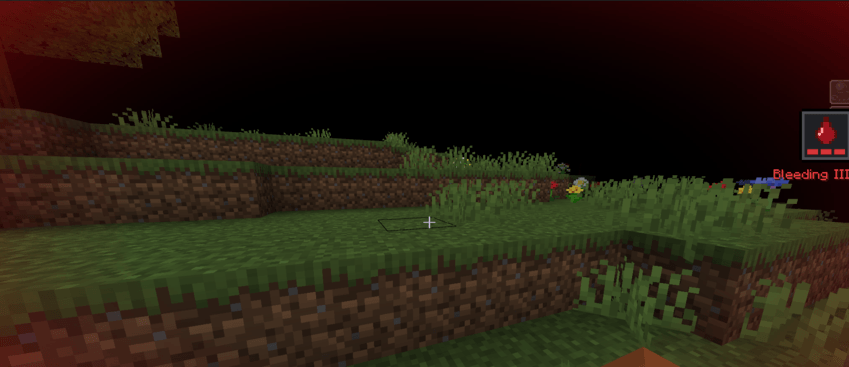 .
The system features three bleeding severity levels:
-
Light Bleeding: A mild wound that causes gradual health loss.
-
Moderate Bleeding: A more serious injury that drains health faster.
-
Severe Bleeding: A critical condition that causes rapid health loss and requires immediate attention.
The severity of your bleeding determines how urgently you need to treat your wounds.
🩹 Craftable Bandages
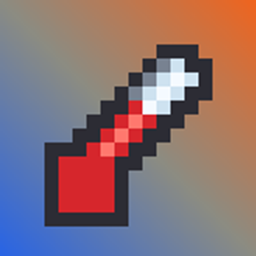
Bandages are your primary tool for treating bleeding injuries.
-
Recipe: 3 Paper crafts 2 Bandages.
-
How to use: Use a Bandage to stop active bleeding and gain temporary protection against new bleeding injuries.
-
Survival tip: Keep bandages in your inventory before exploring dangerous areas or fighting hostile mobs.
Preparation can make the difference between surviving an encounter and losing your progress.
🛡️ Armor and Movement Mechanics
Your equipment and movement choices affect how you manage injuries.
-
Armor: Wearing armor reduces the risk of bleeding.
-
Sprinting: Running at full speed makes bleeding progress faster.
-
Sneaking: Crouching slows the bleeding process.
-
Regeneration: The Regeneration effect also slows bleeding.
Choose your actions carefully when injured. Escaping at full speed may not always be the safest option.
🍎 Golden Apple Treatment
Golden Apples provide an additional way to manage bleeding when bandages are unavailable or you need emergency treatment.
-
Golden Apple: Reduces bleeding severity by one level.
-
Enchanted Golden Apple: Can completely stop bleeding.
Save these valuable items for dangerous situations when quick treatment is essential.
❤️ Immersive HUD and Audio Effects
Stay aware of your condition through visual and audio feedback.
-
Bleeding Indicator: Displays your current bleeding severity.
-
Red Screen Effects: Adds a red visual effect to communicate the danger of bleeding.
-
Heartbeat Audio: Severe bleeding can trigger heartbeat sounds to increase tension and warn you that your condition is critical.
These effects help you recognize dangerous injuries and react before it is too late.
How to Install
-
Download the
Bleeding_Bandage.mcaddonfile. -
Open the file with Minecraft Bedrock Edition to import the add-on.
-
Create a new world or edit an existing world.
-
Activate the add-on's Behavior Pack and Resource Pack in the world settings, if both are included in the imported pack.
-
Check the world's experiments and required settings if Minecraft prompts you to enable any.
-
Enter the world and test the bleeding system in combat.
Compatibility
-
Game: Minecraft Bedrock Edition.
-
Target Version: Minecraft Bedrock 1.26.0 or later, according to the pack manifest.
-
Dependencies: The pack manifest specifies
@minecraft/serverversion2.0.0. Ensure that your Minecraft version supports the declared dependency. -
Usage: Activate the required packs in the world settings before playing.
Compatibility may vary between game versions. If the add-on does not work as expected, check the manifest requirements and ensure that all required packs are enabled.
Bleeding Bandage Team