Andy's Silk Touch Relics
- By
Mine and relocate rare Bedrock relics—including Spawners, Trial Spawners, Vaults, Budding Amethyst, and End Portal Frames—with configurable paid unlocks, Silk Touch requirements, preserved data, and no cheats or experiments.
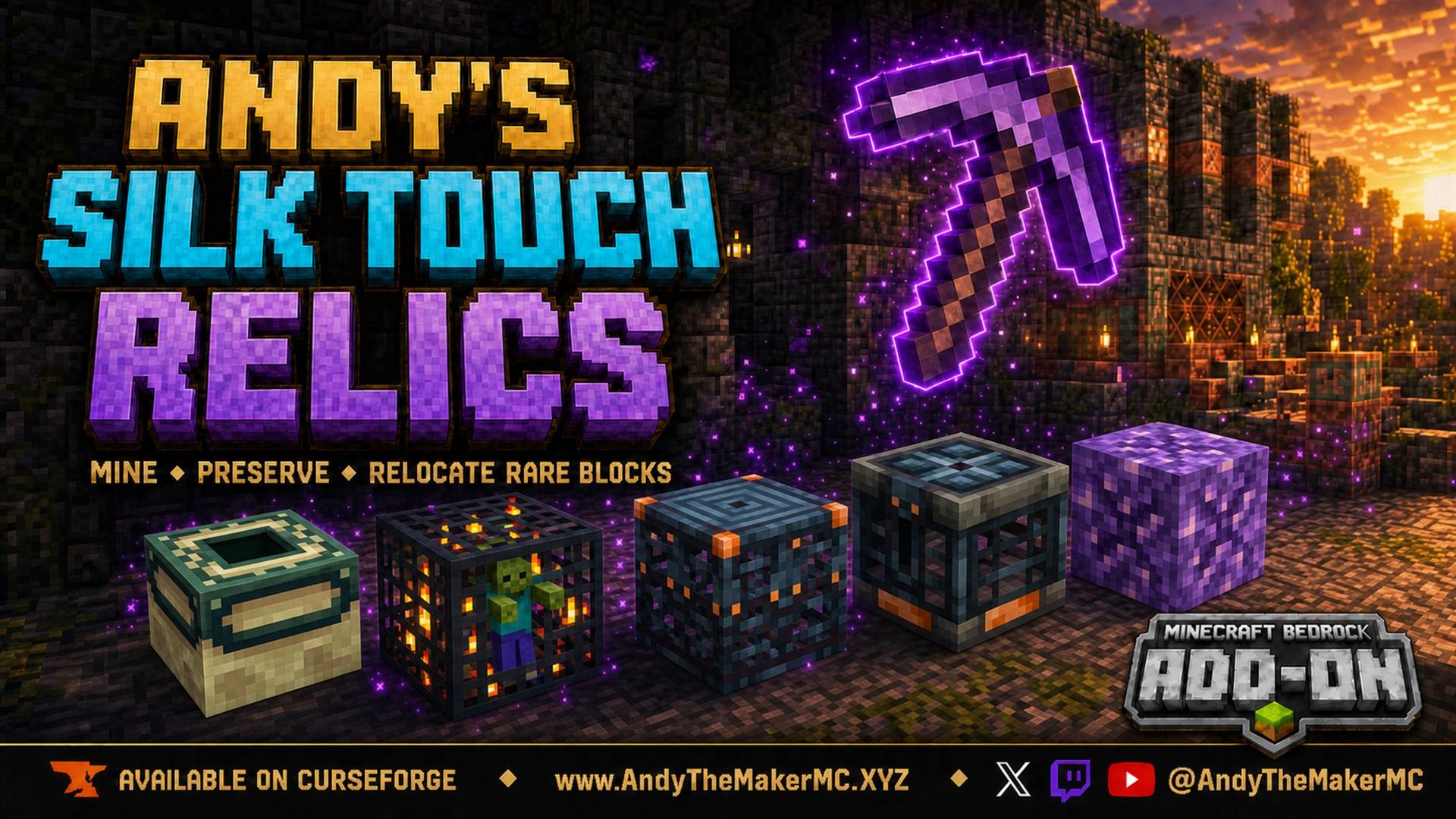
Andys-Silk-Touch-Relics-Hero-16x9-FINAL-1920x1080.jpg
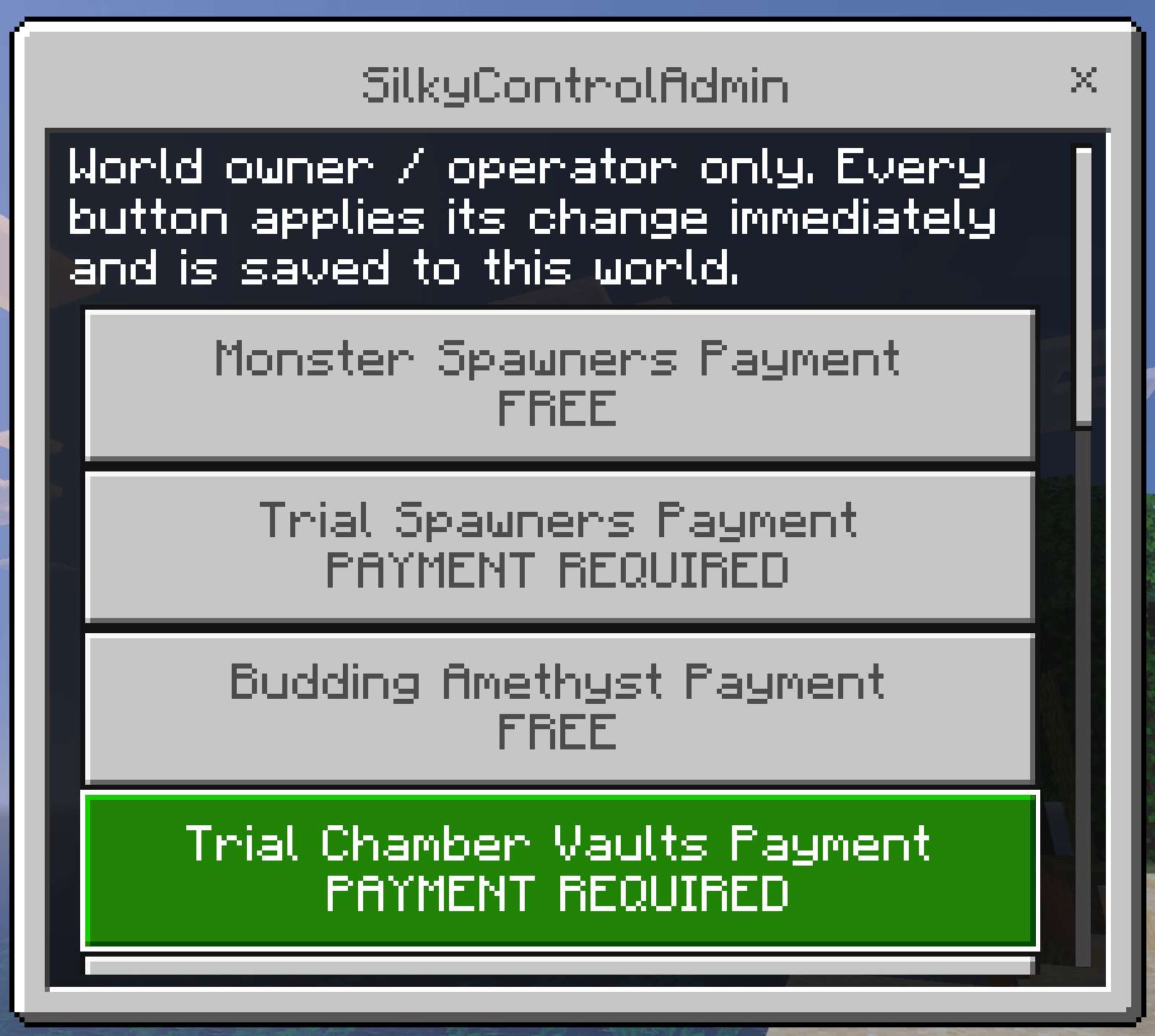
SilkyControl-Admin-Menu.png
SilkyControl-Menu.png
Description
Andy's Silk Touch Relics
Turn some of Minecraft Bedrock's rarest and normally unobtainable Survival blocks into hard-earned trophies. Andy's Silk Touch Relics lets you unlock, mine, preserve, relocate, and reuse Monster Spawners, Trial Spawners, Budding Amethyst, Trial Chamber Vaults, and Stronghold End Portal Frames.
By default, every relic category starts behind a substantial Survival payment and requires the correct Silk Touch tool. The default prices are deliberately expensive so relocating a relic remains a late-game achievement instead of replacing normal exploration and progression. World owners and operators can also turn off the payment requirement separately for any relic category, making only those selected relics immediately free to mine.
The add-on is built for ordinary local worlds, multiplayer worlds, Realms, and Bedrock Dedicated Servers. It uses stable Minecraft Bedrock Script APIs and requires no Cheats, Beta APIs, experimental world toggles, or dedicated server.
Vanilla-friendly by design
Andy's Silk Touch Relics adds no custom blocks, items, mobs, recipes, loot tables, player changes, or replacements for vanilla content. It works with the listed vanilla relic blocks only, using stable APIs and the linked Resource Pack without replacing Minecraft's textures or graphics settings.
Supported relics
| Relic | Default one-time unlock | Required tool | How to collect |
|---|---|---|---|
| Monster Spawners | 5 Diamond Blocks or 32 Iron Blocks | Diamond or Netherite Silk Touch Pickaxe | Mine normally |
| Trial Spawners | 5 Diamond Blocks or 32 Iron Blocks | Diamond or Netherite Silk Touch Pickaxe | Crouch + Mine/Attack |
| Budding Amethyst | 5 Diamond Blocks | Diamond or Netherite Silk Touch Pickaxe | Mine normally |
| Normal and Ominous Vaults | 10 Diamond Blocks | Diamond or Netherite Silk Touch Pickaxe | Crouch + Mine/Attack |
| Stronghold End Portal Frames | 16 Netherite Blocks | Netherite Silk Touch Pickaxe | Crouch + Mine/Attack |
Monster Spawners and Trial Spawners are separate purchases. Unlocking one does not unlock the other. End Portal Frames specifically require a Netherite Silk Touch Pickaxe; a Diamond Pickaxe will not collect them.
Only Stronghold End Portal Frame blocks are supported. The add-on never collects active End Portal tiles, End Gateways, Bedrock, or the Bedrock return portal in the End.
Choose your progression
These blocks were never designed to be ordinary portable building materials in Survival. The cost system keeps their collection powerful without making exploration, Trial Chambers, Strongholds, or resource progression meaningless.
- Five Diamond Blocks equal 45 Diamonds.
- Thirty-two Iron Blocks equal 288 Iron Ingots.
- Ten Diamond Blocks equal 90 Diamonds.
- Sixteen Netherite Blocks equal 144 Netherite Ingots.
Each price is paid once for the selected purchase scope. After purchase, that feature can be disabled and re-enabled for free through SilkyControl. World owners and operators who want a different balance can change every cost in game through SilkyControlAdmin, or from the server console.
Every relic category also has its own independent Payment setting. Turn it to FREE for Monster Spawners, Trial Spawners, Budding Amethyst, Vaults, or End Portal Frames to make that category immediately free and enabled for all players. The remaining categories can continue using their own paid unlock costs. Free categories still require their normal Silk Touch tool, mining action, Survival mode, and enabled mining setting.
Changing a category to free does not delete existing world-wide or per-player purchase records. Turning its payment requirement back on restores its saved unlock and enabled state.
Payments are taken only from exact Diamond Block, Iron Block, or Netherite Block items in the paying player's main 36-slot inventory and hotbar. Items inside Shulker Boxes, Bundles, or other containers are not counted or consumed. If the player cannot afford the selected payment, nothing is removed.
Installing the add-on
Windows, Android, iPhone, and iPad
- Download
Andys_Silk_Touch_Relics_v1.6.6.mcaddonfrom this official CurseForge project. - Open the downloaded
.mcaddonfile with Minecraft. - Wait for Minecraft to confirm that both packs imported successfully.
- Create a new world, or edit an existing Survival world.
- Open Behavior Packs > My Packs.
- Select Andy's Silk Touch Relics, then choose Activate.
- Confirm that the linked Andy's Silk Touch Relics Resources pack is also active. It should activate automatically.
- Leave Cheats and all Experiments disabled.
- Enter the world. As the world owner or an operator, run
/andy_stms:silkycontroladminto review your settings.
Back up an important world before adding or updating any add-on. When updating, close the world, import the newer file, verify the displayed version, and remove older active copies if Minecraft retained them.
Xbox, PlayStation, and Nintendo Switch
Consoles generally cannot import arbitrary local .mcaddon files directly. Import and activate the add-on on Windows or mobile, upload that prepared world to a Realm, and then join the Realm from the console. Realm members download the world's required packs through Minecraft.
First-time setup and the Silky Guide
Every player receives a signed Silky Guide book the first time they spawn after the add-on is activated. It explains the default prices, supported tools, controls, and preservation system. If the player's inventory is full, the book drops at their feet. It is issued once per player in that world.
All five relic features use paid unlocks by default. Open SilkyControl, choose the feature you want, review its price, and confirm the payment. A successful purchase automatically enables that feature. If the world owner has turned off the payment requirement for a category, it is already free and enabled.
Commands and control sticks at a glance
There is no pack gear/settings screen. Everything is controlled in game or from the server console.
| Control | Who can use it | What it does |
|---|---|---|
/andy_stms:silkycontrol |
Any player | View status, buy unlocks, toggle your own features |
Stick renamed SilkyControl |
Any player | Same as above |
/andy_stms:silkycontroladmin |
World owner / operators only | All world settings: payment, availability, scope, prices, reset |
Stick renamed SilkyControlAdmin |
World owner / operators only | Same as above |
scriptevent andy_stms:* |
Server console, or in-game operators | Read and change every setting from BDS |
Both commands are registered with cheatsRequired: false, so neither one needs Cheats and neither affects achievement eligibility.
SilkyControl — for every player
SilkyControl is available without Cheats in either of two ways.
Renamed control stick
- Place a normal Stick in an Anvil.
- Rename it exactly
SilkyControlwith no space. - Hold the renamed Stick.
- Press Use/Place. If using it in the air does not register on your device, point at a solid block and press Use/Place.
Chat command
Enter:
/andy_stms:silkycontrolMinecraft requires custom commands to include their namespace.
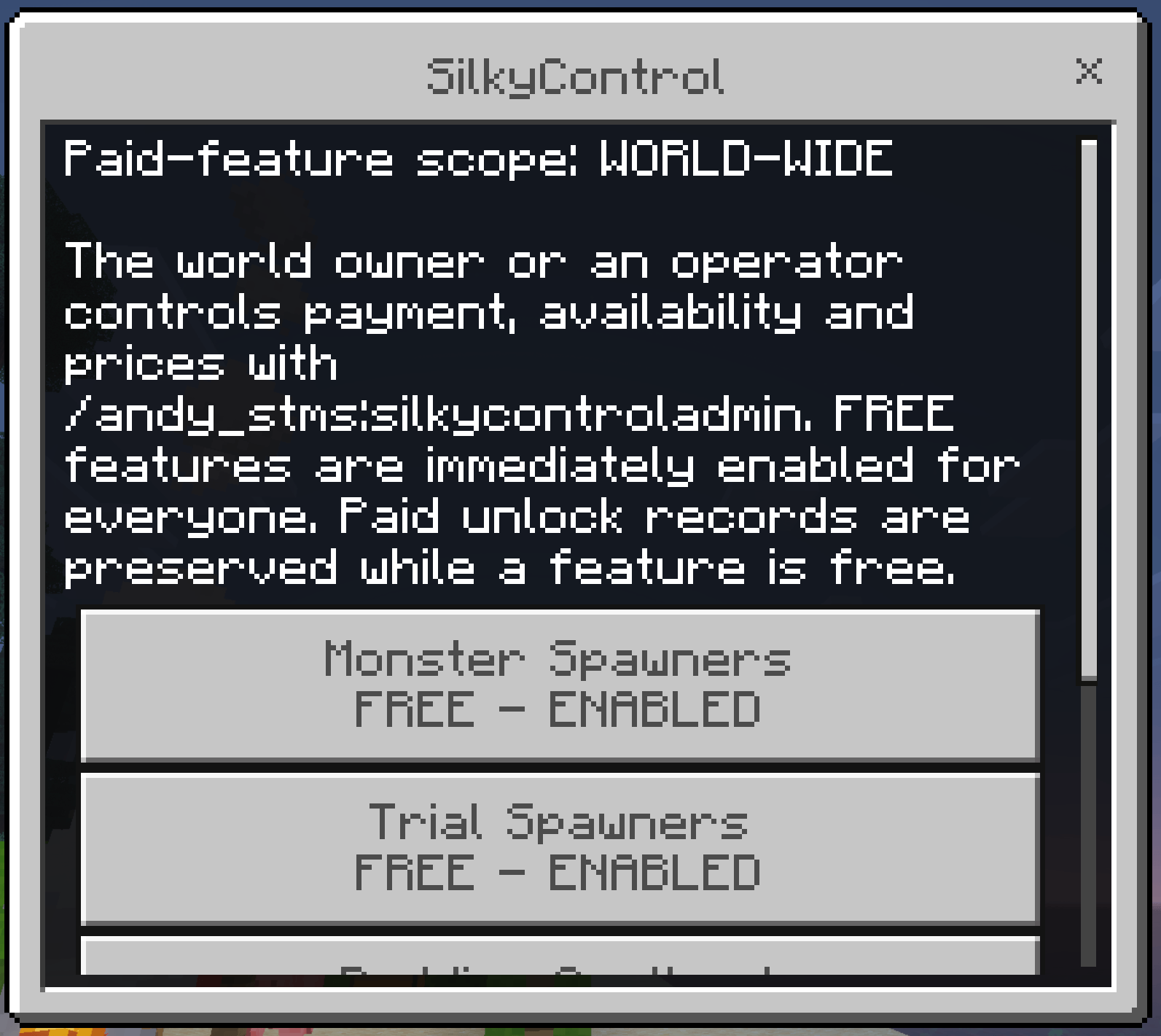
SilkyControl shows all five relics with their current status:
- LOCKED — <price> — select it to open the payment screen.
- ENABLED — select it to turn the feature off for yourself.
- DISABLED — select it to turn the feature back on. No second payment is charged.
- FREE - ENABLED — the world owner made this category free. Nothing to buy.
- OFF IN WORLD SETTINGS — the world owner disabled this category entirely.
The header also shows whether unlocks apply WORLD-WIDE or PER-PLAYER. Regular players do not need operator permissions or Cheats, and they never see world configuration controls.
SilkyControlAdmin — for world owners and operators
World configuration lives in a separate, restricted menu. It is available two ways.
Renamed admin stick
- Place a normal Stick in an Anvil.
- Rename it exactly
SilkyControlAdminwith no space. - Hold the renamed Stick and press Use/Place.
Chat command
Enter:
/andy_stms:silkycontroladminBoth routes require Bedrock's Operator permission level. That covers the single-player world owner, Realm operators, server operators, and anyone opped on a dedicated server. Permission is checked independently on the command, on the stick, and on every settings page, so a regular player cannot reach these controls by any route. Access is based purely on operator status and is never tied to a specific gamertag, so the add-on behaves correctly on anyone's world, server, or Realm.
If a non-operator tries either route, they get a short refusal message and nothing else.
Every button applies its change immediately, verifies that Minecraft saved it, and writes the exact setting and value to the Content Log. Settings are stored in the world itself, so they travel with the world and survive add-on updates.
Settings reference
All of the following are available in SilkyControlAdmin and from the BDS console.
Payment settings
Independently set payment for each of the five relic categories:
- Monster Spawners.
- Trial Spawners.
- Budding Amethyst.
- Trial Chamber Vaults.
- Stronghold End Portal Frames.
Every category defaults to PAYMENT REQUIRED. Switch one to FREE to make only that category free and enabled for all players, with no purchase and no materials consumed. Its price remains configured for later use, and its saved purchase records stay intact if payment is turned back on.
Unlock ownership
- World-wide — one purchase and enabled state applies to everyone. This is the default and works well for cooperative worlds and Realms.
- Per-player — every player buys and controls their own relic features.
World-wide and per-player purchase records are stored separately. Changing the scope does not erase either ledger. Switching back restores the purchases and enabled states previously recorded for that scope.
Mining availability
Independently allow or disallow each of the five relic categories. Setting one to DISABLED prevents it from being purchased or used. It does not erase an existing paid unlock, so that unlock returns if the category is enabled again.
Unlock prices
Every price accepts a value from 1 through 64 blocks.
- Monster Spawner — Diamond Blocks: default 5.
- Monster Spawner — Iron Blocks (alternative): default 32.
- Trial Spawner — Diamond Blocks: default 5.
- Trial Spawner — Iron Blocks (alternative): default 32.
- Budding Amethyst — Diamond Blocks: default 5.
- Vault — Diamond Blocks: default 10.
- End Portal Frame — Netherite Blocks: default 16.
Spawner payments are alternatives, not combined recipes. The player chooses either the configured Diamond Block price or the configured Iron Block price, and only that selected currency is consumed.
Reset
Reset All World Settings returns every setting to its built-in default. Paid unlock records are kept.
Bedrock Dedicated Server console
Server owners can read and change every setting directly from the BDS console, with no operator status and no in-game access required. Enter these without a leading slash in the server console:
scriptevent andy_stms:help
scriptevent andy_stms:list
scriptevent andy_stms:status
scriptevent andy_stms:get <setting>
scriptevent andy_stms:set <setting> <value>
scriptevent andy_stms:reset [setting|all]
scriptevent andy_stms:debug
Boolean settings accept on or off. Prices accept whole numbers from 1 to 64. unlock_scope accepts world or player.
Available settings
| Setting | Type | Default | Meaning |
|---|---|---|---|
unlock_scope |
world / player |
world |
Whether unlocks are shared or per-player |
charge_monster_spawners |
on / off | on |
off makes Monster Spawners free |
charge_trial_spawners |
on / off | on |
off makes Trial Spawners free |
charge_amethyst |
on / off | on |
off makes Budding Amethyst free |
charge_vaults |
on / off | on |
off makes Vaults free |
charge_end_frames |
on / off | on |
off makes End Portal Frames free |
allow_monster_spawners |
on / off | on |
off disables Monster Spawner mining |
allow_trial_spawners |
on / off | on |
off disables Trial Spawner mining |
allow_amethyst |
on / off | on |
off disables Budding Amethyst mining |
allow_vaults |
on / off | on |
off disables Vault mining |
allow_end_frames |
on / off | on |
off disables End Portal Frame mining |
monster_diamond_cost |
1-64 | 5 |
Monster Spawner price in Diamond Blocks |
monster_iron_cost |
1-64 | 32 |
Monster Spawner price in Iron Blocks |
trial_diamond_cost |
1-64 | 5 |
Trial Spawner price in Diamond Blocks |
trial_iron_cost |
1-64 | 32 |
Trial Spawner price in Iron Blocks |
amethyst_diamond_cost |
1-64 | 5 |
Budding Amethyst price in Diamond Blocks |
vault_diamond_cost |
1-64 | 10 |
Vault price in Diamond Blocks |
end_frame_netherite_cost |
1-64 | 16 |
End Portal Frame price in Netherite Blocks |
Examples
Make Monster Spawner harvesting free and immediately enabled for everyone:
scriptevent andy_stms:set charge_monster_spawners offSwitch the server to per-player unlocks:
scriptevent andy_stms:set unlock_scope playerLower the Vault price to 4 Diamond Blocks:
scriptevent andy_stms:set vault_diamond_cost 4Review every effective value and where it came from:
scriptevent andy_stms:statusClear all saved settings and return to defaults, keeping unlock records:
scriptevent andy_stms:reset allA note for in-game operators: Minecraft's own /scriptevent command requires Cheats when a player types it in chat. To keep a world achievement-eligible, use /andy_stms:silkycontroladmin in game and leave scriptevent for the server console.
Mining and durability rules
- Monster Spawners and Budding Amethyst use ordinary block mining.
- Trial Spawners, Vaults, and End Portal Frames require crouching while pressing Mine/Attack.
- Trial Spawners and Vaults accept Diamond or Netherite Silk Touch Pickaxes.
- End Portal Frames accept only a Netherite Silk Touch Pickaxe.
- Wood, Stone, Gold, Iron, and custom Pickaxes do not trigger relic harvesting.
- Creative mode is excluded from special drops to prevent duplication.
- Diamond Pickaxes receive greater durability wear than Netherite Pickaxes.
- Extra durability attempts respect the Unbreaking enchantment.
Preserving and replacing relics
Monster Spawners use Bedrock's additional block-data item so their configured mob can be retained. Trial Spawners use Bedrock's native data-bearing item so their configured Trial Chamber behavior survives placement.
Normal and Ominous Vaults use a persistent one-block saved structure. Placing the preserved item restores the original Vault data, including the configuration used for its reward display and keys. Retail testing confirmed that relocated Vaults retained their data, but always test valuable world content after an update.
End Portal Frames use the same saved-structure approach so their orientation and Eye state can be restored. Preserved structure items include identifying lore. If Bedrock cannot create the required preserved item first, the add-on leaves the original block safely in place.
Achievement-friendly design
Andy's Silk Touch Relics is designed to preserve vanilla achievement eligibility:
- No Cheats required.
- No Beta APIs.
- No experimental world toggles.
- Stable
@minecraft/serverand@minecraft/server-uiAPIs only. - Both
/andy_stms:silkycontroland/andy_stms:silkycontroladmindeclarecheatsRequired: false. - Manifest declares the project as a Bedrock add-on.
- No vanilla player, block, item, entity, recipe, or loot-table overrides.
Minecraft makes the final eligibility decision for each world. A world that previously enabled Creative mode, Cheats, Experiments, or an ineligible template may already have achievements disabled; removing an add-on cannot reverse that.
Vibrant Visuals and device compatibility
The linked Resource Pack declares the stable PBR capability required for Vibrant Visuals but replaces no vanilla textures, lighting, water, atmosphere, or color grading. Minecraft continues using its normal visuals.
The add-on contains no Windows-specific code and is intended for current Minecraft Bedrock on Windows, Android, iOS/iPadOS, Xbox, PlayStation, Nintendo Switch, local multiplayer, Realms, and Bedrock Dedicated Servers. The minimum supported game version is Bedrock 26.30 (1.26.30 engine version).
Enjoying Andy's Silk Touch Relics?
Follow the project on CurseForge for updates, leave a comment with feedback, and share screenshots of the trophy rooms, spawner vaults, and relic collections you build.
If the add-on made a relic feel worth earning, please consider rating or favoriting the project. Those small actions help other Minecraft Bedrock players discover Andy's Add-ons.
Follow and Support Andy
Add-ons take real time, money, and long-term commitment to build, test, and keep working across every Bedrock update. Every relic in this pack was tested by hand on retail Minecraft, and every reported bug gets chased down and fixed. If Andy's Silk Touch Relics earned a place in your world, please consider supporting continued development and future projects:
Support is never required and never unlocks anything in game. Every feature is free for everyone, forever.
Visit AndyTheMakerMC.xyz for Andy's add-ons, .mcstructure downloads, HoloPrint files, world lore, tutorials, guides, videos, and other Minecraft content.
Follow @AndyTheMakerMC on:
- YouTube
- Twitch
- <input type="checkbox" disabled style="margin: 0px 0.35em 0.25em -1.6em; vertical-align: middle;" checked>(https://x.com/AndyTheMakerMC)
- TikTok
Content creator permission
Players and content creators may use an official, unmodified release of Andy's Silk Touch Relics in gameplay videos, livestreams, screenshots, tutorials, reviews, and similar content, including monetized content, provided they give clear attribution to AndyTheMakerMC as the creator. Where clickable links are supported, please link to this official CurseForge project or www.AndyTheMakerMC.XYZ.
This permission also allows hosting private or public Minecraft worlds and Realms that use the official, unmodified add-on. It does not permit offering the add-on file as a separate download.
License and restrictions
Copyright (c) 2026 Andy / AndyTheMakerMC. All rights reserved.
You may not redistribute, reupload, mirror, resell, sublicense, bundle, modify, translate, adapt, decompile, disassemble, reverse engineer, extract, or reuse the add-on, its source code, documentation, branding, or artwork. You may not create derivative works or incorporate any portion into another add-on, pack, application, or project without prior written permission from the copyright holder.
The content-creator permission above is a limited permission to display normal gameplay and commentary. It does not transfer ownership or grant permission to distribute or modify the project files.
The promotional artwork is original AI-assisted concept artwork directed for this project. It is not an in-game screenshot.
Minecraft is a trademark of Microsoft Corporation. This project is not affiliated with, endorsed by, or sponsored by Microsoft or Mojang Studios.
The Andy's Silk Touch Relics Team