Andy's Better Shulker Boxes
- By
Add removable item labels to shulker boxes in Minecraft Bedrock. Display vanilla item icons on top for faster storage organization—achievement-friendly, Vibrant Visuals compatible, and ready for Survival, multiplayer, Realms, and servers.
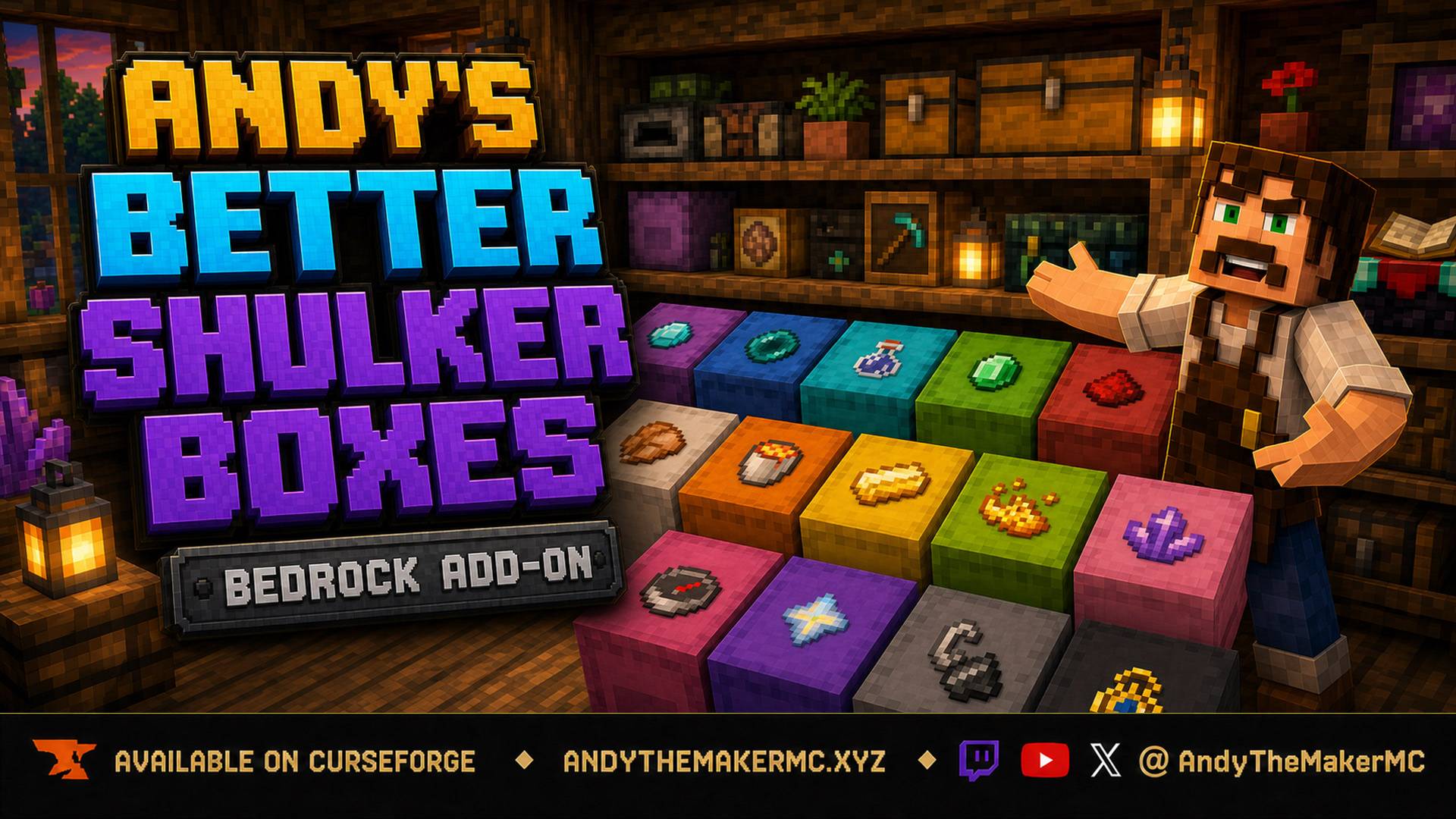
Andys-Better-Shulker-Boxes-Hero-16x9-FINAL.jpg
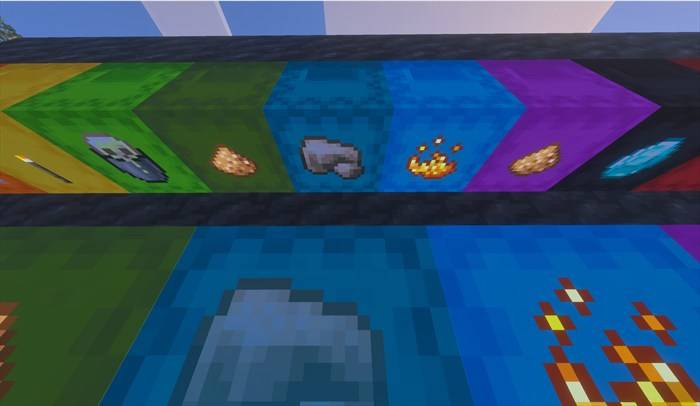
ceiling-labels.jpg
Description
Andy's Better Shulker Boxes
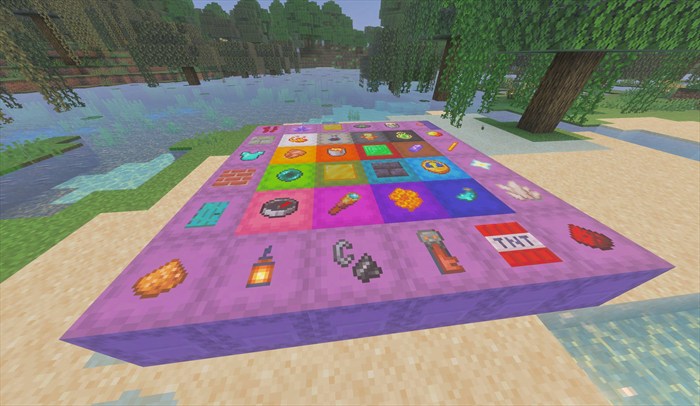
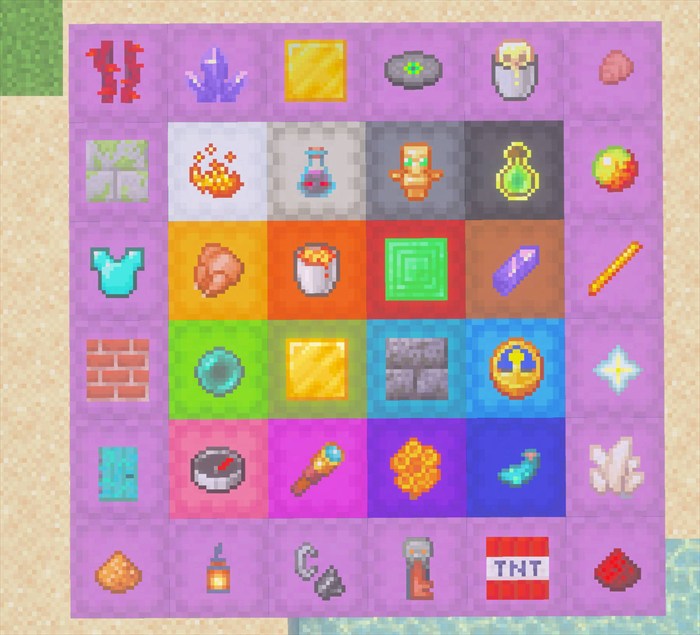
Andy's Better Shulker Boxes gives every placed shulker box a clear, removable item label. Hold the item that represents the contents, sneak, and interact with the exact face you want to mark. Its familiar vanilla icon appears flat against that face, making large storage rooms, workshops, mobile bases, and shared warehouses much faster to read.
The label uses one real item and protects that exact item while it is displayed. Labels survive chunk unloads, stay attached when a shulker is mined and carried, and return with names, lore, enchantments, durability damage, and other stored data intact. The normal shulker inventory and opening behavior remain unchanged.
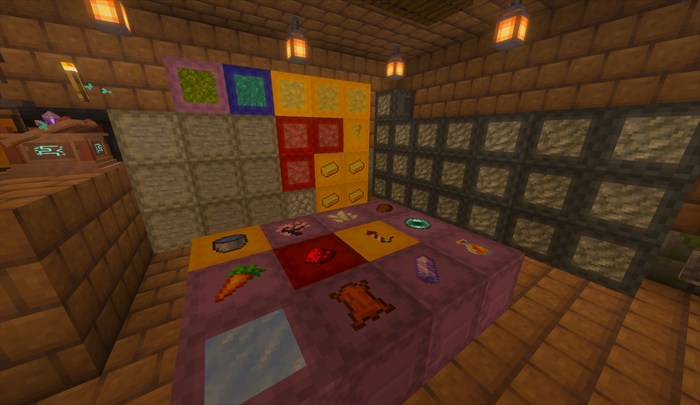
Use shulker colors for broad categories and item labels for the exact contents.
Vanilla-friendly by design
- Uses normal Minecraft shulker boxes and familiar vanilla item icons.
- Does not replace shulker inventories, recipes, storage capacity, or normal opening behavior.
- Uses one real item for each label and returns that item when the label is removed or replaced.
- No cheats, commands, Beta APIs, experimental gameplay toggles, or required add-on dependencies.
- Supports Standard graphics and Vibrant Visuals/PBR.
- Supports single-player, multiplayer, Realms, and compatible Bedrock servers.
Requirements
- Minecraft Bedrock Edition 1.21.120 or newer
- Both Andy's Better Shulker Boxes BP and Andy's Better Shulker Boxes RP active at matching versions
- One normal or dyed shulker box placed in the world
- One item to use as the label
- No required add-on dependencies
The add-on uses stable Script APIs supplied by Minecraft. Players do not need to enable cheats or experimental features.
Installation
Windows and supported desktop devices
- Download the current
Andys_Better_Shulker_Boxes_1.1.7.mcaddonfrom the official project page. - Open the
.mcaddonwith Minecraft Bedrock. - Wait for both Andy's Better Shulker Boxes BP and Andy's Better Shulker Boxes RP to import successfully.
- Create a world or edit the intended existing world.
- Activate the Behavior Pack, then confirm the linked Resource Pack is active.
- Place a shulker box, hold an item, sneak, and interact with the face you want to label.
Android and iOS
Download the .mcaddon, open or share it to Minecraft, allow both packs to import, then activate both linked packs on the intended world. The exact file-sharing steps vary by device and operating-system version.
Consoles through a Realm
Consoles generally do not offer the same local .mcaddon import workflow. Import and activate the add-on on a supported Windows or mobile device, upload that prepared world to a Realm, and join the Realm from the console. Minecraft will deliver the required world packs through its normal Realm process.
Servers and Realms
Install and activate both packs on the world before uploading or starting it. Joining players must accept the Resource Pack so item labels appear correctly. Test applying, removing, carrying, and replacing a label in a backed-up staging copy before deploying to an established shared world.
Updating
- Back up the world.
- Import the newer
.mcaddonand wait for both pack updates to complete. - Edit the world and verify that matching versions of the Behavior Pack and Resource Pack are active.
- Remove or deactivate obsolete duplicate copies if Minecraft retained them.
- Completely leave and reopen the world before testing the update.
Existing labels and their stored items persist across the update. Items already lost in an older version cannot be reconstructed with their original data.
Quick start
- Place any normal or dyed shulker box.
- Hold the item you want to display.
- Sneak and interact with the exact shulker face you want to label.
- Interact without sneaking whenever you want to open the shulker normally.
- Sneak-interact with an empty hand to remove the label and recover its item.
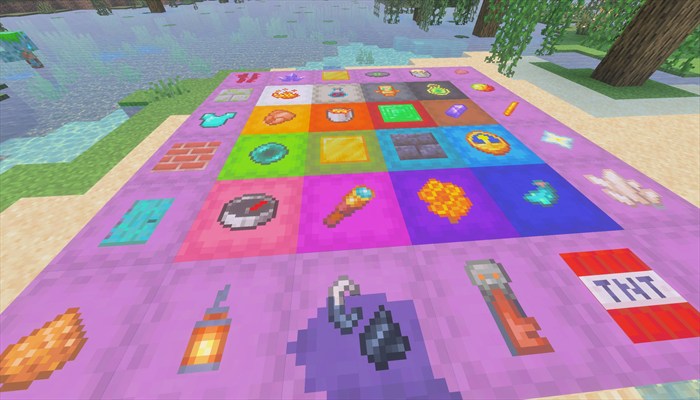
Applying and positioning item labels
What it does: Stores one item and displays its flat icon on the exact shulker-box face that was clicked. Each shulker has one label.
Why and when to use it: Use labels when color alone does not identify the contents clearly. A red shulker can become the Redstone Dust box, while another red shulker can display a Comparator or Piston.
Where to use it: Any placed normal or dyed shulker box in the Overworld, Nether, or End. Floor-placed shulkers accept labels on the top and four sides. Wall-placed shulkers accept labels on their outward-facing top and four sides. Ceiling-placed shulkers accept labels on their downward-facing top and four sides.
How to use it:
- Put at least one label item in the selected hotbar slot.
- Sneak or crouch.
- Aim at the desired shulker face.
- Interact while continuing to sneak.
- One item leaves the held stack and its icon appears on the clicked face.
Suggested starting settings: No settings are required. Start with an upright shulker and a clearly asymmetric item such as Redstone Dust to learn how horizontal label orientation follows the player's facing direction.
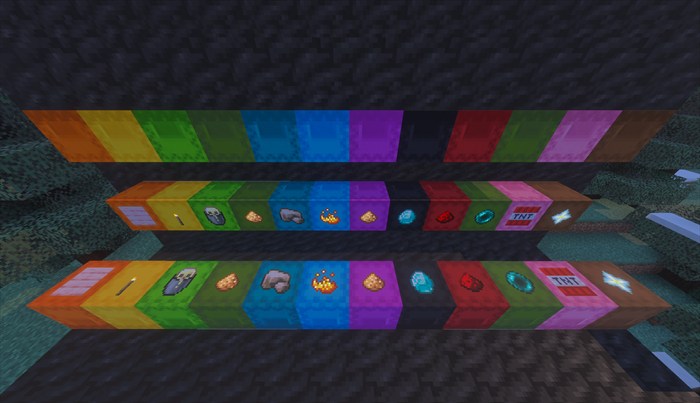
The visible lid and four side faces can receive a label, depending on where the shulker is placed.
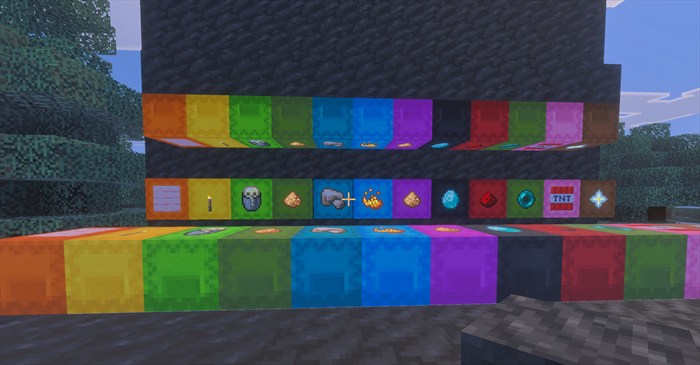
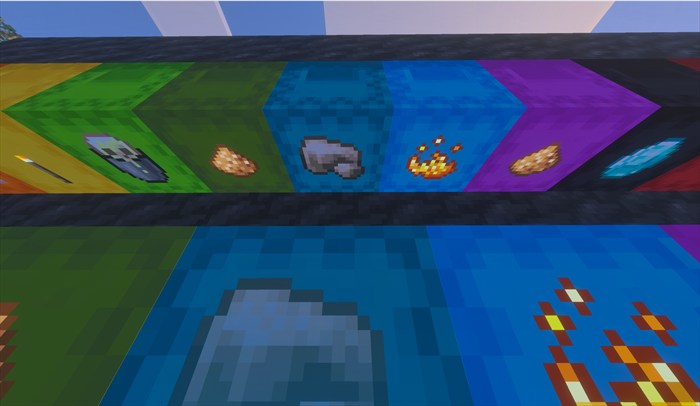
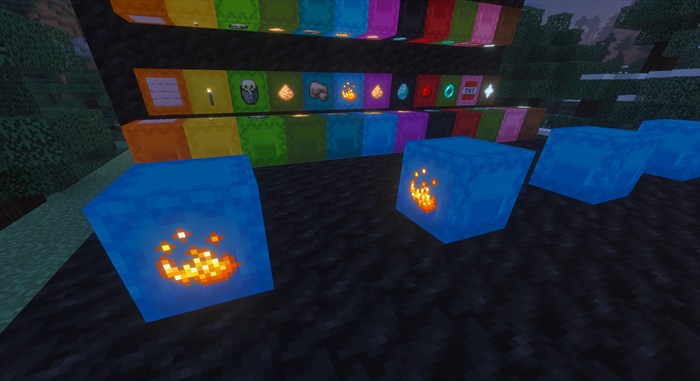
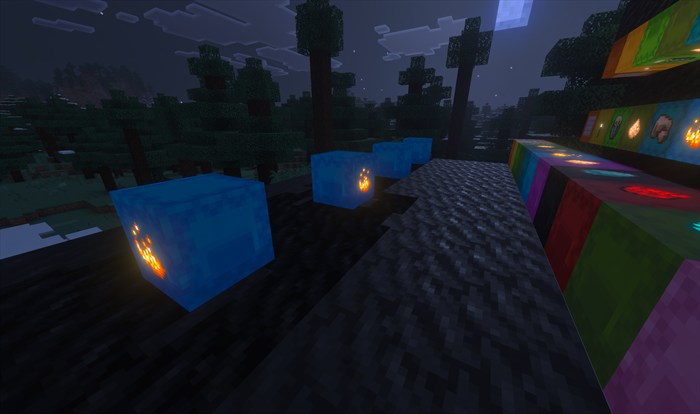
Replacing and removing labels
What it does: Replaces a label with another item or removes it completely while returning the exact stored item.
Why and when to use it: Change a label when the box's contents change. Remove it before leaving a shulker intentionally unlabeled or when recovering a rare enchanted or damaged item used as the icon.
Where to use it: Anywhere the labeled shulker is placed and loaded.
How to use it: Hold a new item and sneak-interact to replace the label. Use an empty hand and sneak-interact with the shulker or visible icon to remove it. The original item returns to the inventory; if no slot can accept it, the item drops beside the shulker.
Suggested starting settings: Leave one free inventory slot before replacing or removing a valuable label so the returned item goes directly into the inventory.
Persistent labels and chunk safety
What it does: Keeps the label carrier and its stored item when the surrounding chunk unloads or the world is closed.
Why and when to use it: This protects labels in distant storage rooms, Nether bases, End projects, Realm worlds, and servers where areas regularly unload.
Where to use it: All supported dimensions and world types.
How to use it: No extra action is required. Apply a label normally, leave the area, and return later. Cleanup waits until the block is loaded before deciding whether a shulker still exists.
Suggested starting settings: After updating an important world, verify one ordinary label by leaving and returning to its area before using rare items as labels.
Carrying a labeled shulker
What it does: Mining a labeled shulker transfers the label claim to the dropped shulker item. Placing that shulker restores the same label, clicked face, orientation, and exact label item.
Why and when to use it: Move organized storage without stripping and rebuilding every label. This works whether the shulker is empty or contains items.
Where to use it: Normal player mining in supported worlds where the shulker produces its normal item drop.
How to use it: Mine the labeled shulker by hand or with a tool, pick up the shulker item, then place it at the new location. The label restores automatically.
Suggested starting settings: Test the workflow with a common label item before moving a valuable labeled shulker through automation or unusual block-breaking systems.
Exact item preservation and recovery
What it does: Stores the actual one-item ItemStack, including its name, lore, enchantments, durability damage, and other data. The item is returned when the label is explicitly removed, replaced, or destroyed without a portable shulker drop.
Why and when to use it: Rare, enchanted, named, or damaged items can serve as labels without being reduced to a generic replacement when recovered.
Where to use it: Any supported label interaction. Once an item has dropped into the world, normal Minecraft pickup, despawn, fire, explosion, and environmental rules apply.
How to use it: Apply the item normally. Remove the label with an empty hand to return it directly, or allow the safe ground drop when the inventory is full. Mining the shulker keeps the item in the label rather than dropping it separately.
Suggested starting settings: Keep inventory room available when intentionally removing a rare label and pick up any ground return promptly.
Admin & Operator Guide
Andy's Better Shulker Boxes has no tunable gameplay categories in version 1.1.7. Its one player-controlled behavior is enabled while both packs are active: sneaking changes interaction from opening a shulker to applying, replacing, or removing its label.
In-game operator menu
Version 1.1.7 does not expose configuration settings or an operator form. World owners control the feature by activating or deactivating the Behavior Pack and its linked Resource Pack. No operator permission is required for ordinary label use.
Bedrock Dedicated Server / console access
No scriptevent configuration commands are needed or exposed in version 1.1.7 because there are no numeric, category, permission, or per-world settings to change. Install both packs on the server world and require joining players to accept the Resource Pack.
Compatibility
- Minecraft Bedrock 1.21.120 or newer
- Standard graphics and Vibrant Visuals/PBR
- Single-player, multiplayer, Realms, and compatible Bedrock servers
- Overworld, Nether, and End
- Normal and all 16 dyed shulker boxes
- No cheats, commands, experiments, or required dependencies
Bedrock does not expose a stable arbitrary ItemStack renderer to custom add-on entities. The add-on maps vanilla item IDs to Mojang texture paths and renders those icons on a thin label surface. Unsupported items from other add-ons use the paper fallback. The flat icon does not reproduce enchantment glint or durability-state artwork, although the stored item retains that data.
Labels appear on placed shulkers. The add-on does not change the normal inventory, chest, or hotbar icon of a portable shulker box.
Troubleshooting
A label was applied but is invisible
- Confirm both packs are active and show version 1.1.7.
- Leave and reopen the world after changing packs.
- Remove obsolete copies under Minecraft Settings → Storage.
- Test with other shulker-changing or PBR Resource Packs disabled.
The wrong icon appears or the label looks like paper
- Confirm the item is a vanilla Minecraft item.
- Reapply it after confirming both packs are current.
- Report the exact item name and include a screenshot.
Sneak-interacting does not apply or remove a label
- Hold a real item to apply or replace a label; use an empty selected slot to remove it.
- Continue sneaking while interacting directly with the shulker or its visible label.
- Confirm the Behavior Pack is active.
A label did not restore after moving the shulker
- Confirm the shulker item was the normal drop from a player mining the labeled box.
- Place that exact shulker item rather than a different shulker of the same color.
- Check the Content Log for the first
shulkerlabelsmessage and retain the affected item while reporting the problem.
Vibrant Visuals looks wrong
- Confirm the matching Resource Pack is active.
- Remove older pack copies and restart Minecraft.
- Test with other PBR or shulker-changing Resource Packs disabled.
Reporting problems
Include:
- Better Shulker Boxes version
- Exact Minecraft Bedrock version and platform
- Standard or Vibrant Visuals graphics
- Single-player, multiplayer, Realm, or server
- Active Behavior and Resource Pack order
- Exact item used as the label and its relevant name, enchantments, or damage
- Shulker placement orientation and clicked face
- Exact reproduction steps and any messages shown
- Screenshots or video
- Relevant
shulkerlabelsContent Log entries - Whether the issue repeats in a new backed-up test world with other add-ons disabled
Support AndyTheMakerMC
All of my Minecraft Bedrock add-ons are free to download and use. If one of my add-ons has improved your world, saved you time, or added something you wish Minecraft already had, consider supporting continued development. Your support helps fund the time and tools required to maintain existing add-ons, test new Minecraft Bedrock releases, fix bugs, create documentation and artwork, and continue building new add-ons.
Help me keep these add-ons free, updated, and actively maintained — support through Buy Me a Coffee or a direct donation through Stripe. Prefer another way? Ko-fi · Patreon · GitHub Sponsors. Every bit of support is appreciated, but it is never required.
Enjoying the add-on? Ratings, favorites, recommendations, and kind comments also help more Bedrock players discover Andy's work.
Explore more of Andy's add-ons
Visit AndyTheMakerMC.xyz for more Minecraft Bedrock add-ons, .mcstructure downloads, HoloPrint files, world lore, tutorials, guides, videos, and other creations.
Follow AndyTheMakerMC
Follow @AndyTheMakerMC for new add-on releases, development updates, tutorials, showcases, streams, and more Minecraft adventures, and join the community on Discord and Facebook:
End-user permission
You may download the official, unmodified release of Andy's Better Shulker Boxes from its official CurseForge or authorized GitHub project page and install, activate, and use it in personal single-player worlds, multiplayer worlds, Realms, and compatible Bedrock servers.
This permission includes Minecraft's normal automatic delivery of the official, unmodified add-on to players joining a world, Realm, or server where it is active. It does not permit offering the add-on file separately or distributing it as part of a world download, modpack, bundle, mirror, archive, or server download.
Content-creator permission
Content creators may use an official, unmodified release of Andy's Better Shulker Boxes in original gameplay videos, livestreams, screenshots, tutorials, reviews, showcases, articles, guides, social posts, and other original content, including monetized content.
Credit to AndyTheMakerMC and a link to the official CurseForge project page are appreciated whenever practical. This permission covers display of normal gameplay and commentary; it does not grant permission to redistribute, modify, extract, or republish the add-on or its assets.
License — All Rights Reserved
All Rights Reserved. Copyright © 2026 Andy / AndyTheMakerMC.
You may not redistribute, reupload, rehost, mirror, resell, sublicense, bundle, repackage, modify and publish, translate, adapt, decompile, disassemble, reverse engineer, extract, or reuse the add-on, its source code, scripts, documentation, branding, textures, models, pack icons, or promotional artwork without prior written permission from the copyright holder.
You may not create derivative works or incorporate any portion of the project into another add-on, Behavior Pack, Resource Pack, application, product, modpack, download, or project without prior written permission. The end-user and content-creator permissions above are limited permissions; they do not transfer ownership or grant redistribution rights.
The promotional artwork is original AI-assisted concept artwork directed for this project. It is not an in-game screenshot.
Minecraft is a trademark of Microsoft Corporation. This project is not affiliated with, endorsed by, sponsored by, or associated with Microsoft or Mojang Studios.
The Andy's Better Shulker Boxes Team