Andy’s Runebound Reliquary (Bedrock Chunk Loader)
- By
Store, upgrade, stack, and safely transport XP with private or shared rune-powered vaults for Minecraft Bedrock.
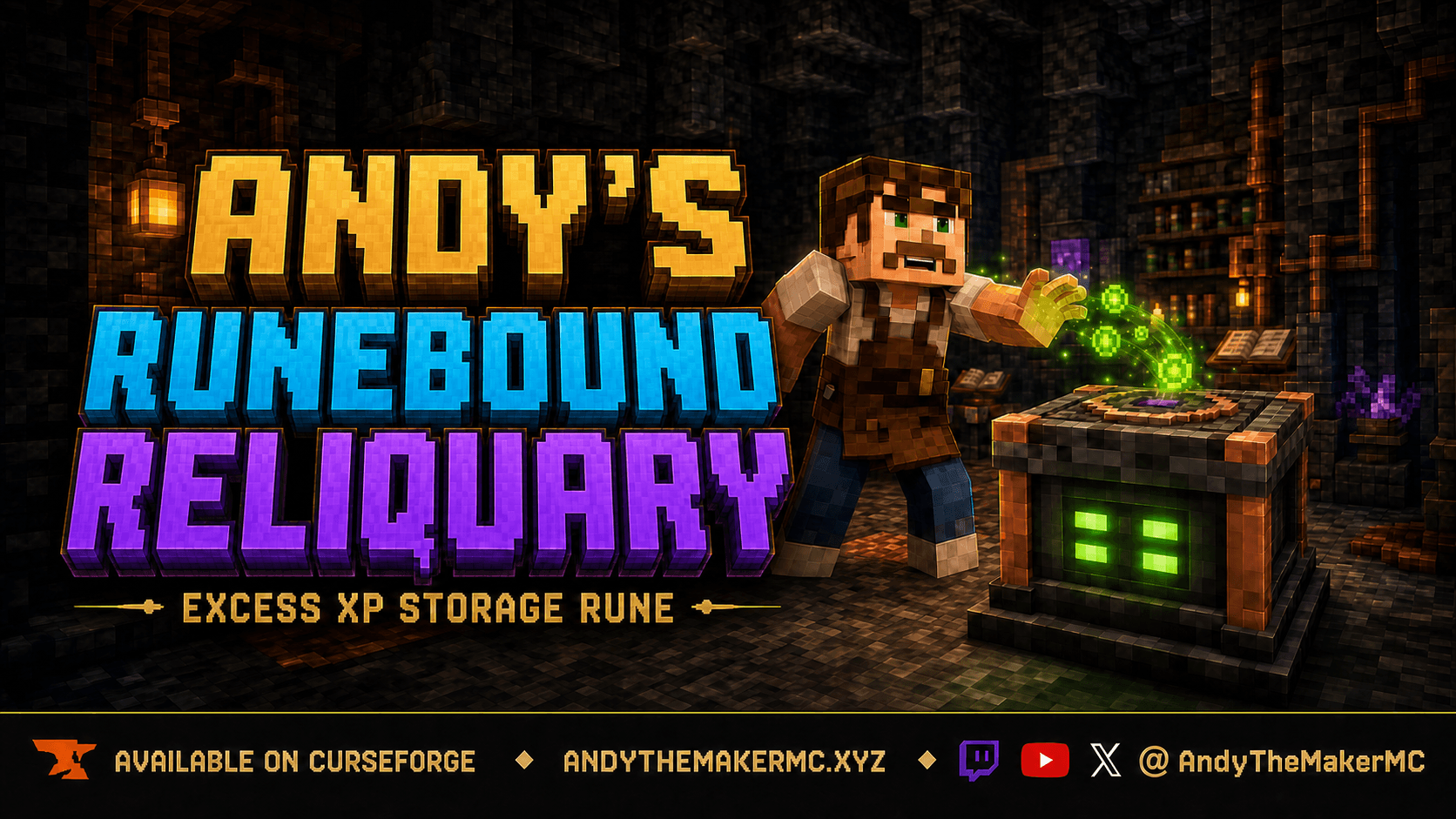
runebound-reliquary-hero-branded.png
Description
Andy’s Runebound Reliquary
Excess XP Storage Rune for Minecraft Bedrock Edition
Andy’s Runebound Reliquary adds a physical, upgradeable XP vault to Minecraft Bedrock. Store your hard-earned experience before a dangerous expedition, retrieve it when you are ready to enchant or repair equipment, maintain a private reserve, or build shared storage for a multiplayer base. Every Reliquary retains its own XP, owner, access mode, upgrades, statistics, and visible fill state.
Powerful XP storage should be earned. The initial recipe requires a Lodestone, Bottles o’ Enchanting, Amethyst, Copper, and Polished Blackstone Bricks. Two additional progression paths provide long-term survival costs: individual capacity upgrades advance through Redstone, Lapis, Quartz, Diamond, Emerald, and Netherite, while linked storage stacks require Copper, Gold, Iron, Amethyst, and Gilded Blackstone offerings.
The Reliquary stores exact XP points, not abstract levels. Because Minecraft levels become progressively more expensive, the number of displayed levels represented by a stored balance depends on the player’s current level. Exact-point accounting prevents XP from being generated or destroyed during transfers.
Features
- Seven individual storage tiers.
- Maximum Supercharged capacity of 217,664 XP.
- Exact XP deposits and withdrawals with verification and rollback protection.
- Private and public access modes.
- Persistent owner and activity records.
- Portable vault items that preserve their complete state.
- Controlled transfer amounts through an information panel.
- Vertical stacks with bottom-up deposits and top-down withdrawals.
- Repeating six-vault upgrade-inheritance groups.
- Configurable ordered or direct higher-tier upgrades.
- Five-color individual fill indicators.
- Animated sealed respawn-anchor-style top lens.
- Floating XP motes and interaction feedback.
- Explosion-resistant construction.
- Vibrant Visuals support.
- Native world settings and operator recovery tools.
- No additional add-ons required.
Installation
- Download the
.mcaddonfrom this official CurseForge project. - Open the file with Minecraft Bedrock Edition.
- Wait for both included packs to import.
- Create a world or edit an existing world.
- Open Behavior Packs > My Packs.
- Activate Andy’s Runebound Reliquary [BP].
- Confirm that Andy’s Runebound Reliquary [RP] is active under Resource Packs. It should activate automatically.
- Select the Behavior Pack’s gear/settings button if you want to adjust world-wide options.
- Enter the world and craft the Reliquary.
When updating, back up the world, import the new .mcaddon, and confirm that the Behavior Pack and Resource Pack display the same version. If Minecraft retains an older copy, remove it under Settings > Storage and activate only the newest matching pair.
Console players generally cannot import arbitrary local .mcaddon files directly. Prepare the world on Windows or mobile, upload it to a Realm, and then join that Realm from the console.
Basic controls
| Action | Control |
|---|---|
| Deposit as much XP as possible | Left-click / attack |
| Withdraw all stored XP | Right-click / use |
| Open the information panel | Sneak + right-click |
| Dismantle while preserving state | Sneak + left-click |
| Contribute a capacity upgrade | Use while holding the required material |
| Link a stacked follower | Use while holding the required linking block |
| Stack another Reliquary | Place it directly above or below |
Upgrade and linking materials take priority over withdrawing XP. Use an empty hand or unrelated item when you want to retrieve experience normally.
Depositing and withdrawing XP
A normal left-click deposits as much XP as the player has and the Reliquary or compatible stack can accept.
A normal right-click withdraws all XP stored in the compatible stack.
The Reliquary records exact XP points. It does not convert the balance into a fixed number of levels. This means the displayed level change will vary depending on the player’s current level, but every stored XP point is preserved.
If an XP transfer or vault save cannot be verified, the transaction is canceled and the previous balances are restored.
Inspecting a Reliquary
Sneak-right-click any Reliquary to open its information panel.
The panel displays:
- Current tier
- Exact stored XP
- Individual or aggregate stack capacity
- Owner
- Public or private status
- Stack membership
- Foundation, follower, and link status
- Active upgrade-order mode
- Upgrade contribution progress
- Lifetime deposited XP
- Last depositor
- Last retriever
Accessible players may deposit or withdraw controlled level-equivalent amounts of:
- 8
- 16
- 24
- 32
- 40
- 48
- 56
- 64
Deposit-all and withdraw-all actions are also available. If less XP is available than the selected amount, the entire available balance moves instead.
The owner may switch the Reliquary between private and public from the same panel.
Capacity upgrades
Interact while holding the required material to contribute toward an upgrade.
Partial contributions are saved. The Reliquary consumes only the number of items still required and leaves any extras in the player’s inventory.
| Tier | Required Offering | Default Cost | Exact Capacity |
|---|---|---|---|
| Dormant | Crafted state | — | 112 XP |
| Ember | Redstone Blocks | 10 | 352 XP |
| Scribe | Lapis Blocks | 10 | 828 XP |
| Astral | Quartz Blocks | 10 | 1,628 XP |
| Lucent | Diamond Blocks | 10 | 4,788 XP |
| Verdant | Emerald Blocks | 10 | 10,252 XP |
| Supercharged | Netherite Ingots | 4 | 217,664 XP |
The Supercharged tier is deliberately much larger than the lower tiers and is intended as a late-game reward for completing the full survival progression.
Upgrade order
World owners may select either upgrade mode:
| Mode | Behavior |
|---|---|
| In order | Redstone → Lapis → Quartz → Diamond → Emerald → Netherite |
| Any higher tier | Offer any higher-tier material and progress directly toward that tier |
In-order progression is enabled by default.
Stacking and XP funneling
Reliquaries placed directly above or below one another can form a vertical storage stack.
Members join the same compatible stack only when they:
- Occupy the same X/Z column.
- Touch vertically with no gaps.
- Have the same persistent owner.
- Use the same public/private access mode.
Interacting with any compatible member addresses the aggregate stack:
- Deposits fill the lowest available vault first.
- XP moves upward only after the lower vault reaches capacity.
- Withdrawals drain the highest occupied vault first.
- Adding a compatible vault adds its capacity to the stack.
- Removing a vault removes its XP from the stack inside the preserved item.
- An air gap, different owner, or different access mode divides the column into separate stacks.
Every vault keeps its own physical balance and fill color. Unlinked vaults retain their own tier and capacity rather than copying the foundation.
If a stack loses inherited capacity while holding too much XP, no XP is deleted. The overflow remains recoverable, but new deposits are blocked until withdrawals bring the stack below its available capacity.
Linking stacked Reliquaries
Compatible stacks are divided into repeating groups of six.
The first vault is the foundation. The next five may inherit the foundation’s capacity upgrades after being linked in order.
| Position | Role | Linking Offering |
|---|---|---|
| 1 | Foundation | None |
| 2 | First follower | 1 Copper Block |
| 3 | Second follower | 1 Gold Block |
| 4 | Third follower | 1 Iron Block |
| 5 | Fourth follower | 1 Amethyst Block |
| 6 | Fifth follower | 1 Gilded Blackstone |
| 7 | Next foundation | Begins another group |
Followers must be linked from the bottom upward.
A linked follower inherits the foundation’s effective capacity tier while the complete link remains intact. It still owns its individual XP, statistics, access state, and actual upgrade tier.
Only the foundation carries its real capacity upgrades when dismantled. A follower’s temporary inherited tier is not written into its portable item.
Removing the foundation, breaking the link chain, separating the stack, or changing compatibility disables the inherited tier without deleting stored XP.
Fill colors
The four lamps on each side show that individual vault’s physical balance.
| Color | Meaning |
|---|---|
| Red | Empty |
| Yellow | Below one-third capacity |
| Green | One-third to below two-thirds |
| Blue | Two-thirds to just below full |
| Purple | Full or temporarily over capacity |
Stacked vaults render their colors independently, making the bottom-up XP distribution visible from outside.
Light output increases as the Reliquary fills. Floating XP motes also become more active at higher balances and may be disabled through the world settings.
Private and public access
The player who places a Reliquary becomes its owner.
| Access Mode | Deposit | Withdraw | Contribute Upgrades | Change Access | Dismantle |
|---|---|---|---|---|---|
| Private | Owner only | Owner only | Owner only | Owner only | Owner only |
| Public | Anyone | Anyone | Anyone | Owner only | Owner only |
Private is the default unless the world configuration changes the default for newly placed vaults.
Changing the access mode of one stack member may separate it from neighboring vaults because every member of a compatible stack must use the same access mode.
Dismantling and moving a Reliquary
Sneak-left-click to dismantle a Reliquary.
Only the owner may dismantle it, including when the vault is public. The resulting item preserves:
- Stored XP
- Actual upgrade tier
- Partial upgrade contributions
- Owner
- Public/private status
- Lifetime deposited XP
- Last depositor
- Last retriever
- Other persistent vault information
Placing the preserved item restores its complete record at the new location.
Use this dismantling method when moving a vault. Piston movement is not supported because stored records are tied to block coordinates.
Crafting recipe
The initial recipe is intentionally expensive enough to make XP storage a meaningful survival milestone.
Bottle o’ Enchanting       | Bottle o’ Enchanting | Bottle o’ Enchanting
Polished Blackstone Bricks | Lodestone             | Polished Blackstone Bricks
Copper Ingot               | Amethyst Cluster      | Copper Ingot
| Ingredient | Quantity |
|---|---|
| Bottle o’ Enchanting | 3 |
| Polished Blackstone Bricks | 2 |
| Copper Ingot | 2 |
| Lodestone | 1 |
| Amethyst Cluster | 1 |
World settings
Select the active Behavior Pack and open its gear/settings button.
| Setting | Range or Default |
|---|---|
| Allow upgrades in any order | Off |
| Redstone Block cost | 1–64, default 10 |
| Lapis Block cost | 1–64, default 10 |
| Quartz Block cost | 1–64, default 10 |
| Diamond Block cost | 1–64, default 10 |
| Emerald Block cost | 1–64, default 10 |
| Netherite Ingot cost | 1–16, default 4 |
| New Reliquaries default to public | Off |
| Floating XP motes | On |
| Visitors may inspect statistics | On |
Settings apply world-wide. Existing XP, ownership records, upgrades, and portable vault items remain preserved when configuration values change.
Operator commands
All commands in this section require operator permission.
| Command | Purpose |
|---|---|
/scriptevent runebound:config |
Open the in-world configuration override |
/scriptevent runebound:config reset |
Return to the native Add-Ons settings |
/scriptevent runebound:admin audit |
Audit stored vault records |
/scriptevent runebound:admin visuals |
Refresh loaded vault colors and tiers |
/scriptevent runebound:admin recover |
Create a missing record for the viewed vault |
/scriptevent runebound:admin claim |
Recover ownership of the viewed vault |
The operator must look directly at a Reliquary within eight blocks when using recover or claim.
Ownership recovery changes only the owner identity and name. Stored XP, upgrades, contribution progress, access mode, and statistics remain intact.
The audit command is read-only. It reports valid, missing, unavailable, and malformed records without deleting data or force-loading chunks.
Requirements and compatibility
- Minecraft Bedrock Edition 26.30 or newer
- Both included packs active at the same version
- No experimental gameplay toggles required
- No additional add-on dependencies
- Vibrant Visuals supported
- Designed for local worlds, multiplayer worlds, Realms, and current Bedrock platforms
Minecraft makes the final decision regarding achievement eligibility for every world. A world that previously enabled Cheats, Creative mode, Experiments, or an ineligible template may already have achievements disabled.
Back up important worlds before installing or updating any add-on.
Troubleshooting
The Reliquary cannot be crafted
- Confirm the Behavior Pack is active.
- Use a crafting table rather than the 2×2 inventory grid.
- Confirm that both hard-block ingredients are Polished Blackstone Bricks.
- Completely leave and reopen the world after activating or updating packs.
Left-clicking deposits XP instead of mining
This is intentional. A normal attack deposits XP and cancels ordinary mining.
Sneak while attacking to dismantle the Reliquary safely.
Right-clicking upgrades instead of withdrawing
Upgrade and linking materials take priority over withdrawal. Use an empty hand or unrelated item.
Vaults will not join the same stack
Confirm that they touch vertically, have the same owner, use the same access mode, and have no gap between them.
A follower does not inherit the foundation’s tier
Upgrade the foundation first, link followers in order, and confirm the complete lower link chain remains intact.
The stack is over capacity
A foundation or link was probably removed while the stack contained more XP than its reduced capacity permits. The XP remains safe. Withdraw enough XP to bring the stack below capacity before making additional deposits.
Displayed levels do not match the XP balance
Minecraft’s level costs are nonlinear. The Reliquary stores exact XP points, so the number of displayed levels moved depends on the player’s current level.
Support Andy’s Add-ons
If Andy’s Runebound Reliquary improves your survival world, please consider supporting the development of future add-ons, tutorials, videos, worlds, and stories.
Thank you for helping Andy forge new worlds, block by block.
Follow AndyTheMakerMC
Follow @AndyTheMakerMC for add-on releases, Minecraft builds, tutorials, world lore, videos, and livestreams.
- YouTube — @AndyTheMakerMC
- Twitch — @AndyTheMakerMC
- X — @AndyTheMakerMC
- TikTok — @AndyTheMakerMC
- Instagram — @AndyTheMakerMC
AndyTheMakerMC.xyz
AndyTheMakerMC.xyz is the central home of Andy’s Minecraft worlds and creative work. Explore Andy’s complete world lore, Andy’s Archives, tutorials, practical guides, add-ons, build projects, videos, livestreams, civilizations, factions, artifacts, and discoveries from The Forgelands, The Ancient Lands, The Uncharted Lands, and The Last Lands.
Content creator permission
Players and content creators may use an official, unmodified release of Andy’s Runebound Reliquary in personal worlds, multiplayer worlds, Realms, servers, videos, livestreams, screenshots, tutorials, reviews, and showcases, including monetized content.
Please credit AndyTheMakerMC and link viewers to this official CurseForge project or AndyTheMakerMC.xyz.
This permission does not allow the add-on file to be offered as a separate download.
License and restrictions
Copyright © 2026 Andy / AndyTheMakerMC. All Rights Reserved.
Without prior written permission, you may not redistribute, reupload, mirror, resell, sublicense, bundle, modify, translate, adapt, decompile, disassemble, reverse engineer, extract, or reuse the add-on, its source code, documentation, branding, models, textures, artwork, or other assets.
You may not publish modified or derivative versions or incorporate any portion into another add-on, pack, application, repository, marketplace product, or project.
Normal Minecraft delivery to players joining an authorized world, Realm, or server is permitted.
The add-on is provided as is, without warranty. Always back up important worlds before installing or updating.
Minecraft is a trademark of Microsoft Corporation. This independent project is not affiliated with, endorsed by, or sponsored by Microsoft or Mojang Studios.
The Andy’s Runebound Reliquary (Bedrock Chunk Loader) Team