Workbench Chest Link
- By
Link a workbench to your own chests and named stashes anywhere in your world-ish, beyond the vanilla 14 block range.
Description
Join my Discord if you run into issues or have ideas https://discord.gg/mKgxyk6qvb
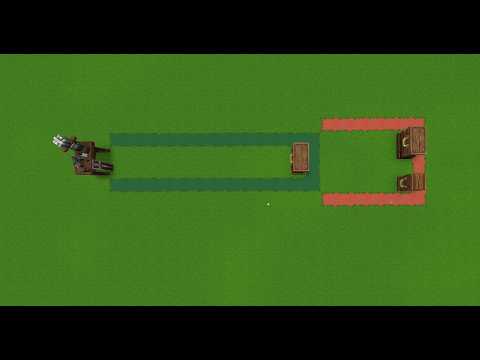
In vanilla Hytale a crafting bench takes materials from every chest within 14 blocks sideways and 6 up or down, up to 100 chests. It cannot reach a storage room further away, and when bases sit close together it takes from a neighbour's chests too. Workbench Chest Link lets each player register chests, or group them into named stashes and link a bench to any mix of stashes and single chests anywhere in the same world.
A linked bench counts the materials in its linked chests and crafting takes from them. The vanilla nearby search can stay on or be turned off per bench. Benches with no link behave exactly as in vanilla.
Allows you to use your workbenches a little more freely in either single player or on a server.
How to use it
/wcl opens the right page for what you look at. A crafting bench opens the link picker, a chest opens the chest page, and a bench item in your hand opens the picker for the next bench you place.
- Look at a chest and run
/wcl. Keep the default name or type one and press Register. - On the same page type a stash name such as
storageand press Create and add. For the next chests, run/wclat each one and press Add on the stash row. - Look at a crafting bench and run
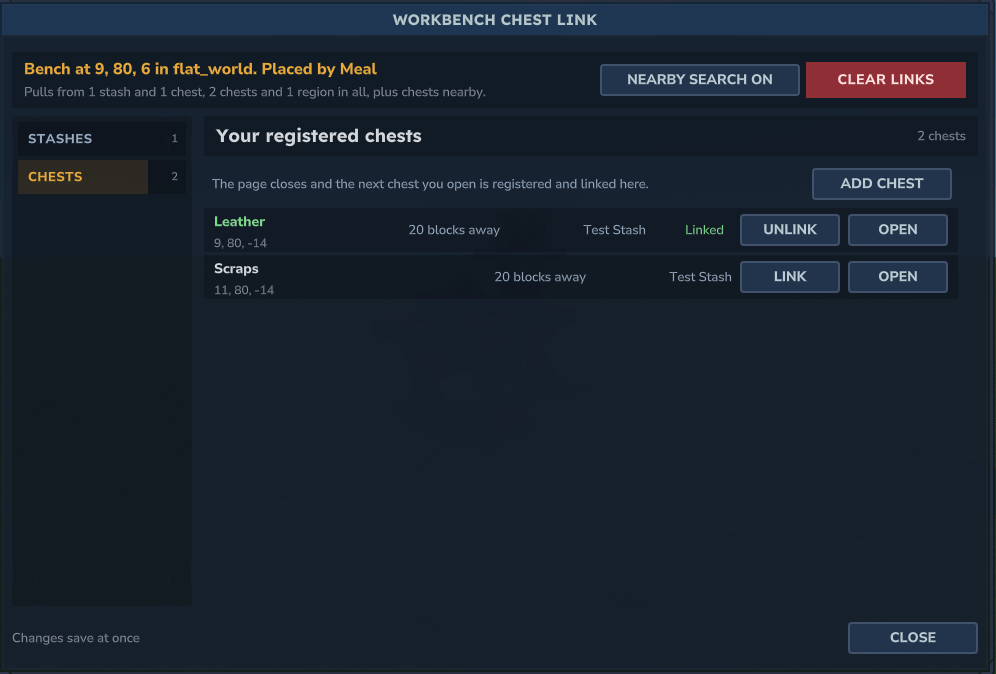
/wcl. Press Link on the stashes and chests the bench should use. The header sums up in one sentence what the bench pulls from. - Open the bench and craft.
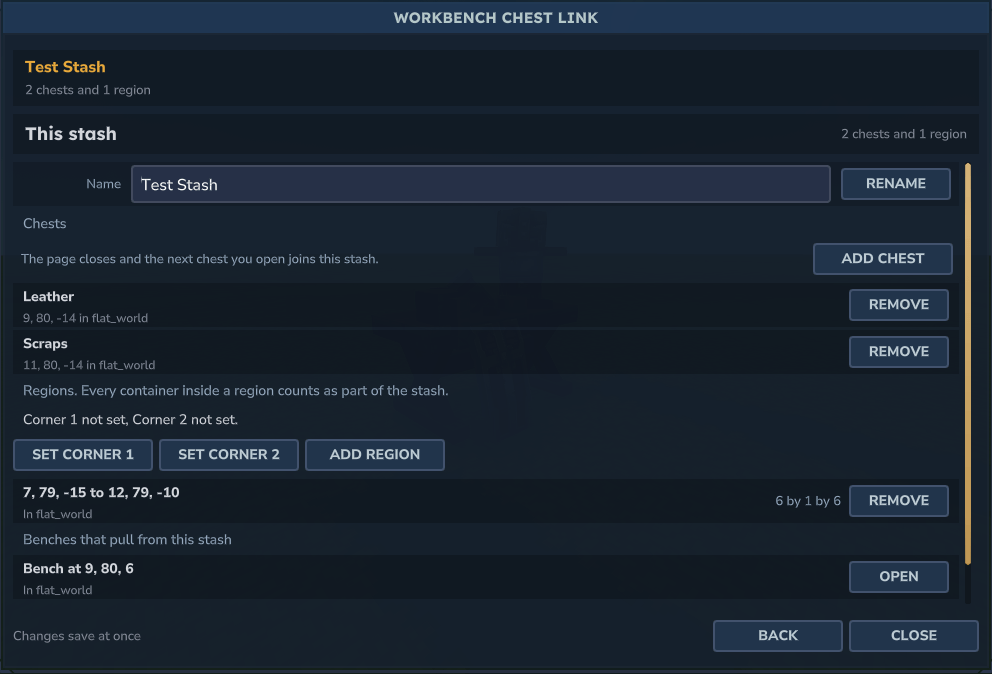
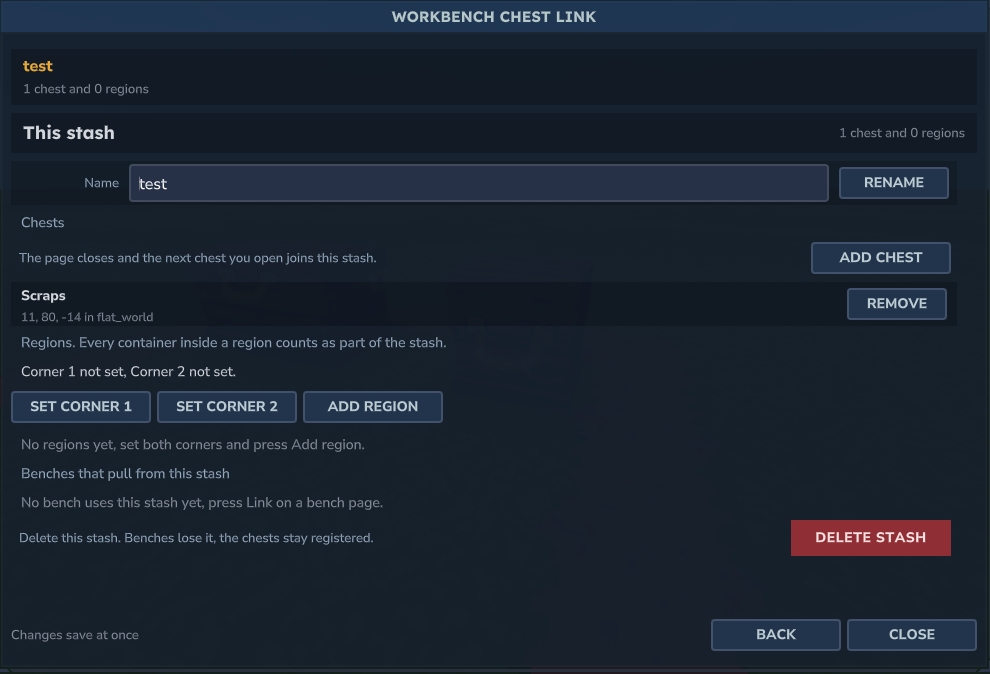
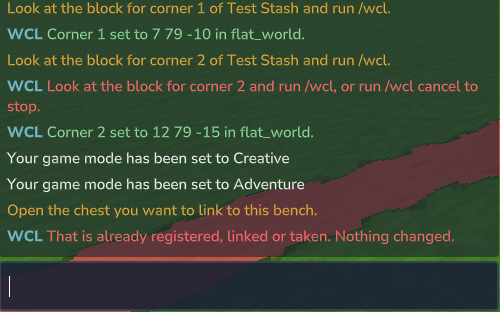
Open on a stash in the picker opens the stash page, and Back returns. There you rename the stash, remove chests, add a region with Set corner 1, Set corner 2 and Add region, and delete the stash. The chest and stash pages list the benches that use them, every list is sorted by name, and long lists get a filter. Every container inside a region counts, including ones placed there later. A region skips containers registered to another player, and containers another player placed unless the server or the bench owner's node allows them, and the bench says how many it skipped when it opens. Containers with no placer and no registration count. Add chest on the stash page or the picker closes the page, and the next chest you open is registered and added or linked, with a line in chat.
The full /chestlink command tree does the same for players who prefer typing, with tab completion of your stash and chest names. Chest names with spaces go in double quotes. /wcl help shows the two steps in chat.
Owners only
Your stashes, chests and links are yours alone. Nobody else can see or change them, and another player who opens your linked bench gets the vanilla bench. The mod records who placed every chest and crafting bench, and by default a player can only register or link the ones they placed, or ones that stood before the mod was installed. Every page shows who placed and who registered a block. Server staff with the admin node can manage anyone's data. There is no sharing with friends or factions in this version.
Commands
| Command | What it does |
|---|---|
/chestlink (alias /wcl) |
Opens the link picker for the bench you look at, the chest page for the chest you look at, or the picker for the next bench you place |
/wcl help |
Shows the two steps and a link to the guide |
/wcl cancel |
Stops a pick a page started |
/wcl chest add, remove, list, rename |
Register, unregister, list or rename your chests |
/wcl stash create, delete, rename, list, show |
Manage stashes |
/wcl stash add, remove |
Put a chest into a stash or take it out |
/wcl stash region pos1, pos2, add, remove, clear |
Boxes of a stash |
/wcl bench link, unlink |
Link a stash to the bench you look at |
/wcl bench pick, chest, unchest |
Link or unlink a single chest, by sight or by name |
/wcl bench vanilla on, off |
Whether the bench also uses the vanilla nearby search |
/wcl bench clear, status |
Remove every link, or show what the bench uses |
/wcl admin reload, others on, others off |
Read messages.json again, allow or forbid other players' chests |
/wcl admin stash, chest, bench |
List, remove and clear any player's data |
Every player command is open to everyone. The
admincommands needryvrook.workbenchchestlink.admin.ryvrook.workbenchchestlink.otherslets a player register chests and link benches other players placed. The owner of a singleplayer world passes both.
Eleven settings in mods/Ryvrook_WorkbenchChestLink/WorkbenchChestLink.json cap stashes, chests, regions and links, set the vanilla search default and set AllowOthersChests, false by default. Every sentence is in messages.json. Both are listed in the README on GitHub.
With my other mods
KeepWorkbenchTier, checked with 1.0.1, keeps an upgraded bench at its tier when you break and place it, so you can move a bench without paying for the upgrades again. The two run side by side without a link. Breaking a linked bench clears its links, so link it again after placing it.
Limits
Needs server 0.7.2 or newer and Java 25. Chests in another world are skipped, and a linked chest only counts while its chunk is loaded. The bench says so when it opens. Furnaces and other processing benches keep the vanilla search in this version. Chests and benches removed by explosions or block physics leave your links on their own. Chests and benches placed before 0.2.0 have no recorded placer.
Links
- More mods by ryvrook https://www.curseforge.com/members/ryvrook/projects
- Wiki https://mods.ryvrook.com/workbenchchestlink/
- Source and issues https://github.com/ryvrook/workbenchchestlink
- Discord https://discord.gg/mKgxyk6qvb
Workbench Chest Link Team