

![[Tblack's] VoidVault logo](https://media.forgecdn.net/avatars/thumbnails/1847/337/64/64/639162430709288611.png)
[Tblack's] VoidVault
- By
VoidVault adds a personal cross-dimensional vault for every player, just like Minecraft's Ender Chest.
VoidVault_logo (1).png
VoidVault.png
VoidVault Opened.png
Multi-Vaults UI.png
Description

VoidVault
A personal cross-dimensional vault system for Hytale servers

VoidVault gives every player a safe, persistent and configurable personal storage system, inspired by Minecraft's Ender Chest and Chest of the Void.
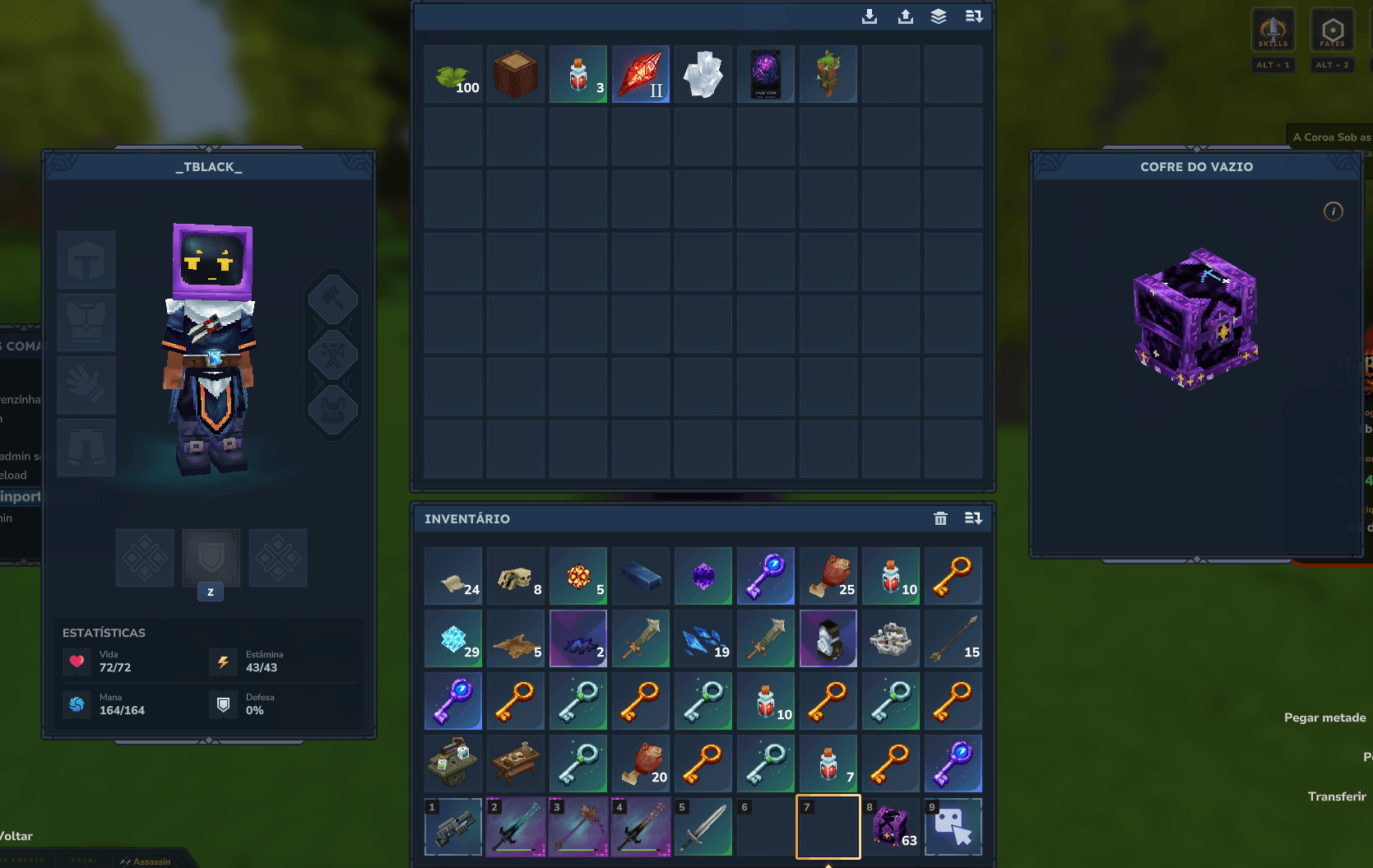
Players can access their vault through a physical Void Vault block, commands, or a clean vault selection interface when Multi Vaults are enabled.
🔥 VoidVault Sponsors
Powered by HyTools
Free Hytale tools built by fans, for the community. Create shapes, format text, analyze server logs, configure servers, prepare announcements, simplify repetitive tasks, and more directly in your browser.
Powered by HyBrasa
Join HyBrasa, a Brazilian Hytale RPG server focused on adventure, progression, community, and an evolving gameplay experience.
Server IP: jogar.hybrasa.com.br:11276
Discord: Join the HyBrasa community →

✨ Features
- personal vault storage for every player;
- support for multiple vaults per player;
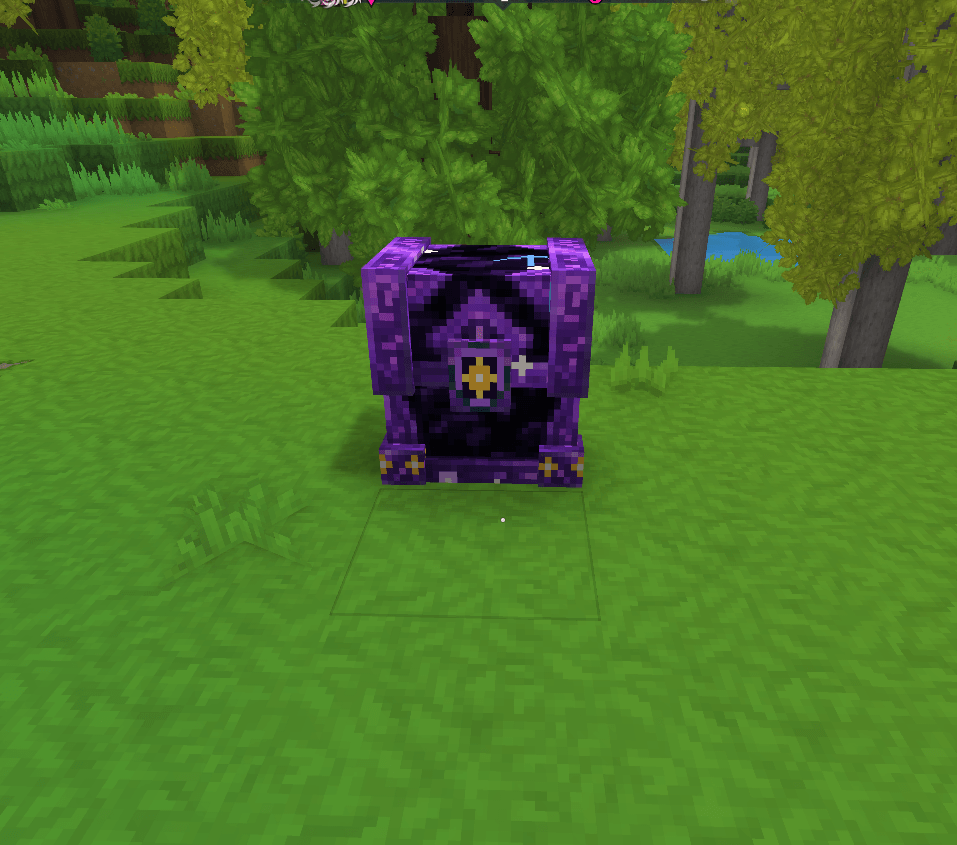
- physical craftable Void Vault block;
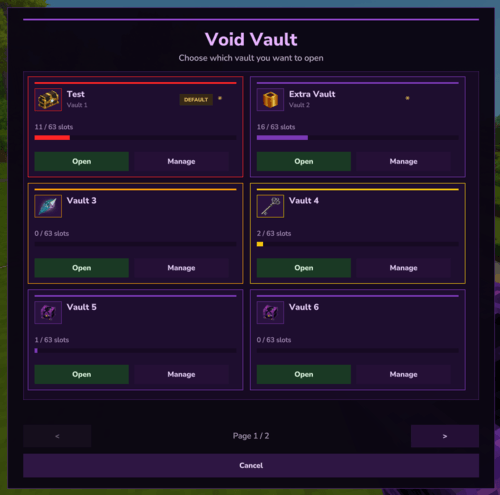
- clean in-game vault selection UI;
- custom names for individual vaults;
/vvand/voidvaultcommands;- configurable slot tiers;
- configurable vault count tiers;
- LuckPerms-compatible group checks;
- permission-based access control;
- admin command to inspect player vaults;
- runtime config reload;
- SQLite storage by default;
- safe overflow storage;
- safe migration from the old EnderChest mod;
- custom VoidVault opening sound;
- crafting can be enabled or disabled;
- existing player data is preserved when updating.
💜 Multi Vaults
VoidVault can give players access to multiple personal vaults.
Players can open a specific vault directly with:
/vv 1
/vv 2
/vv 3
They can also open the vault selector UI with:
/vv uiWhen a player interacts with the physical Void Vault block:
- if the player has only one vault, Vault 1 opens directly;
- if the player has multiple vaults, the selection UI opens;
- the player can then choose which vault they want to access.
This keeps the block simple for regular players while still supporting advanced storage setups for ranks, VIPs, progression systems and custom server economies.
🏷️ Custom Vault Names
Players can give custom names to their vaults to organize their storage more easily.
Examples:
/vv rename 1 wood
/vv rename 2 ores
/vv rename 3 weapons
Custom names appear in the vault selection UI under the vault number.
For example:
Vault 1
wood
The original vault number is always kept visible, so players and staff can still identify vaults clearly.
To remove a custom name:
/vv rename 1 reset📦 Player Commands
| Command | Description |
|---|---|
/vv |
Opens your main vault. By default, this opens Vault 1. |
/vv <number> |
Opens a specific vault, such as /vv 2. |
/vv ui |
Opens the vault selection interface. Useful when you have access to multiple vaults and want to choose one visually. |
/vv list |
Lists the vaults available to you. |
/vv rename <number> <name> |
Sets a custom name for one of your vaults, such as /vv rename 2 ores. |
/vv rename <number> reset |
Removes the custom name from a vault, such as /vv rename 2 reset. |
/voidvault |
Also opens your main vault. |
/voidvault help |
Shows the available VoidVault commands. |
/voidvault overflow |
Shows how many hidden item slots you have stored above your current visible slot limit. |
/voidvault overflow <number> |
Shows overflow information for a specific vault. |
/voidvault overflow all |
Shows overflow information across all of your vaults. |
Overflow commands are especially useful after a server migration or when a server uses different vault sizes for ranks, VIPs or progression-based groups.
🛡️ Admin Commands
| Command | Description |
|---|---|
/voidvault open <player|uuid> |
Opens another player's main vault. Useful for moderation, support, migration checks and recovering player data. |
/voidvault open <player|uuid> <vault> |
Opens a specific vault from another player, such as /voidvault open Steve 2. |
/voidvault reload |
Reloads the VoidVault configuration from mods/VoidVault/config.json. Use this after changing permissions, slot tiers, multi-vault settings, crafting settings or importer settings. |
/voidvault import enderchest |
Imports player data from the old EnderChest mod database into VoidVault. |
By default, VoidVault looks for the old EnderChest database at:
mods/kvothe_EnderChest/enderchest.dbVoidVault imports valid vault data into:
mods/VoidVault/voidvault.dbIt also generates import reports under:
mods/VoidVault/reports/🔐 Permissions
Default command permissions:
voidvault.use
voidvault.ui
voidvault.admin
voidvault.admin.reload
voidvault.admin.import
Default slot permissions:
voidvault.slots.vip1 -> 18 slots
voidvault.slots.vip2 -> 27 slots
voidvault.slots.vip3 -> 36 slots
voidvault.slots.vip4 -> 54 slots
voidvault.slots.vip5 -> 63 slots
Default multi-vault permissions can be configured by the server owner.
Example permission style:
voidvault.vaults.vip1 -> 2 vaults
voidvault.vaults.vip2 -> 3 vaults
voidvault.vaults.vip3 -> 5 vaults
voidvault.vaults.vip5 -> 10 vaults
Legacy EnderChest permissions are also supported by default:
enderchests.vip  -> 27 slots
enderchests.vip+ -> 54 slots
enderchests.vip5 -> 63 slots
These legacy permissions are included to make migration easier for servers that were already using the old EnderChest mod.
👑 LuckPerms Support
VoidVault works without LuckPerms, but if LuckPerms is installed, VoidVault can also check player groups.
Slot tiers can be configured by permission node and/or LuckPerms group:
{
  "id": "vip5",
  "slots": 63,
  "permission": "voidvault.slots.vip5",
  "luckPermsGroups": ["vip5"]
}
Multi-vault tiers can also be configured by permission node and/or LuckPerms group:
{
  "id": "vip5",
  "vaults": 10,
  "permission": "voidvault.vaults.vip5",
  "luckPermsGroups": ["vip5"]
}
If a player matches multiple tiers, VoidVault uses the highest matching value.
🧰 Slot System
By default, players start with:
9 slotsServer owners can increase slots by configuring permission tiers or LuckPerms groups.
Default maximum tier:
63 slotsThis is useful for servers that want to offer larger vaults to VIPs, ranks, donors or progression-based groups.
All vaults owned by a player use the same visible slot amount granted by that player's slot tier.
Example:
- a player with 9 slots has 9 visible slots in each accessible vault;
- a player with 63 slots has 63 visible slots in each accessible vault.
💎 Multi Vault Configuration
Multi Vaults can be enabled or disabled in:
mods/VoidVault/config.jsonExample:
{
  "multi-vaults": {
    "enabled": true,
    "defaultVaults": 1,
    "maxVaults": 10,
    "tiers": [
      {
        "id": "vip1",
        "vaults": 2,
        "permission": "voidvault.vaults.vip1",
        "luckPermsGroups": ["vip1"]
      },
      {
        "id": "vip5",
        "vaults": 10,
        "permission": "voidvault.vaults.vip5",
        "luckPermsGroups": ["vip5"]
      }
    ]
  }
}
When Multi Vaults are disabled, VoidVault keeps the classic single-vault behavior.
When Multi Vaults are enabled, each player can access the amount of vaults granted by their permissions or LuckPerms groups.
🛡️ Overflow-Safe Storage
VoidVault does not delete items just because a player currently has fewer visible slots.
Example:
- a player has items stored in slots
0through62; - their current rank only grants
9visible slots; - slots above
8remain safely stored in the database; - those items become visible again when the player receives a rank with enough slots.
This is especially important when migrating from EnderChest or when changing rank permissions on a live server.
🔒 Vault Access Safety
VoidVault is designed to protect player data.
If a player loses access to an extra vault, the vault data is not deleted.
Example:
- a player has access to 5 vaults;
- they store items in Vault 4;
- later, they lose the permission that granted extra vaults;
- Vault 4 becomes inaccessible;
- the items remain safely stored;
- if the player regains access later, Vault 4 still contains the saved items.
This makes Multi Vaults safe for VIP systems, temporary ranks and permission changes.
🔁 EnderChest Migration
VoidVault includes a built-in migration command for servers moving away from the old EnderChest mod.
Default old database path:
mods/kvothe_EnderChest/enderchest.dbDefault old JSON directory:
mods/kvothe_EnderChest/ender_chest_dataRun this command in-game:
/voidvault import enderchestVoidVault will:
- read legacy EnderChest player vaults;
- import valid inventory data;
- preserve old slot positions;
- keep overflow items safe;
- avoid overwriting non-empty VoidVault records by default;
- replace empty
{}records created before migration; - create reports under
mods/VoidVault/reports/; - create backups before confirmed imports when enabled in config.
Before running migration on a live server, always make a full server backup.
Imported EnderChest data is placed into:
Vault 1⚙️ Configuration
VoidVault creates its config file at:
mods/VoidVault/config.jsonMain config sections:
database
commands
slots
multi-vaults
crafting
importer
safety
You can configure:
- database path;
- command names and aliases;
- permission nodes;
- slot tiers;
- multi-vault tiers;
- LuckPerms groups;
- crafting enable/disable;
- EnderChest import paths;
- save behavior and safety options.
After editing the config, run:
/voidvault reload🔨 Crafting
VoidVault includes a craftable physical vault block.
Server owners can disable crafting in:
mods/VoidVault/config.jsonExample:
{
  "crafting": {
    "enabled": false
  }
}
When crafting is disabled, players can still use commands if they have permission.
📥 Installation
- Download the latest VoidVault
.jar. - Place it in your server's
modsfolder. - Start the server.
- Edit the generated config if needed:
mods/VoidVault/config.json- Restart the server or run:
/voidvault reload⭐ Recommended Setup for Server Owners
A simple slot progression could look like this:
Default players: 9 slots
VIP 1: 18 slots
VIP 2: 27 slots
VIP 3: 36 slots
VIP 4: 54 slots
VIP 5: 63 slots
A simple vault progression could look like this:
Default players: 1 vault
VIP 1: 2 vaults
VIP 2: 3 vaults
VIP 3: 5 vaults
VIP 5: 10 vaults
For LuckPerms servers, configure your rank groups inside luckPermsGroups.
Example:
{
  "id": "vip5",
  "slots": 63,
  "permission": "voidvault.slots.vip5",
  "luckPermsGroups": ["vip5"]
}
Example multi-vault tier:
{
  "id": "vip5",
  "vaults": 10,
  "permission": "voidvault.vaults.vip5",
  "luckPermsGroups": ["vip5"]
}
🗄️ Data Storage
VoidVault stores player vault data in SQLite by default:
mods/VoidVault/voidvault.dbMain multi-vault table:
void_vault_inventoriesEach vault record is stored by:
uuid
vault_id
inventory_data
source
last_updated
Vault metadata, such as custom vault names, is stored separately.
Legacy single-vault data is preserved for compatibility and migrated safely into:
Vault 1📌 Version
Current version:
0.2.0💻 Source & Contributions
VoidVault is source-available for non-commercial use.
Developers can read, modify, fork and contribute to the project for non-commercial purposes.
Contributions are welcome, especially around:
- better migration tools;
- improved reports;
- more configuration options;
- better localization;
- database improvements;
- UI and sound polish;
- compatibility improvements.
📜 License
VoidVault is licensed under the PolyForm Noncommercial License 1.0.0.
You may read, use, copy, modify, fork and contribute to the project for non-commercial purposes.
You may not sell copies of this project, sell modified versions of this project, or use this project as the basis of a commercial product or paid service without explicit written permission from the project maintainers.
Commercial licensing exceptions may be granted by the maintainers on request.
VoidVault
More space. Better organization. Safer storage.
A modern vault system for Hytale servers.
[Tblack's] VoidVault Team

![[Tblack's] EasyCommands project image](https://media.forgecdn.net/avatars/thumbnails/1675/378/256/256/639065294440800586.png)
![[Tblack's] StackWise project image](https://media.forgecdn.net/avatars/thumbnails/1893/179/256/256/639183898838593372.png)