Tempest Trade – Safe Player Trading
- By
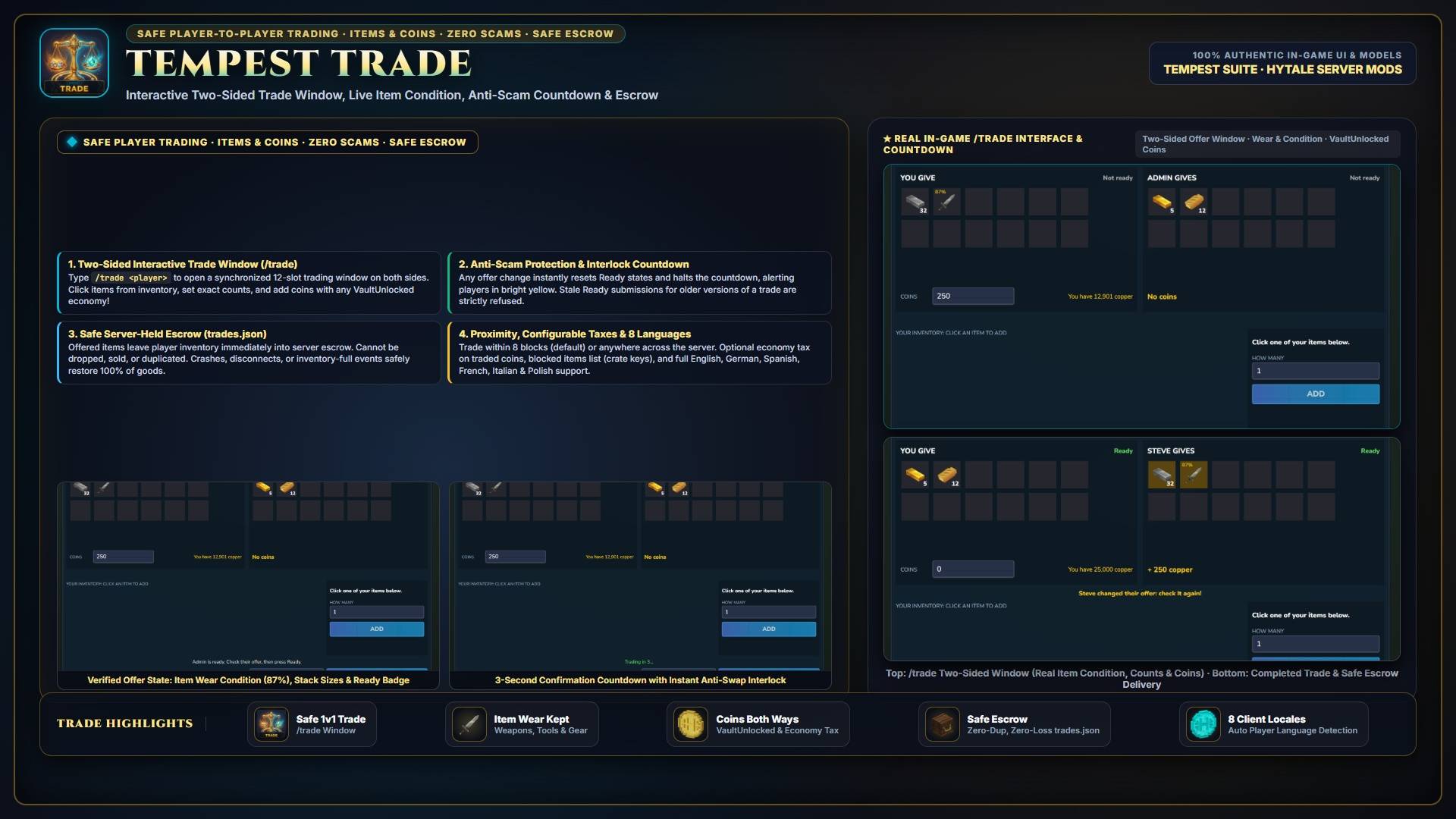
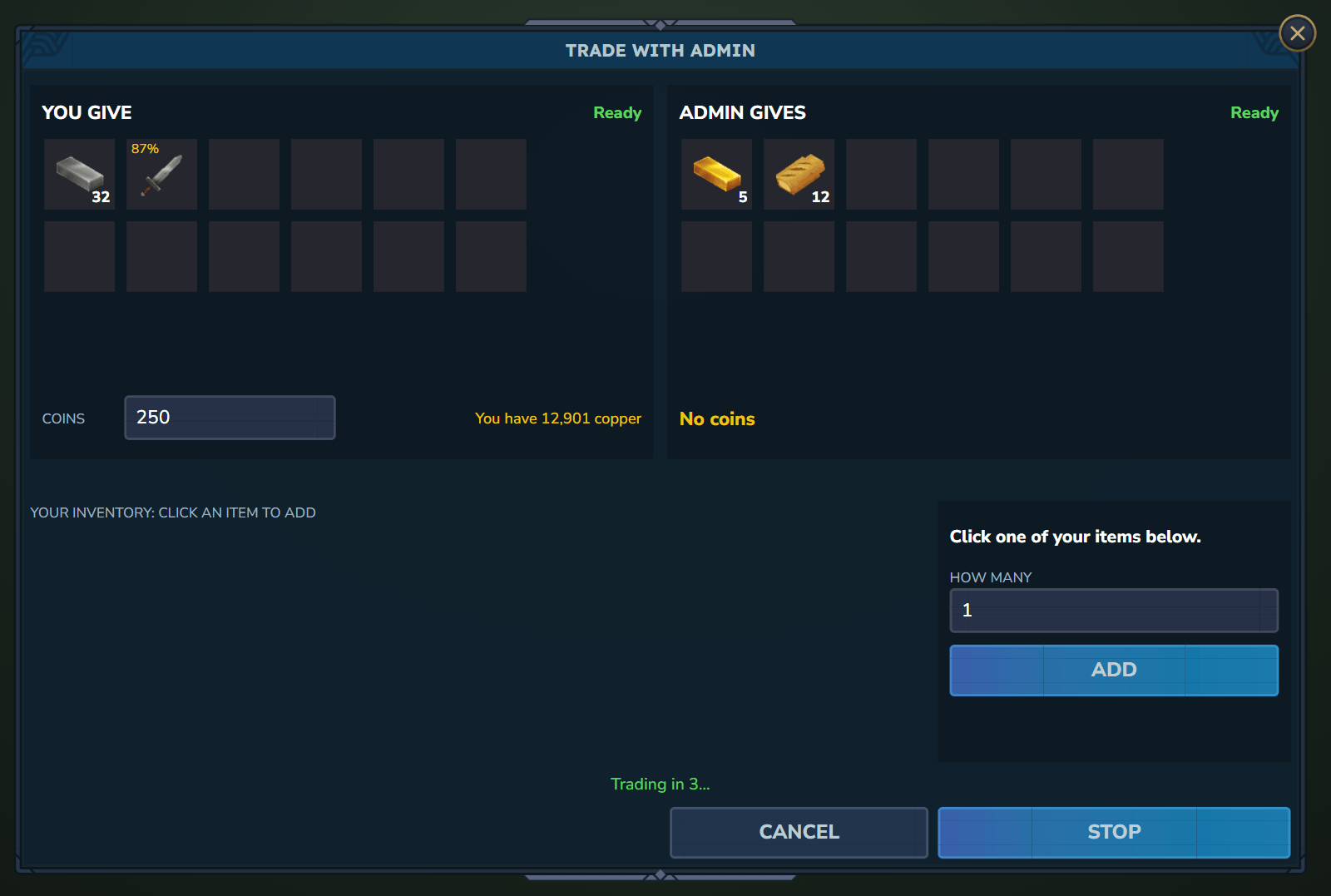
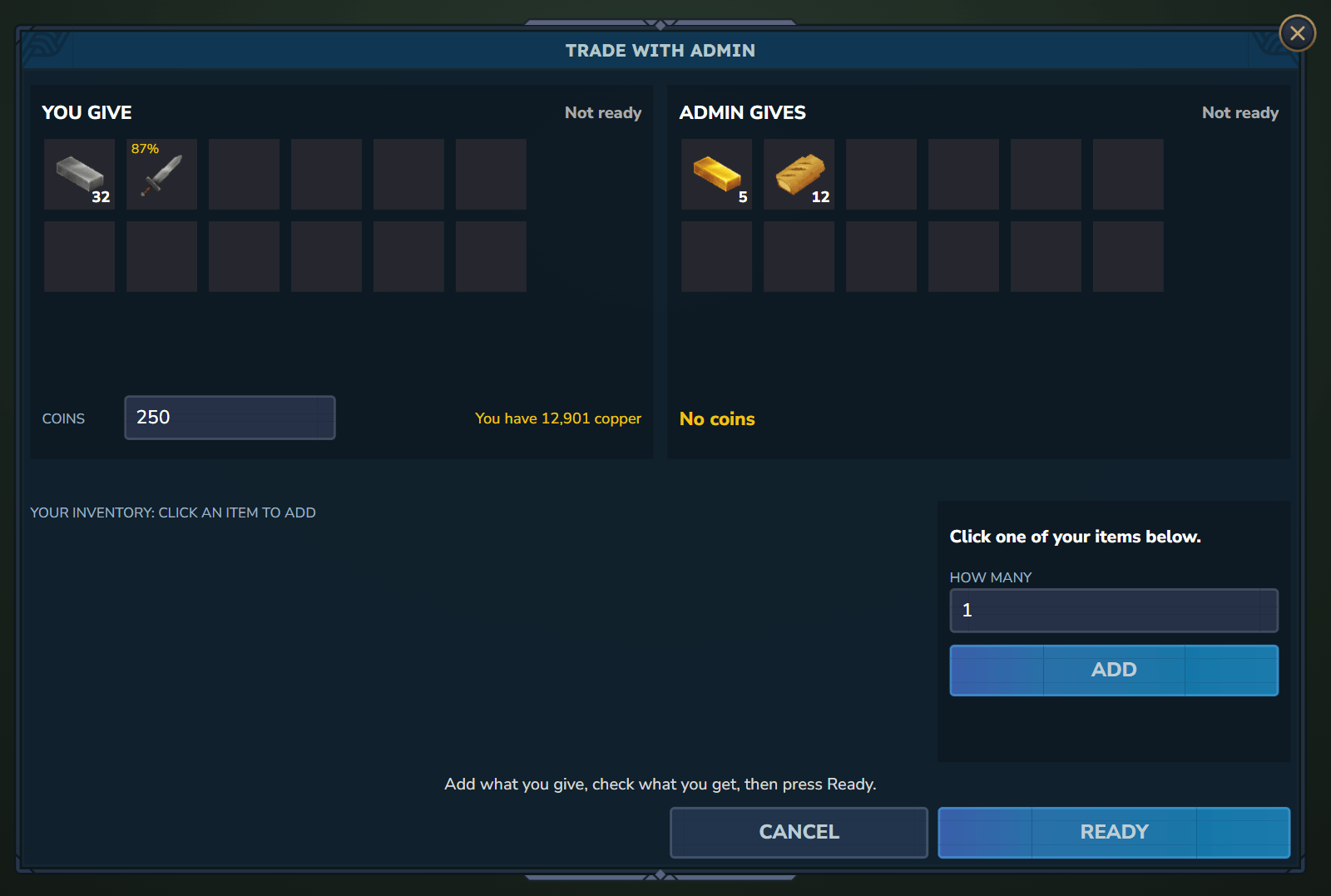
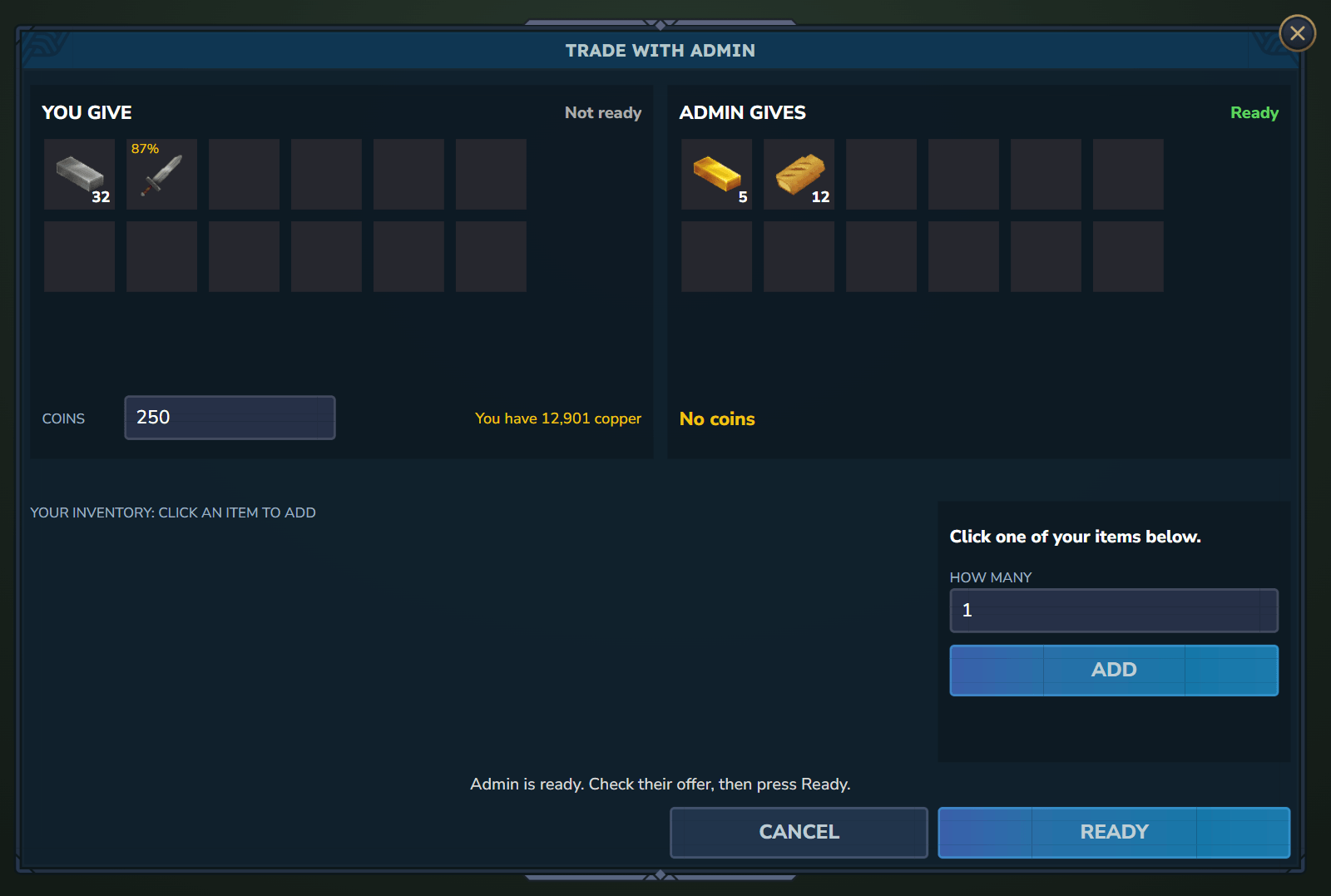
synchronized trade window for two players: items and coins on both sides, both press Ready, a short countdown, done. Nobody can be scammed, and no item is ever lost or doubled.
Description
Tempest Trade – Safe Player Trading
Summary: A synchronized trade window for two players: items and coins on both sides, both press Ready, a short countdown, done. Nobody can be scammed, and no item is ever lost or doubled.
Try it live: join
hytale.damdjo.netin Hytale (Servers → Add Server) to see every Tempest plugin running, Pro editions included. Free to join, nothing to install.
Players trade on every server, and too often by dropping items on the ground and hoping. Tempest Trade gives them a proper trade window where both must agree, and where the usual tricks simply do not work.
New in Tempest Trade 1.1.0
- Blocked items are one searchable "add an item" dropdown with the items under it.
- Trade settings save the moment they change, are tagged "changed" against their defaults, and Reset to defaults works for them.
Features
/trade <player>asks; the other answers with/trade <name>or/trade accept. The window opens on both sides.- Click an item, choose how many, add it. Coins too, with any VaultUnlocked economy. Tools and weapons show their condition (e.g.
87%), so a worn sword is never sold as new. - Both press Ready, a short countdown, done. The countdown stops at any change.
Built Against Scams
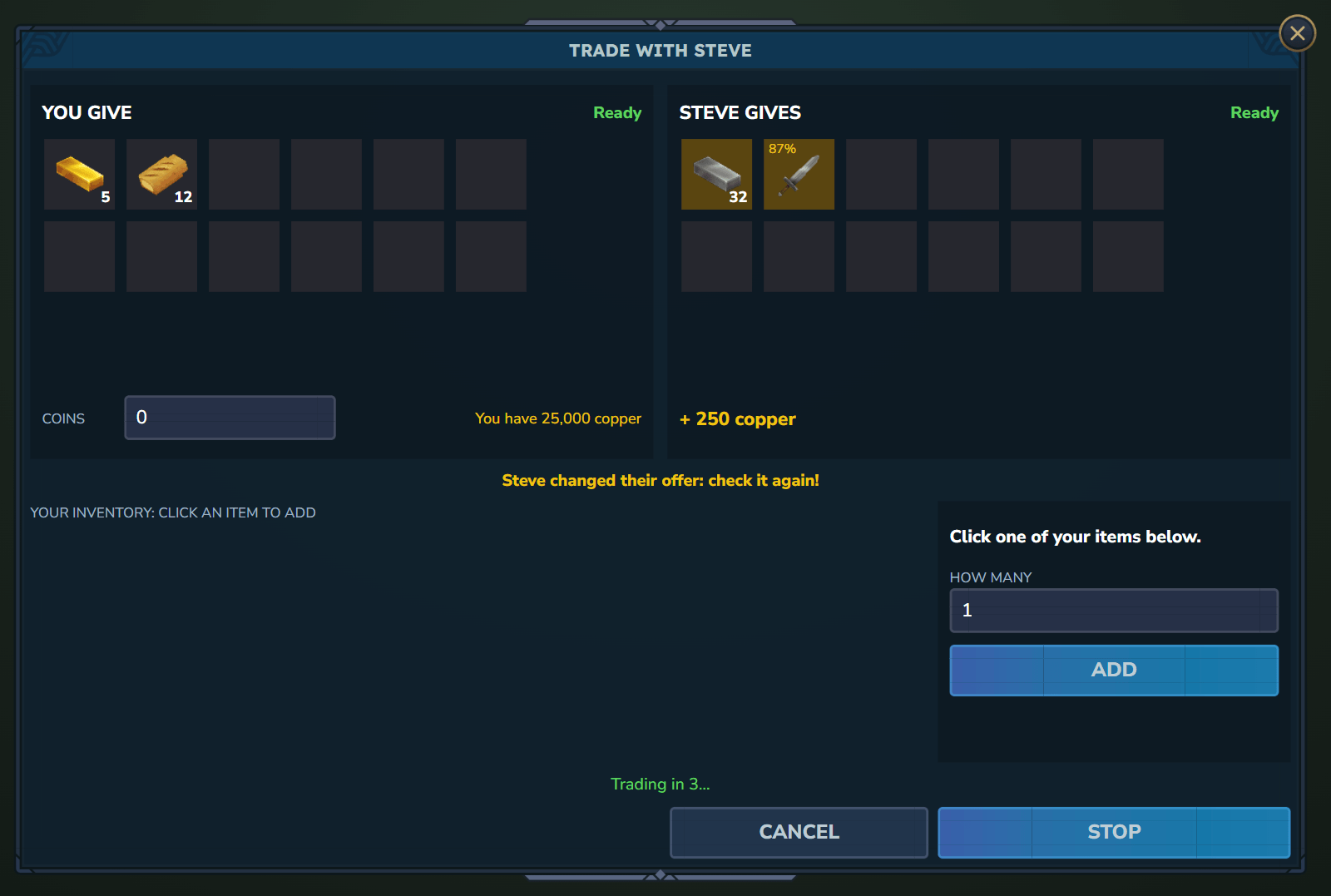
- No last-moment swaps. Any change makes both players not ready and stops the countdown; the other player sees "changed their offer" in yellow. A Ready for an older version of the trade is refused.
- Nothing can be offered twice. What you put in leaves your inventory and is held by the server, so it cannot also be dropped, sold or put in a chest.
- Nothing is lost. Held items are saved to
trades.json, so a crash or a restart gives them back. Cancel, close the window, leave the server or walk away: everything goes back. A full inventory? The items wait and arrive when there is room, never on the ground. - Coins move both ways or not at all. If one player no longer has the coins, the other gets theirs back and the trade stays open.
- No spam. Requests expire, there is a cooldown, and
/trade toggleturns requests off. - Blocked items that must stay with one player (crate keys by default).
- Every trade logged for admins.
Your Rules (In /tempest → Trade)
- Must players stand near each other? On by default (8 blocks, same world). Turn it off to trade from anywhere.
- Coins in trades on or off, and a tax on traded coins that takes money out of the economy.
- Slots per player (1 to 18), countdown length (1 to 10s), request time and cooldown, blocked items, the trade log.
- Want trades only, no
/pay? With Tempest Economy, switch off "Players can pay each other" in its tab.
In 8 Languages
English, German, Spanish, French, Italian, Brazilian Portuguese, Russian and Polish. Each player sees the window and messages in the language their game is set to.
Commands & Permissions
| Command | Permission | Function |
|---|---|---|
/trade <player> |
everyone | Ask a player to trade, or accept when they asked first |
/trade accept |
everyone | Accept the newest request |
/trade deny |
everyone | Say no to every waiting request |
/trade toggle |
everyone | Turn trade requests to you off or on |
/trade open |
everyone | Open the window of your trade again |
Tempest Suite: Core · Economy · Shop · Crates · Quests · Pass · Jobs · Town · Projects · Contracts · Events · Holograms · Slots · Lottery · Coinflip
Tempest Trade – Safe Player Trading Team